How to Add URL for Add More Button
Set the page the Add More button sends readers to, where they can follow more of their interests.
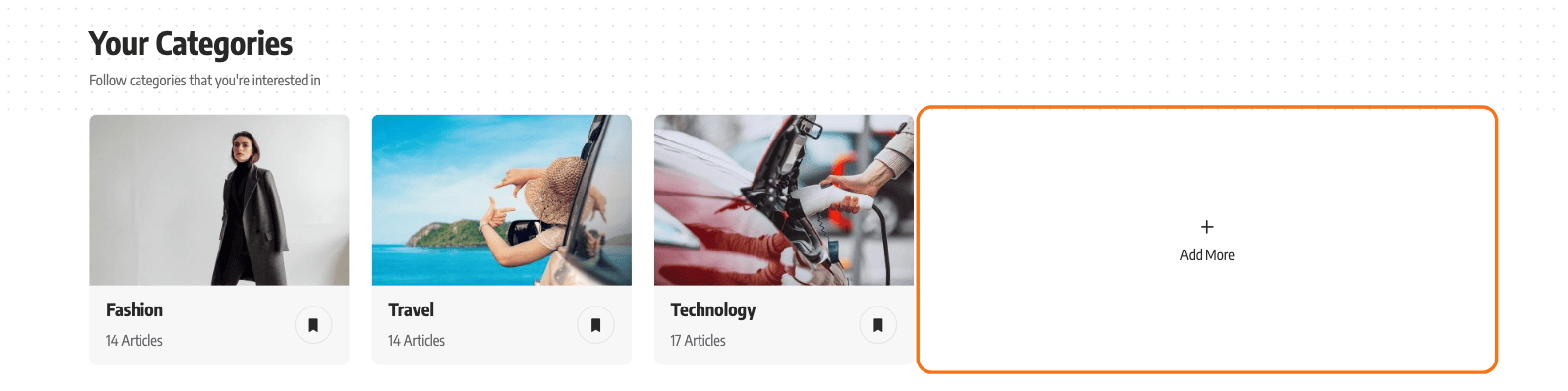
The button is labelled Add More, with a plus icon, and it sits at the end of two lists on your Reading List page: the categories the visitor follows and the writers they follow. It is the visitor's way out of a short list into a page where they can follow more.
To get started, follow the steps below:
-
Navigate to Foxiz > Theme Options > Personalized System > Reading List - Followed > Redirect More Button
-
Enter the URL of the page where readers can follow more categories and writers. The field holds
#by default, so out of the box the button is drawn and clicking it does nothing.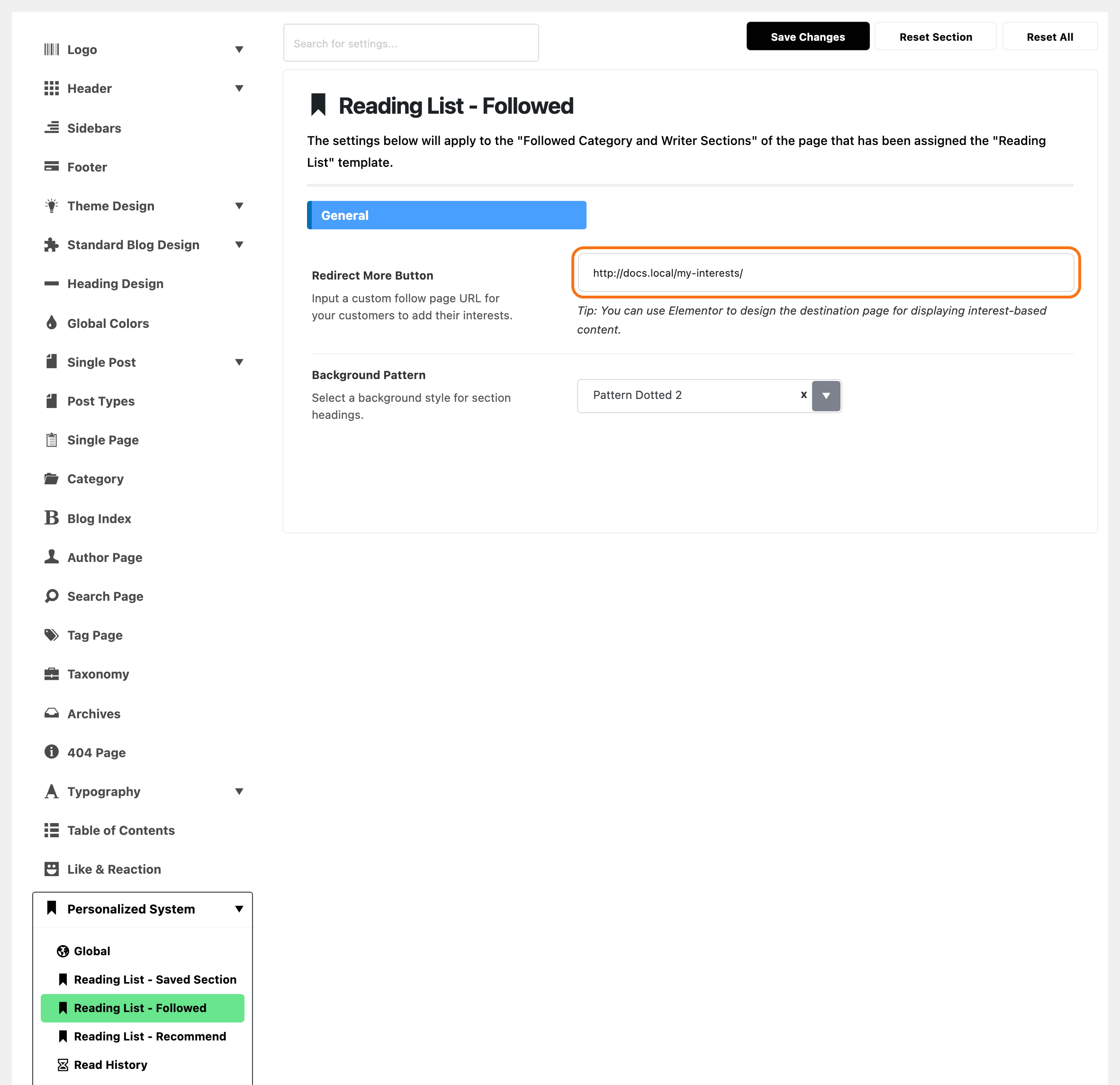
-
Click on the “Save Changes“.
Clear the field completely and the button is not rendered at all, which is the way to remove it rather than leaving it pointing at #.
There is no page in the theme that the destination has to be. A good destination is an interests page where readers pick categories and writers to follow: How to Build an Interests Page walks it. Or build one with Elementor, using the Foxiz - Taxonomies List 1 or Foxiz - Authors List 1 blocks, or point the button at an existing category index. The panel's own tip says the same.
The Add More button sits at the end of both lists even for a reader who follows nothing yet. Those lists are never empty: until the reader follows something, the theme fills them with the four categories and the four writers with the most posts.
The two sections can also be switched off entirely. In Reading List - Followed, the Categories Section group holds a Categories switch and the Writers Section group holds a Writers switch. Both are on by default.
Did this answer your question?