How to Use a Different Footer on One Page or Post
Any page or post can show its own footer, for example a landing page with a short footer of its own. You paste a Ruby Template shortcode into that page's footer field.
That field wins over the site footer. It replaces whatever Theme Options > Footer > Footer Layout says on this one page, even a widget layout or Disable. Leave it empty and the page shows the site footer again.

You need the template first. How to Build a Footer Template in Elementor makes one.
On a page
-
Copy the template's shortcode from the Template Shortcode column at Ruby Templates > All Templates. It looks like
[Ruby_E_Template id="123"]. -
Navigate to Pages > All Pages, hover over the page and click Edit. Use the WordPress editor, not Edit with Elementor: the setting is in a box that only the WordPress editor shows.
-
At the bottom of the editor, click the Meta Boxes bar to open it, and find Single Page Settings.

-
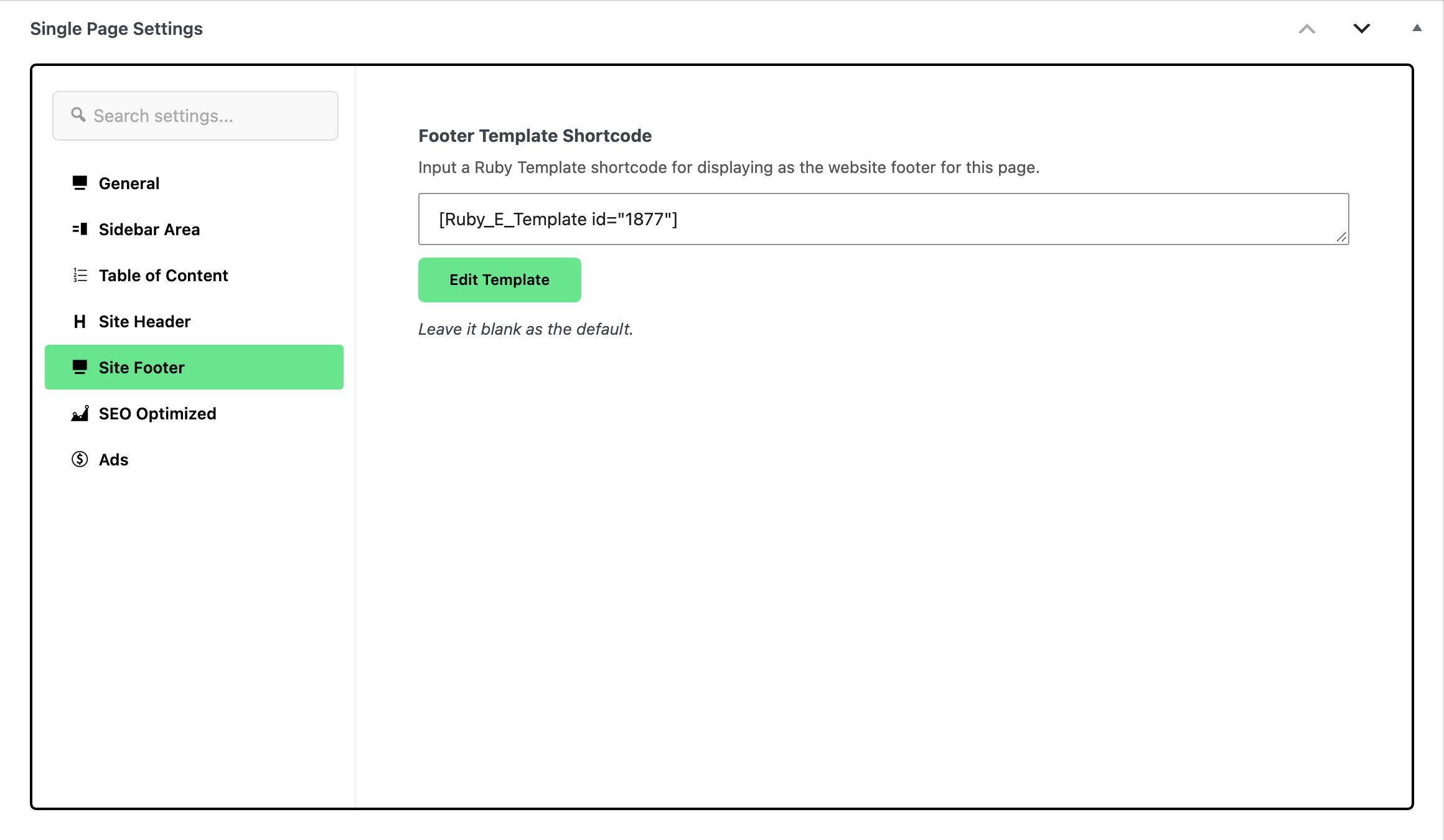
Open the Site Footer tab.
-
Paste the shortcode into Footer Template Shortcode.
-
Click Save, or Publish on a page that is not published yet.
On a post
The steps are the same, from Posts > All Posts. The box is called Single Post Settings, and in its Site Footer tab the field is called Use Ruby Template for Site Footer.
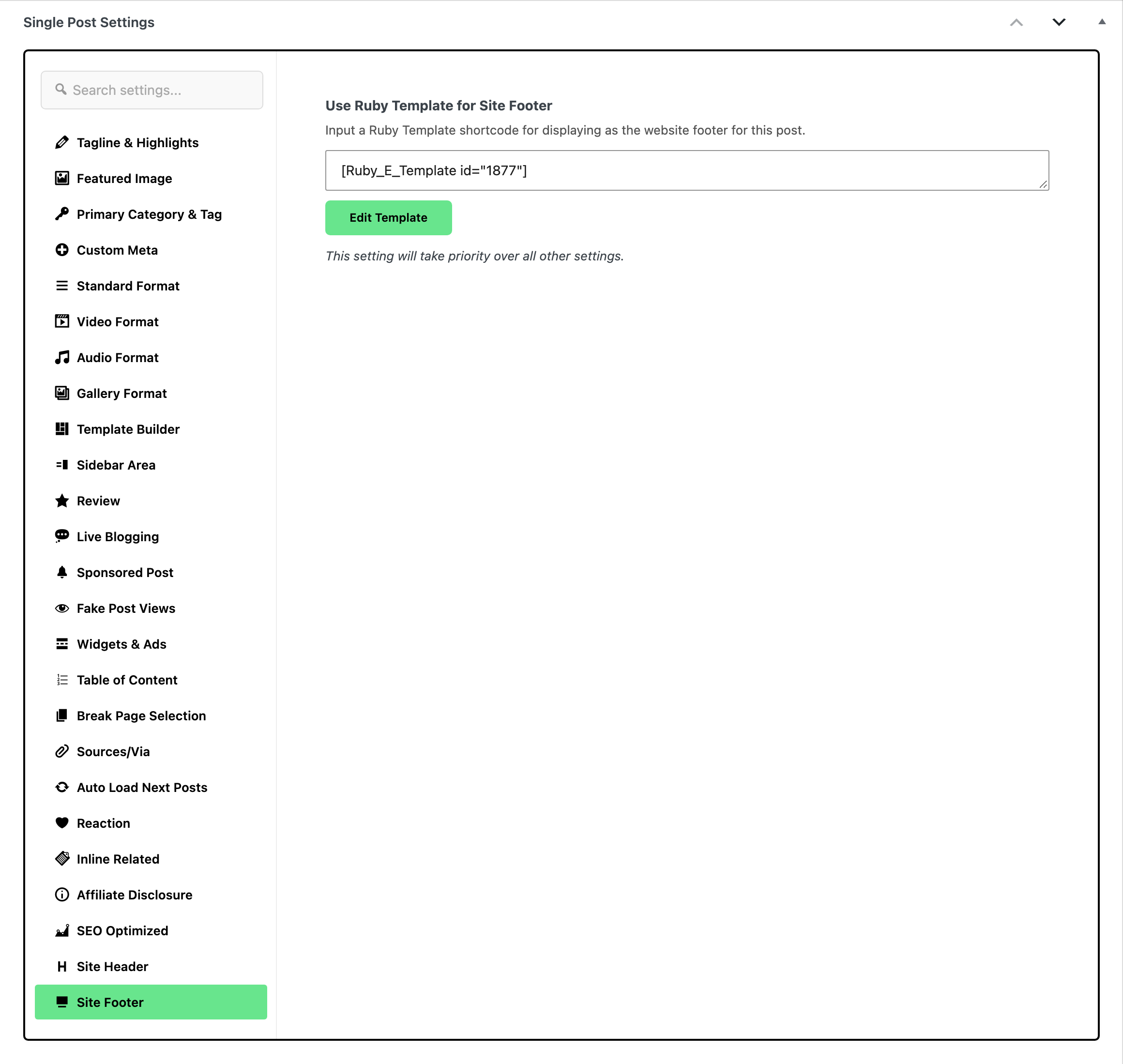
An item of a custom post type has the same tab, in a box called Single Post Type Settings, with a field called Template Shortcode.
Good to know
- Only single pages and posts have this field. Category, tag, search and archive pages always show the site footer.
- The copyright bar still shows under the page's template, because it comes from Theme Options > Footer. A landing page that should show nothing below the template needs those copyright fields empty site wide.
- Want the same footer everywhere? Set it once for the whole site instead: Footer Builder.
Did this answer your question?