Footer Overview: Built-in Layout or Ruby Template
The footer is everything below your content: columns of links and widgets, your logo, social icons and the copyright line. Foxiz gives you two ways to build it.
- A built-in layout. Foxiz draws the footer for you. You pick a column layout in Theme Options and fill the columns with widgets. No Elementor needed.
- A Ruby Template. You design the footer yourself in Elementor, then tell Foxiz to show that template as the footer.
One setting decides which of the two your site shows: Footer Layout, at Theme Options > Footer > Widget Section. A column layout there means the built-in footer. Use Ruby Template means your template.
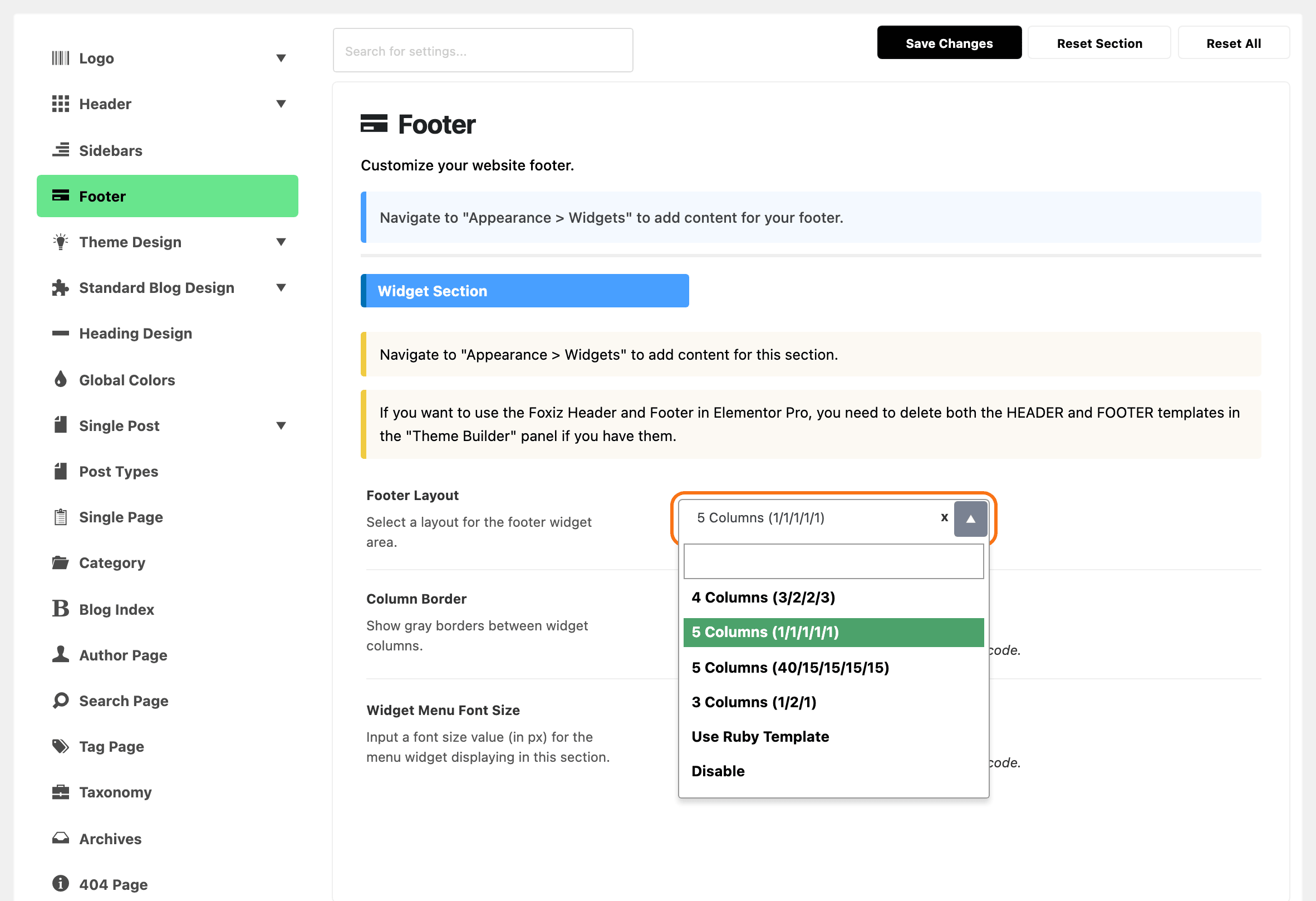
The two ways side by side
A built-in layout: widget columns, then the logo and social icons, then the copyright bar.
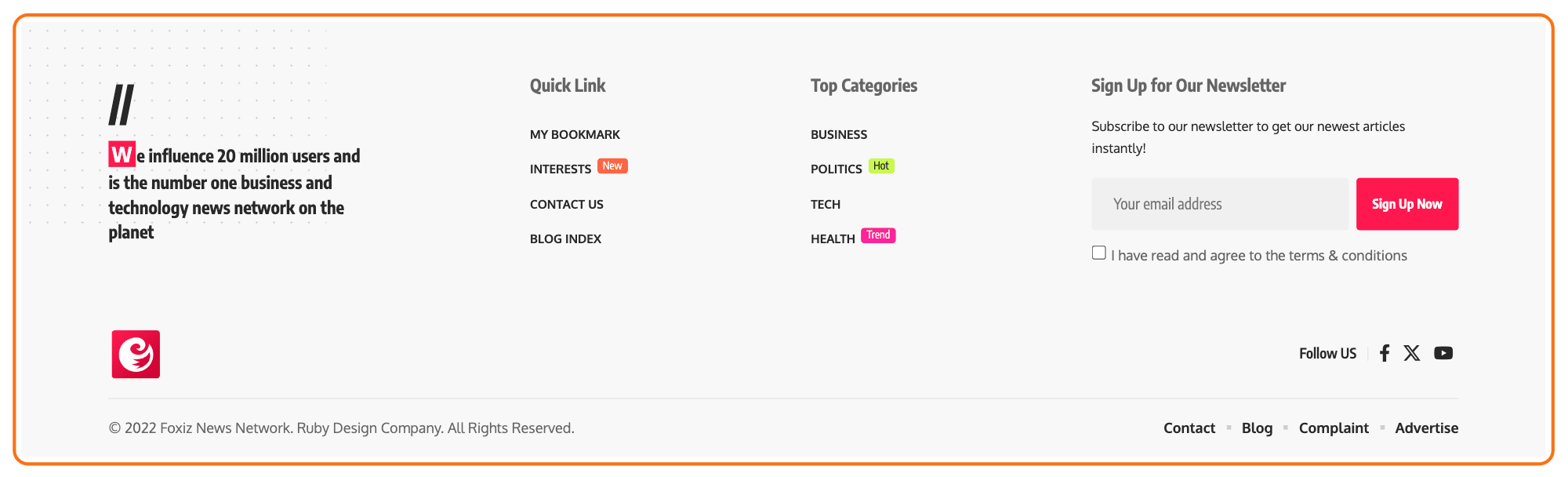
A Ruby Template: any layout you can build in Elementor.

| Built-in layout | Ruby Template | |
|---|---|---|
| Where you build it | Theme Options > Footer and Appearance > Widgets | Ruby Templates, in Elementor |
| Layout | one of four column layouts | anything Elementor can build |
| What goes in it | WordPress widgets | Elementor and Foxiz blocks |
| Needs Elementor | no | yes |
| Colours | Background and Text Color Scheme in Theme Options | set on the template's own containers |
Which one should you use?
For most sites, start with the built-in layout. It is quick to set up and needs no page builder.
Switch to a Ruby Template when the columns cannot give you what you want, for example a newsletter sign up across the full width, a coloured band, or your logo inside one of the columns.
Imported a demo? Check Footer Layout first and keep what the demo set up. If it reads Use Ruby Template, your footer is already a template, and you change it by editing that template. Footer Builder shows how to find it.
What both ways share
The copyright bar is not part of either choice. It sits at the very bottom in both cases, and you set it once in Theme Options:
- Logo & Socials: the footer logo and the Follow US social icons.
- Copyright: the copyright text and a small menu beside it.
Leave those fields empty and nothing prints there. If your Ruby Template already has its own copyright row, empty Copyright Text and Copyright Menu, and turn off Logo & Socials Section, or you get two.
One page can have its own footer
A page or a post can show a different Ruby Template from the rest of the site. Its own footer field wins over Footer Layout, whichever layout that is. Leave the field empty and the page follows the site footer. How to Use a Different Footer on One Page or Post walks it.
Where to go next
Built-in Footer Layouts, in the order you set them up:
- Footer Widgets: pick the column layout and fill the columns.
- How to Add the Footer Logo, Social Icons and Copyright
- How to Change the Footer Colors
- How to Config the Footer?: every setting in the panel, for reference.
Custom Footer with Ruby Template, in the same order:
- How to Build a Footer Template in Elementor
- Footer Builder: make the template the footer of the whole site.
- How to Use a Different Footer on One Page or Post
Did this answer your question?