How to Add a Recipe to a Post
A recipe is made in WP Recipe Maker's recipe form and placed in a post with the WPRM Recipe block. The post holds your story around the dish; the block holds the recipe card.
Add the recipe block
-
Go to Posts > Add Post, or open a post you already have.
-
Click where the recipe should go. Most food posts put it after the story, at the end.
-
Click the + button at the top left of the editor to open the block inserter.
-
Type
recipein the search box and click WPRM Recipe.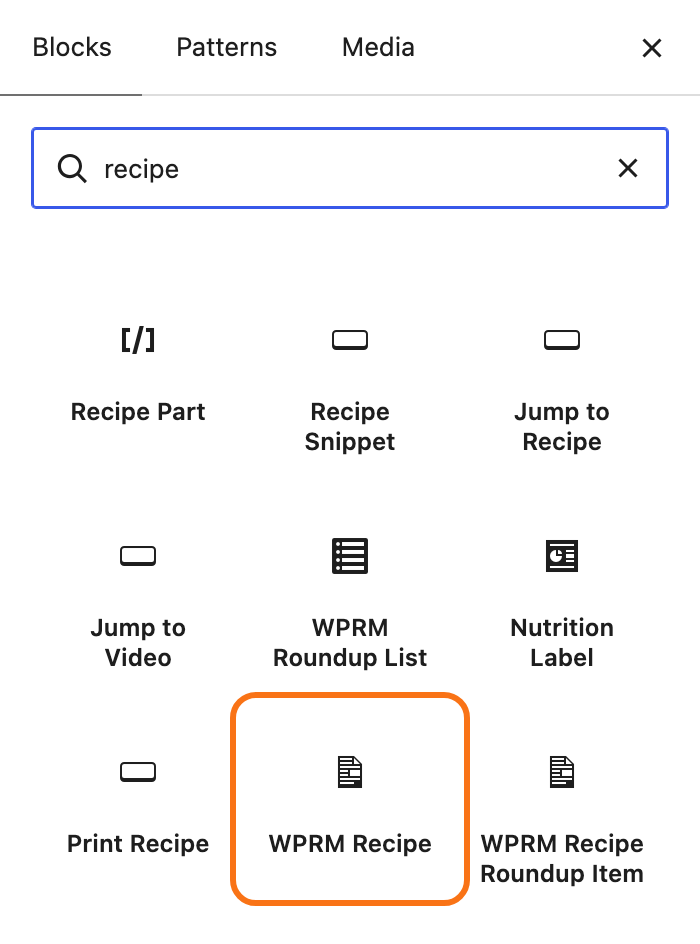
The other WP Recipe Maker blocks in the results, such as Jump to Recipe and Print Recipe, are buttons for a recipe. They do not hold one.
-
In the block, click Create new Recipe. The recipe form opens, titled Creating new Recipe.
To show a recipe you made before, click Insert existing Recipe instead and pick it.
-
Fill in the recipe, as described below.
-
Click Save & Close. The block now shows the recipe card.
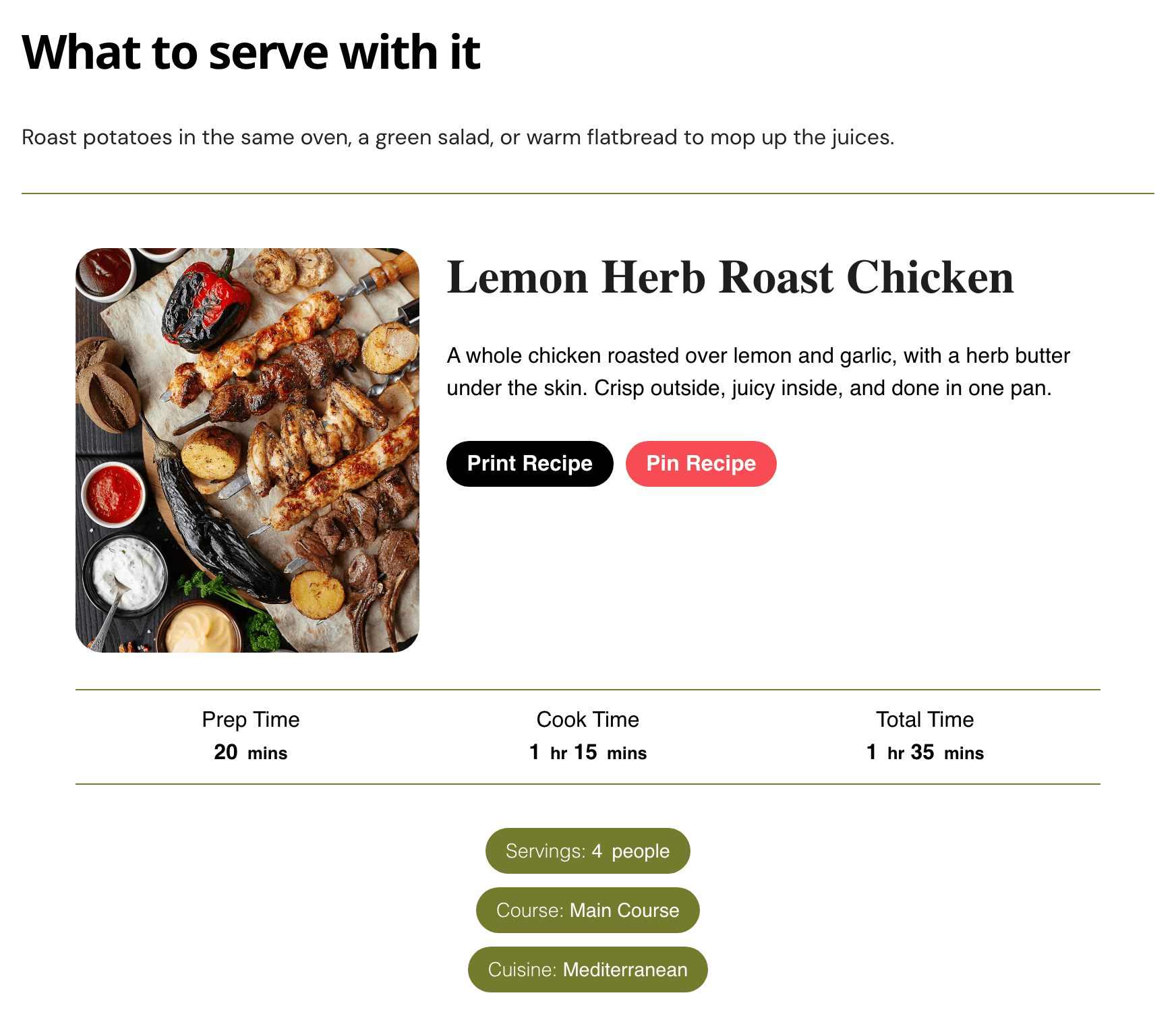
-
Click Publish, then view the post.
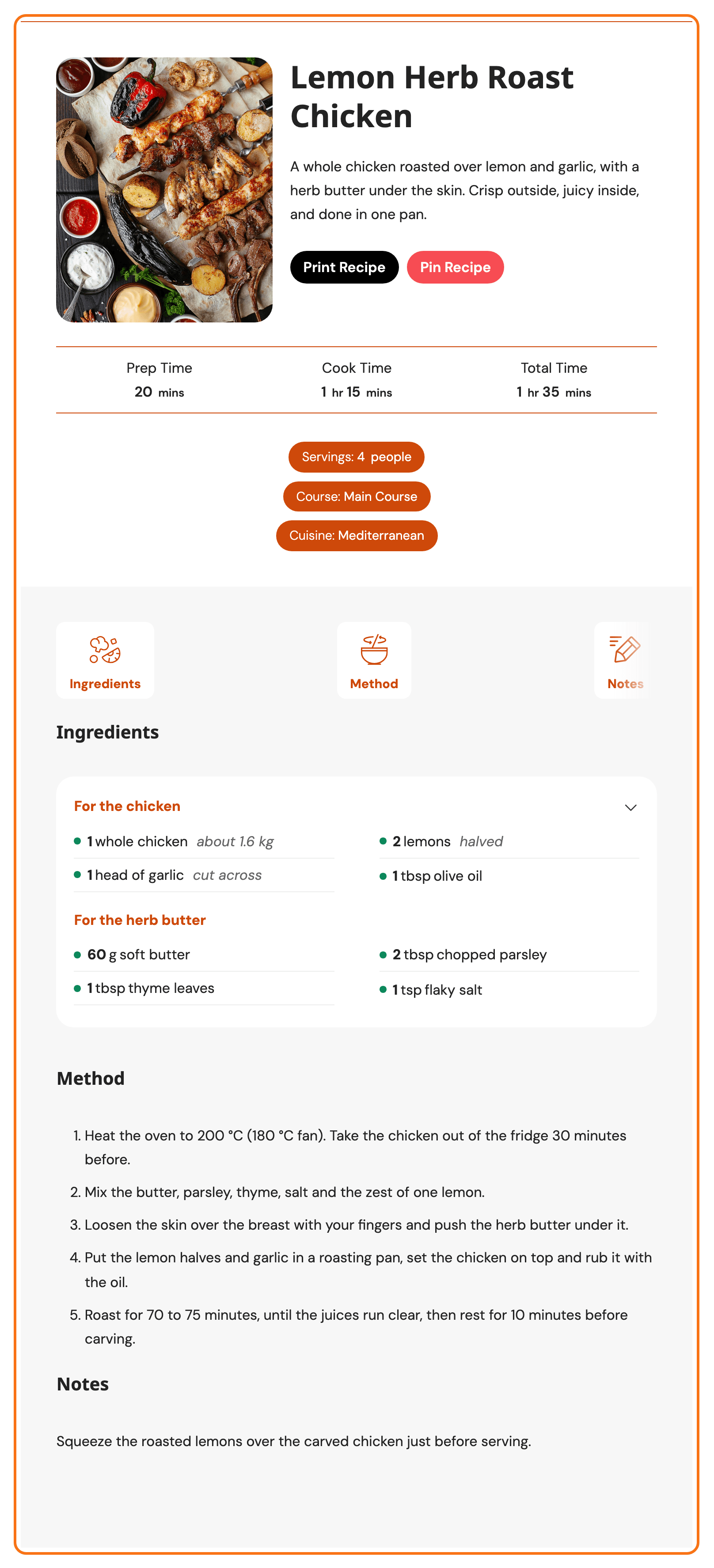
The card in the editor can look a little different from the published post: the editor draws it with WP Recipe Maker's template styles as well as Foxiz's. Judge the look on the published post.
Fill in the recipe
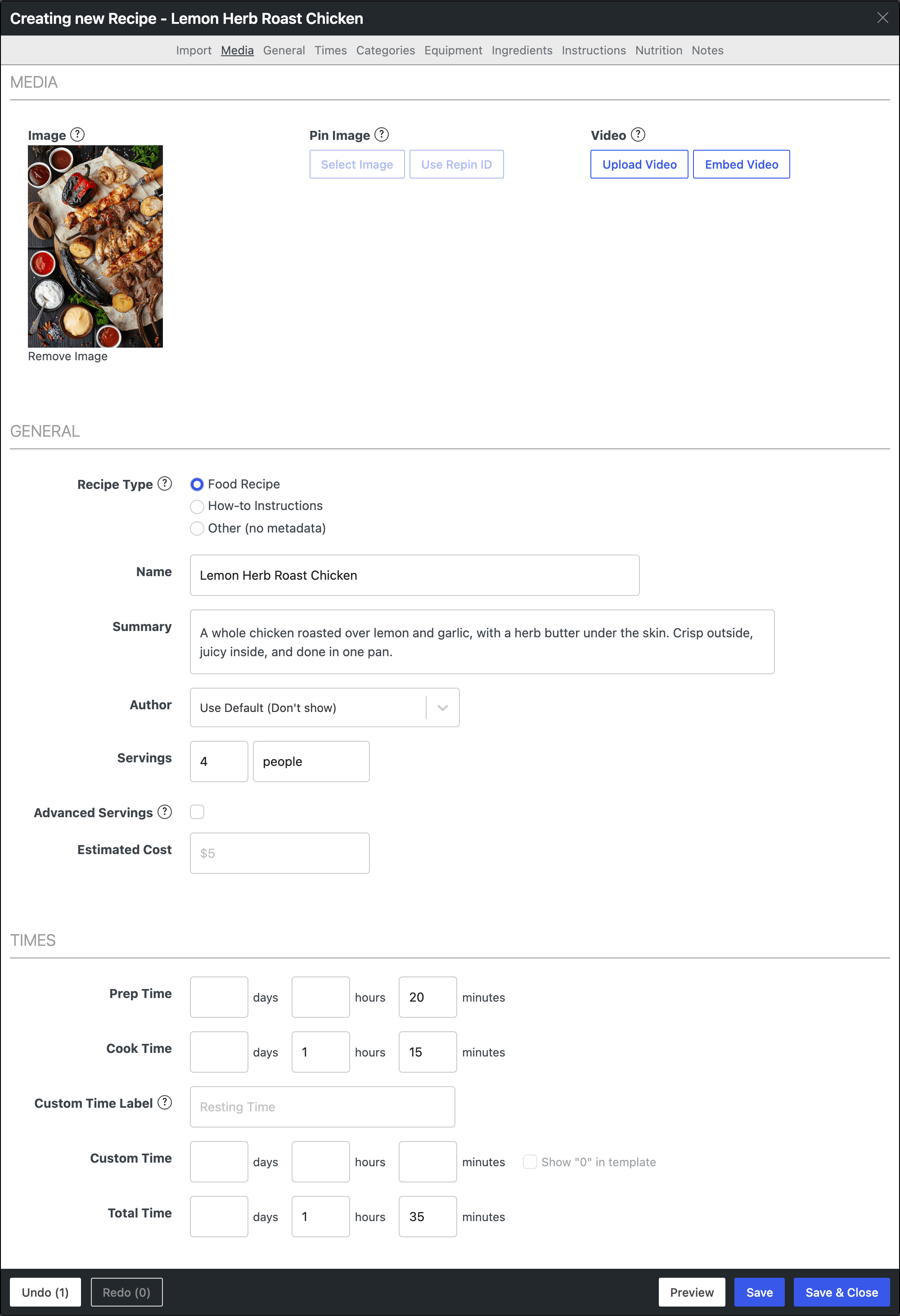
The form is split into parts, one under the other. A food recipe needs these; the rest are optional.
-
Media: the Image, a photo of the finished dish. Add one to every recipe. The card shows it, and the Pin Recipe button only appears on a recipe that has one.
-
General:
- Recipe Type: leave it on Food Recipe for a dish.
- Name: the dish, as the card's heading.
- Summary: one or two sentences under the name.
- Servings: how many people it feeds.
-
Times: Prep Time and Cook Time, each in days, hours and minutes. Total Time is not added up as you type: when it differs from the sum, click Recalculate Total Time under it.
-
Categories: the Course and Cuisine, such as Main Course and Mediterranean.
-
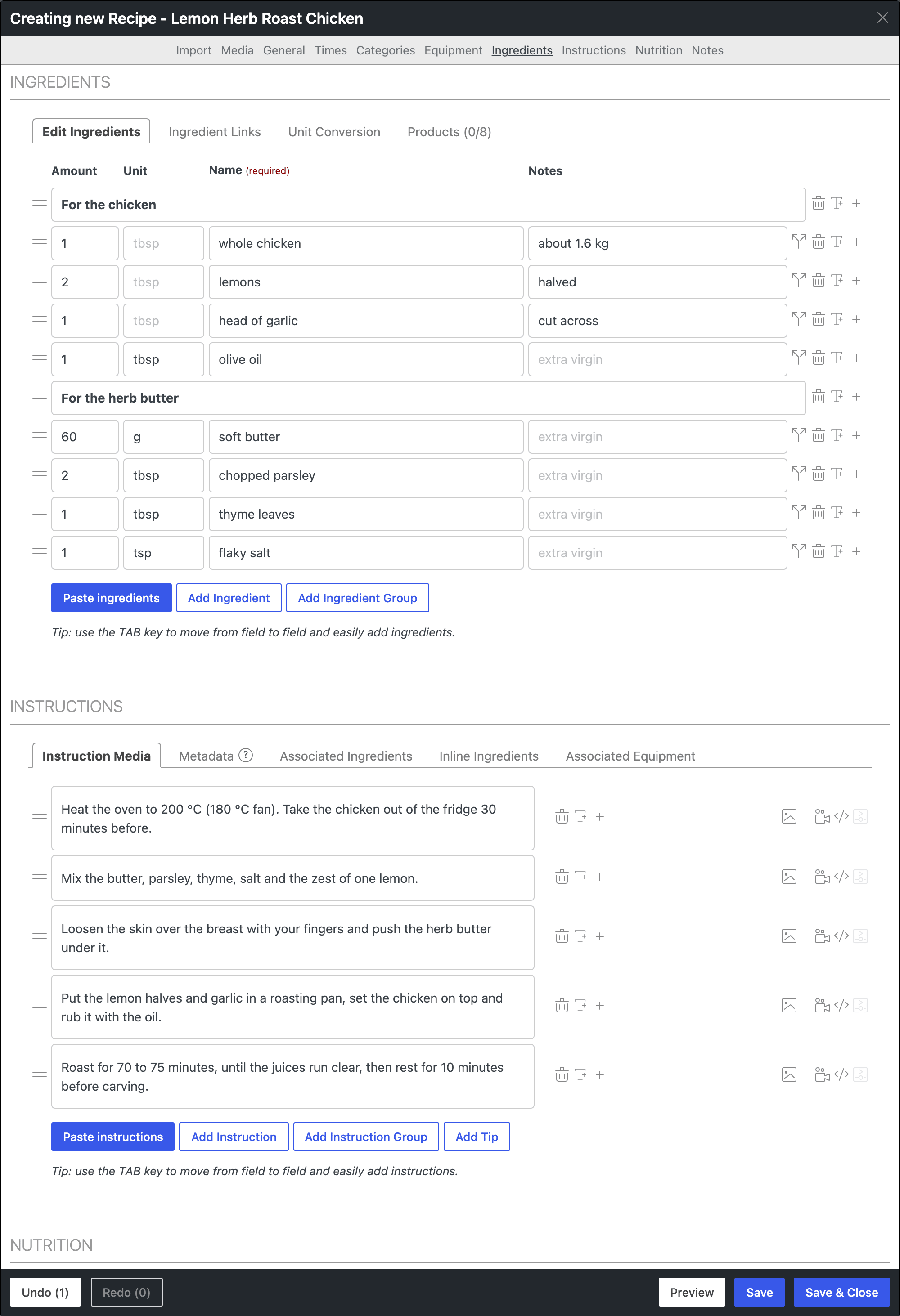
Ingredients: one row per ingredient, with Amount, Unit, Name and Notes. Only Name is required. Click Add Ingredient for the next row. For a recipe in parts, such as the chicken and the herb butter, click Add Ingredient Group and type the part's name as its header.
-
Instructions: one step per box. Click Add Instruction for the next step, or Add Instruction Group for steps in parts.
-
Notes: tips the card shows under the method, in their own Notes section.
Inside Ingredients and Instructions, the TAB key moves from field to field, so you can type a whole list without the mouse.
Change a recipe later
Click the recipe block in the post, then Edit Recipe in the block toolbar, or in Recipe Details in the sidebar. The same form opens.
The recipe is saved on its own, not inside the post: the block only points at it. So a change shows on every post that shows that recipe. WP Recipe Maker > Manage lists every recipe on the site.
On an Elementor page
Building the page in Elementor? Use the WPRM Recipe widget, in the WP Recipe Maker group of the Elementor panel. Its Create new recipe button opens the same recipe form.
Did this answer your question?