How to Install WP Recipe Maker
WP Recipe Maker is free, on wordpress.org. Foxiz lists it under Recommended Plugins on its dashboard, so you can install it from there or from the WordPress Plugins screen. Both give you the same plugin.
For most sites, use Plugins > Add Plugin, the route pictured below: it works on every site. The Foxiz dashboard card does the same, but the dashboard only lists plugins once your Foxiz licence is activated.
Install and activate
- Go to Plugins > Add Plugin.
- Type
WP Recipe Makerinto Search Plugins. - On the WP Recipe Maker card by Bootstrapped Ventures, click Install Now, then Activate.
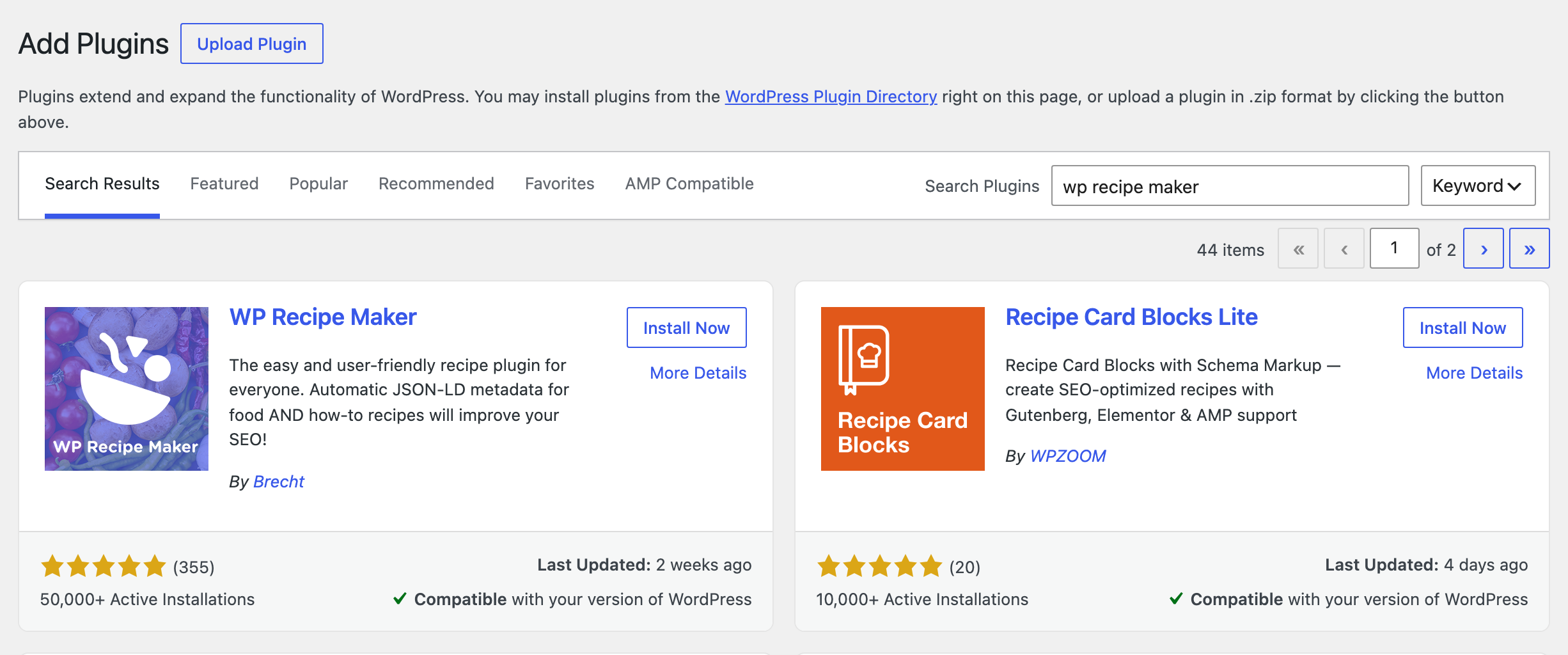
From the Foxiz dashboard
- Go to Foxiz > Dashboard and scroll to Recommended Plugins.
- Type
recipeinto Search plugins... to find the WP Recipe Maker card. - Click Install. The card turns to Inactive; click Activate.
What activation adds
- A WP Recipe Maker menu in the admin. The items you will use most:
- Manage: every recipe on the site.
- Settings: WP Recipe Maker's own settings, such as the recipe template and star ratings.
- Template Editor: to design your own recipe card.
- The WPRM Recipe block in the post editor, which puts a recipe in a post.
WP Recipe Maker creates no sample recipe. Nothing shows on your site until you add a recipe to a post.
The setup screen
The first time you open WP Recipe Maker > Dashboard or Manage, the plugin sends you to a short setup screen instead. It does that until you finish or skip it.
It offers three ways on:
- Use recommended settings: for most sites. It keeps Meadow, the recipe card Foxiz styles, and turns on Automatically add snippets, which puts Jump to Recipe and Print Recipe buttons at the top of every post with a recipe. It does not change a setting you already saved.
- Customize setup: the same choices one screen at a time, with a preview of each recipe template.
- or click here to skip onboarding: straight to Manage, everything left as it is.
Whichever you pick, you can change it later in WP Recipe Maker > Settings.
What changes in Foxiz
With WP Recipe Maker active, Theme Options > WP Recipe Maker shows its three settings where it showed a "plugin is missing" notice.
You do not need to open it now. Load Styles is on by default, so your recipe cards take the Foxiz look as soon as you add one. Every field is explained in WP Recipe Maker.
Did this answer your question?