How to Set Up Recipes with Foxiz
Foxiz has no recipe card of its own. Recipes come from WP Recipe Maker, a free plugin: it holds each recipe and draws it in your post as a recipe card. Foxiz restyles that card to match your site and adds recipes to its table of contents.
Who does what
WP Recipe Maker:
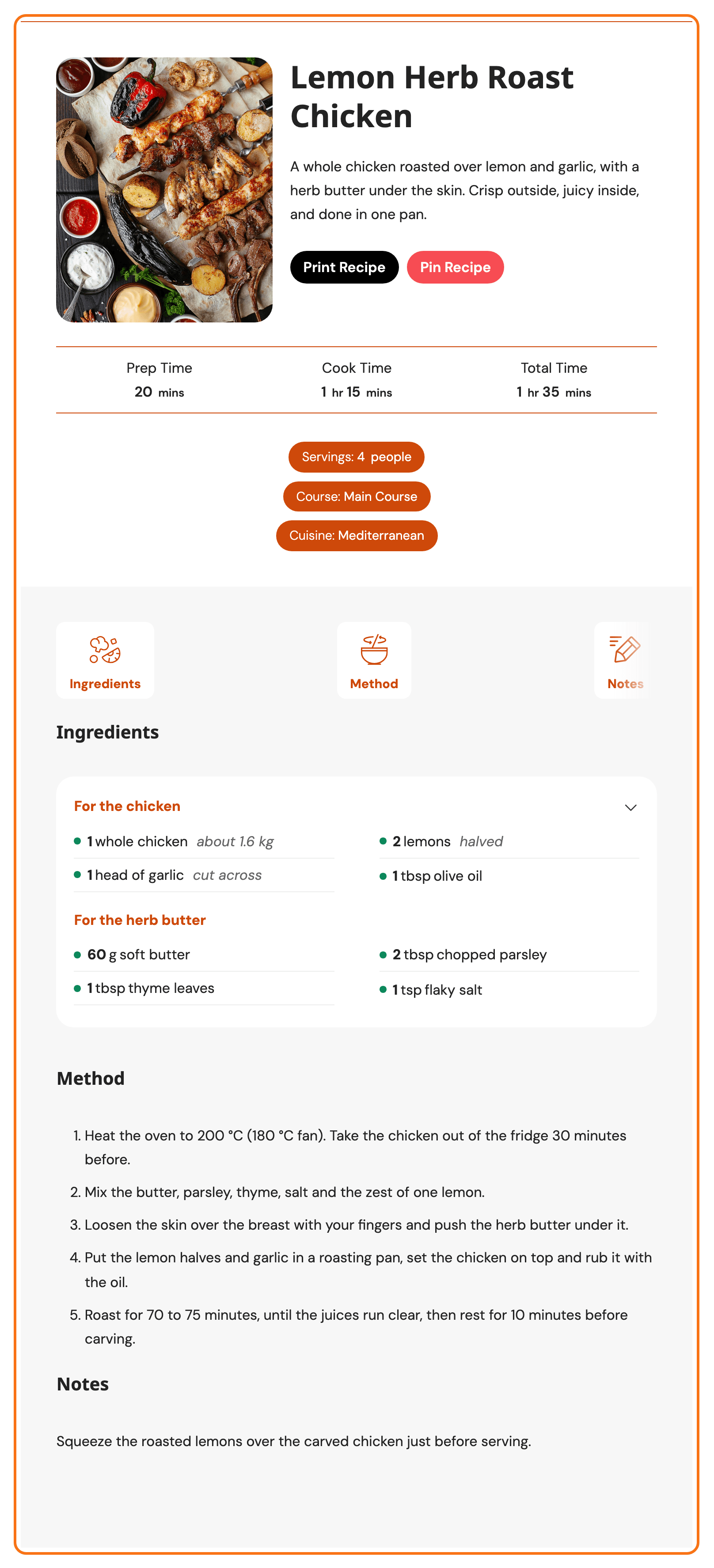
- the recipe itself: its photo, name, summary, servings, times, ingredients, instructions and notes,
- the WPRM Recipe block that puts a recipe in a post,
- the recipe card and its templates, Meadow by default,
- the Print Recipe and Pin Recipe buttons,
- star ratings that readers leave with their comments,
- the recipe's structured data, the Recipe markup Google reads to show a recipe in search with its photo, times and star rating. It is added to every post with a recipe, with nothing to set. Check a recipe post with How to Check Structured Data with the Rich Results Test.
Foxiz:
- its own styles for the recipe card, in place of WP Recipe Maker's, in light and dark mode,
- the recipe name and its section headings in the Foxiz table of contents,
- a switch for Pinterest's own script, which changes how the Pin Recipe button works,
- Theme Options > WP Recipe Maker, where those three live.
The Foxiz parts work only while WP Recipe Maker is active. Until then, the Theme Options tab shows a "The WP Recipe Maker Plugin is missing!" notice and nothing else.
Set it up in this order
- Install WP Recipe Maker, from Plugins or from the Foxiz dashboard.
- Add a recipe to a post with the WPRM Recipe block, then publish it.
- Choose a recipe template, if you want a different card from Meadow.
- Check the table of contents, the Pin Recipe button and ratings.
For most sites, steps 1 and 2 are all you need. The three Foxiz settings already start on the values that suit most sites: Load Styles on, Pinterest Script on Disable, Table of Contents Included on Enable. Your first recipe looks like the picture above without touching them.
The settings, if you need them later
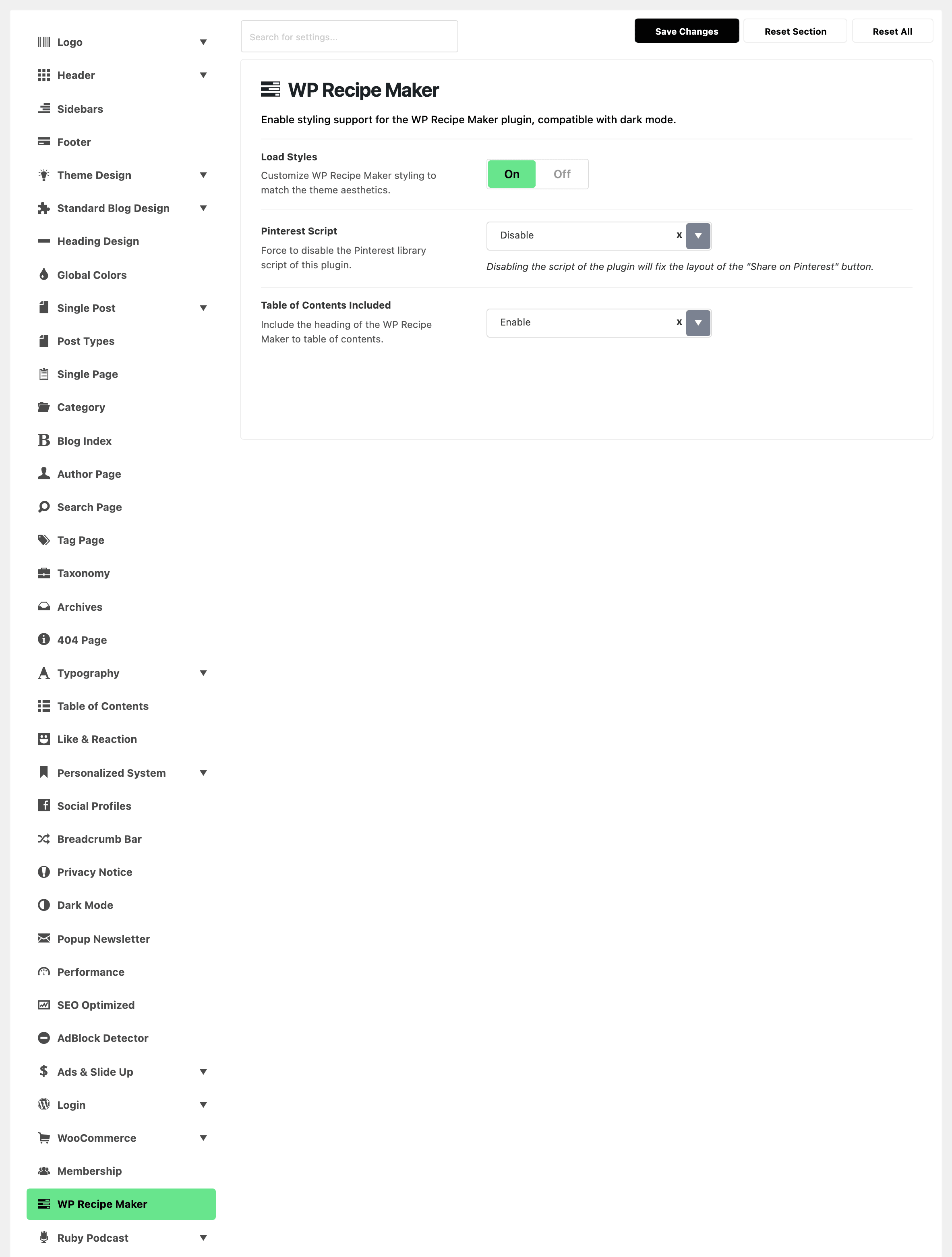
- WP Recipe Maker: every field of Theme Options > WP Recipe Maker.
- How to Create a Table of Content?: the Foxiz table of contents your recipes join.
Did this answer your question?