Options GDPR, for the Privacy Notice Popup Bar
Show a bar that tells visitors about your privacy policy, with an Accept button.
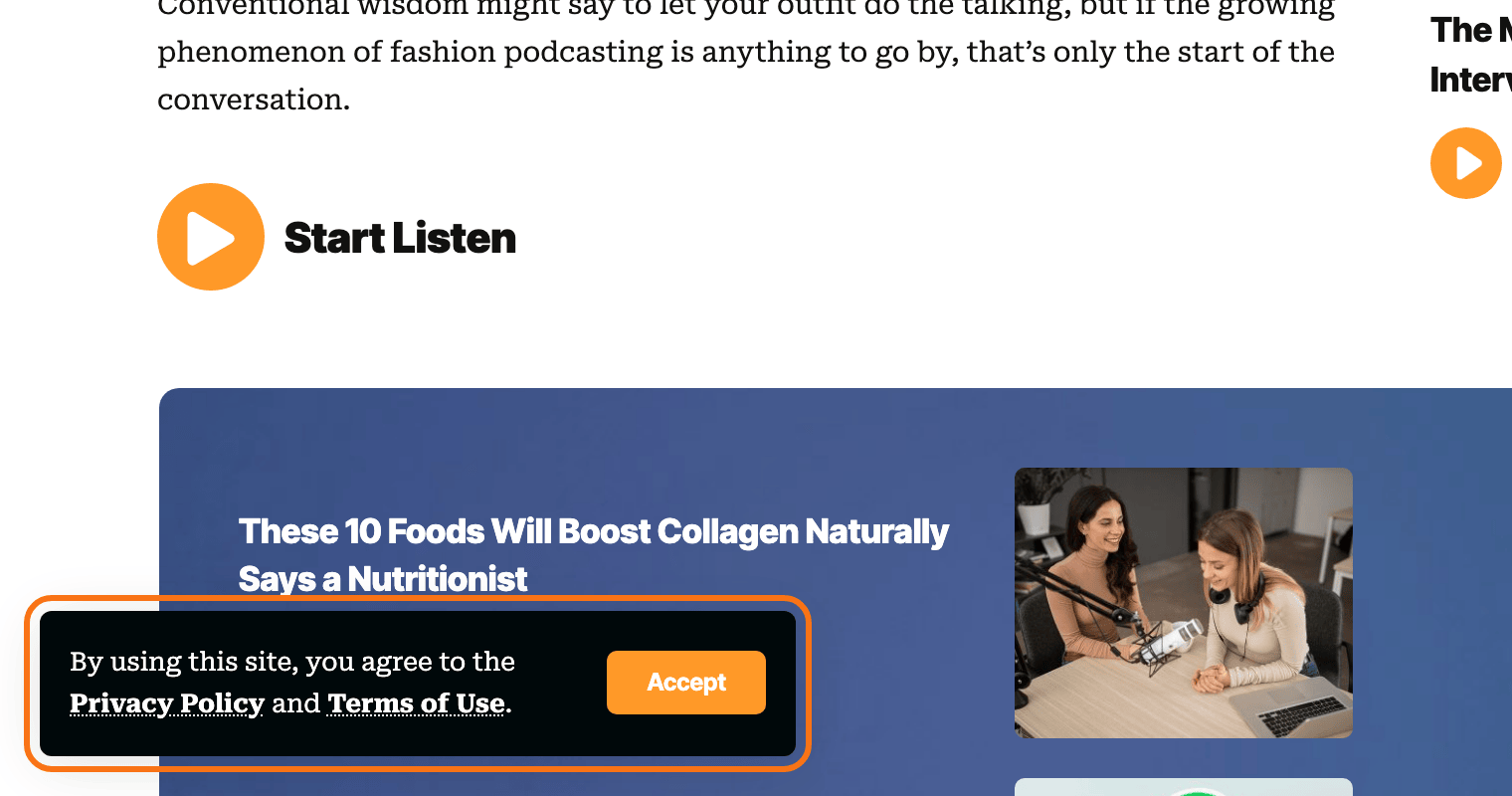
To setup Privacy Notice, follow the steps below:
-
Navigate to Foxiz > Theme Options > Privacy Notice

-
Turn Privacy Bar on.
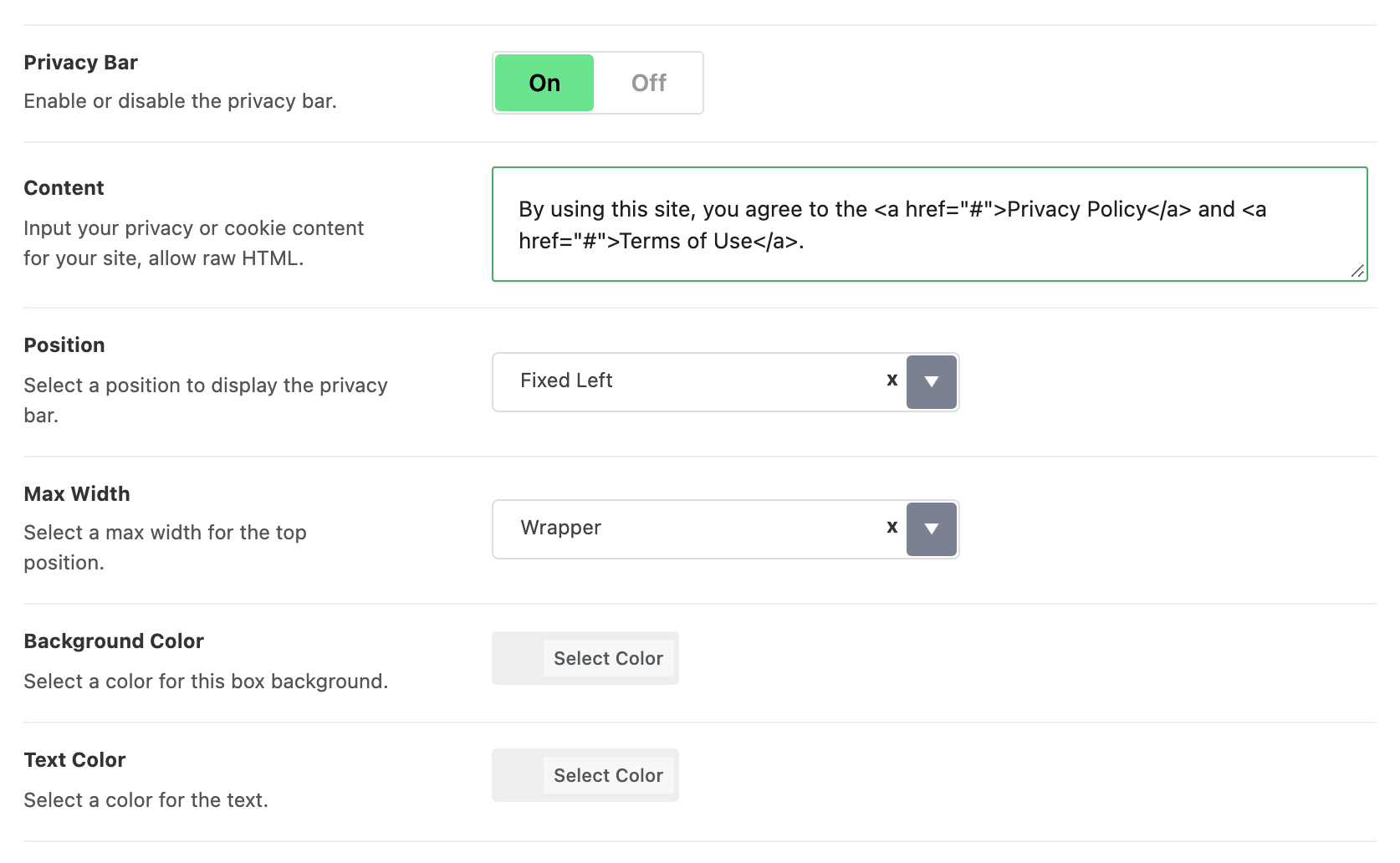
It is off by default, and it is the switch the other seven settings hang from: they stay hidden until it is on.
-
Customize layouts or tailor them to your preferences based on the options available in this section.
There are seven of them:
-
Content, the wording of the notice. Raw HTML is allowed, which is how you get links into it, and it arrives pre filled with a sentence pointing at a Privacy Policy and Terms of Use. Those two links are
#placeholders until you replace them. Put your own page addresses in their place, for example:By using this site, you agree to the <a href="/privacy-policy/">Privacy Policy</a> and <a href="/terms-of-use/">Terms of Use</a>.WordPress creates a draft Privacy Policy page when it is installed. Publish it, or pick another page, at Settings > Privacy; its address is the one to use. Remove the Terms of Use link if you have no such page.
-
Position, one of Fixed Left, Top Site and Fixed Bottom. It starts on Fixed Left.
-
Max Width, Wrapper or Full Wide, starting on Wrapper. It only changes anything at the top position, so it does nothing while Position is Fixed Left or Fixed Bottom.
-
Background Color and Text Color, with no defaults, so the bar takes the theme's own colours until you set them.
-
Dark Mode - Background Color and Dark Mode - Text Color, the same pair again for dark mode.
Two things about the bar itself that the panel does not say. The button on it is Accept, and clicking it writes
RubyPrivacyAllowedinto the browser's local storage and removes the bar; the bar is then never shown again to that browser, so to see it while you are styling it, use a private window or clear that entry. And the bar is not printed on AMP pages at all. -
Utilizing GDPR Compliance Extension with Plugin: CookieYes | GDPR Cookie Consent
If you want to extend your GDPR compliance, you can use the plugin: CookieYes | GDPR Cookie Consent.
The plugin will display a customizable cookie consent banner on your website, informing visitors about cookie usage and requesting their consent to proceed.
Foxiz does nothing to detect it and nothing to stand down for it, so if you install it, turn Privacy Bar off yourself or your visitors will get two notices.
The theme's own bar is a notice, not a consent manager: it records that the visitor clicked Accept and nothing else. It does not block scripts, categorise cookies or keep a consent log, which is the work CookieYes is there to do.
How to Use CookieYes | GDPR Cookie Consent.
Learn how to use CookieYes | GDPR Cookie Consent by visiting the official website at (https://www.cookieyes.com/product/wordpress-plugin/). On the website, you'll find comprehensive video tutorials that guide you through the setup and configuration of this plugin.
Did this answer your question?