How to Add Custom CSS
Check Theme Options first. Colours, fonts, sizes, spacing and rounded corners each have a setting, and a setting survives every change of design you make later. Reach for CSS when no setting does what you want.
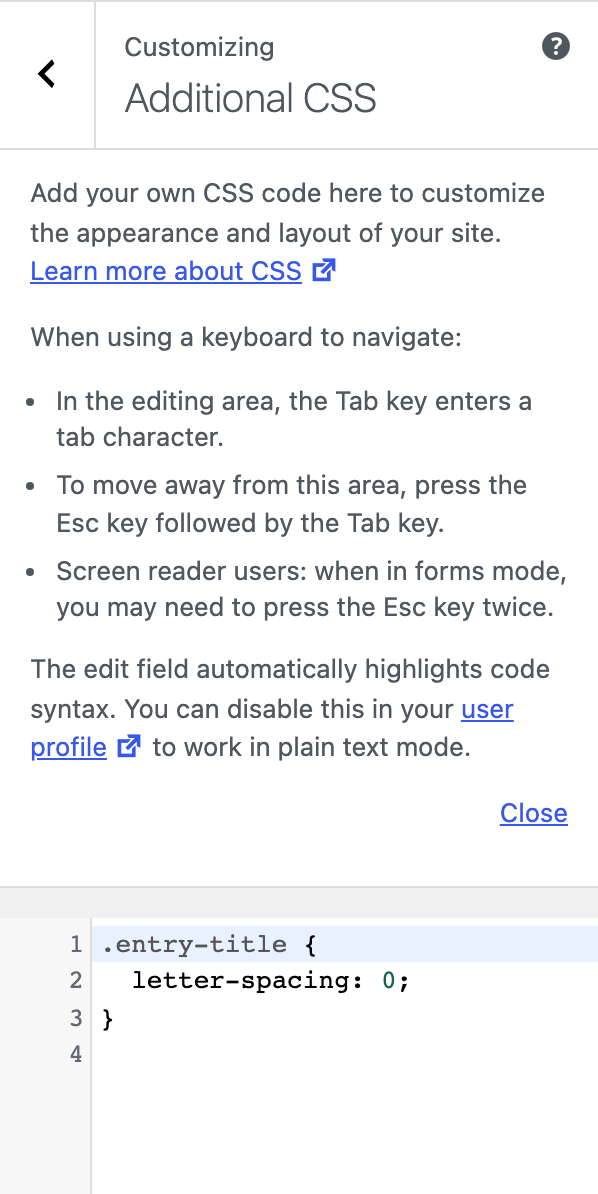
Add CSS in Additional CSS
WordPress has a box for your own CSS, and Foxiz updates never touch it. For most sites, this is the place.
- Go to Appearance > Customize.
- Click Additional CSS at the bottom of the list.
- Paste your CSS into the box. The preview on the right changes as you type.
- Click Publish.
Never edit the theme's own .css files. The next Foxiz update replaces them and your changes are gone. Larger changes, with PHP or template files as well, belong in a child theme: see Using Child Theme.
Find what to target
To change something, you need its class name, the word in the page's code that names it.
- Open your site in Chrome, Edge or Firefox.
- Right click the thing you want to change and choose Inspect.
- The panel that opens highlights its HTML. Look at the
class="…"part for a name that describes it, such asentry-titleorlogo-wrap. - Try your rule in the panel's styles pane first. When it looks right, copy it into Additional CSS.
An example that makes post titles in listings slightly larger. Every post in a Foxiz listing sits in a p-wrap box, and its title carries entry-title:
.p-wrap .entry-title {
	font-size: 22px;
}
Your rule does nothing? A more specific rule in the theme wins. Add a parent class in front of yours, as .p-wrap does above, rather than !important everywhere.
Dark mode
Foxiz marks the page with data-theme="dark" while a visitor uses dark mode. Start a rule with it to change dark mode only:
[data-theme="dark"] .p-wrap .entry-title {
	color: #f5f5f5;
}
Tablets and phones
Foxiz switches to its tablet layout at 1024 pixels wide and to its phone layout at 767. Use the same widths, so your rules change at the same moment the theme does:
/* tablets and phones */
@media (max-width: 1024px) {
	.p-wrap .entry-title { font-size: 20px; }
}

/* phones */
@media (max-width: 767px) {
	.p-wrap .entry-title { font-size: 18px; }
}
Need a change you cannot make with CSS? See Need Customization Services.
Did this answer your question?