How to Replace the Video Player, Audio Player or Gallery with Your Own Code
Foxiz builds the player at the top of a video post, the player of an audio post or podcast episode, and the slider of a gallery post itself. Three filters let you swap that markup for your own: a different video player, extra links under the audio, a plain image grid instead of the slider. Everything else on the post stays as the theme draws it.
This is a developer task. You add a few lines of PHP to your child theme; nothing changes in Theme Options.
Before you start
- Install and activate the Foxiz child theme, as Using Child Theme explains. Code you add to the parent theme is lost at the next update; code in the child theme is not.
- Open the child theme's
functions.php, either over FTP or at Appearance > Theme File Editor with Foxiz Child selected. Every example below goes at the end of that file. - Have one test post of each kind you are changing. The video filter only runs for a post whose Post Format is Video; the box in the post editor reminds you of the same thing above its Video URL field.
What each filter receives and returns
| Filter | Receives | Return |
|---|---|---|
foxiz_video_embed | $embed: the player HTML, or null when the post has no video; $post_id | the HTML to print, or null for no player |
foxiz_audio_embed | $embed: the player HTML with its wrapper, or null; $post_id; $autoplay: true when the player is asked to start on its own | the HTML to print, or null for no player |
foxiz_gallery_embed | $pre: always null; $post_id; $layout: slider, carousel or coverflow; $crop_size: the image size the layout would use | null to let Foxiz draw the gallery, or a string to print in its place |
Whatever you return is printed exactly as it is, without escaping. Escape every URL and piece of text you put into it yourself, with esc_url(), esc_attr() and esc_html(), as the examples do.
The video filter
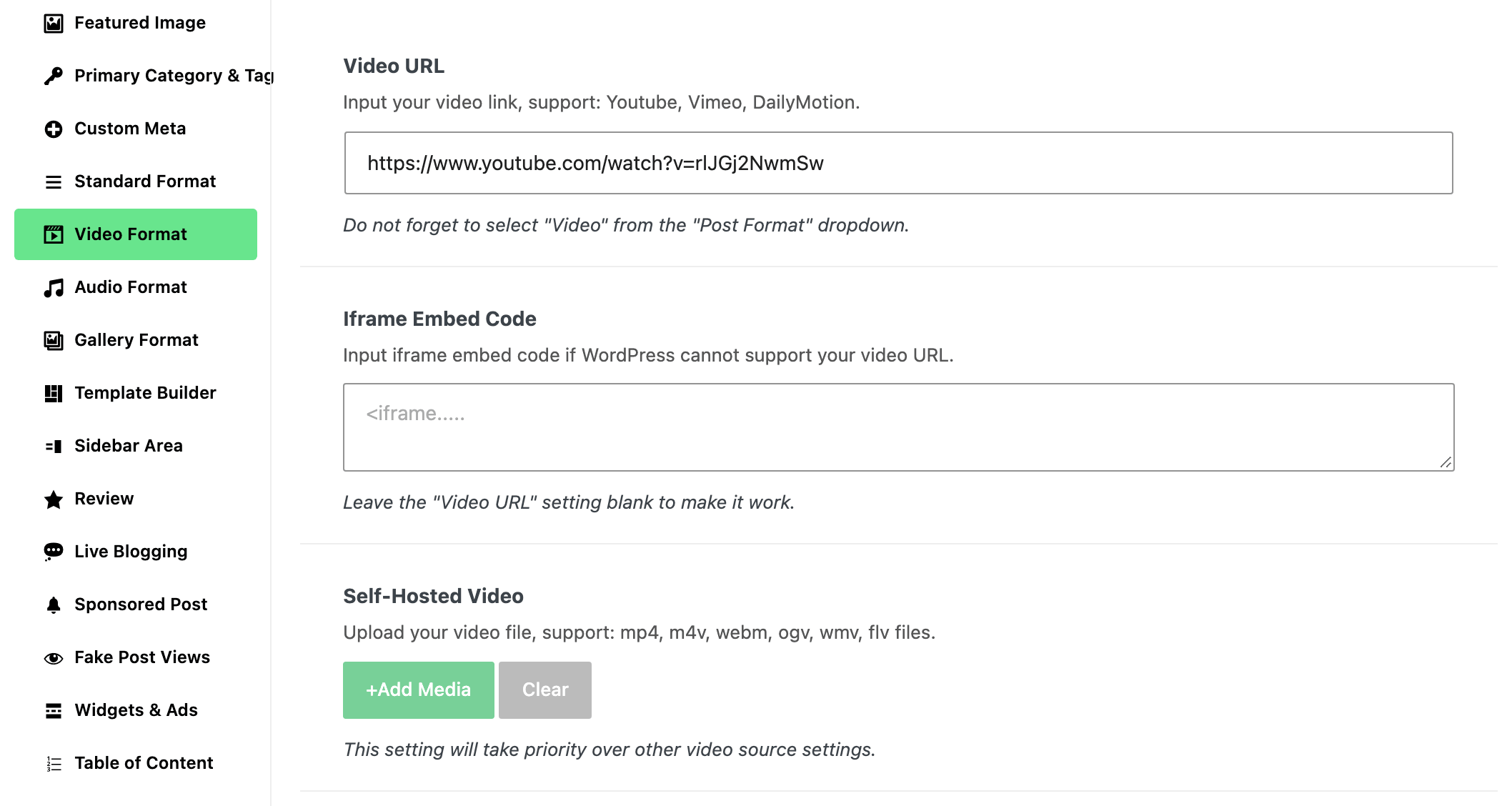
$embed is what Foxiz found in the post's Video Format box, tried in this order: an uploaded Self-Hosted Video plays in the browser's own player; otherwise the Video URL goes through WordPress's embed lookup (YouTube, Vimeo, DailyMotion); and if that finds nothing, the Iframe Embed Code is used.
Your HTML goes inside the theme's own pvideo-embed and embed-holder boxes, so the sizing and the floating video keep working around it. Returning null or an empty string removes the player, and Video Layout 2 then sizes its header for a post without one.
The filter changes the player in every video layout and in the Foxiz - Post Featured Image block of a single post Ruby Template. It does not touch the Preview Video that plays over the featured image in blog listings.
The audio filter
The audio filter works the same way, with two differences. $embed already carries its wrapper: the theme's <audio> player for a Self-Hosted Audio file, or an external-embed box around the SoundCloud or MixCloud player. And it runs for podcast episodes too, on the episode page and in the episode players of podcast listings.
The gallery filter
The gallery filter asks first and draws second. Return null and Foxiz draws the gallery as usual; return any string, even an empty one, and Foxiz prints your string and draws nothing of its own. $layout tells you which gallery is about to be drawn:
| Gallery Layout | $layout |
|---|---|
| Layout 1 | slider |
| Layout 2 | carousel |
| Layout 3 | coverflow |
The filter runs before Foxiz looks at the post's Upload Gallery images, so it runs even for a gallery post with no images. Read the images yourself with rb_get_meta( 'gallery_data', $post_id ), which returns the attachment IDs as one comma separated string, or false when there are none.
Example: your own player for uploaded videos
This replaces the browser player Foxiz uses for a Self-Hosted Video with your own <video> tag, and leaves YouTube, Vimeo and embed code videos as they are. Swap the tag for the markup your player library expects.
add_filter( 'foxiz_video_embed', function ( $embed, $post_id ) {
	$video_id = rb_get_meta( 'video_hosted', $post_id );
	if ( empty( $video_id ) ) {
		return $embed; // not an uploaded video: keep the Foxiz player
	}

	return sprintf(
		'<video class="my-video-player" src="%s" controls playsinline preload="metadata"></video>',
		esc_url( wp_get_attachment_url( $video_id ) )
	);
}, 10, 2 );
The 10, 2 at the end matters. WordPress hands a filter only as many values as that last number says, so with a smaller number your function never receives $post_id and PHP stops with an error. The audio filter needs 10, 3 and the gallery filter 10, 4 for the same reason.
Autoplay is yours to handle. When autoplay is on, through Autoplay in Theme Options > Single Post > Post Layout or Autoplay Video on the post itself, Foxiz adds autoplay=1 to the first iframe inside the player box once it scrolls into view, which covers YouTube and Vimeo markup you return. A <video> tag of your own starts only if you write the autoplay attribute into it.
Example: a download link under the audio player
This keeps the Foxiz audio player and adds a download link under it, for posts and podcast episodes with a Self-Hosted Audio file.
add_filter( 'foxiz_audio_embed', function ( $embed, $post_id, $autoplay ) {
	$audio_id = rb_get_meta( 'audio_hosted', $post_id );
	if ( empty( $embed ) || empty( $audio_id ) ) {
		return $embed;
	}

	return $embed . sprintf(
		'<p class="my-audio-download"><a href="%s" download>%s</a></p>',
		esc_url( wp_get_attachment_url( $audio_id ) ),
		esc_html__( 'Download this episode', 'foxiz-child' )
	);
}, 10, 3 );
To replace the player instead, return your own markup in place of $embed, and use $autoplay to decide whether it starts on its own.
Example: a plain image grid for gallery Layout 2
This shows the WordPress gallery grid, three columns linked to the full images, wherever a post would show the Layout 2 carousel. Layout 1 and Layout 3 are left alone because the function returns null for them.
add_filter( 'foxiz_gallery_embed', function ( $pre, $post_id, $layout, $crop_size ) {
	if ( 'carousel' !== $layout ) {
		return $pre; // still null: Foxiz draws the other layouts
	}

	$ids = rb_get_meta( 'gallery_data', $post_id );
	if ( empty( $ids ) ) {
		return $pre;
	}

	return gallery_shortcode( [
		'ids'     => $ids,
		'size'    => $crop_size,
		'columns' => 3,
		'link'    => 'file',
	] );
}, 10, 4 );
When you replace a gallery, the Foxiz gallery lightbox, the slide counter and the captions go with it, because they are part of the markup you replaced. Your markup is also what AMP pages get, so check the post on its AMP address if you run AMP.
Check the result
- Save
functions.phpand open your test post on the front end. If the change does not show, clear the page cache of your caching plugin or host and reload. - Check the post with Auto Load Next Posts on, if you use it: each article that loads below asks the filter again with its own
$post_id. - Return the same markup every time for the same post. Foxiz asks the video filter once per post on each page load and reuses the answer wherever the player appears on that page.
Did this answer your question?