Getting a Refund
Every purchase made in the Foxiz store is backed by a 14 day money back guarantee. If a defect stops a core part of Foxiz working within 14 days of buying, tell support first; if it is a genuine issue we cannot resolve, we refund the purchase in full. The guarantee is for problems we cannot fix, not for a change of mind, which is why the first step below is a ticket rather than a refund request.
Before you ask for a refund
Before requesting a refund, check these, which may solve your problem:
Two of the problems that most often look like a broken theme are not the theme at all, and both are quick to rule out:
-
A server value below requirement. Open Foxiz > System Info. Anything marked there is your host's setting, and demo import and Theme Options saving both fail in confusing ways when one is low. See Configuring Server Settings.
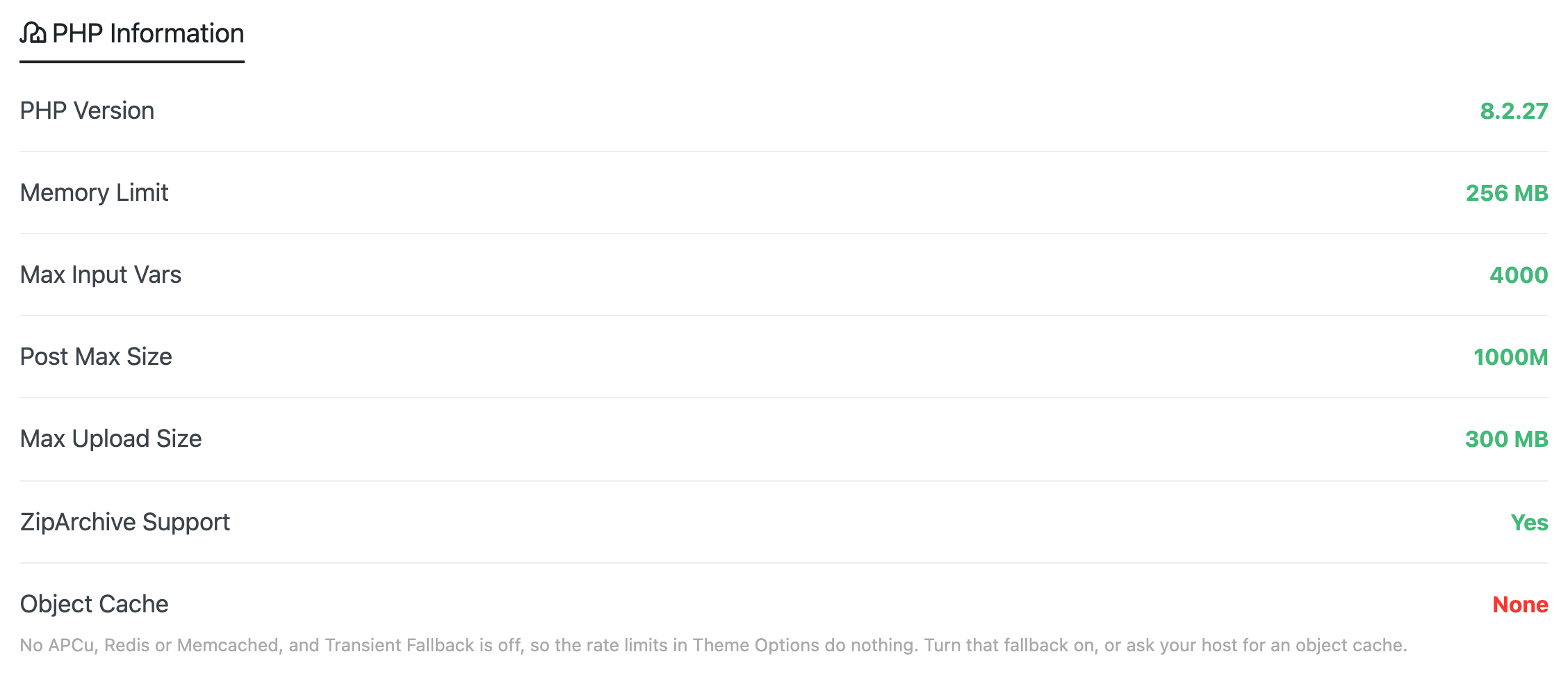
-
A plugin conflict. Deactivate everything except Foxiz Core and Elementor, check whether the problem is still there, then reactivate one at a time.
If either turns out to be the cause, support can usually get you running the same day.
Asking for refunds
For a license bought in the Foxiz store:
- Open a ticket first, through the Open a Ticket link at the top of the Foxiz dashboard. Give the team the page that shows the problem and a temporary admin account, so they can look rather than guess.
- If the defect qualifies and we cannot resolve it inside your 14 days, request the refund through the contact form at foxiz.io/contact:
- What can we help you with?: choose Billing & refund.
- Request type: choose Refund.
- Transaction / Order ID: the order ID from your purchase.
- Message: what is wrong, and the ticket you opened in step 1.
- Your email: the address you bought with.
- An approved refund goes back to the payment method you used. How long it takes to appear is your bank's or card provider's timing, not ours.
What the guarantee does not cover
The guarantee is there for real problems we cannot fix. To keep it fair, and our prices low, a refund is not available when:
- You no longer want Foxiz after downloading it, or you simply changed your mind.
- Foxiz did not meet your expectations, or you feel it is low quality.
- You bought it by mistake.
- You do not have the expertise to use it. Our documentation and support team are here to help you learn.
- You ask for a refund without explaining why. Tell us what is wrong, so we can reproduce it and try to fix it.
- Your purchase was made more than 14 days ago.
- The problem comes from a conflict with third party software: another theme, a plugin, a page builder, your host or your server setup. Support will still help you find the cause, and often can.
- You want a feature Foxiz was not advertised to have. Send it as a feature request instead; we read them all.
- You upgraded a purchase you already own: more activations within your plan, a move to another plan, or a switch of billing cycle. This does not open a new 14 day window.
- You bought an additional license under a plan you already hold. The same rule applies.
Not sure whether your case qualifies? Open a ticket and ask. Most problems are fixed faster than a refund would arrive.
Renewals and upgrades
The 14 day guarantee applies to a first purchase, so renewals and upgrades are not covered by it.
If you would rather not renew an annual plan, cancel future renewals from your store billing account before the renewal date and you will not be billed again. If a renewal does catch you out, send it through the contact form, with Billing & refund as the topic, and we will do our best to help.
After a refund
The license is cancelled when the refund is processed, and updates, downloads and support for it stop with it. Release the site from it and remove the theme: on the Foxiz dashboard, click Deactivate, which releases this site's registration. The same button is how you move a license to a different site, so it is worth knowing either way. Then delete Foxiz and the Foxiz Core plugin from every site you had activated under that license.

Switch the site to another theme before you do. Your posts, pages and media stay where they are, but Ruby Templates, Foxiz blocks and anything set in Theme Options render through Foxiz and stop when it is gone.
Did this answer your question?