WP Recipe Maker
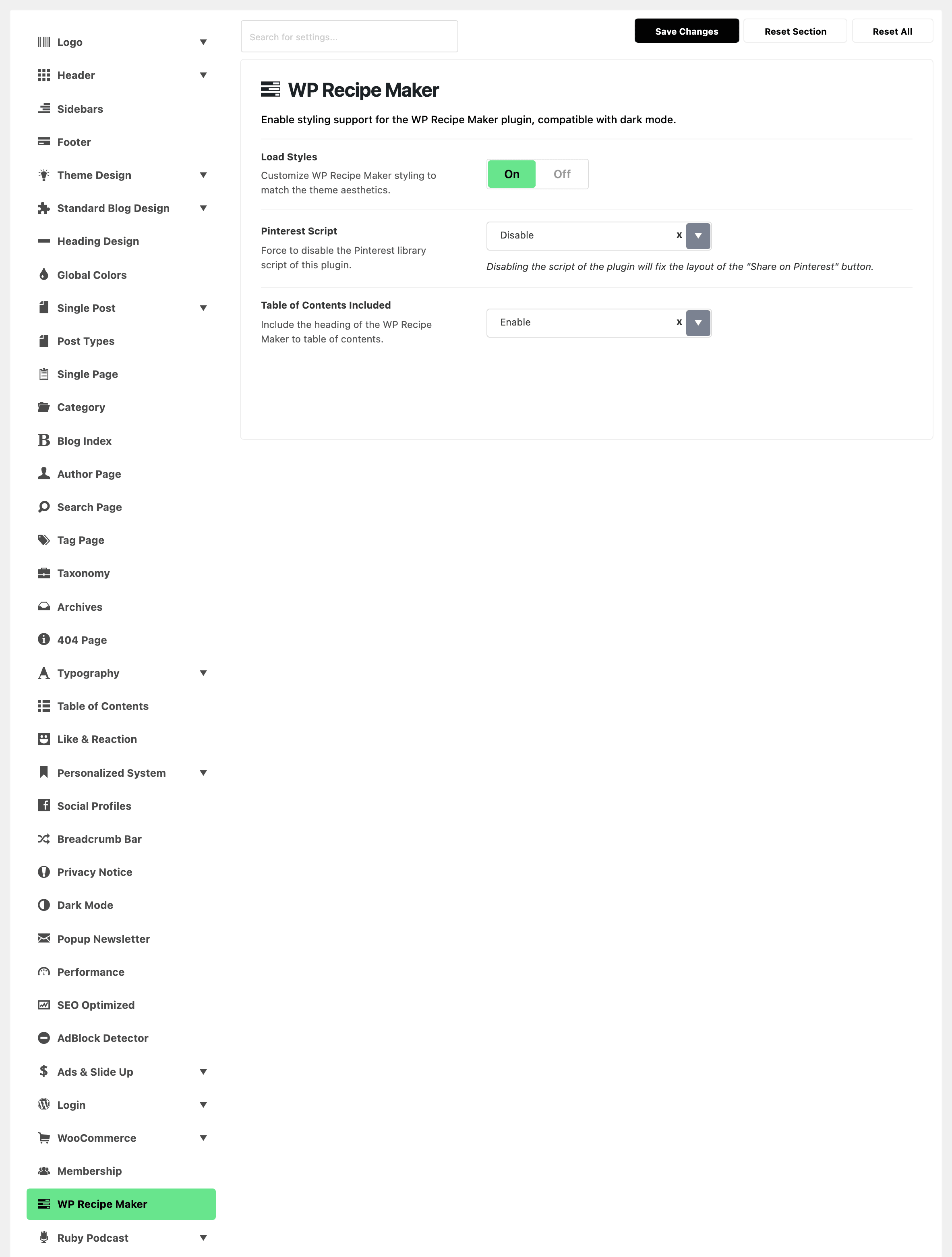
This tab decides how Foxiz works with the WP Recipe Maker plugin: whether Foxiz styles the recipe cards, whether Pinterest's script loads, and whether recipes join the table of contents. It makes no recipes; WP Recipe Maker does that.
Where to find it
Go to Theme Options > WP Recipe Maker, between Membership and Ruby Podcast in the list. The tab has no subsections: its three settings are on the tab itself.
After changing anything, click Save Changes. The button is at the bottom of the panel, and also in the bar that stays at the top while you scroll.
Until WP Recipe Maker is installed and active, the tab holds only a notice, "The WP Recipe Maker Plugin is missing!", with a link to the plugin. Activate it and the three settings appear. See How to Install WP Recipe Maker.
WP Recipe Maker or another place?
- How the recipe card looks in Foxiz, Pinterest's script, recipes in the table of contents: WP Recipe Maker, this tab.
- Which template the card uses: WP Recipe Maker > Settings > Recipe Template, in the plugin. See How to Choose a Recipe Template.
- Star ratings in the comments: WP Recipe Maker > Settings > Star Ratings, in the plugin.
- The table of contents box itself, which posts get one and which headings it lists: Table of Contents. See How to Create a Table of Content?.
- The accent colour of the Foxiz recipe styles: Global Highlight Color, in Global Colors.
Settings
The three settings, in panel order. Their defaults suit most sites, so a first recipe needs none of them changed.
Load Styles
-
Default: on.
-
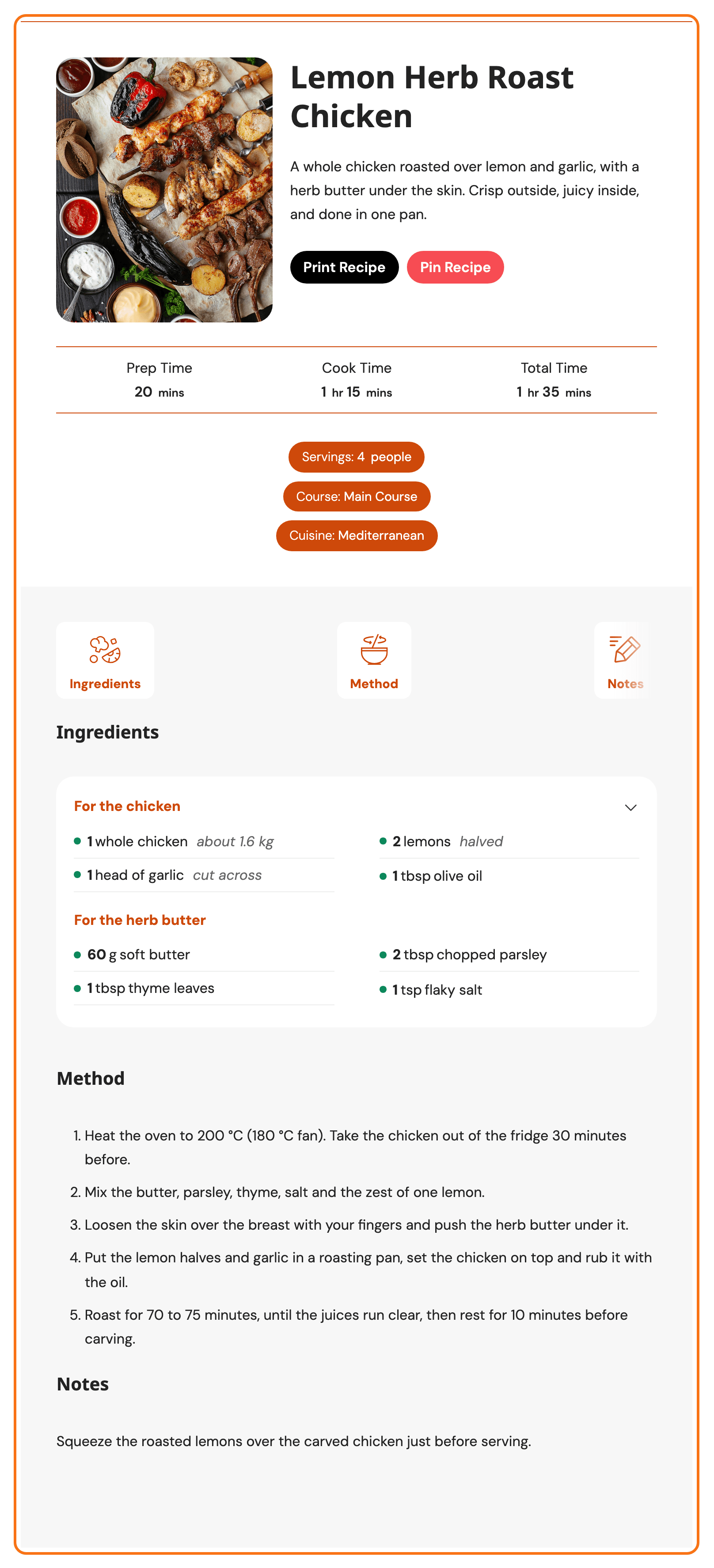
On: Foxiz styles the recipe cards to match the theme, in light and dark mode, on your pages and in the block editor. WP Recipe Maker's own template styles are switched off on your pages.
-
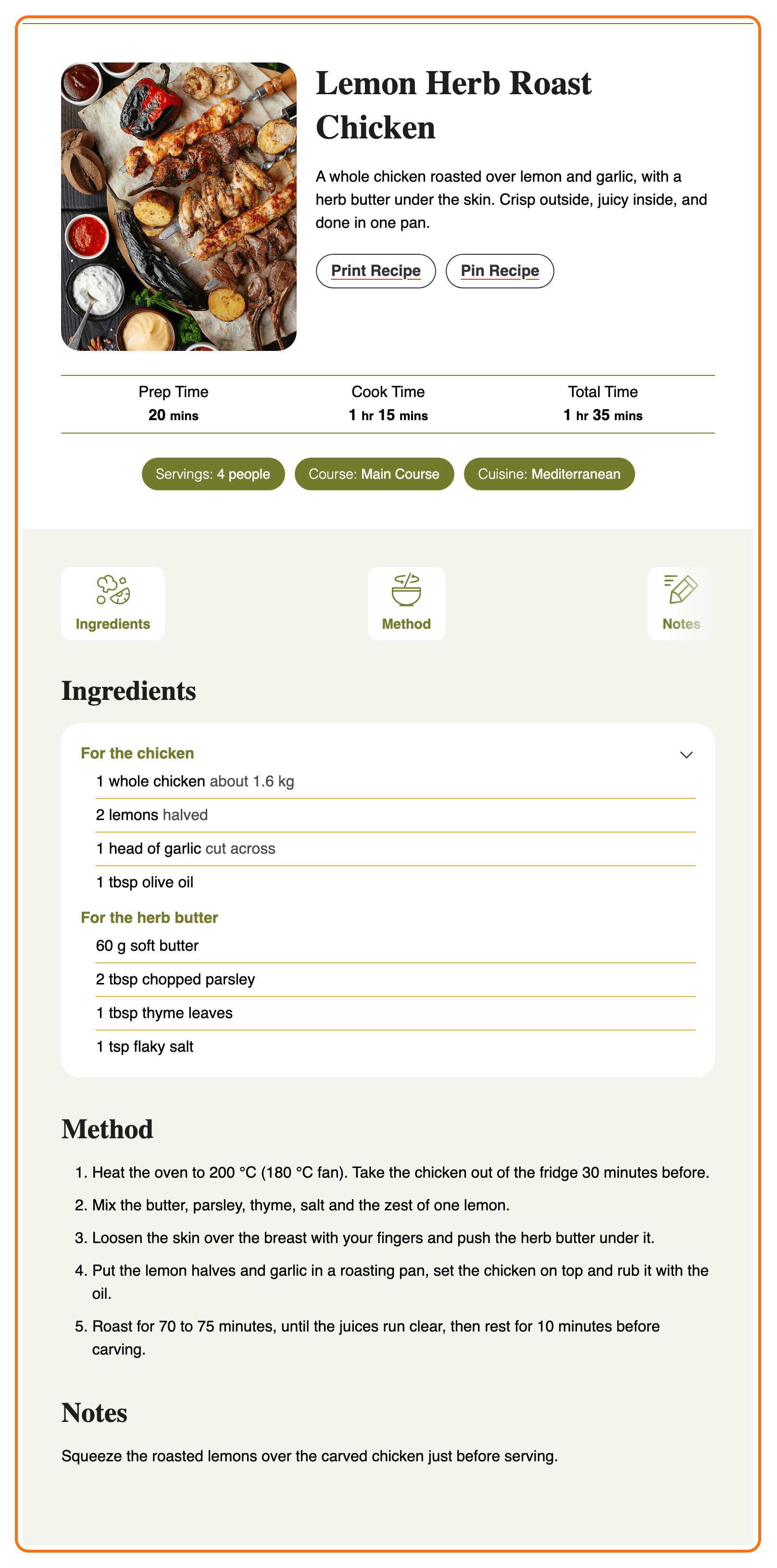
Off: the cards look exactly as WP Recipe Maker draws them, and Foxiz adds nothing.
Foxiz has its own styles for these templates, by the names WP Recipe Maker's template list shows:
- recipe cards: Meadow, Basic, Classic, Chic, Compact and Compact Howto,
- button snippets: Snippet Basic and Snippet Basic Buttons,
- roundups: Roundup Clean and Roundup Button.
Any other template, including one you designed in WP Recipe Maker's Template Editor, loses its own styles while this is on. Turn it off for those. How to Choose a Recipe Template shows both looks.
With it on, the comment form shows one row of stars: when WP Recipe Maker's Recipe Rating stars sit right above Foxiz's own Your Rating stars, Foxiz hides its own. Running Foxiz reader reviews as well? See star ratings first.
Pinterest Script
- Enable or Disable. Default: Disable.
- Disable: Pinterest's own script never loads, even when WP Recipe Maker's Pin Method asks for it. The Pin Recipe button still works: it opens Pinterest's pin page in a small window. The panel's note says this keeps the button's layout right.
- Enable: WP Recipe Maker's Pin Method decides. Pick it only for what needs Pinterest's script: pinning through a Repin ID, or a pin button that pins any image on the page.
The Pin Recipe button walks both.
Table of Contents Included
- Enable or Disable. Default: Enable.
- Enable: on a post that shows the Foxiz table of contents, the box also lists the recipe's name and its section headings, and they count toward the box's Enable When minimum.
- Disable: the box lists only the post's own headings.
The recipe's headings still follow the box's heading levels: the recipe name is an H2 and its section headings H3, so Support H2 and Support H3 must be on for both to show. They are on by default.
Common jobs
- Set up recipes from the start: How to Set Up Recipes with Foxiz.
- Put a recipe in a post: How to Add a Recipe to a Post.
- Change the card's design: How to Choose a Recipe Template.
- The recipe in the table of contents, the Pin Recipe button and star ratings: Recipes, Table of Contents, Pinterest and Ratings.
If a change does not show
- Is WP Recipe Maker active? Without it the tab holds only the notice, and these settings do nothing.
- Did it save? Click Save Changes again and wait for the confirmation.
- Is a cache serving the old page? Clear your caching plugin and any server or CDN cache, then reload a post with a recipe.
- The card looks unstyled with Load Styles on? Its template is not one Foxiz restyles. Pick one that is, or turn Load Styles off.
- No recipe in the table of contents? Check that the post shows the box at all, and that Support H3 is on if only the recipe name is listed.
Did this answer your question?