Ad Types and Sizes
Every advert Foxiz places is one of two things. A script slot takes a block of code from an ad network and prints it. An image slot takes a picture you uploaded and links it somewhere. The fields are the same two sets wherever the slot lives, so learning them once covers the whole theme.
Where you make the choice depends on the placement:
- Theme Options > Ads & Slide Up > Top Site > Ad Type offers Script and Custom Image, and its default is Script.
- Theme Options > Ads & Slide Up > Inline Single Content asks three times, once per ad: Ad 1 - Type, Ad 2 - Type and Ad 3 - Type. Each offers Script and Image, and its default is Script.
- In a widget area the choice is which widget you drag in: Foxiz - Widget Ad Script or Foxiz - Widget Ad Image.
- On an Elementor page it is which block: Foxiz - Ad Script or Foxiz - Ad Image.

A script slot
The code goes in Script - Ad/Adsense Code in Theme Options, and in Ad/Adsense Code in the widget and the Elementor block. It is the only field that has to be filled: with it empty the slot prints nothing, not even its description line.
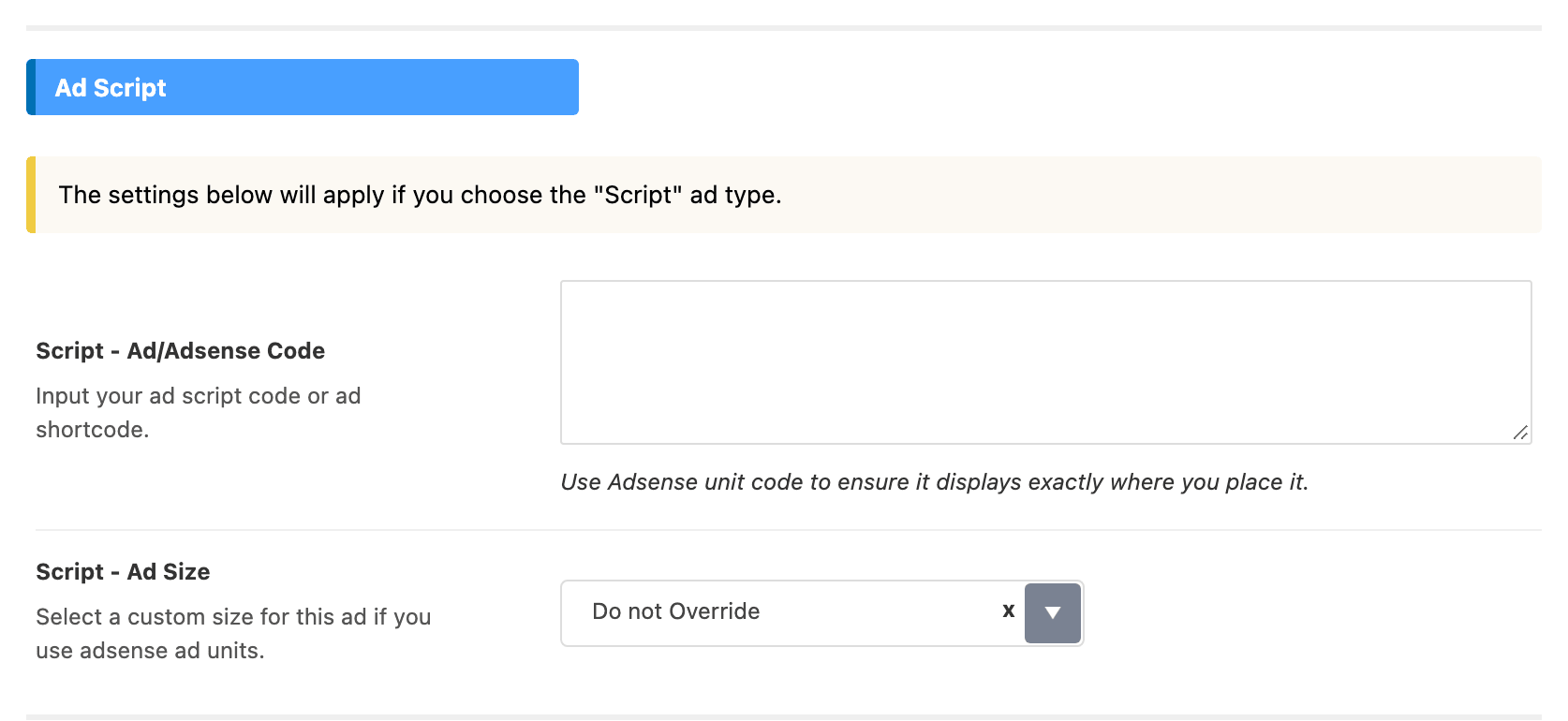
Three things are accepted there, and the theme treats them differently:
- An AdSense ad unit, the snippet AdSense gives you for one unit, is recognised and can then be resized per device. Recognition needs the whole snippet: the Google script tag, and both the publisher and the slot identifier that come with it. Paste what AdSense gave you rather than trimming it.
- Code from any other network is printed exactly as you pasted it, and the size fields below have nothing to work with.
- A shortcode works as well, because the field is run through the shortcode parser before it is printed. That is how a saved Elementor template, or a unit from an ad manager plugin, gets into a Foxiz slot. The field's own hint in Theme Options says so.
The description line
Above the ad, Foxiz prints a small line of grey text. It is Ad Description in Theme Options, Description in the Elementor block and the script widget, and Title in the image widget. Most of them arrive holding "- Advertisement -"; the Top Site one arrives empty. Clear the field and no line is printed at all.
Sizing an AdSense unit
Ad Size decides whether Foxiz touches the unit at all, and its default is Do not Override.
On Do not Override your snippet is printed as you pasted it and AdSense decides how big the unit is, which is usually what you want for a responsive unit. On Custom Size Below Foxiz builds the unit itself from the two identifiers in your snippet and pins it to the sizes you pick below, one per device.
There is one dropdown per device. In Theme Options each label starts with Script -; in the widget and the block it does not. Each maps to a screen width:
- Script - Size on Desktop, or Size on Desktop: screens 800 pixels wide and up.
- Script - Size on Tablet, or Size on Tablet: 500 pixels and up.
- Script - Size on Mobile, or Size on Mobile: anything narrower than 500 pixels.
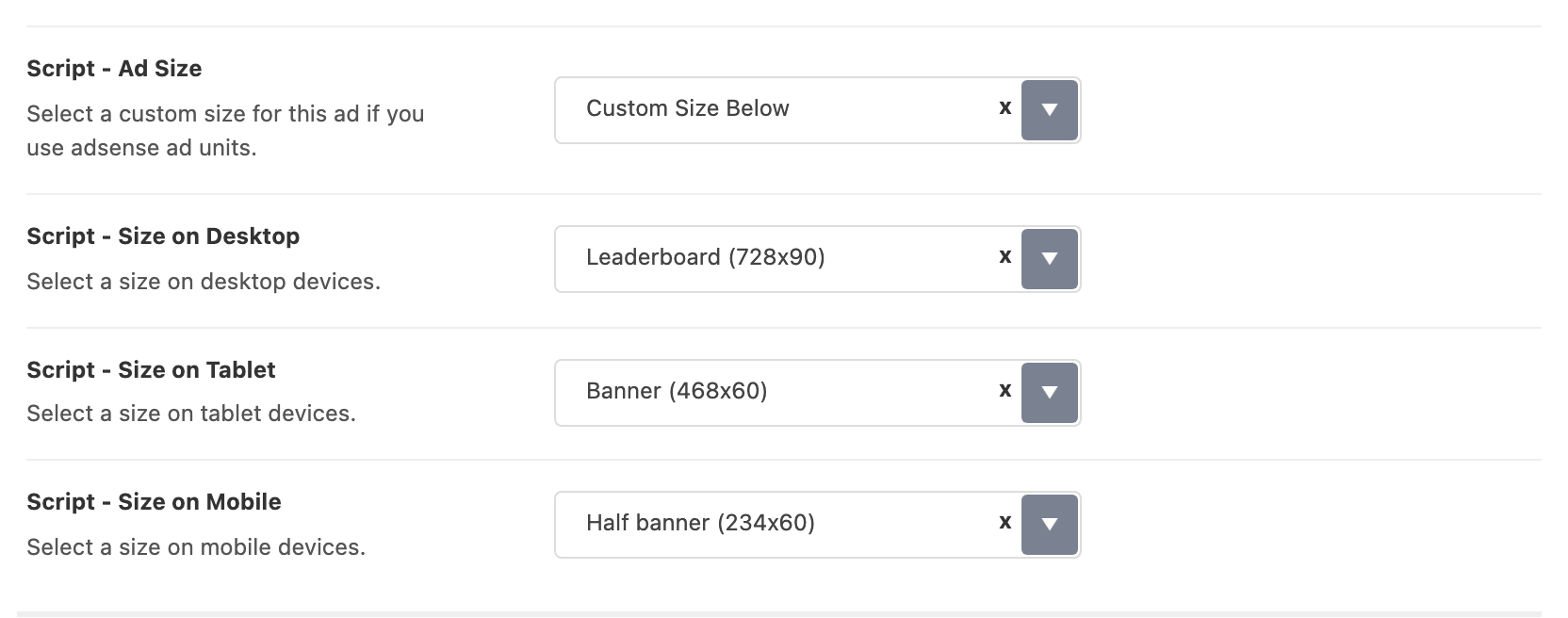
In Theme Options and in the sidebar widget the three arrive on Leaderboard, Banner and Half banner, descending sensibly. In the Elementor block all three arrive on Leaderboard (728x90), which is far too wide for a phone, so set the mobile one yourself before you publish.
All three dropdowns hold the same nineteen named AdSense formats, plus one entry that hides the ad. They are the standard AdSense units, and the pixel size is part of each entry's own name:
| Shape | Entries in the dropdown |
|---|---|
| Wide, for a header or a content break | Leaderboard (728x90), Large Leaderboard (970x90), Billboard (970x250), Banner (468x60), Half banner (234x60) |
| Rectangles, for a sidebar or inside content | Medium Rectangle (300x250), Large Rectangle (336x280), Square (250x250), Small Square (200x200), Small Rectangle (180x150), Button (125x125) |
| Tall, for a sidebar that scrolls | Half Page (300x600), Portrait (300x1050), Skyscraper (120x600), Wide Skyscraper (160x600), Vertical Banner (120 x 240) |
| Narrow, for phones | Mobile Banner (320x50), Mobile Banner (320x100), Mobile Friendly (300x100) |
The extra entry is labelled Hide on Desktop wherever it appears, and what it actually does is hide the ad at whichever breakpoint you chose it in. Set it in Size on Mobile and the advert is hidden on phones. In the two sidebar widgets it sits at the top of the list; in Theme Options and the Elementor blocks it sits at the bottom.
An image slot
An image slot is the one to use for a sponsor's banner, a house promotion or anything you were given as a picture rather than a tag. Five fields, and only the first is required.

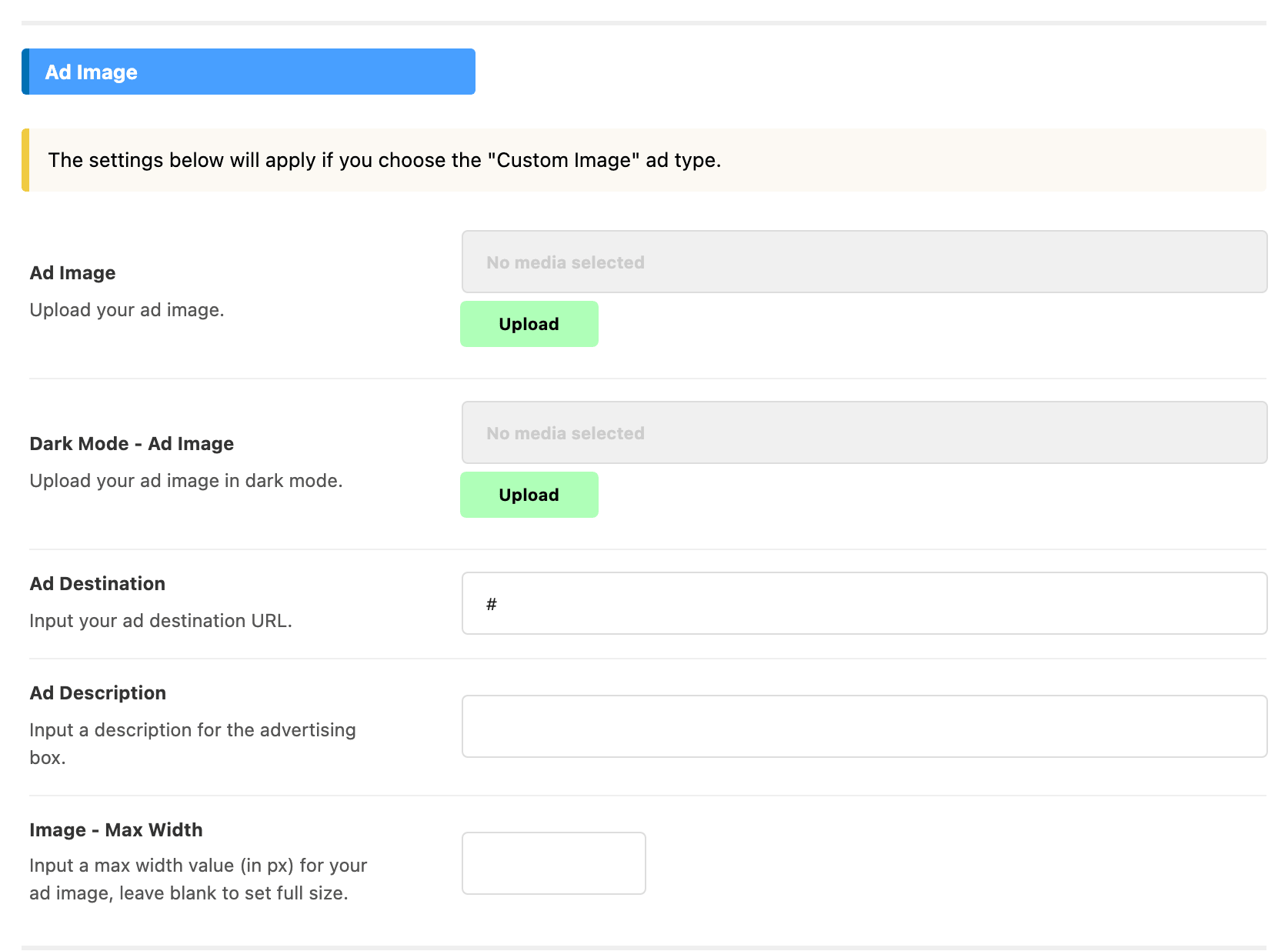
Ad Image is the picture. In Theme Options and in the Elementor block it is a media upload; in Foxiz - Widget Ad Image it is a plain text box wanting the address of an image already in your media library, so upload it first and paste the file URL. With no image the slot prints nothing.
Dark Mode - Ad Image is the same banner redrawn for readers using dark mode, and it is called Dark Mode - Ad Image URL in the widget. Fill it and Foxiz prints both images and shows whichever matches the reader's mode. Leave it blank and the one image is used in both.
Ad Destination is where the banner goes when clicked. It is Destination URL in the widget. The link opens in a new tab and carries a nofollow mark, so a paid placement will not pass ranking credit to the advertiser. Leave it empty and the image is printed without a link. In Theme Options the field arrives holding #, which is a link to nowhere, so replace it rather than leaving it.
Ad Description is the same small line described above, printed over the banner.
Image - Max Width caps the banner in pixels. Leave it blank and the image is shown at its full size. In the Elementor block it is Image Max Width on the Image tab, and it can be set separately for each device.
Two things Foxiz does for you with an image ad. It writes the real width and height onto the picture, so the page does not jump while the banner loads. And if the image has no alternative text it writes "Ad image" as the alt, which is enough to pass an accessibility check and no substitute for describing the banner in your media library.
Image ads are lazy loaded, which is right for a banner further down the page and wrong for one at the top. Two slots already know the difference: the Top Site banner above the header loads immediately, and the Elementor block has a Lazy Load control where Disable makes it load immediately too.
When a slot prints nothing
Four reasons, none of which show a warning anywhere in the admin.
- The slot is empty: no code in a script slot, or no image in an image slot, and nothing is printed.
- Auto ads are on. A snippet in Theme Options > Ads & Slide Up > Adsense - Auto Ads, left running while Allow Other Ads Placement is off, suppresses every AdSense unit slot on the site. See How to Add Adsense Auto Ads.
- The page is the 404 page, where built in adverts are held back for AdSense policy reasons. The switch is Theme Options > 404 Page > Ads Disabled > Ads on 404 Page, with - Disable - as the default.
- The page is an AMP page. Script and image slots are both skipped there, and AMP has its own advert fields instead. See How to Add Adverts to AMP Pages.
Did this answer your question?