How to Build a Saved Stories Page
A saved stories page lists the posts a visitor bookmarked, newest first. It is an Elementor page with one personalized block whose Query Source is User Saved.
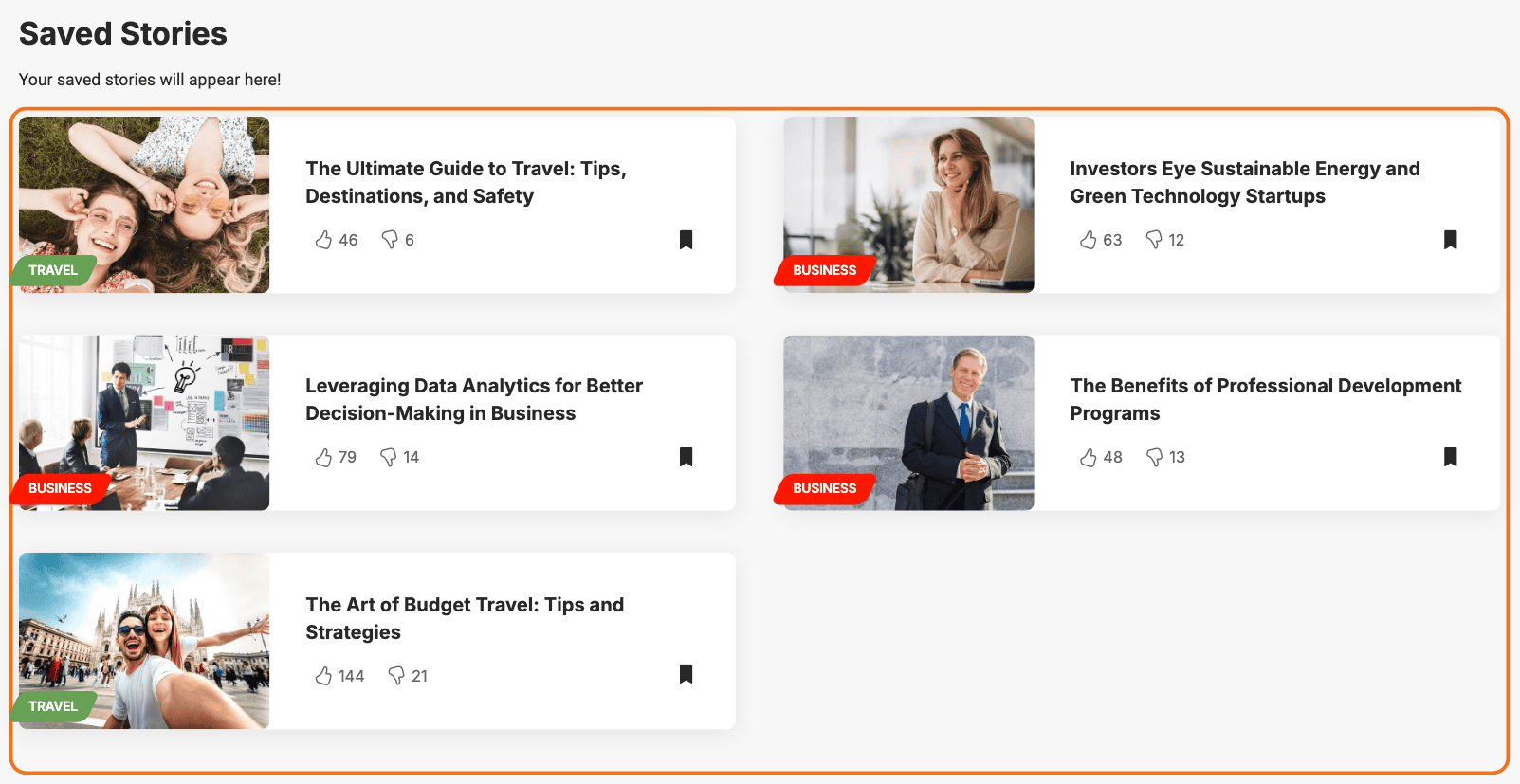
What a visitor's saves are
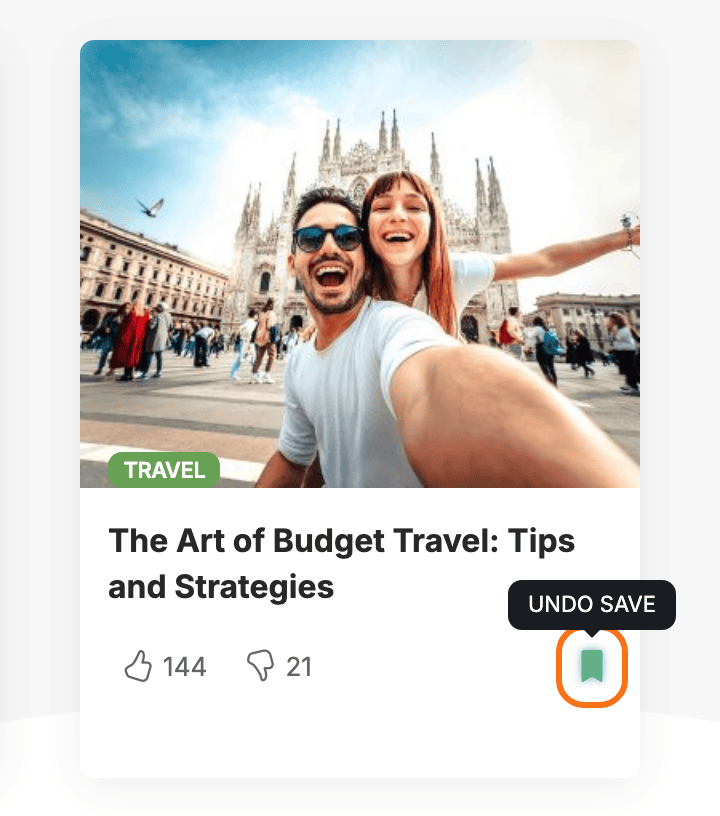
A visitor saves a post by clicking its bookmark icon, and clicking it again removes it. The icon is off by default everywhere, so turn it on first: see How Personalization Works.
The page shows the visitor's 150 most recent saves.
Whose saves they are depends on whether the visitor is signed in:
- Signed in: the saves belong to the account, so they follow the reader to any browser.
- Guest: the saves belong to that browser. A different device, a private window or cleared cookies starts an empty list.
- A guest who then signs in: what they saved as a guest stays with the browser. It does not move into the account.
How long saves last
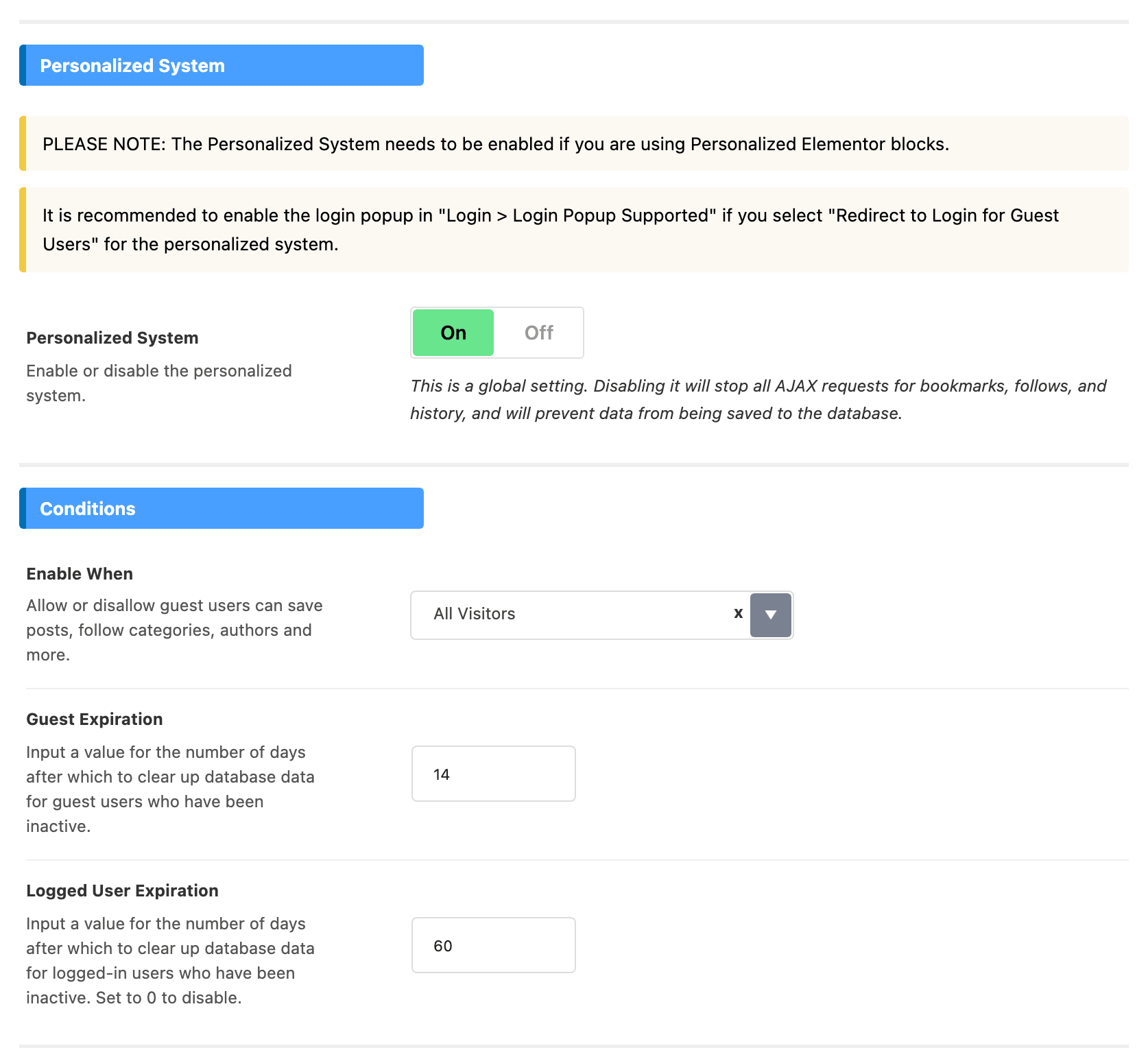
Saves are not kept forever. Two fields in Theme Options > Personalized System > Global, in the Conditions group, set how long a visitor can stay away before their saves and follows are deleted:
- Guest Expiration: days without activity before a guest's data is deleted. Default: 14.
- Logged User Expiration: the same for accounts. Default: 60. Set it to 0 to keep account data for good.
Any save, follow or recorded read counts as activity, so a regular visitor keeps everything. The cleanup runs once a day.
A post you delete from the site also leaves every visitor's saves.
Build the page
-
Go to Pages > Add Page, name the page (the demo calls it My Saves) and click Edit with Elementor.
-
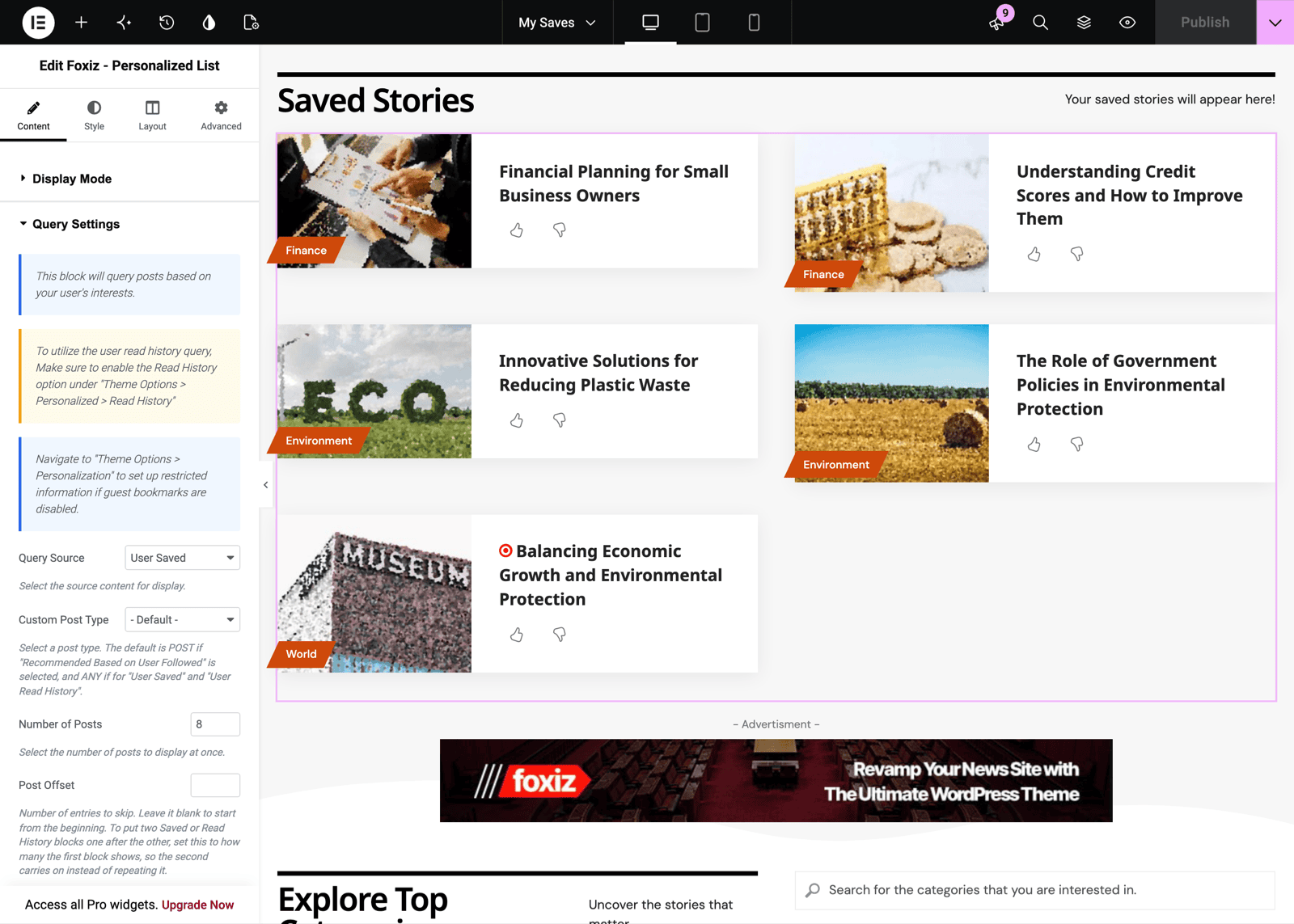
Search the Elements panel for personalized and drag Foxiz - Personalized List onto the page. Any of the four Personalized blocks works; they differ only in layout.
-
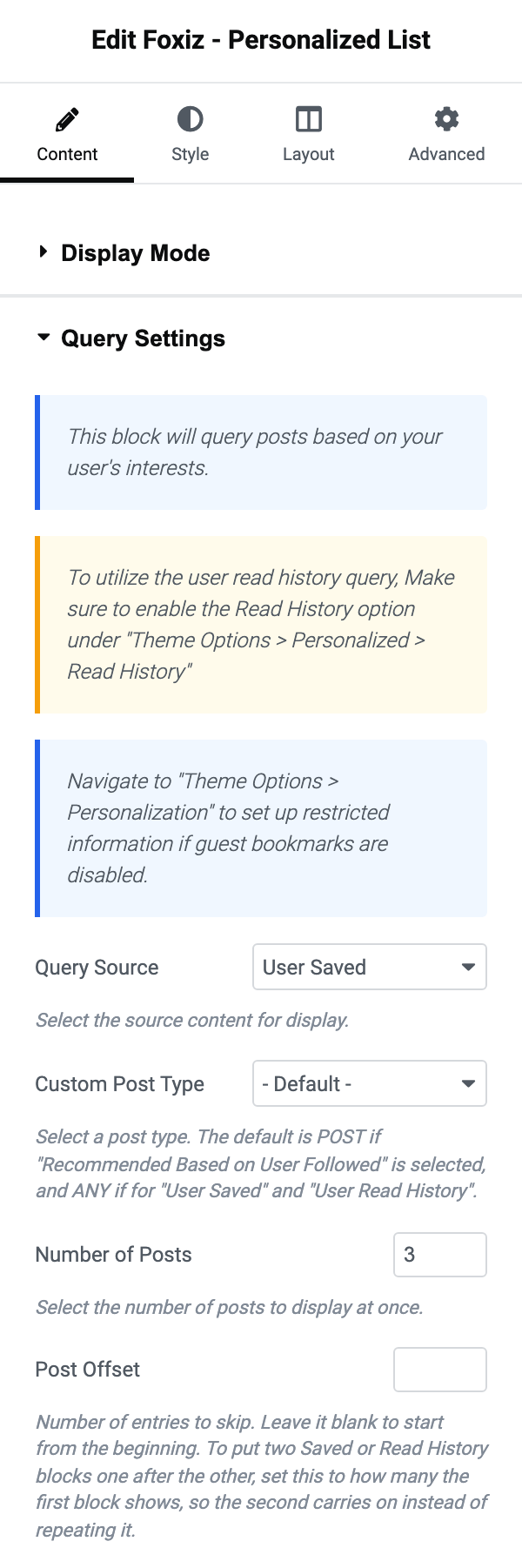
In Query Settings, set Query Source to User Saved.
-
Raise Number of Posts. It starts at 3, which is short for a page whose whole job is this list.
-
Under Ajax Pagination, set Pagination Type to Show More or Infinite Scroll so a long list can be read to the end. It is - Disable - by default.
-
Leave Display Mode on - AJAX - unless you will exclude the page from your cache.
-
Click Publish.
Post Offset appears once Query Source is User Saved. Use it for two blocks in a row, say a large grid of the latest three saves and a list of the rest: set the second block's offset to 3 and it carries on where the first stopped.
What an empty page shows
A visitor with no saves sees "You haven't saved anything yet." and a line telling them to click the bookmark icon.
That leaves most of the page bare for a new visitor. The demo fills the space below with ordinary blocks, which also give the visitor posts to save: an "Explore Top Categories" heading over Foxiz - Search Taxonomies and Foxiz - Taxonomies List 1, then a Foxiz - Boxed Grid 1 of posts.
When Enable When is not All Visitors, a guest does not get that message. They see the Restricted Title and Restricted Description from Global > Restricted Information, by default "Join our Community" and "Create an account to save your favorite stories and access them Anytime!". Empty Restricted Title and the block shows nothing to them.
This page or the Reading List page?
Both show the same saves. They are built differently:
- The Reading List page is a page with the Reading List template. The theme lays it out: saved posts, then followed categories, followed writers and recommended posts, each styled in Theme Options > Personalized System. See How to Setup Reading List?.
- A saved stories page is any Elementor page. You choose the block, the layout, how many posts, the pagination, and what else sits on the page.
Pick the Reading List page for everything on one page with no building. Pick this page when saves get a page of their own, as in a personalized section.
Did this answer your question?