How to Change the Footer Colors
Two settings decide how the footer looks: its Background, and a Text Color Scheme that makes the text dark or light so it reads on that background. Change one and check the other.
For most sites the defaults are fine: a faint grey background with dark text. Change them when you want a dark footer, as below.
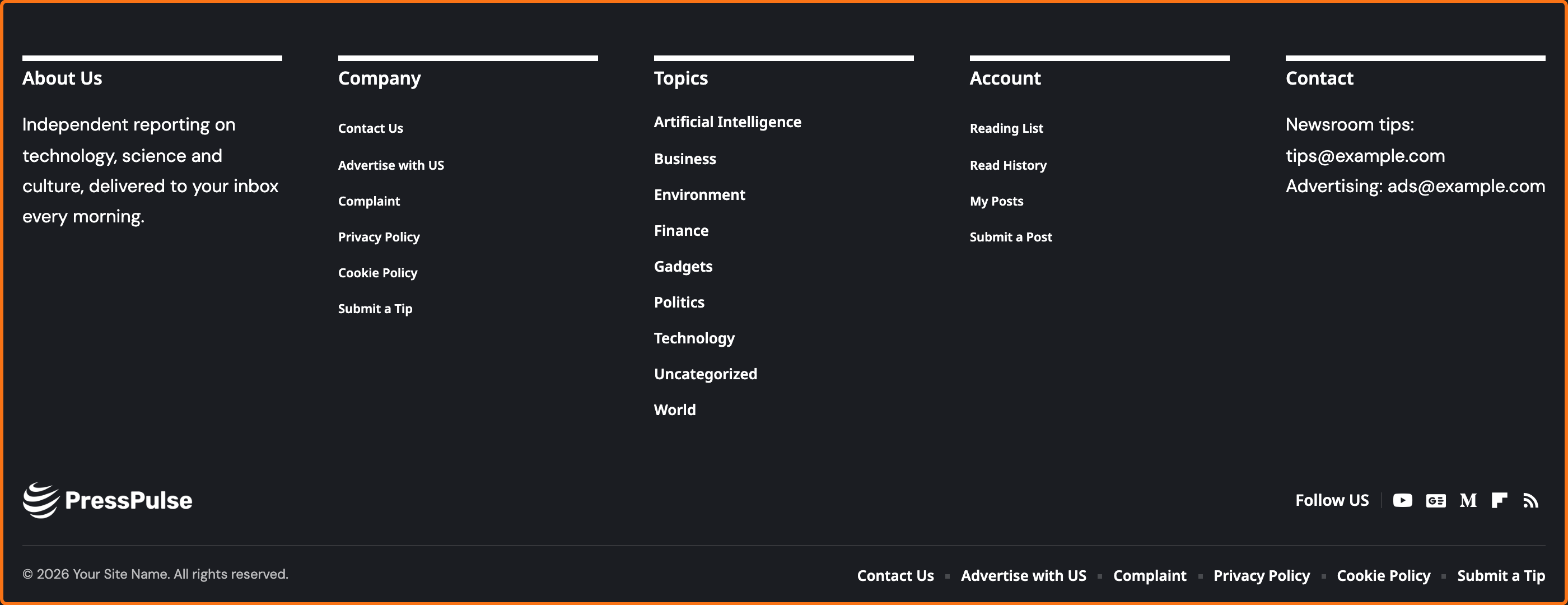
Make the footer dark
-
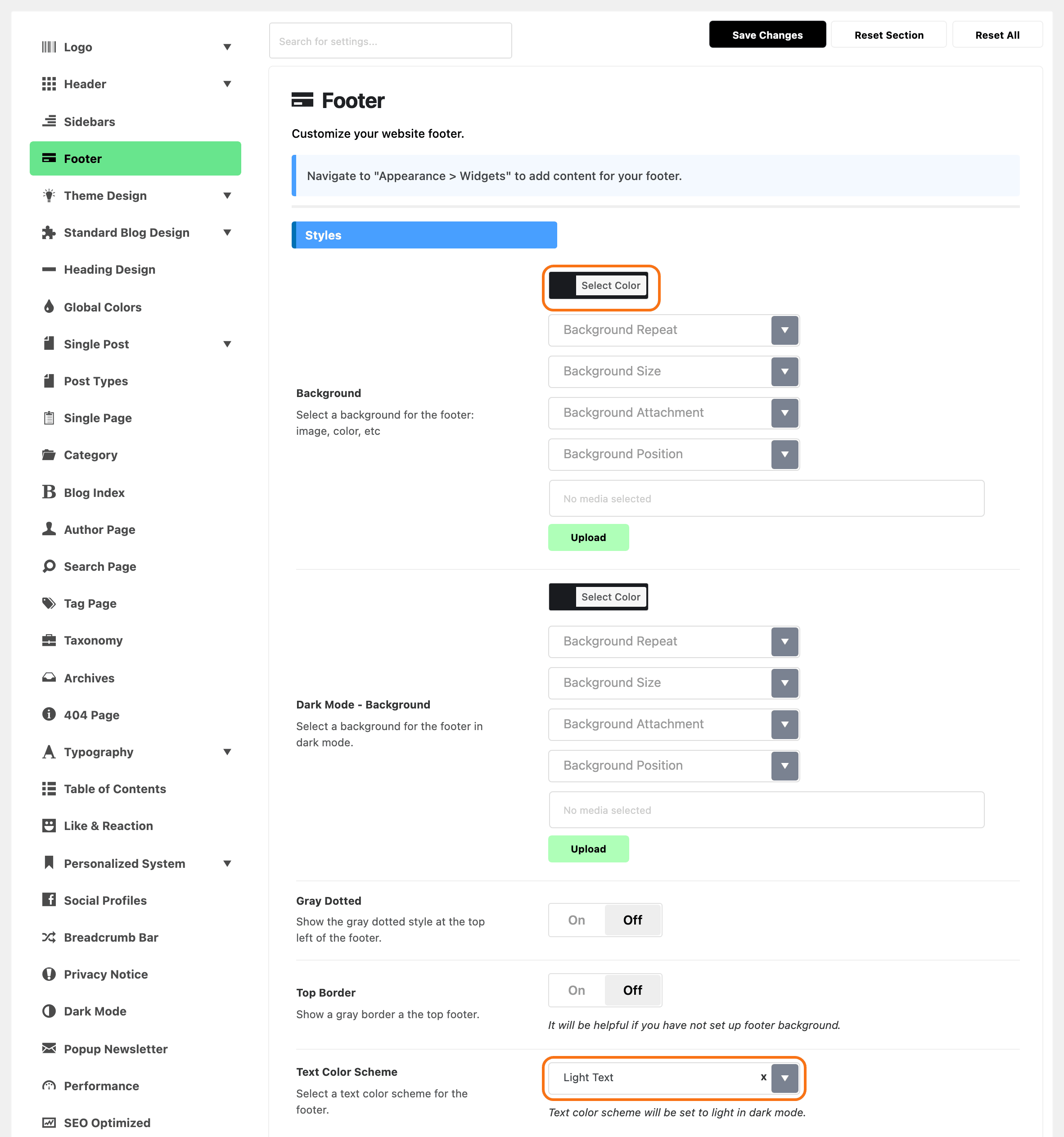
Navigate to Theme Options > Footer and find the Styles section at the top.
-
In Background, pick a dark colour. You can also upload an image here; set a colour with it, because the footer only applies its background once a colour or an attachment value is set. The default is a faint grey,
#88888812. -
Set Text Color Scheme to Light Text. Without it, the default dark text is hard to read on your dark background.
-
Click Save Changes.
Going the other way, a light background, keep Text Color Scheme on Default (Dark Text).
Dark mode
If your site has a dark mode, the footer text is always light there, whatever Text Color Scheme says.
So the dark mode footer needs a dark background. Set it in Dark Mode - Background, in the same section. It has no default. Pick a colour close to your dark mode page background.
How to switch dark mode on for the site: How to Enable Dark Mode Feature.
Two small extras
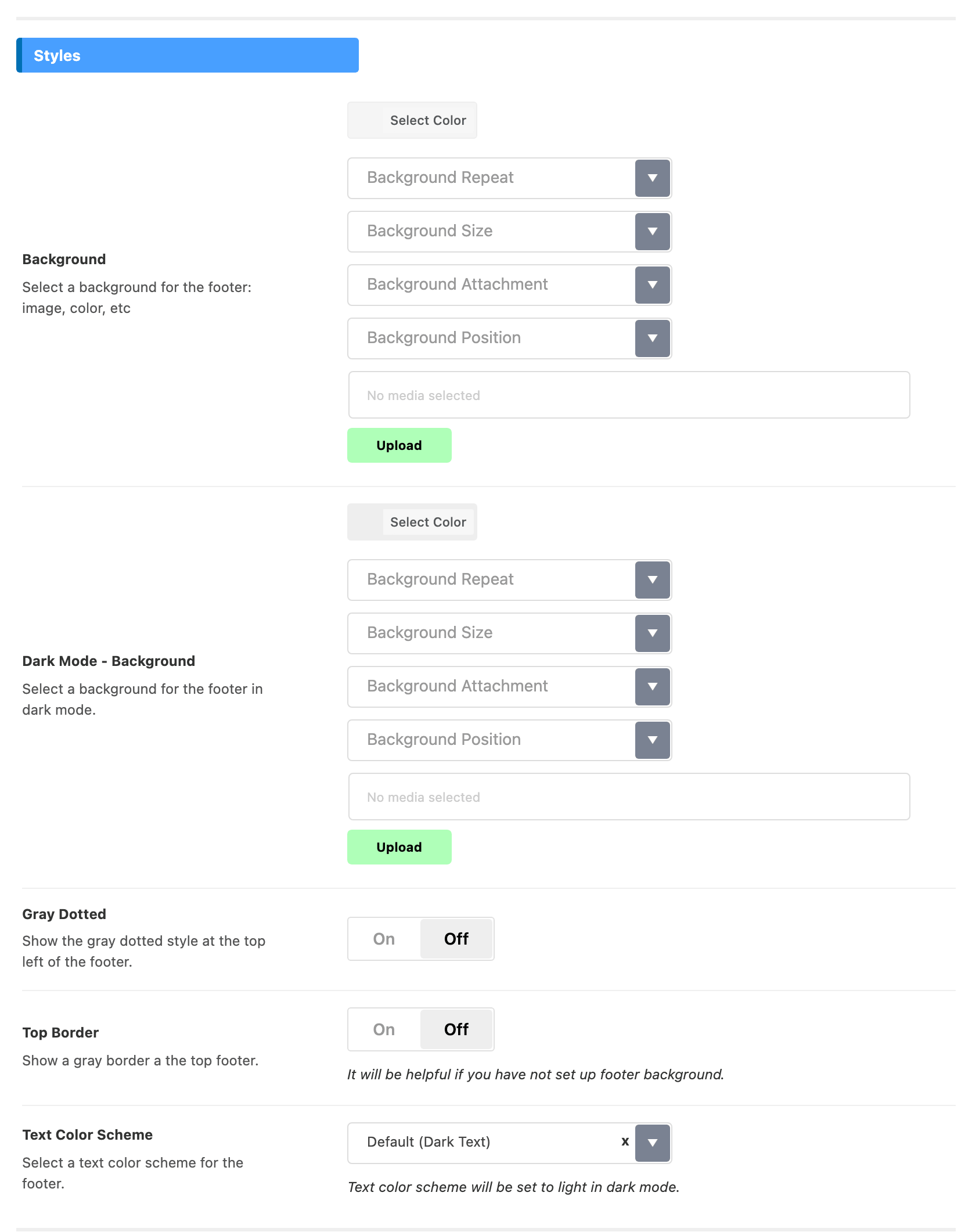
Both are in Styles and off by default.
-
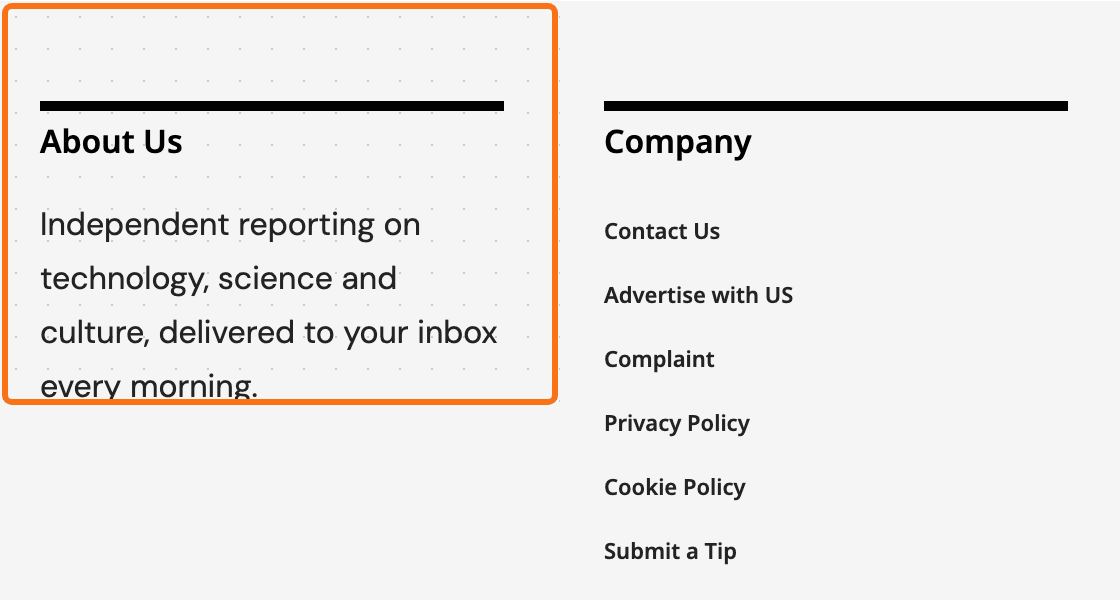
Gray Dotted adds a grey dotted pattern at the top left of the footer.
-
Top Border adds a grey line along the top of the footer. It helps when the footer has no background and would otherwise run into the content above.

Widget headings in the footer
The headings above each widget column have a style of their own, set at Theme Options > Heading Design > Footer Widget Heading Layout. Its default is 10 - Only Text: plain text with no line or background.
Using a Ruby Template footer?
These settings colour the built-in footer. Under a Ruby Template they reach only the copyright bar at the bottom; the template itself takes the colours you give its containers in Elementor. See How to Build a Footer Template in Elementor.
Did this answer your question?