How to Create the Blog Page?
The blog page is useful when you want to have a separate page that shows all the latest blog posts. To create a blog page, follow the steps below:

- Navigate to the Dashboard, click Pages, then click the "Add Page" button.
- Enter a title for the blog page, and then click Publish. Leave its content empty. WordPress draws a posts page from the blog template rather than from the page, so anything typed here never appears.
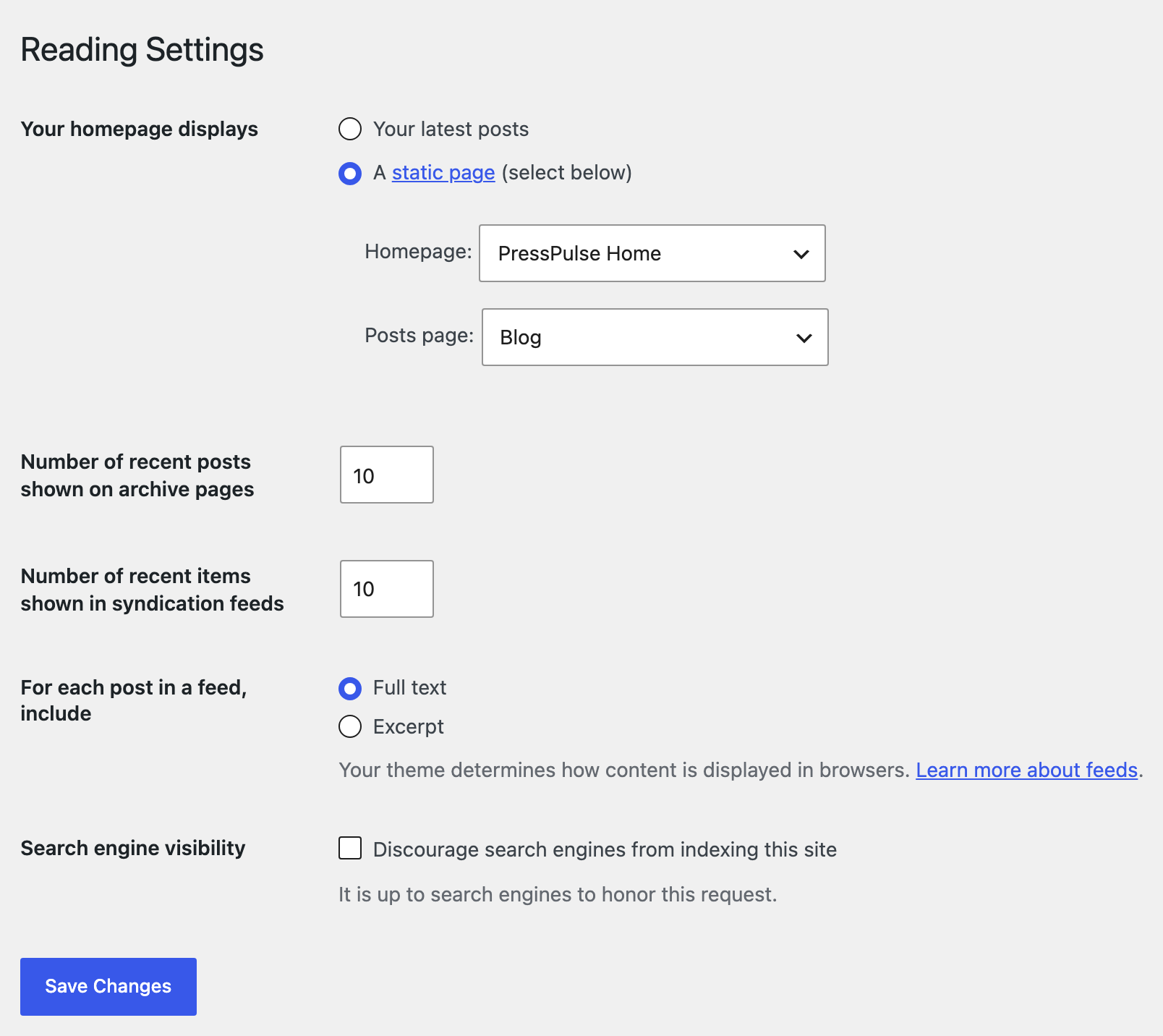
- Next, navigate to Settings > Reading area and look for the Your homepage displays area.
- Select A static page (select below). Two dropdowns appear under it, Homepage and Posts page. In Posts page, select the page you just created.
- Change the number of posts per page under the Number of recent posts shown on archive pages option. The default value is 10 posts per page. Older guides call it "Blog pages show at most". A number in Theme Options > Blog Index > Posts Per Page wins over this field on the blog page; see below. Then click Save Changes.
Foxiz has a count of its own. Theme Options > Blog Index > Posts Per Page is empty by default, and empty means "use the WordPress value"; put a number in it and the blog page shows that many posts instead.
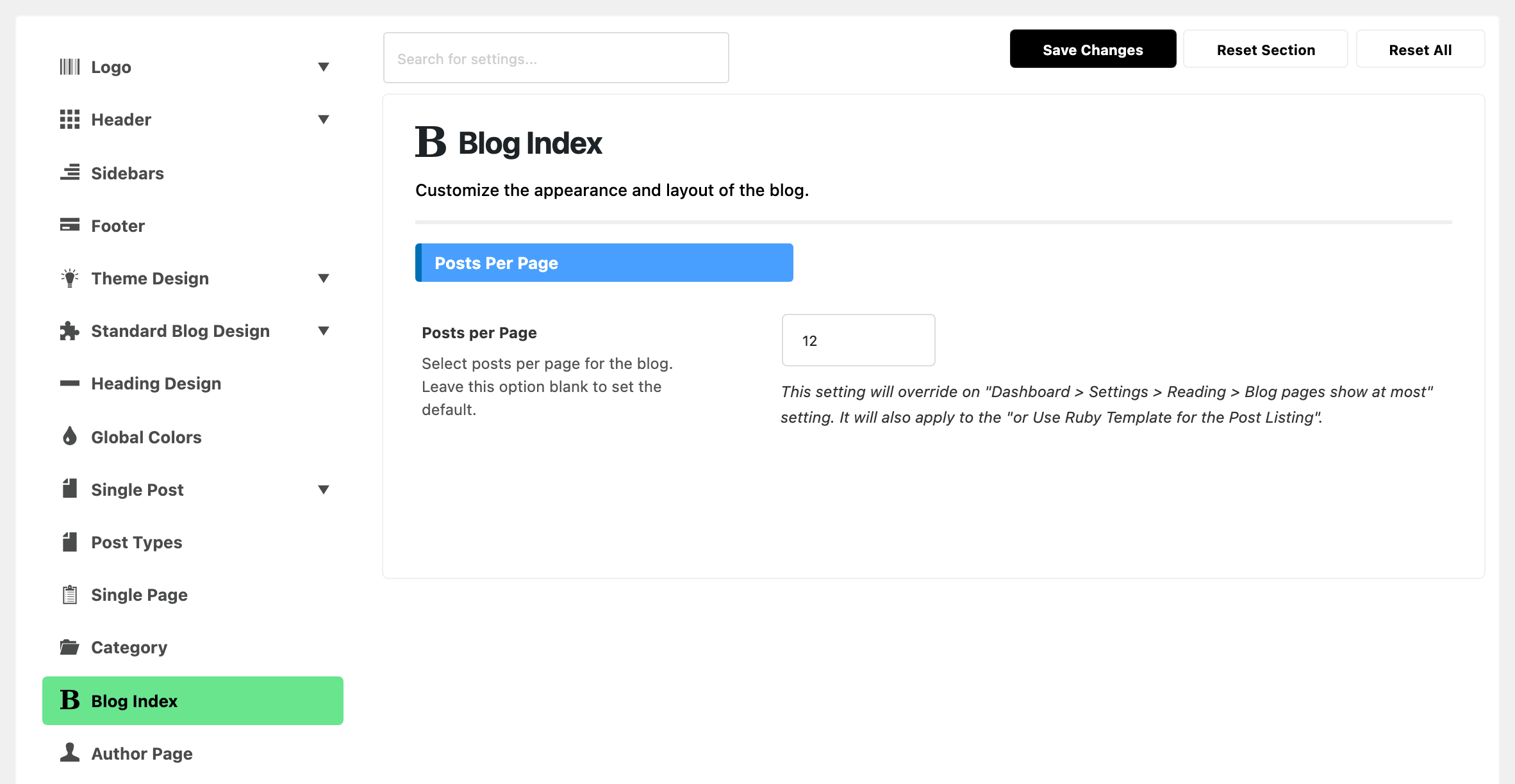
Once the page exists, everything about how it looks is set in Theme Options > Blog Index: the header, a template above and below the listing, the listing layout, its columns, its sidebar and its pagination. The page's own Single Page Settings box does not control the listing, and the box says so itself.
How to set the blog page as Homepage?
You can set the blog page as Homepage via WordPress Settings. Follow the steps below:
- Navigate to Settings > Reading and look for the Your homepage displays area.
- Select "Your latest posts", then click Save Changes.
Choosing Your latest posts drops the static posts page you selected above: the listing moves to the site root and the page you created is no longer used for it. You do not need both. Either way the listing is still drawn by Theme Options > Blog Index.
Did this answer your question?