Individual Taxonomy Settings
You can set these options for each term of a taxonomy: one set for each term, not one set for the taxonomy as a whole. They override the global settings.
The term header, the posts per page and the listing template can each be set at four levels. Foxiz uses the first one that has a value:
- The term's own box, described below.
- The for Taxonomy: section for that taxonomy in Theme Options > Taxonomy.
- The global fields at the top of Theme Options > Taxonomy.
- Theme Options > Archives.
A field left on - Default -, or left empty, passes the choice down to the next level. So set the look for every term in Theme Options first, then open only the terms that should differ.
To get started, follow the steps below:
-
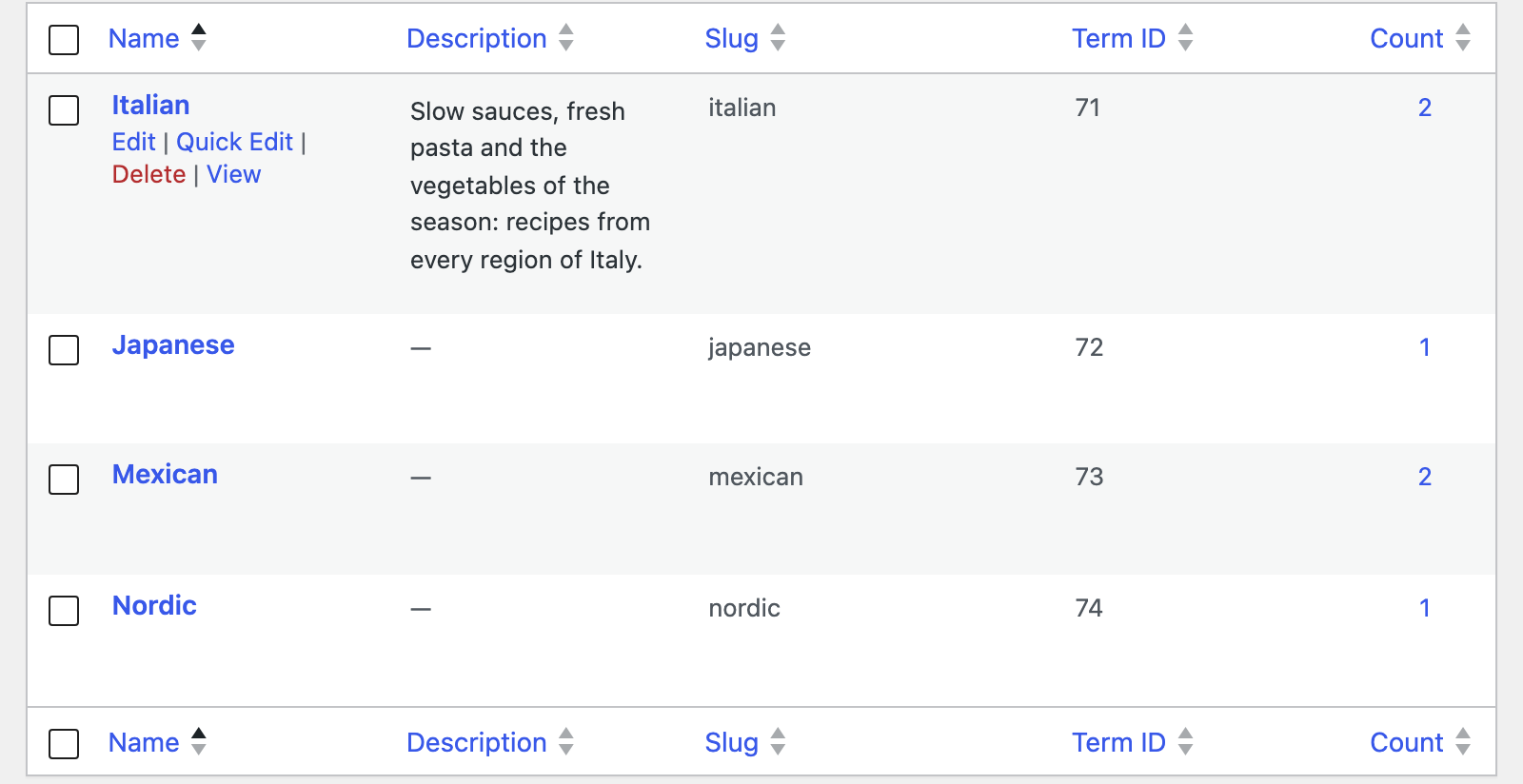
Open the admin menu of the post type the taxonomy belongs to and click the taxonomy, for example Recipes > Cuisines. That opens its term list.
-
Hover the term you want to change and click Edit under its name. The box is added on the term's edit form only, so it does not appear on the "Add new term" panel at the left of the list screen. Create the term first, then open it.
-
Scroll to the bottom of the edit screen to find the Foxiz Term Settings box. Every option for this term is there. It has six tabs:
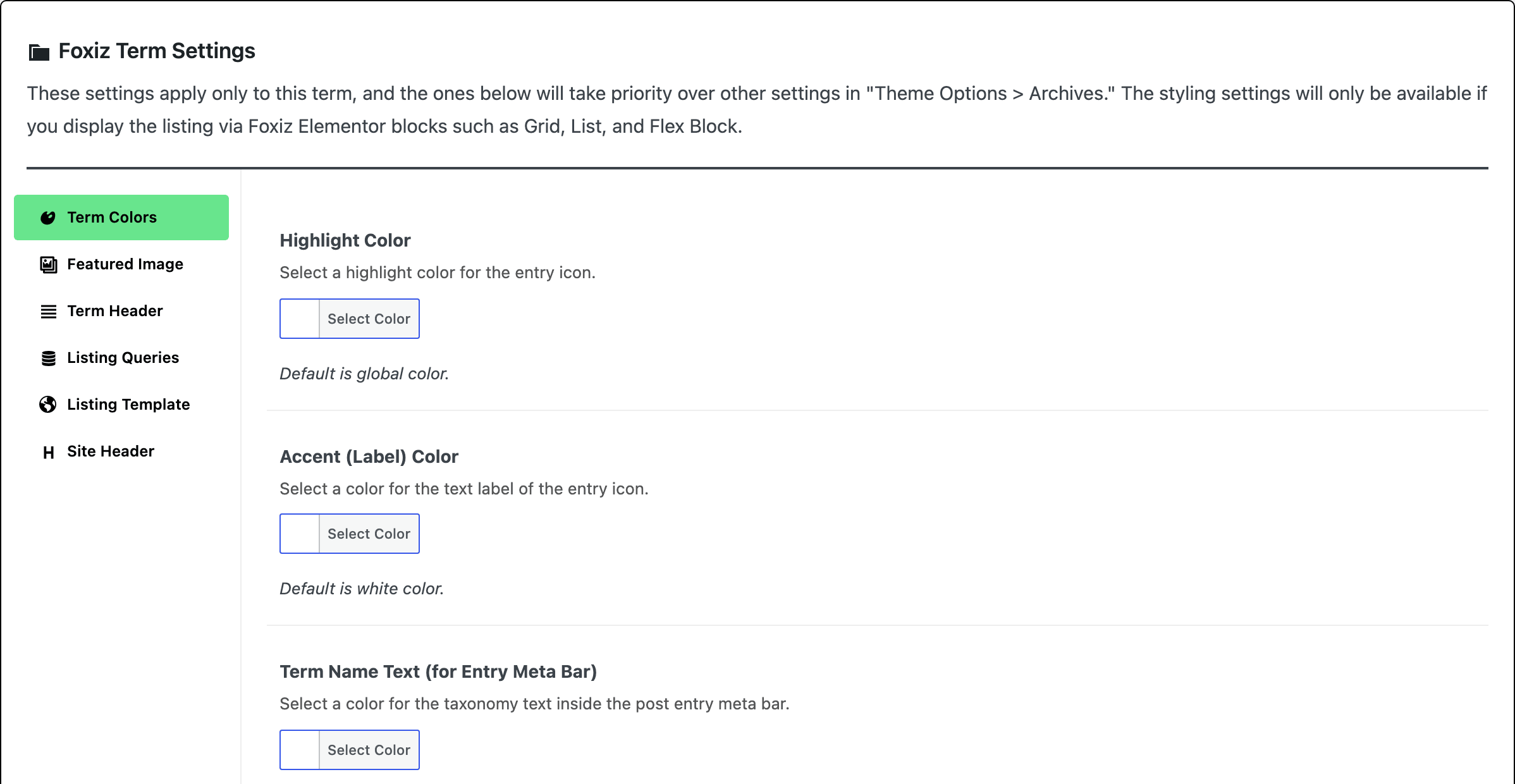
- Term Colors: Highlight Color, Accent (Label) Color, Term Name Text (for Entry Meta Bar) and a dark mode version of each.
- Featured Image: a Featured Images picker for this term.
- Term Header: Term Header, Breadcrumb and Background Pattern.
- Listing Queries: Posts per Page for this term, which applies to both the predefined layout and a Ruby Template.
- Listing Template: Use Ruby Template for the Post Listing, a shortcode that replaces the listing for this term.
- Site Header: Site Header and Or Use Ruby Template for Site Header.
The box's own notice says these take priority over Theme Options > Archives. It also says the styling settings need a Foxiz Elementor block. Those are the Term Colors: they colour this term wherever a post card or meta line prints it, and a card prints a custom taxonomy's terms only when its block's Replace Category by Taxonomy (Style tab, Entry Category) is set to that taxonomy.
-
Click on the "Update" button to save your changes.
Foxiz Term Settings is the box a custom taxonomy gets. Three taxonomies get a different one, with different tabs: a category gets Foxiz Category Settings, a tag gets Foxiz Tag Settings, and a podcast show gets Foxiz Show (Series) Settings. If the box on your screen has one of those names, you are on one of those three and the tab list above will not match.
The difference that matters most: Foxiz Category Settings carries a Single Post Layout tab with Use Ruby Template for Single Post Layout, which sets the single post layout for every post in that category and outranks Theme Options. A layout or template set on the post itself still wins over it. A custom taxonomy has no equivalent. To give a custom post type its own single layout, use Theme Options > Post Types or the Layout tab of that post's Single Post Type Settings box.
How to Create Taxonomies Using the UI Custom Post Type Plugin
How to Create Custom Post Types
The panel these settings fall back to is in Every Setting in the Taxonomy Panel.
Did this answer your question?