Creating the Required Pages and Forms
When you install the Simple Membership plugin, it creates six pages it needs to work:
- Join Us
- Registration
- Member Login
- Profile
- Password Reset
- Thank You
It also fills each page's address into its own settings. So on a new site there is usually nothing to do here. Use the steps below only if one of the pages is missing, for example because it was deleted, or if the check at the end of this page shows a line of error text instead of the box.
You can refer the official documentation for further information.
To create required pages, Follow the steps below:
-
Navigate to Dashboard > WP Membership > Tools. It is its own item in the WP Membership menu, not a tab inside Settings.
-
Scroll to the Re-create the Required Pages panel and click its Re-create the Required Pages button.

-
The screen answers with "The required pages have been re-created." and the required pages are in place for the plugin to function correctly.
To see the addresses, open WP Membership > Settings. The General Settings tab lists them in two groups:
- Pages Settings: Login Page URL, Registration Page URL, Join Us Page URL, Edit Profile Page URL, Password Reset Page URL.
- Optional Pages Settings, below it: Thank You Page URL.
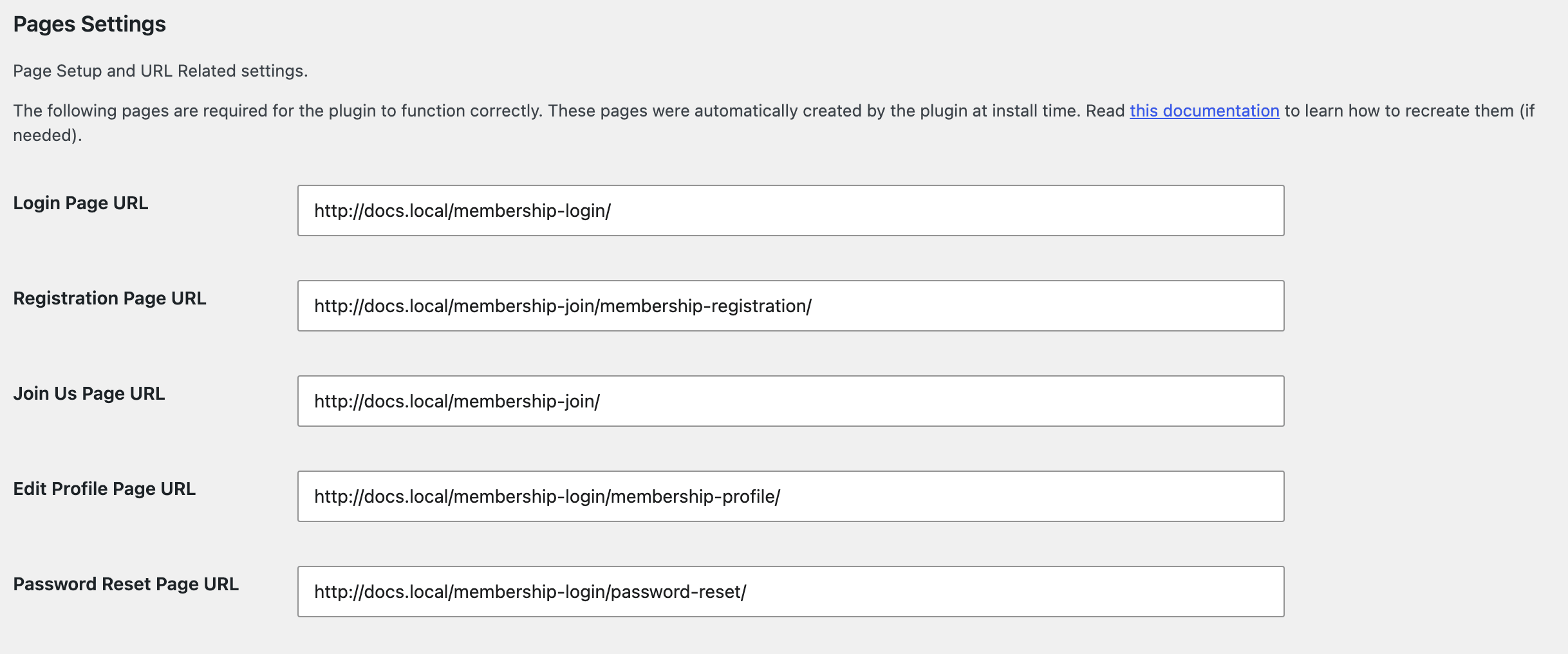
This step is not only the plugin's housekeeping. Four of those page addresses are read by Foxiz itself, and a blank one shows on the front end rather than in the admin:
- The login page and the join us page are both read before the restriction box draws. If either is empty the box is replaced by the line "The login page or the join us page URL is missing in the settings configuration.", which every visitor to a protected post then sees.
- The join us page alone is read for the upgrade box shown to a member whose level is too low.
- The renewal page is not one of the six, and it is optional. It is Membership Renewal URL on the Advanced Settings tab of WP Membership > Settings. It is read for the expired account box, and falls back to the join us page when it is empty. Only if both are empty does that box fail, with "The renewal page or the URL is missing in the settings configuration.".
- The registration page is where the Foxiz - Plan Subscription block's free button sends people, when you use that button instead of a payment shortcode.
So the quickest check that this step worked is not the page list: open a protected post while logged out and confirm you get the theme's restriction box rather than a line of error text.
The join us page is also the page your pricing goes on. Build it with the plan block described in Setup Your Plans once the pages exist.
Did this answer your question?