How to Apply Protection to Posts and Pages?
Once you have set up the membership plugin and created a few membership levels, you may want to start applying some content protection to your site.
You can refer the official documentation for further information.
Applying to content protection, follow the steps below:
-
Edit the Post or Page that you want to protect.
-
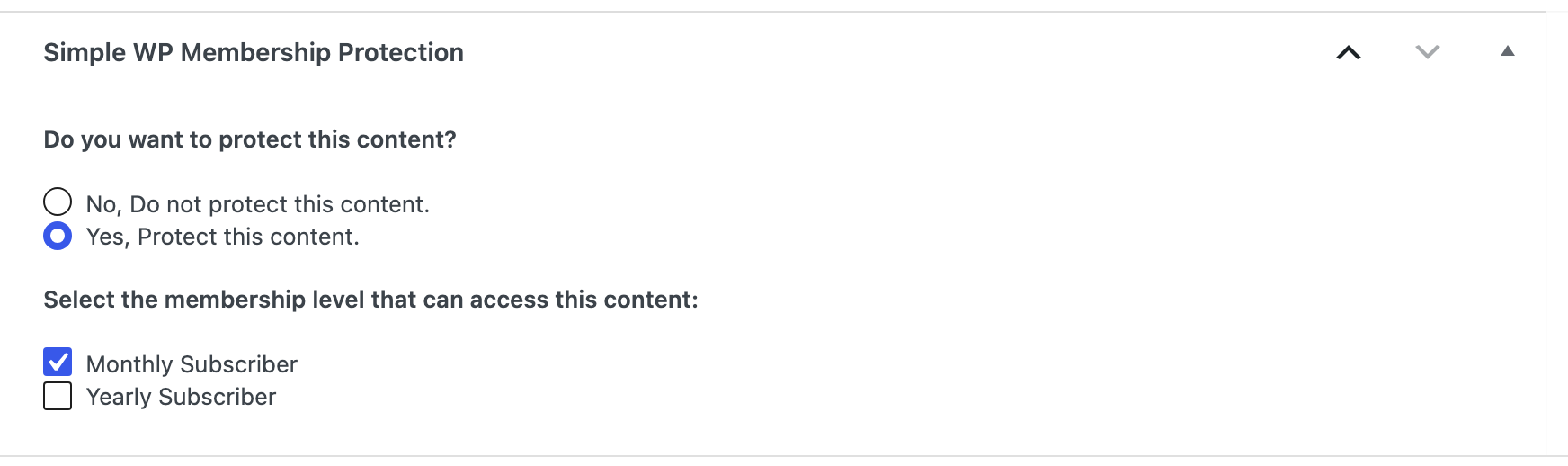
At the bottom of the editor, click the Meta Boxes bar to open it, then find the Simple WP Membership Protection box.
-
Select the Yes, Protect this content. option.
-
Check the membership levels that should have access to that post/page content.
-
Click Publish, or Save on a post that is already published.
Protecting a post changes two things in the theme, both of them automatic.
On the post itself, the content a visitor is not entitled to is replaced by the restriction box you set up at Foxiz > Theme Options > Membership. Which of the three boxes they get depends on who they are:
- A visitor who is not logged in gets the sign up box.
- A member whose level you did not tick in step 4 gets the upgrade box.
- A member whose account has expired gets the renewal box.
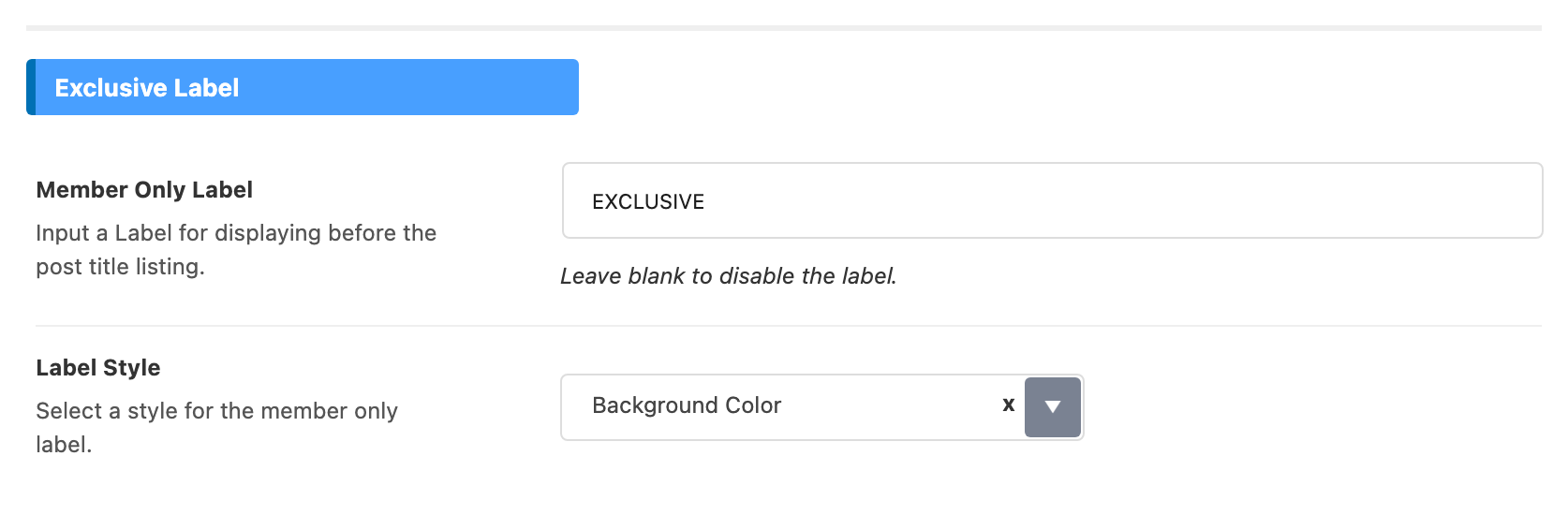
In listings, the theme marks the post. Every post title the theme prints through its blocks carries the Member Only Label in front of it, EXCLUSIVE unless you changed it. That happens on the strength of protection alone, so a post protected in bulk in the next section is labelled exactly the same way.

Applying protection to posts/pages in bulk, follow the steps below:
-
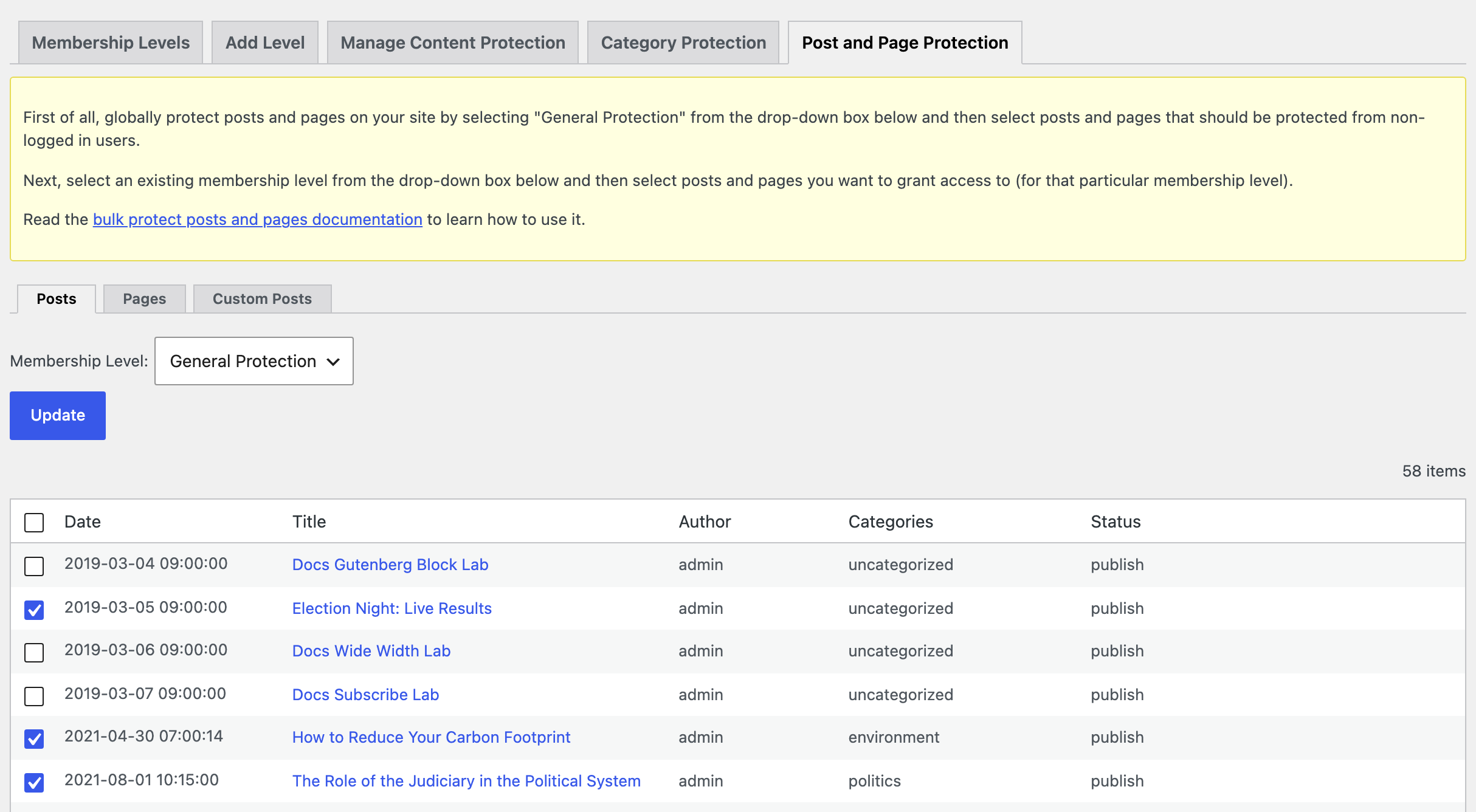
Navigate to Dashboard > WP Membership > Membership Levels and open the Post and Page Protection tab.
-
Select General Protection from the level dropdown menu. That is the entry that protects the posts from anyone who is not logged in; pick a named level instead to restrict them to that level.
-
Check all the boxes for the posts that you want to protect.
-
Click the Update button.
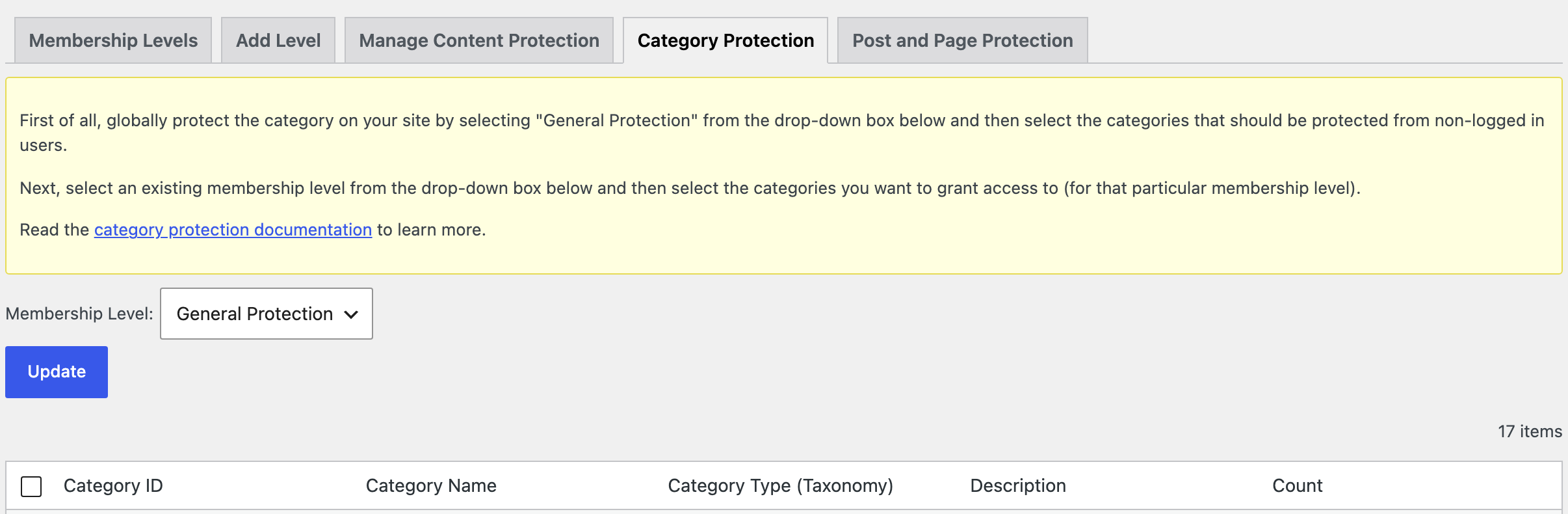
Whole categories can be protected the same way from the Category Protection tab beside it.
Whichever route you took, three things stop the theme reacting to a protected post, and none of them is in the post itself.
-
The plugin is not active. A deactivated plugin silently takes the box and the label away while leaving the content visible.
-
The label was cleared. An empty Member Only Label at Foxiz > Theme Options > Membership > Exclusive Label prints no rule at all, so titles look unprotected even though the posts are still protected.
-
The plugin's page URLs are missing. Then the box is replaced by an error line rather than by your design. See Creating the Required Pages and Forms.
Did this answer your question?