Membership Payment
The membership plugin's payment guides
The Simple Membership plugin's official documentation has a guide for each way of taking membership payments.
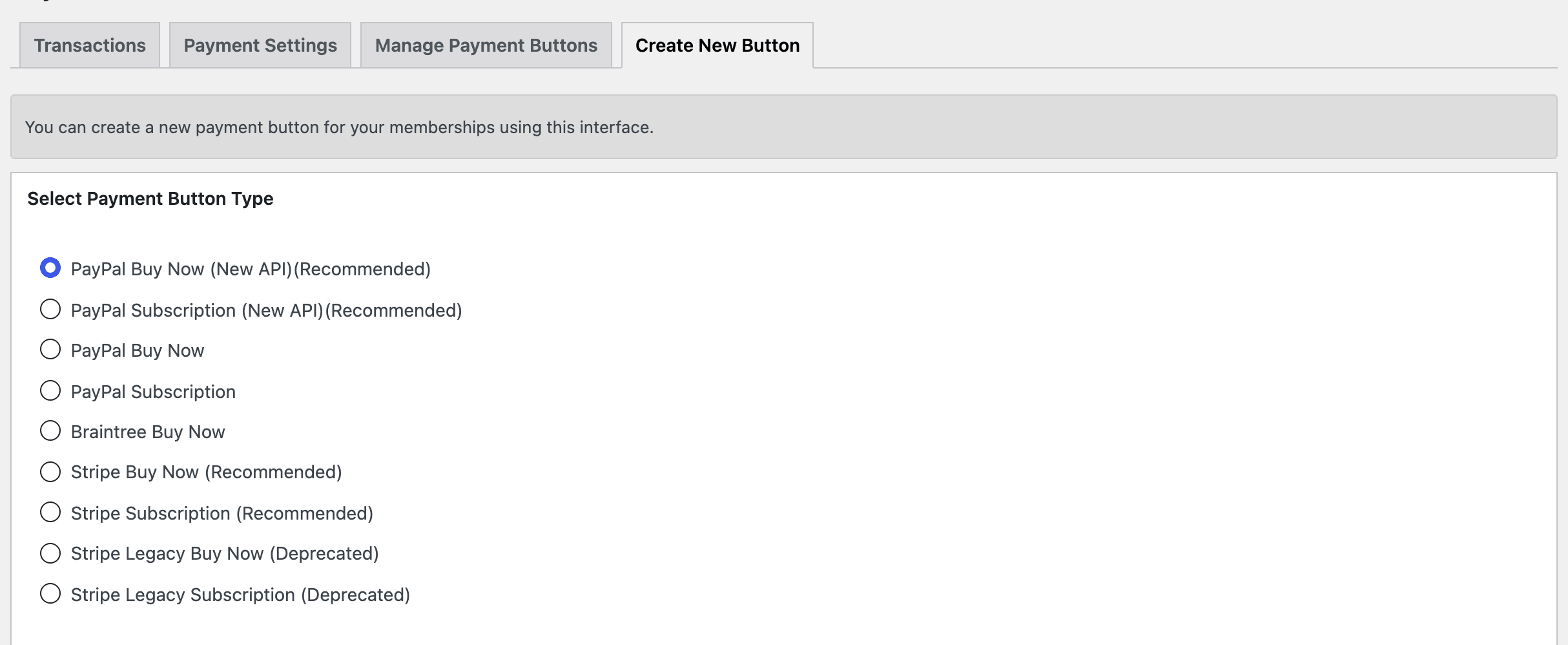
Which one to follow: most sites want one of the four buttons the plugin marks (Recommended) on its Create New Button tab.
- A monthly or yearly plan: Stripe Subscription (Recommended), guide 8; How to Create a Subscription Button walks it. PayPal Subscription (New API)(Recommended) if your readers pay with PayPal.
- A one-off payment: Stripe Buy Now (Recommended), guide 7, or PayPal Buy Now (New API)(Recommended).
- Skip the guides marked Legacy/Old. The plugin labels those Stripe buttons (Deprecated).
The rest of the list is for later: cancelling, currencies, trials, and sites that already use one of the other payment plugins.
- Creating a PayPal button for Your Membership Payment
- Creating PayPal Subscription/Recurring Payment Button for Membership Payment
- Enabling PayPal IPN Feature in Your PayPal Account
- Settings UTF-8 Formatting for PayPal IPN
- PayPal Smart Checkout Button for Membership Payment
- Cancelling a PayPal Subscription as a Merchant
- Stripe Buy Now Button (SCA Compliant/New)
- Stripe Subscription Button (SCA Compliant/New)
- Stripe Payment Button for Your Membership Payment (Legacy/Old)
- Stripe Subscription Payment Button for Membership Payment (Legacy/Old)
- Cancelling a Stripe Subscription as a Merchant
- Braintree Payment Button for Your Membership Payment
- Stripe Payments Plugin Integration for Membership Payment
- WP Express Checkout Plugin Integration for Membership Payment
- Supported Currencies for Membership Payment
- Get Your Visitors to Register Before Membership Payment
- Paid registration from the Thank You page
- How to Offer Customers a Free Trial Period
Add the payment button to a plan
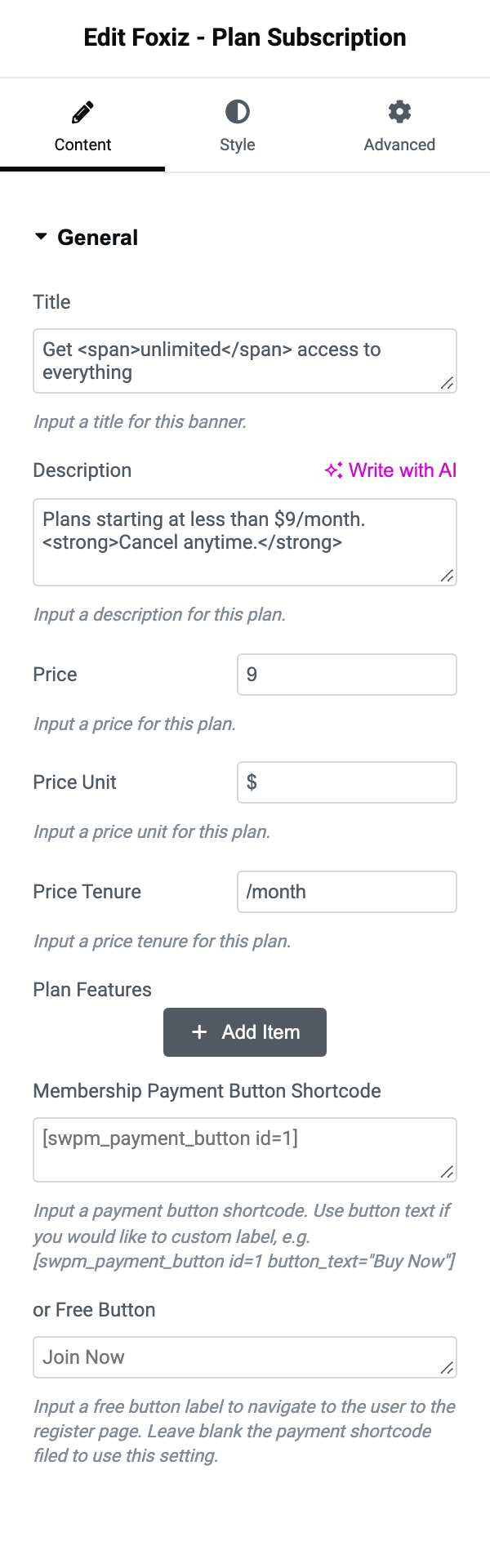
Whichever of these routes you take, the plugin ends by giving you a shortcode. That shortcode is the only part Foxiz needs: paste it into Membership Payment Button Shortcode on a Foxiz - Plan Subscription block and the theme runs it where the plan's button goes. How to Create a Subscription Button is the next step, and Setup Your Plans covers building that block.
Did this answer your question?