How to Configure the bbPress Settings
bbPress keeps its own settings at Settings > Forums, on one screen with one Save Changes button. Foxiz overrides none of them: what you set here is what your forums do. Foxiz's own forum settings, for the layout, are at Foxiz > bbPress Forums.
The defaults suit most forums. Go through the four sections below, change what you need, and click Save Changes.
Forum User Settings
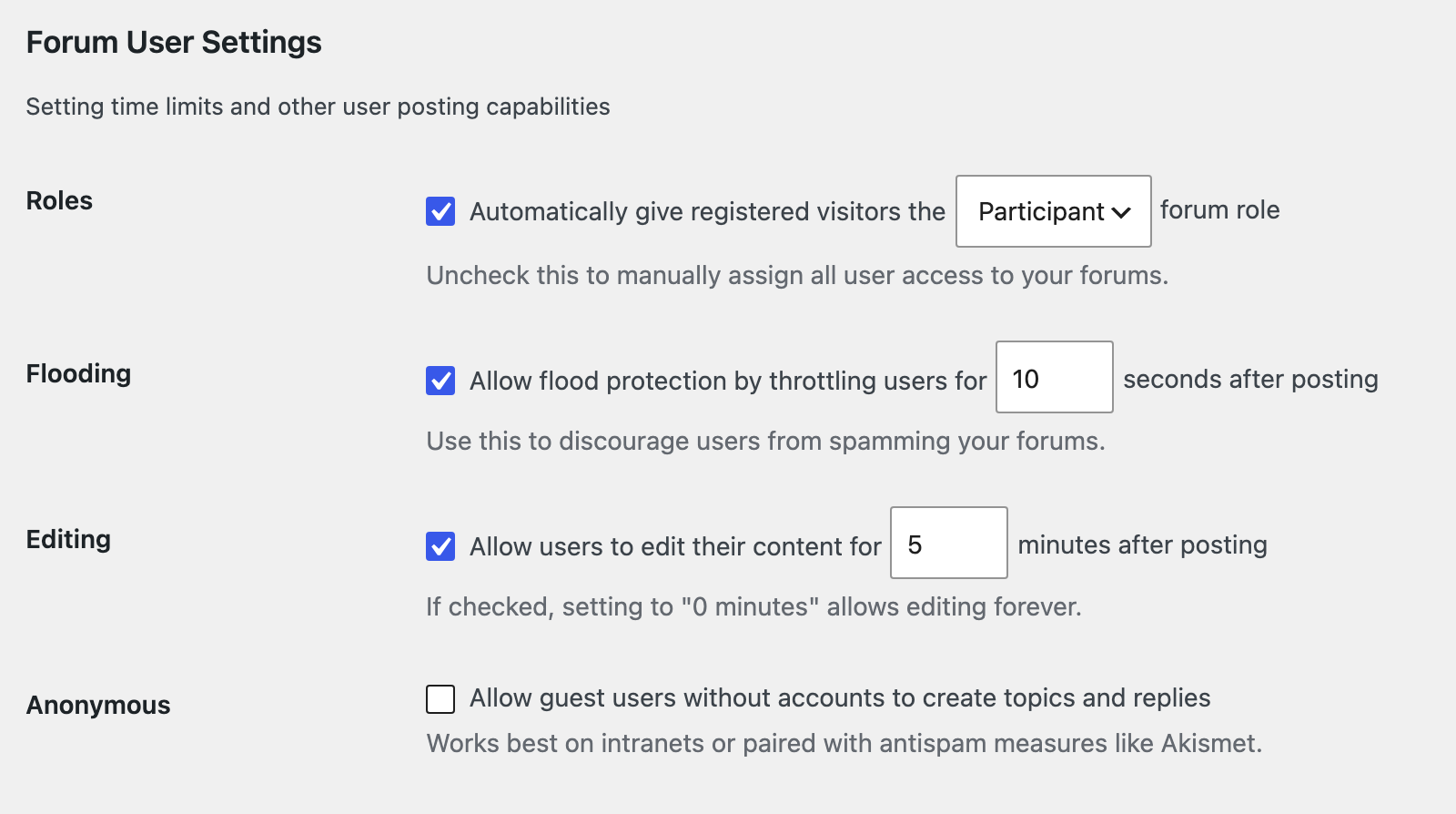
| Setting | Default | What it does |
|---|---|---|
| Roles | on, Participant | Every member who signs in gets this forum role, so they can post. Keep it on. |
| Flooding | on, 10 seconds | A member must wait this long between two posts, or sees "Slow down; you move too fast." |
| Editing | on, 5 minutes | How long members can edit their own posts. After that their Edit link goes. 0 means no limit. |
| Anonymous | off | Lets visitors without an account post topics and replies. Turned on, they also get the new topic box on each forum. Keep it off: guest posts draw spam, and bbPress cannot hold every post for approval. It holds a post only when it breaks your Settings > Discussion moderation rules, two or more links by default or a word from Comment Moderation. |
WordPress administrators are always Keymasters, whatever Roles says. The roles are explained in How to Let Members Sign Up and Post.
Forum Features
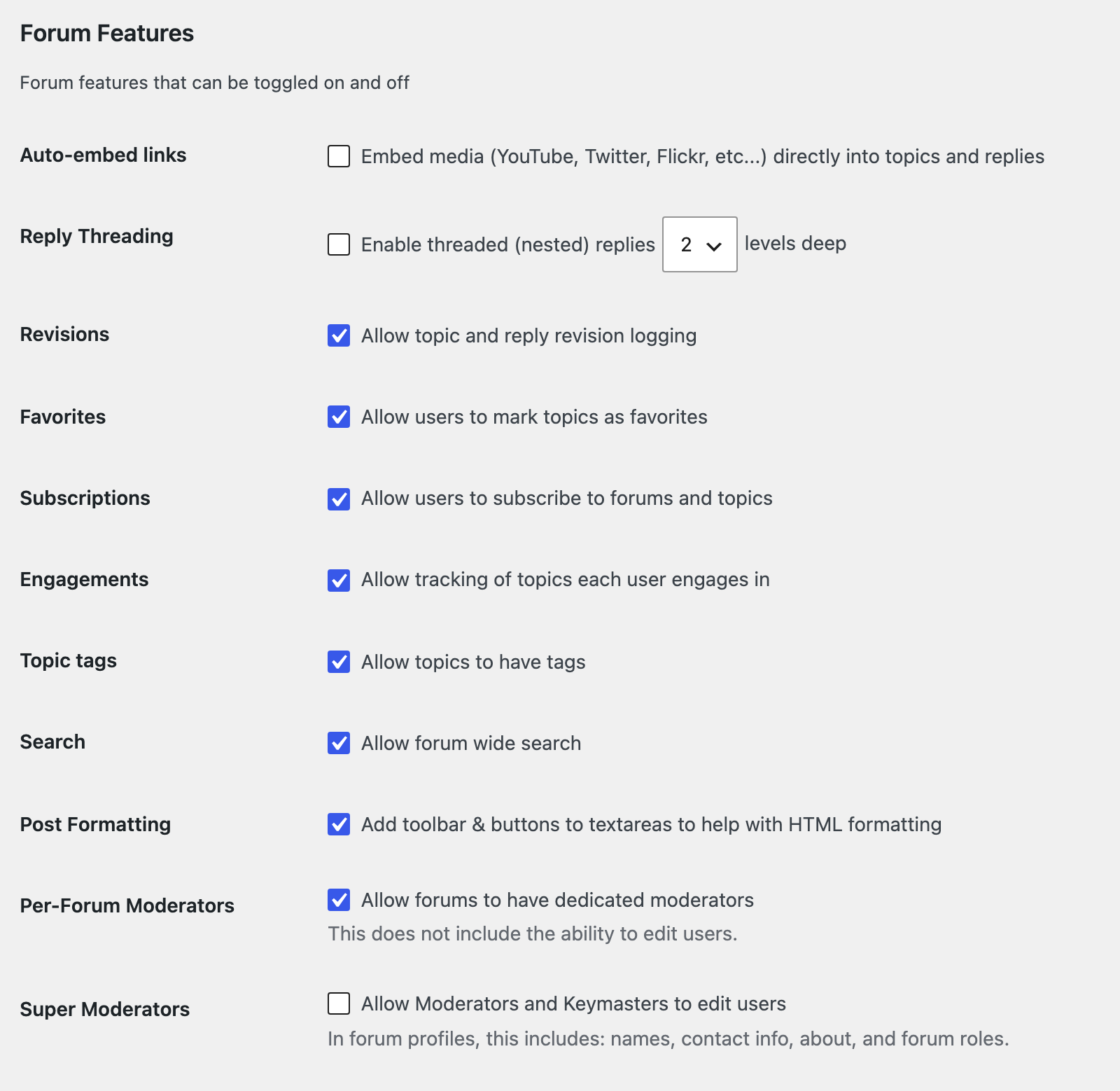
All of these are on by default except Auto-embed links, Reply Threading and Super Moderators.
- Revisions: keeps a log of edits, with a "Keep a log of this edit" box on the edit form.
- Favorites: a favourite link on each topic and a Favorites tab on member profiles.
- Subscriptions: subscribe links on forums and topics, "Notify me of follow-up replies via email" on the forms, and a Subscriptions tab on profiles.
- Engagements: an Engagements tab on profiles, listing the topics a member took part in.
- Topic tags: a Topic Tags: field on the new topic form, and the Topics > Topic Tags menu.
- Search: the forum search box. Turn it off and Foxiz's search box goes from the forums page and every forum.
- Post Formatting: the editor toolbar on the forms. Foxiz's Private Content box uses it too.
- Per-Forum Moderators: a Forum Moderators box on each forum's edit screen, to name moderators for that forum only.
- Super Moderators (off): lets Moderators edit members' profiles.
- Auto-embed links (off): turns a YouTube or other media link in a post into the player.
- Reply Threading (off, 2 levels): replies nest under the reply they answer. Foxiz's reply list follows it.
Leave Forum Theme Packages on bbPress Default. Foxiz draws the forum pages itself and only borrows bbPress's forms from the package.
Topics and Replies Per Page
Topics and Replies are both 15. Foxiz has no number of its own, so these decide how long a forum's topic list and a topic's replies run before the page numbers.
Forum Root Slug
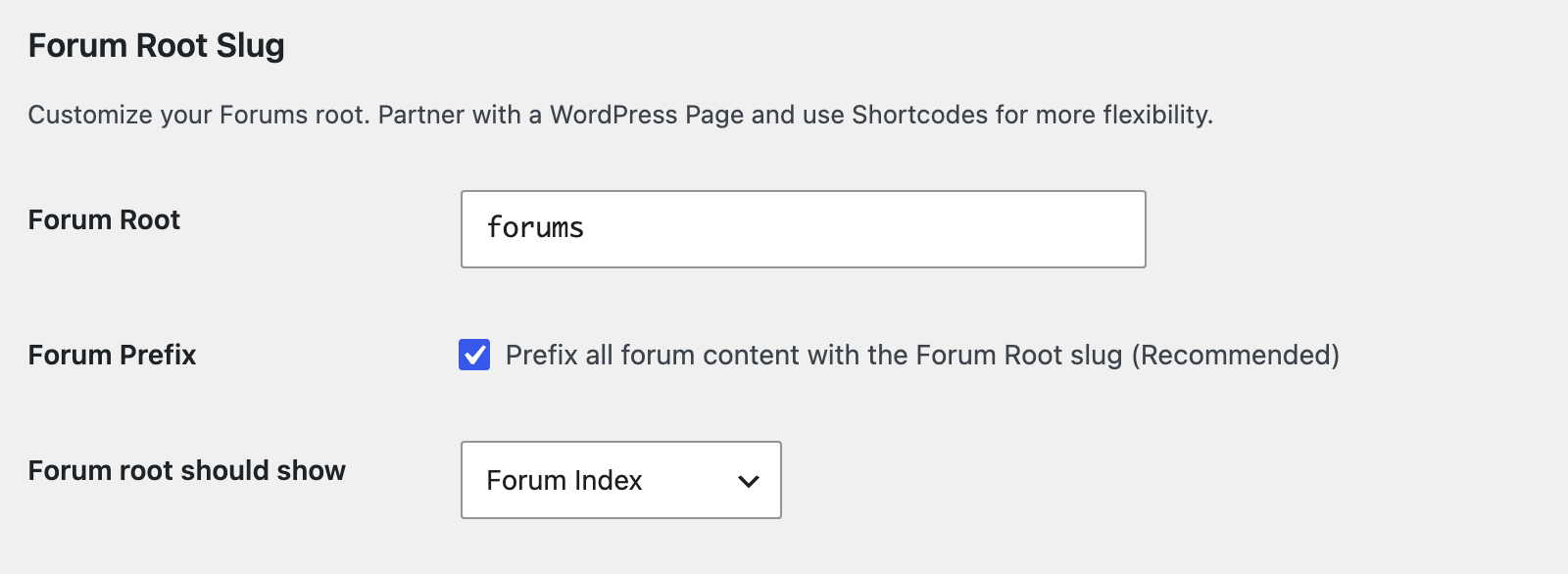
- Forum Root is
forums. That is the forums page's slug, the word in its address, so your forums page isyoursite.com/forums/. Change it here to change that address. - Forum Prefix, on, puts
forums/in front of every forum, topic and profile address:/forums/forum/…,/forums/topic/…,/forums/users/…. Keep it on. - Forum root should show is Forum Index, the list of your forums. Topics by Last Post shows the latest topics from every forum instead. Foxiz styles both. Keep Forum Index if you have more than one forum: the topics view has no forum list and no new topic box, so readers cannot see where to post.
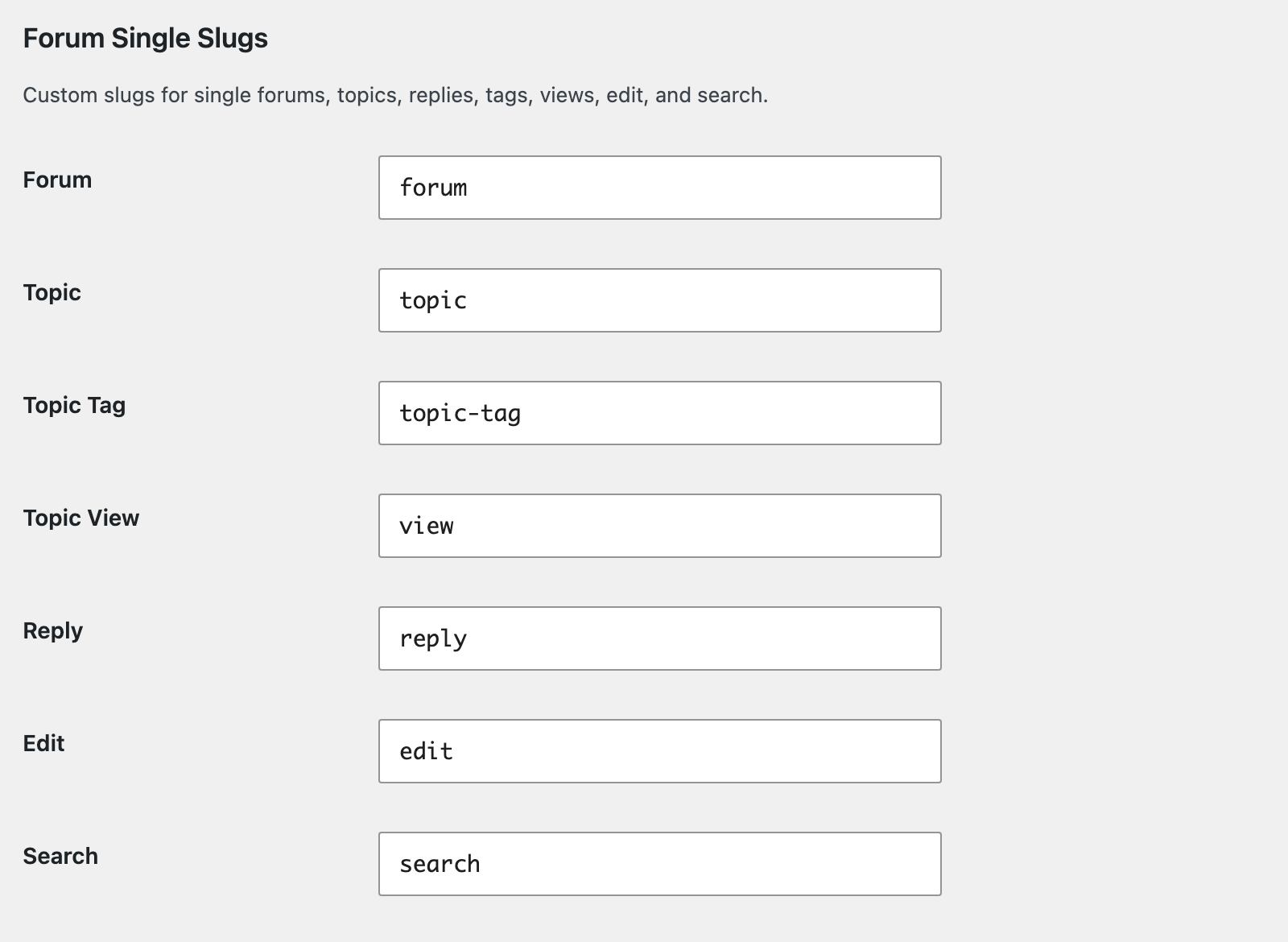
The Forum Single Slugs and Forum User Slugs sections set the other words in those addresses, such as topic and users. There is no need to change them.
Saving this screen updates the addresses straight away.
Let people register
bbPress has no sign up switch of its own. To let visitors create an account, use WordPress's:
-
Go to Settings > General.
-
Tick Membership: Anyone can register. It is off on a new WordPress site.
-
Leave New User Default Role on Subscriber. bbPress adds the Participant forum role on top the first time they sign in.
-
Click Save Changes.

Next: How to Create Forums.
Did this answer your question?