How to Set Up Forum Sidebars
Forum pages have no sidebar until you pick one at Foxiz > bbPress Forums > Sidebars. The best choice is a sidebar made just for the forums, holding bbPress's widgets.
1. Create a Forums sidebar
-
Go to Foxiz > Theme Options > Sidebars.
-
Under Unlimited Sidebars, click Click then Input ID to Create a Sidebar and type
Forums, with no spaces.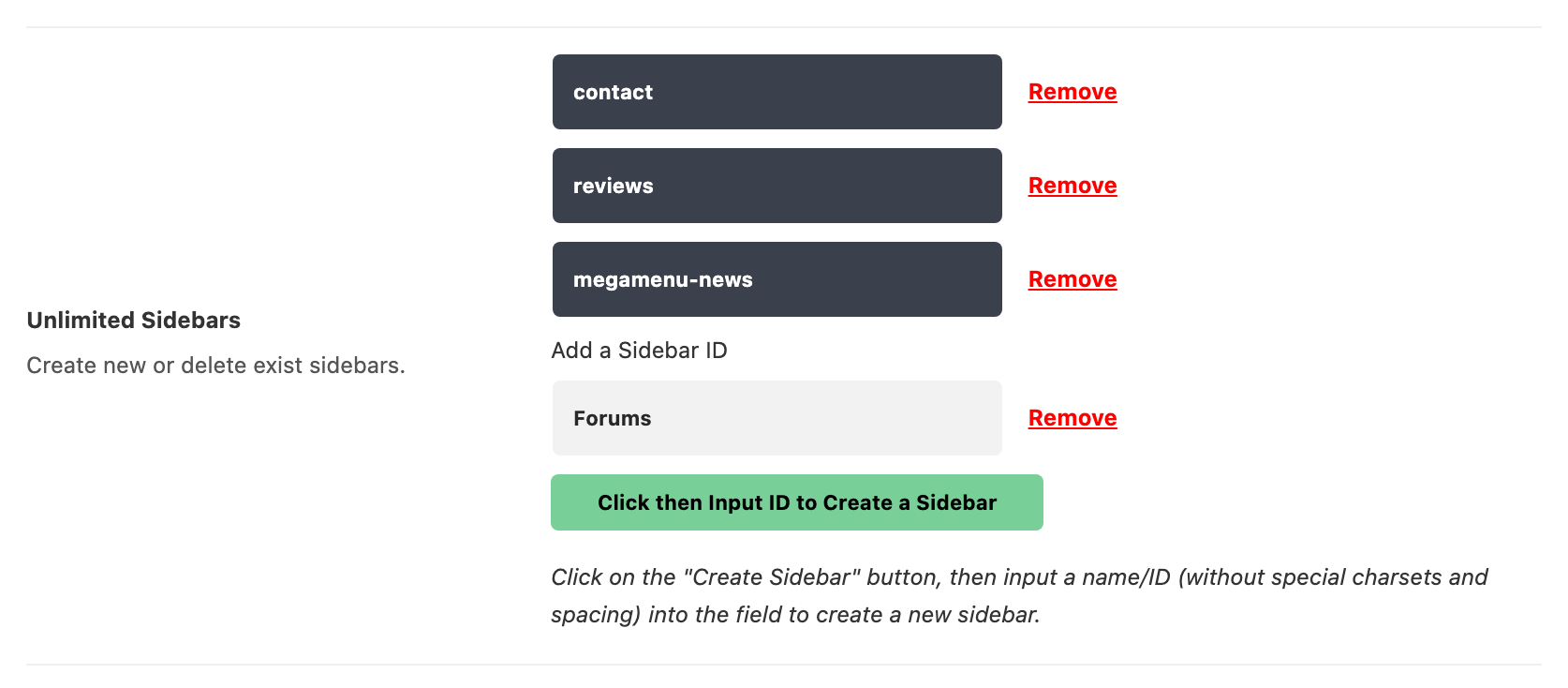
-
Click Save Changes.
How to Create a Custom Sidebar? has the details.
2. Add bbPress's widgets
Go to Appearance > Widgets and drag the widgets you want into Forums. bbPress adds seven:
Foxiz gives you the classic Widgets screen, where widgets are dragged, as in the picture below. If you turned on Widget Block Editor at Foxiz > Theme Options > Sidebars, the screen is the block editor instead: open Forums and add each widget with the + button.
| Widget | Shows |
|---|---|
| (bbPress) Forum Search Form | the forum search box |
| (bbPress) Forums List | your forums. Parent Forum ID 0 shows only the top level; any shows all |
| (bbPress) Recent Topics | the latest topics, 5 by default. Order By: can also be Popular Topics or Topics With Recent Replies |
| (bbPress) Recent Replies | the latest replies, 5 by default |
| (bbPress) Statistics | counts of members, forums, topics and replies |
| (bbPress) Topic Views List | links to "Most popular topics" and "Topics with no replies" |
| (bbPress) Login Widget | a sign in form. See bbPress's own forms |
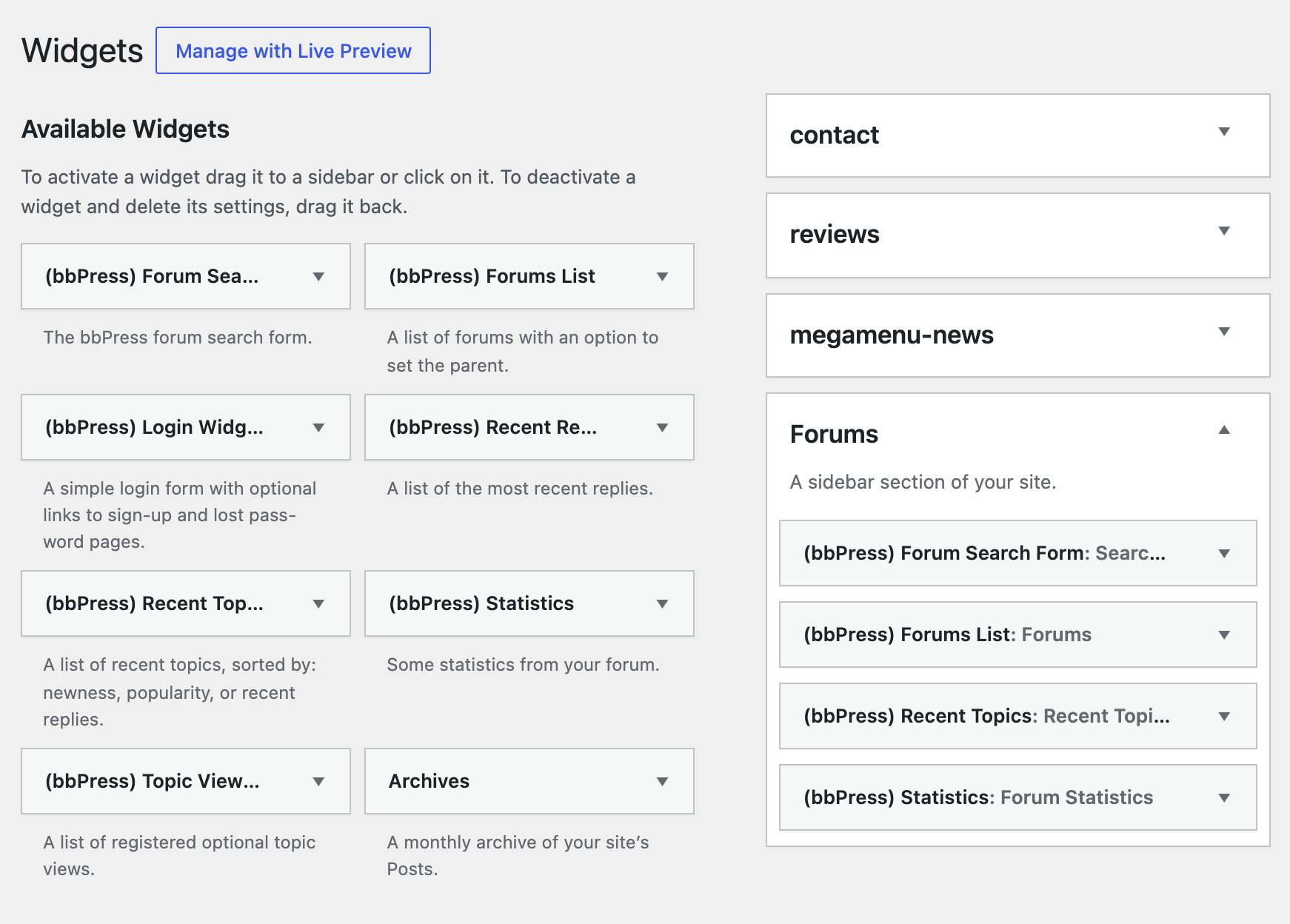
Keep these widgets in the forum sidebar. Foxiz loads the forum styles on forum pages only, so a bbPress widget in your blog sidebar may look unstyled.
3. Pick the sidebar for the forums
-
Go to Foxiz > bbPress Forums and open the Sidebars tab.
-
Set Global Sidebar to Forums. Forum Sidebar and Topic Sidebar are on - Default -, so the forums page, every forum and every topic now use it.
-
If you put forums on a page with a shortcode, set Page Shortcode Sidebar too. It starts on Disable, so those pages ignore the Global Sidebar until you change it.
-
Click Save Changes. Save even if you changed only Global Sidebar: until this tab is saved once, Forum Sidebar and Topic Sidebar show no sidebar at all, though they read - Default -.
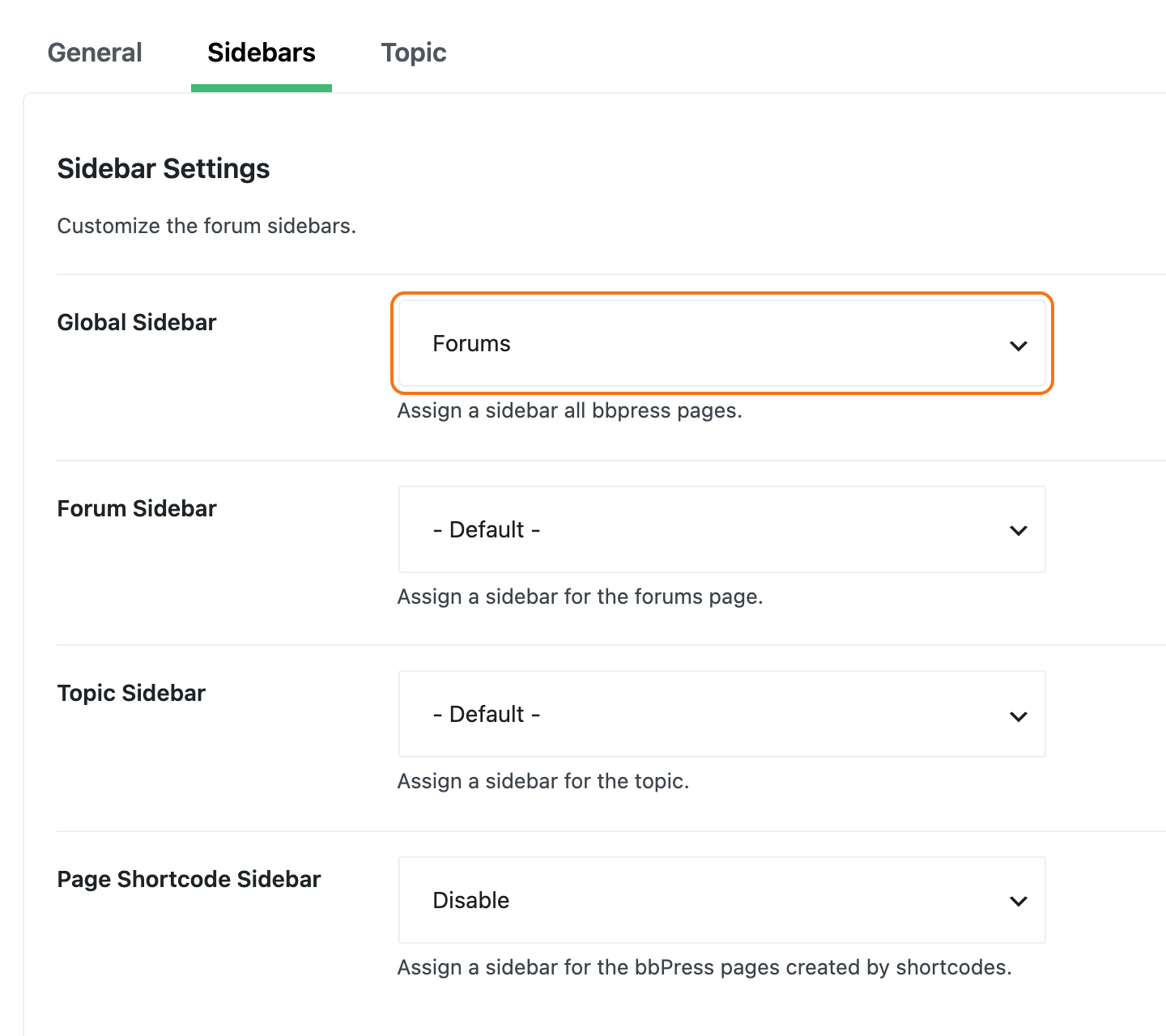
To give topics a different sidebar from the forum lists, set Topic Sidebar to it instead of - Default -. Each dropdown lists every sidebar on your site, including footer and header areas; pick only sidebars meant for a side column.
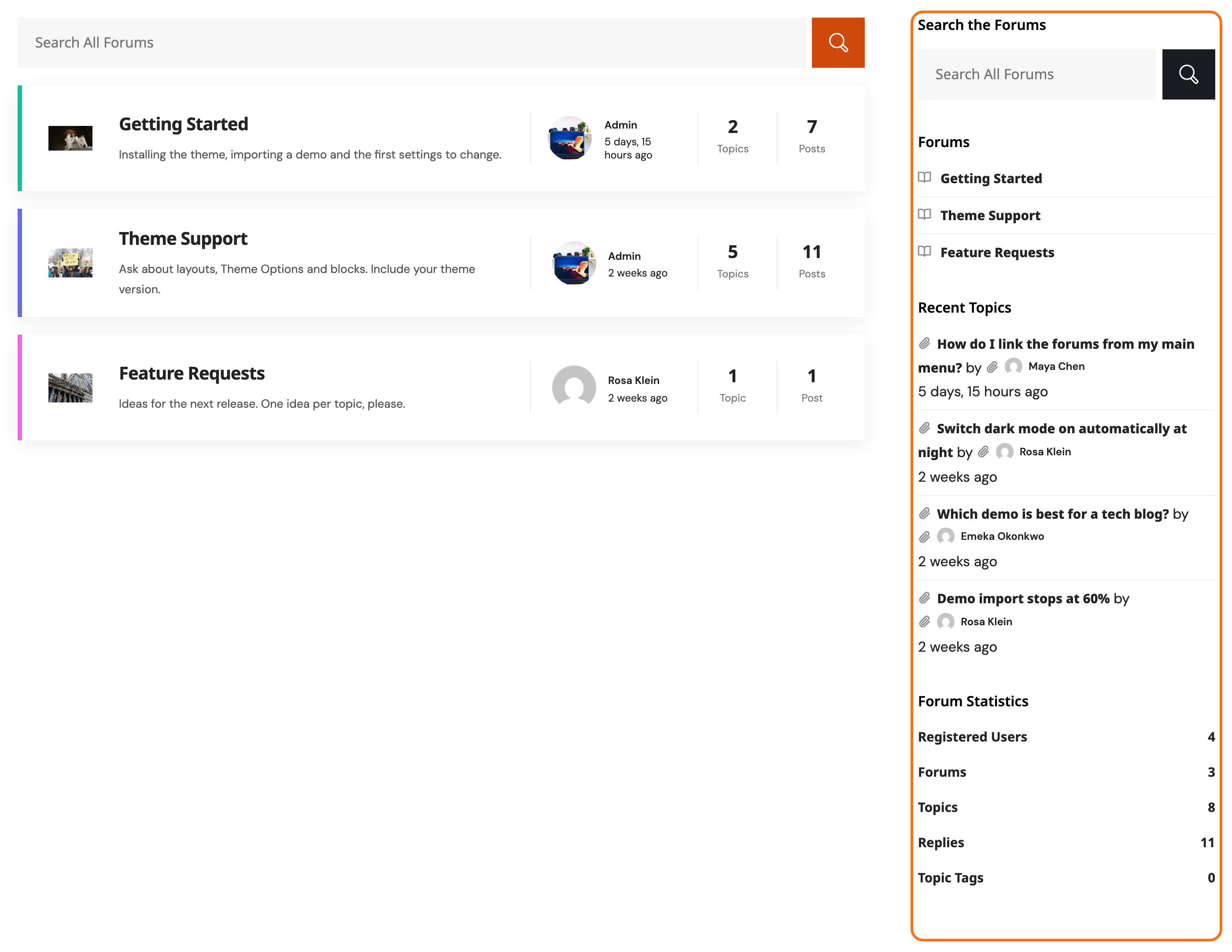
The sidebar sits on the right. A sidebar with no widgets is not shown, and the forum uses the full width. Profile pages never have one.
Did this answer your question?