How to Set Up bbPress Forums with Foxiz
Foxiz has built in support for bbPress, the free forum plugin. Once bbPress is active, your forums use Foxiz's own layout instead of bbPress's default look, and a settings screen appears at Foxiz > bbPress Forums.
Setting up your forums
Work through these in order. Each step is its own article.
- Install bbPress. Foxiz does nothing for forums until bbPress is active.
- Check the bbPress settings at Settings > Forums: who may post, which features members get, and the address of your forums.
- Create your forums, with an image for each, and a first topic in each. A topic is a question or discussion someone starts in a forum; the answers posted under it are replies.
- Put the forums on your site: a menu link to the forums page, or a page of your own.
- Let members sign up and post: registration, forum roles and signing in.
- Give the forums a sidebar with bbPress's widgets.
- Moderate topics and set their status: close, stick, merge, and mark a topic Resolved.
Foxiz's own forum settings are at Foxiz > bbPress Forums. Every Setting in the bbPress Forums Panel lists them all.
What Foxiz changes in your forums
These happen as soon as bbPress is active, with nothing to set:
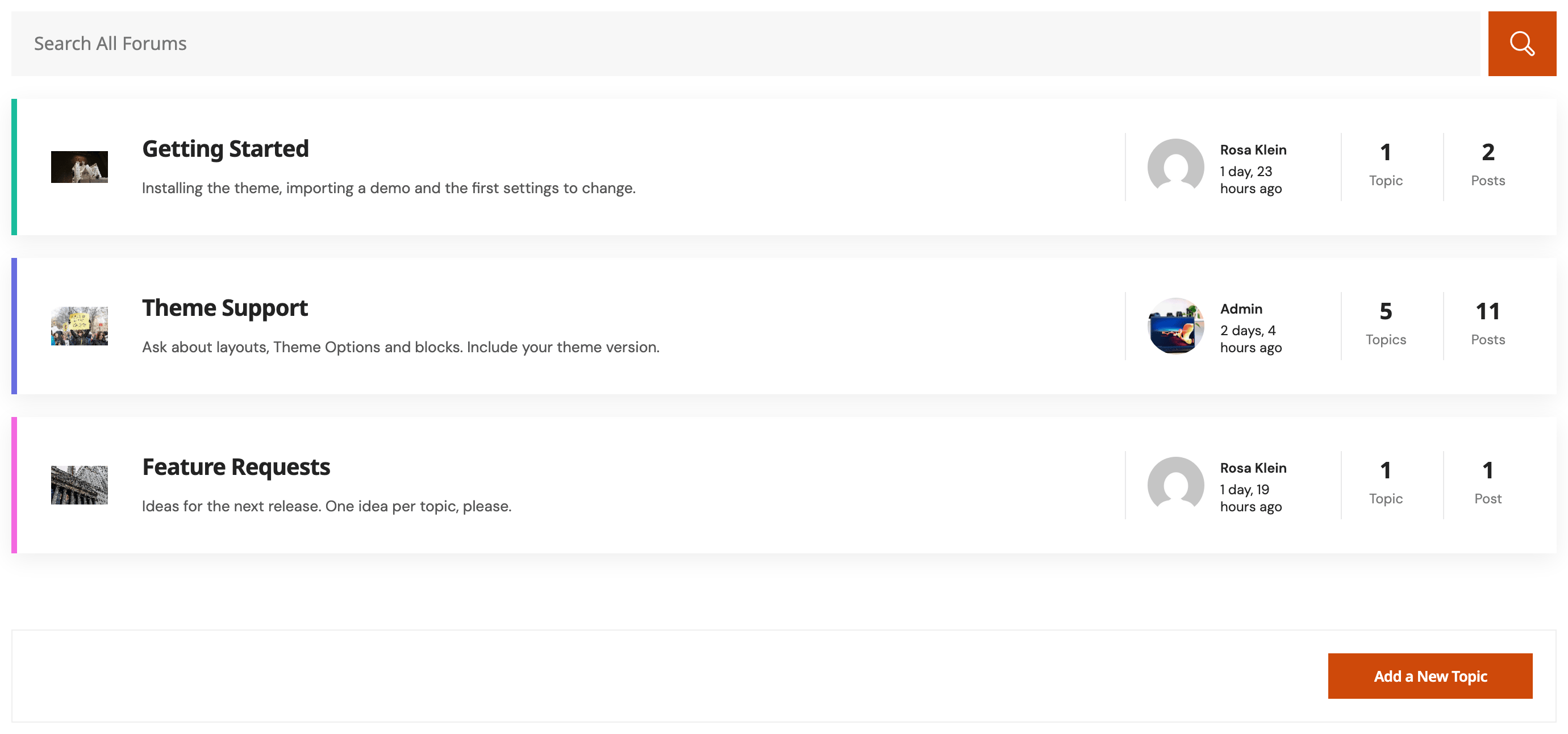
- Every forum page is drawn inside your site's header and footer with Foxiz's own forum, topic, reply, search and profile templates, and bbPress's own stylesheet is switched off. A forum page with a sidebar shows it on the right.
- Each forum gets a featured image box, and the image is shown beside the forum in forum lists.
- Instead of a form always open at the bottom of a forum, members who may post see a box with a button that opens the form. Visitors who are not signed in see no box and no message there. The Topic tab sets its wording and image.
- Topic lists show Open or Closed next to each topic, or one of your own status labels.
- Bulleted and numbered lists are removed from posts by anyone who cannot moderate the forums. This is expected: a half closed list would break the forum layout, so Foxiz strips the list tags and keeps the words.
If you put a forum on a page with a bbPress shortcode and give that page an Elementor template, such as Elementor Canvas, the page keeps it.
Did this answer your question?