Every Setting in the bbPress Forums Panel
Foxiz > bbPress Forums appears once bbPress is active, on an activated theme, for administrators. To install bbPress and set up your forums first, start at How to Set Up bbPress Forums with Foxiz.
The screen has three tabs, General, Sidebars and Topic. Each tab has its own Save Changes button and saves only that tab.
General
-
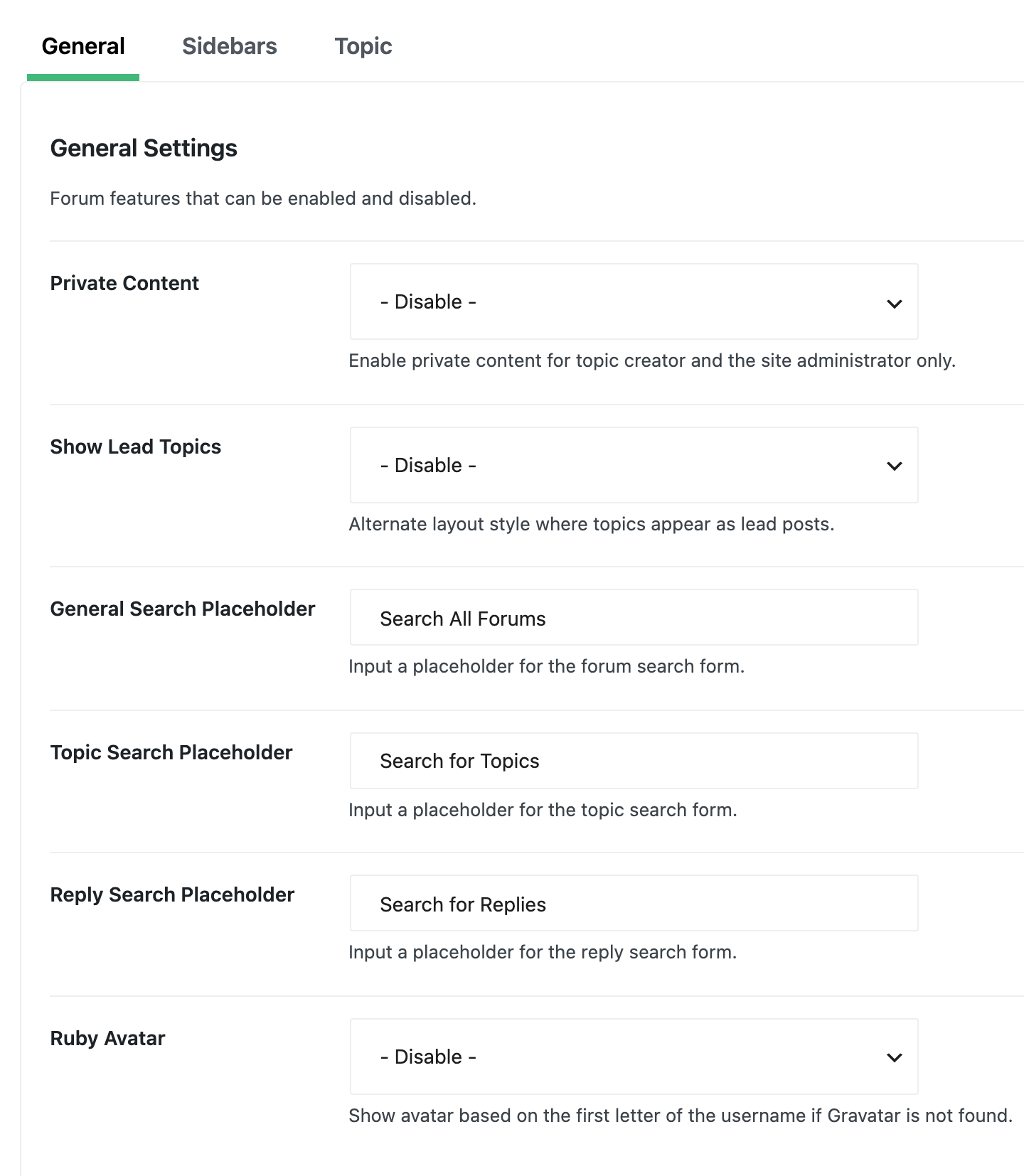
Private Content is set to - Disable - by default. Set it to Enable and the new topic and reply forms get a second box, Private Content. What a member types there is shown only to them and to users who can moderate the forums; everyone else sees "Private content area" in its place. Use it for things like order numbers or login details in a support forum.
-
Show Lead Topics is set to - Disable - by default. Enable shows a topic's opening post on its own above the replies, rather than as the first post in the list, and repeats it at the top of every page of replies. Turn it on for a support or Q&A forum where long topics run to several pages, so the question stays in view.
-
General Search Placeholder is the grey text in the forum search box at the top of the forums page, each forum and topic lists. Its default is "Search All Forums".
-
Topic Search Placeholder and Reply Search Placeholder do the same for bbPress's topic search and reply search forms. Their defaults are "Search for Topics" and "Search for Replies".
-
Ruby Avatar draws the first letter of a member's name where they have no Gravatar, the free profile picture service tied to an email address. Its default is - Disable -; set it to Enable and click Save Changes on this tab to turn it on. Foxiz checks each member's Gravatar once and remembers the answer for 30 days, so a member who adds a Gravatar may keep their letter for up to a month.
Sidebars
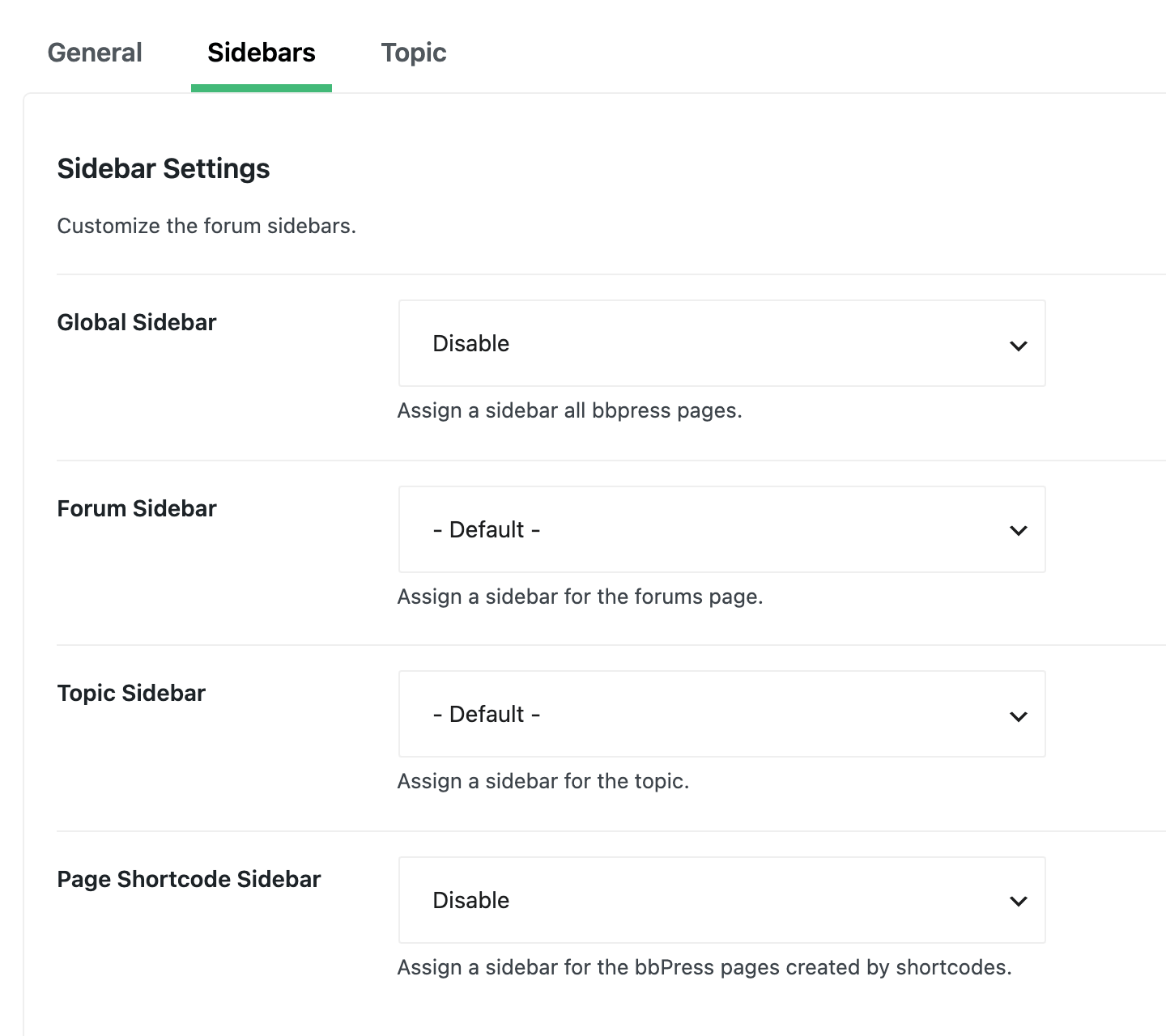
Each of these lists Disable and every sidebar on your site. The three that also offer - Default - use the Global Sidebar when set to it.
| Setting | Default | Where it shows |
|---|---|---|
| Global Sidebar | Disable | Every forum page set to - Default - below: the forums page, single forums and single topics. Not pages built with shortcodes, whose Page Shortcode Sidebar starts on Disable |
| Forum Sidebar | - Default - | The forums page and each single forum |
| Topic Sidebar | - Default - | Each single topic |
| Page Shortcode Sidebar | Disable | Pages you built with bbPress shortcodes |
Member profile pages never show a sidebar, and a sidebar with no widgets in it shows nothing, so the page uses the full width. To make a sidebar just for the forums, see How to Create a Custom Sidebar.
Topic
The first four fill in the new topic box.
-
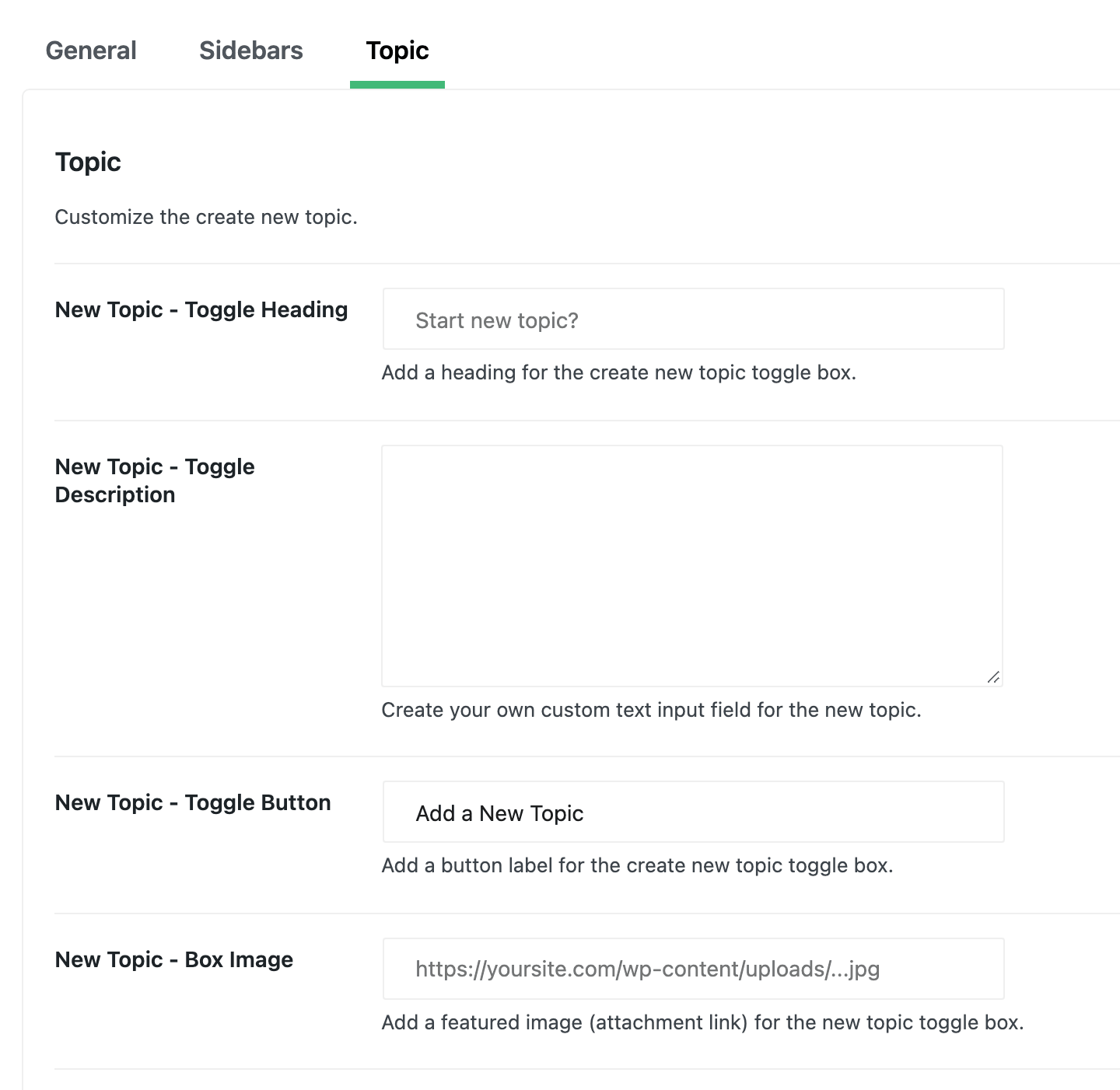
New Topic - Toggle Heading: the box's heading. Empty by default, so the box has none; the grey "Start new topic?" is only a suggestion.
-
New Topic - Toggle Description: a line of text under the heading. Empty by default.
-
New Topic - Toggle Button: the button that opens the form. Its default is "Add a New Topic".
-
New Topic - Box Image: an image shown in the box. Paste the image's full URL from the Media Library; How to Get Attachment Image URL shows where to copy it.
-
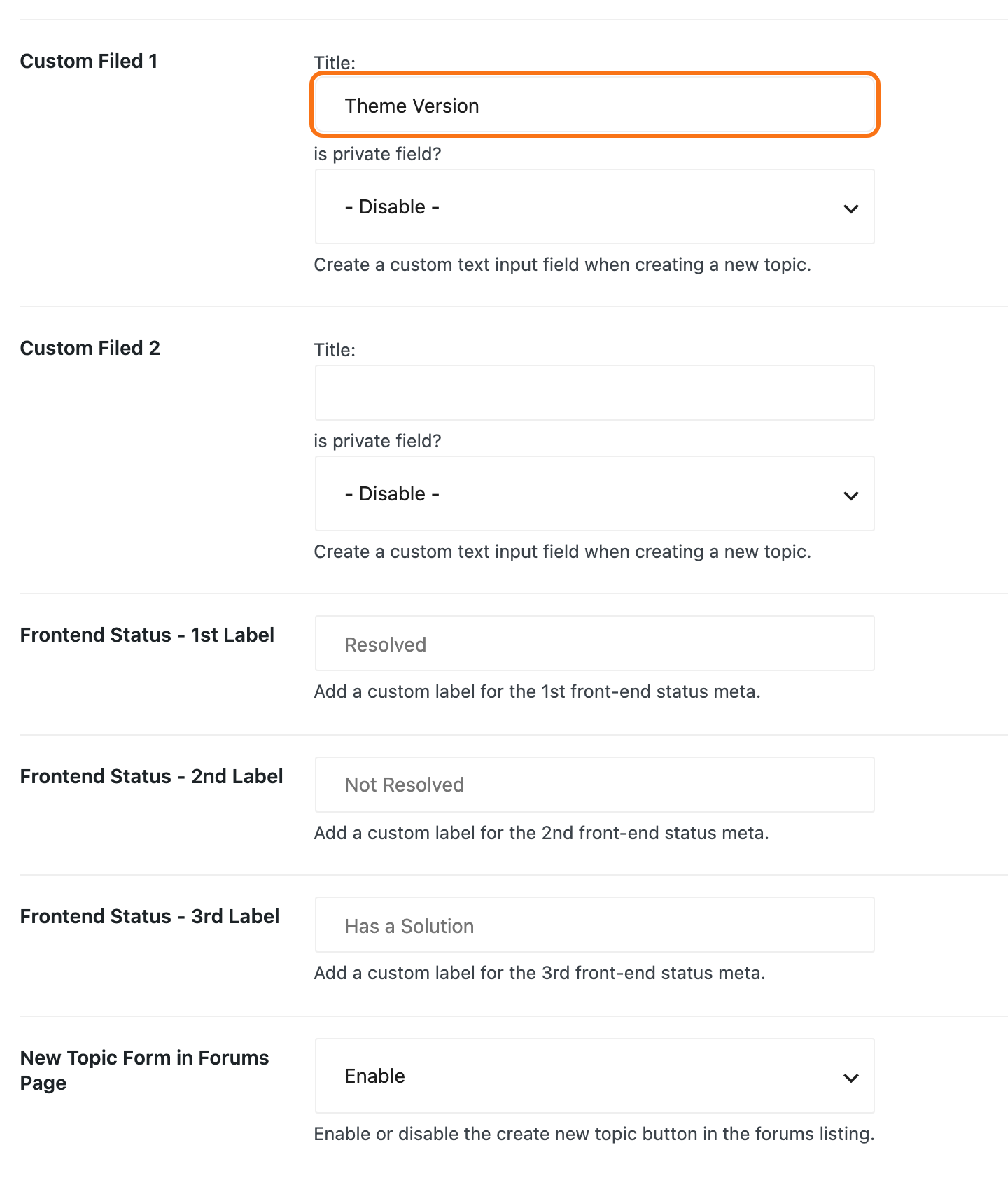
Custom Filed 1 and Custom Filed 2 (spelt that way on screen) each add a text field to the new topic form. Give one a Title: and the field appears under that name; leave the title empty and there is no field. A titled field must be filled in, or the topic is refused with "Your topic needs a" followed by the field's name in lower case, such as "Your topic needs a theme version." The answer is shown under the topic. Set is private field? to Enable and only the poster and users who can moderate see it; others see "hidden".
-
Frontend Status - 1st Label, Frontend Status - 2nd Label and Frontend Status - 3rd Label name three statuses you can give a topic, suggested as Resolved, Not Resolved and Has a Solution. Leave a field empty and that status keeps its suggested name; type over it to rename it. When you edit a topic in the dashboard, pick one from the Frontend Status dropdown in its Topic Attributes box , and topic lists show it in place of Open or Closed. Set the dropdown back to - Default - to take the status off again. The steps, with pictures, are in How to Moderate Topics and Set Their Status.
-
New Topic Form in Forums Page is set to Enable by default. It shows the new topic box under the forum list on the main forums page, though there only Keymasters see it: bbPress checks for a permission that no other forum role has on that page. - Disable - removes it there. Each single forum keeps its own box either way, for everyone who may post.
Did this answer your question?