How to Create a Weather Widget?
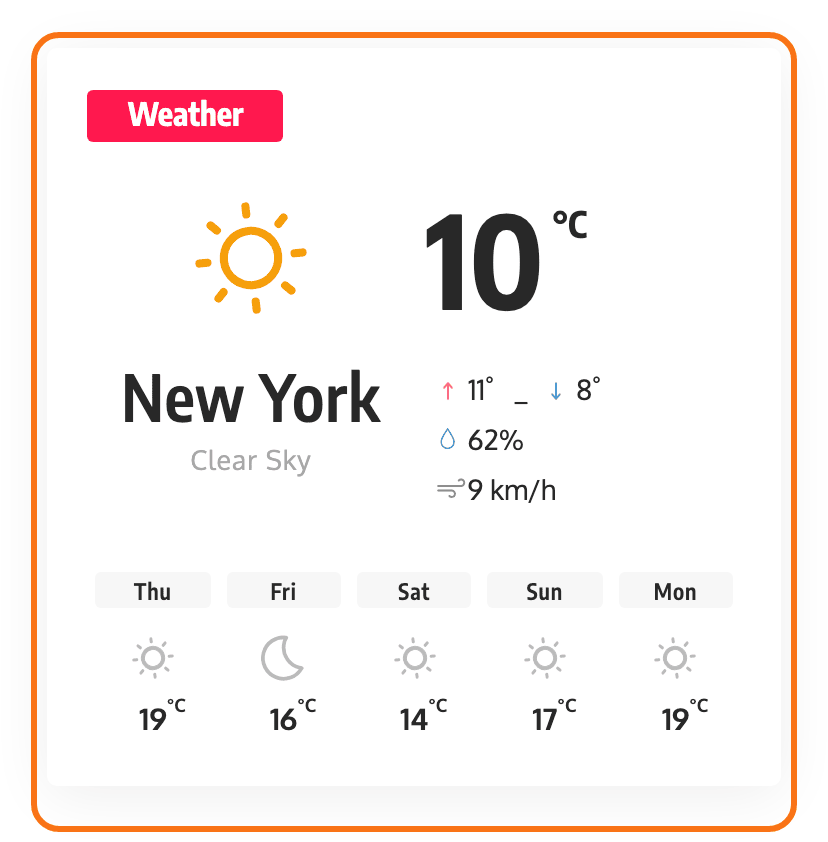
The weather widget shows today's weather for one location in a sidebar, with a forecast of up to five days below it. The data comes from OpenWeatherMap, so you need a free OpenWeatherMap API key and your location before you add it.
Getting the API key:
You will have to create a free account from the OpenWeatherMap.org website and create the API key. Get Open Weather Map API Key.
The widget links to the same instructions from its own Weather API Key field, so you do not have to come back here for the URL.
Find your location
To find your location use the following link: https://openweathermap.org/find/
The field takes two forms. Either the city name, a comma and the two letter country code, London, GB, or the numeric OpenWeatherMap city id on its own. Both work; the widget checks whether what you typed is a number and queries OpenWeatherMap by id if it is, by name if it is not.
Creating widget weather, follow the steps below:
-
Navigate to Your Dashboard > Appearance > Widgets.
-
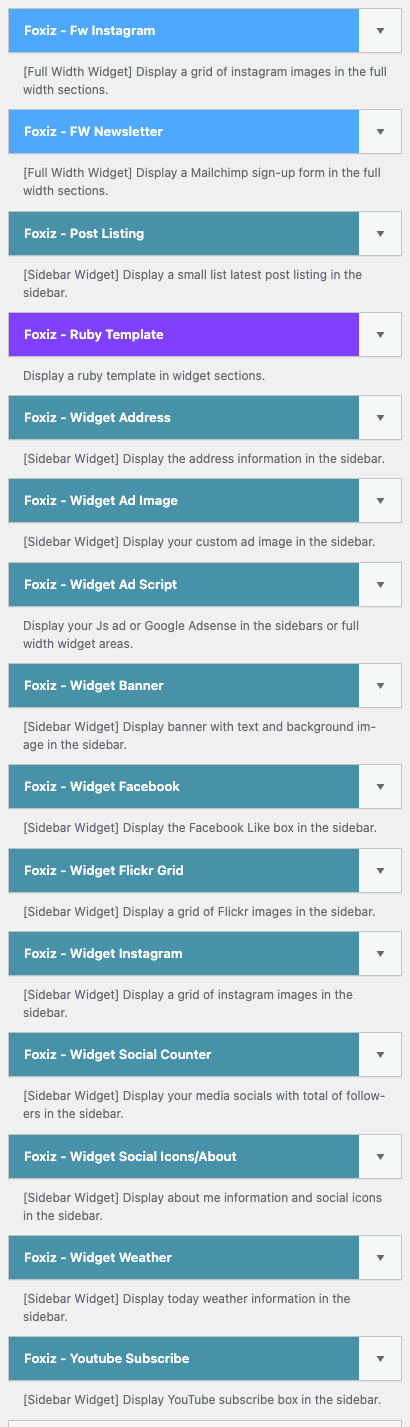
Find the widget "Foxiz - Widget Weather" on the left screen.
-
Drag and drop it into the sidebar section you wish.
-
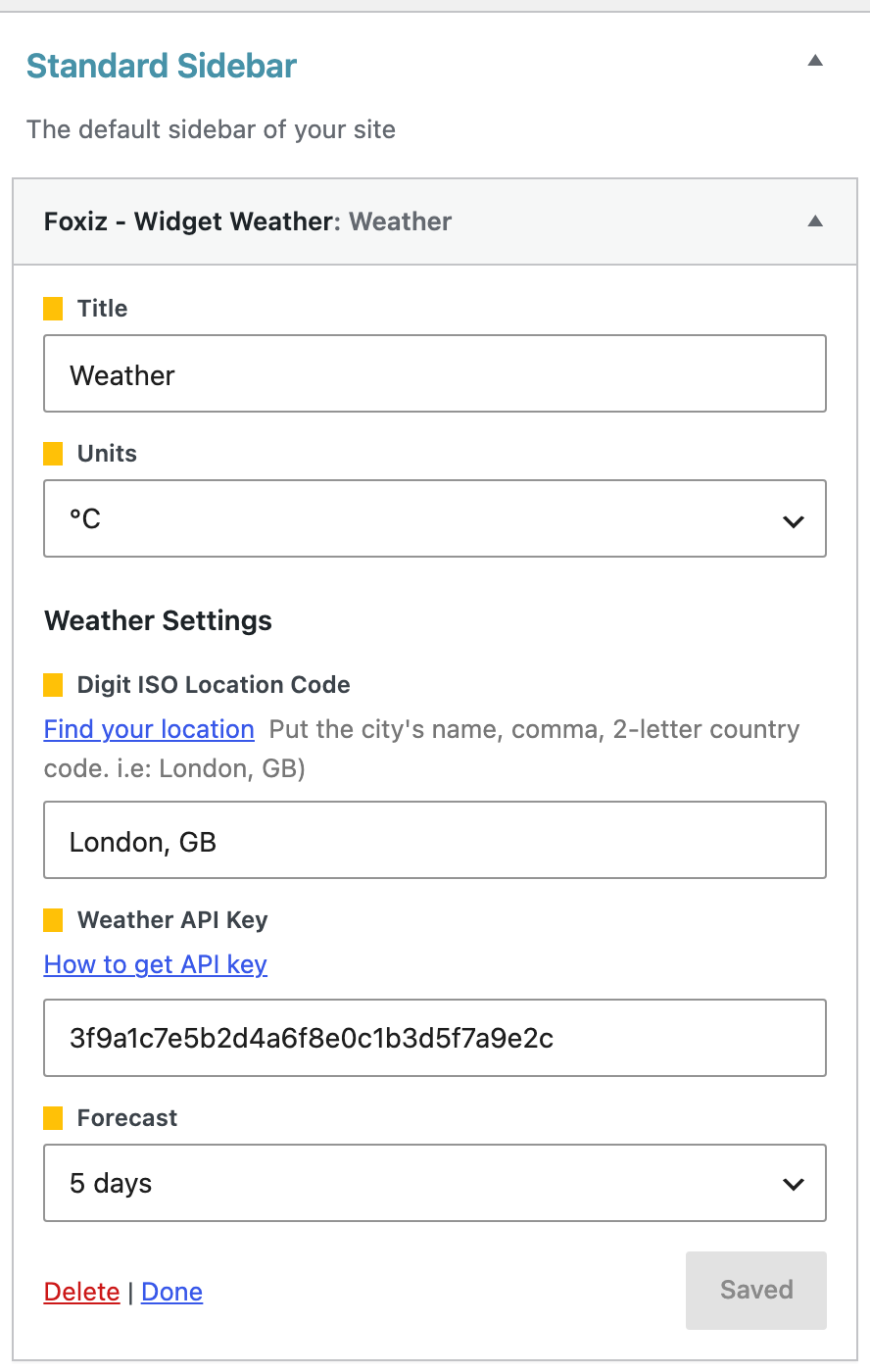
Fill in Digit ISO Location Code (for example
London, GB) and paste your key into Weather API Key. Both are required: leave one empty and the widget shows nothing. Pick Units (°C or °F). -
Click on the "Save" button to finish. While nothing has changed it reads Saved and is greyed out; it turns into Save as soon as you edit a field, and back to Saved once your settings are stored.
The widget has five settings above that button, and two of them are not optional:
- Title, which prints as the widget heading. It starts on
Weather. - Units, either °C or °F. If it is left unset the widget reports Fahrenheit, because only the value
Cswitches the request to metric. - Digit ISO Location Code, under a Weather Settings heading. This is the location field described above, and it is required.
- Weather API Key, also required.
- Forecast, which is how many days of forecast to show below today: 1 day through 5 days, or Do not display for today's conditions only. It starts on 5 days.
Leave either Digit ISO Location Code or Weather API Key blank and the widget prints nothing at all. Not an empty box, not a warning: the sidebar simply has one fewer widget in it. If the widget has vanished from your site, that pair is the first thing to check.
When OpenWeatherMap rejects the request, because the key is wrong or the location does not resolve, the theme shows a message only to a logged in user who can manage options: "No weather information available. Please check your location here", with a link to the OpenWeatherMap search. Everyone else sees an empty space. So check the widget while logged in as an administrator, because as a visitor there is nothing to see.
The widget keeps each weather answer for three hours, so the numbers refresh every three hours at most. After a failed request visitors may see nothing for up to five minutes; signed in as an administrator, you see a corrected key or location on the next reload.
The forecast half is fetched separately with a shorter timeout, and if that second call fails the widget still renders today's conditions without the forecast row. A weather box that shows today but no days below it usually means a slow response, not a wrong setting.
The request asks OpenWeatherMap for descriptions in your site language when WordPress is set to one of the two dozen locale codes it recognises, and falls back to English otherwise. Nothing needs setting for that.
Elementor has a separate weather block with its own panel and its own defaults: The Foxiz Weather Block in Elementor.
Did this answer your question?