How to Choose Where Readers Land After Login and Logout
Have a login page? Set Logged-In Redirect URL to /, the homepage, or to a page for members. Leave Logout Redirect URL empty, so readers stay on the page where they signed out. If readers sign in only through the popup, you need neither: the popup brings them back to the page they were on. The steps are in Set them.
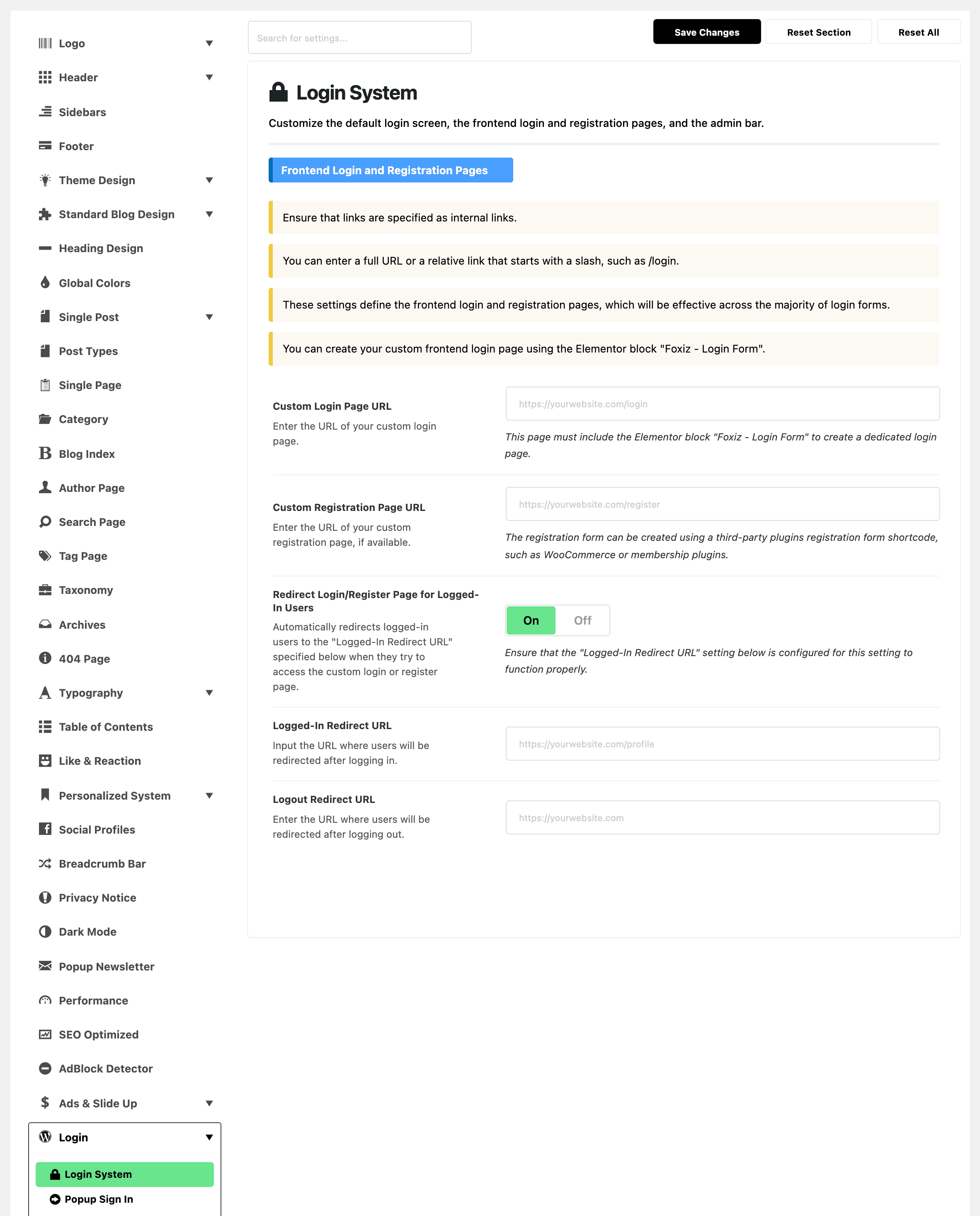
Three settings decide it, in Foxiz > Theme Options > Login > Login System, group Frontend Login and Registration Pages:
- Logged-In Redirect URL: where a reader goes after signing in on your login page.
- Logout Redirect URL: where every reader goes after signing out.
- Redirect Login/Register Page for Logged-In Users: sends a reader who is already signed in away from your login and registration pages.
The two addresses are empty by default and the switch is on. Each address takes a full address or one starting with a slash, such as /my-account.
After signing in
It depends on where the reader signed in:
| Signed in on | With Logged-In Redirect URL empty | With it filled |
|---|---|---|
| the popup | the page they were on | the page they were on: the popup ignores it |
| your login page | the login page again, showing "Hi, name" | that address |
wp-login.php, from a header link (no login page set) | the page they were on | that address |
So once you have a login page, fill in Logged-In Redirect URL. Without it, a reader who signs in on that page stays there. Good choices:
- the home page,
/; - a page for members, such as a reading list or an account page;
- the post list page, if most sign ins are Easy Post Submission writers.
The login page does not send a reader back to the page they came from, even when the link that brought them asks it to. Only the popup does that.
"The page they were on" is its address without the part after ?. A reader who signs in from search results lands on the home page.
A reader who opens wp-login.php by its address goes to the WordPress dashboard; a Subscriber, to their profile screen there. Foxiz settings do not apply to that screen.
Readers who are already signed in
Redirect Login/Register Page for Logged-In Users is on by default. When a signed in reader opens your login or registration page, they are sent to Logged-In Redirect URL.
It does nothing while Logged-In Redirect URL is empty: the reader sees the page's "Hi, name" box instead.
Turning the switch off hides Logged-In Redirect URL, but a value already saved there still decides where readers land after signing in. Empty it first if you no longer want it.
After signing out
- Logout Redirect URL empty: the reader stays on the page where they clicked Sign Out.
- Logout Redirect URL filled: every sign out goes there, including Log Out in the WordPress admin bar and the logout links of other plugins.
Set them
-
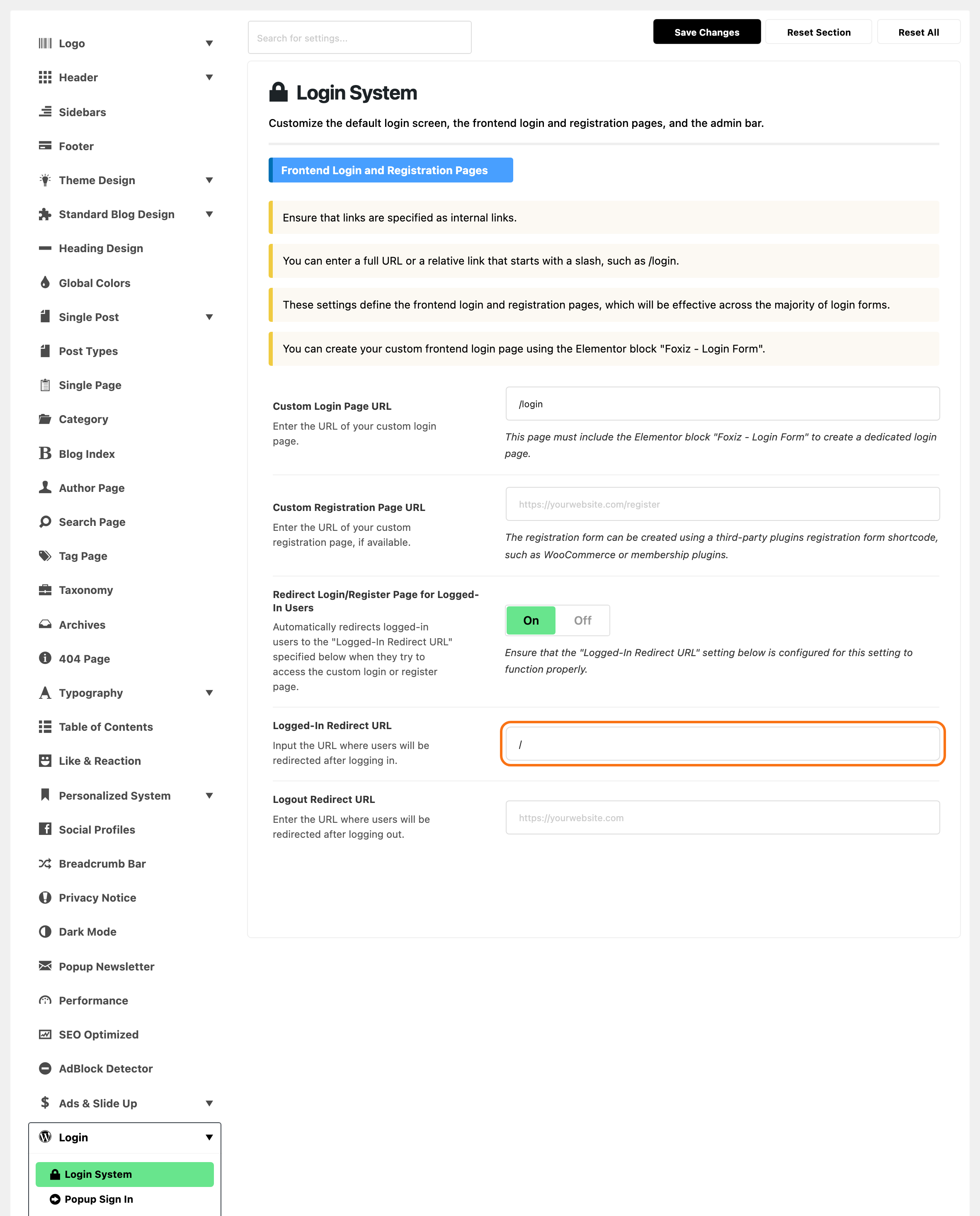
Go to Foxiz > Theme Options > Login > Login System.
-
In Frontend Login and Registration Pages, fill in Logged-In Redirect URL and, if you want one, Logout Redirect URL.
-
Click Save Changes.
-
Sign out, then sign in on your login page and in the popup, to check both.
Next: How to Restyle the WordPress Login Screen, optional.
Did this answer your question?