How to Set Up Login for Easy Submission
Writers need an account to see their post list, to edit their posts, and to use a form set to Only Logged User. When a signed out visitor reaches one of those, the plugin shows a Login button or sends them to the login page.
This is step 5 of How to Let Visitors Submit Posts with Easy Submission. You have two choices for that login page:
| Foxiz login page (recommended) | The plugin's login pages | |
|---|---|---|
| Built with | the Foxiz - Login Form and Foxiz - Register Form Elementor blocks | the [easy_post_submission_login] and [easy_post_submission_register] shortcodes |
| Look | anything you design in Elementor | the plugin's fixed form |
| Used by | the whole site: header sign in button, popup, comments, other plugins | Easy Submission's buttons only |
| Lost password | a form on the same page | a form on the same page |
| Captcha | Foxiz > Turnstile | the plugin's Global Captcha Settings |
Use the Foxiz login page when you want the login to match your site or to customize it. Use the plugin's pages when you want a working login in one click and do not mind its look.
Which one wins: a Custom Login Page URL filled in under Easy Submission's Global Settings wins for Easy Submission's buttons. Leave it empty and they use the Foxiz login page. The rest of your site always uses the Foxiz page, if you set one.
Option 1: the Foxiz login page (recommended)
Easy Submission needs no setting of its own for this. When its Custom Login Page URL is empty, its buttons go to your site's login page, and Foxiz points that at the page you set in Theme Options.
-
Set up Foxiz login first:
- Guide to Creating a Login Page: build the page and enter it as Custom Login Page URL at Theme Options > Login > Login System.
- Guide to Creating a Registration Page, if writers sign themselves up.
-
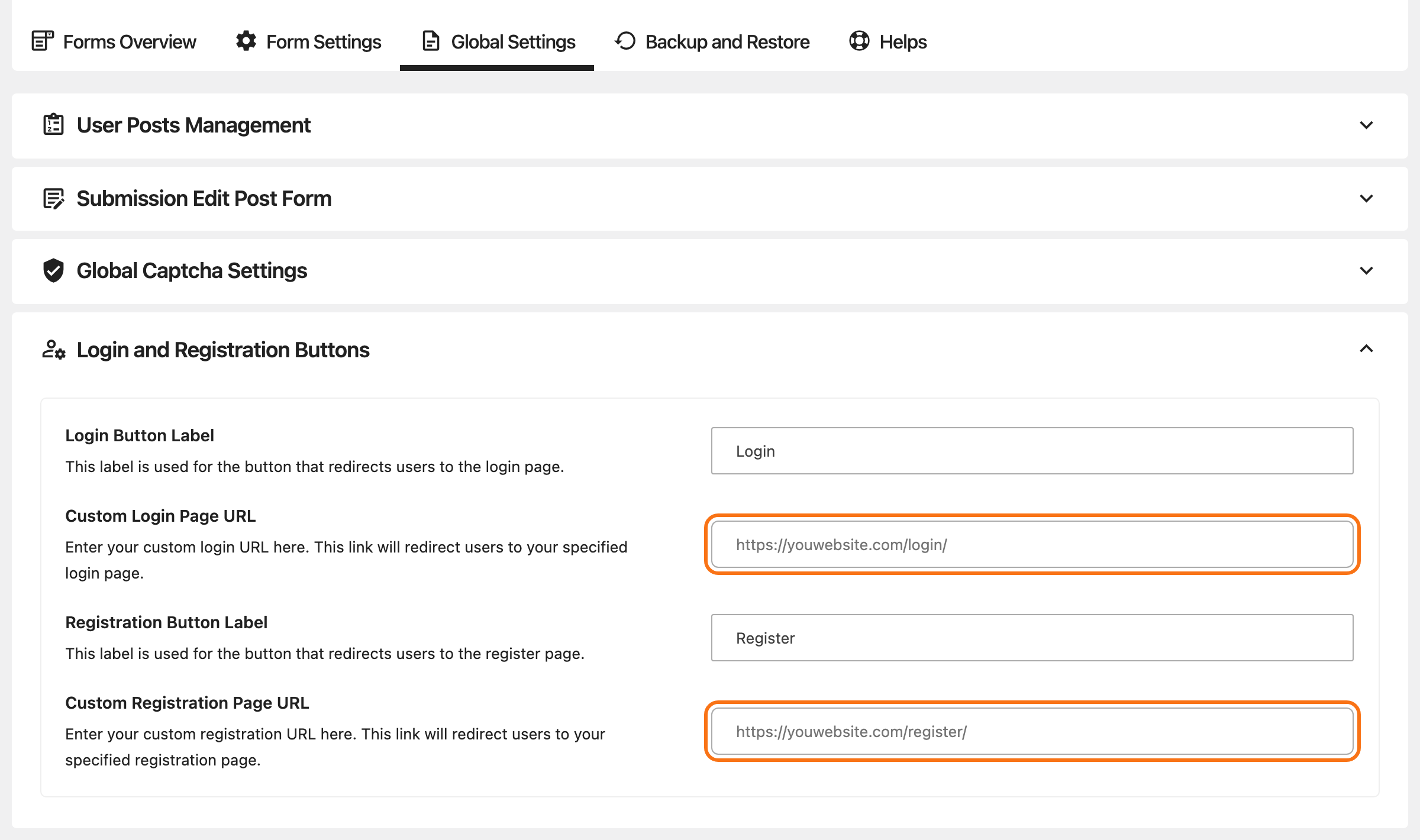
Go to Foxiz > Easy Submission > Global Settings > Login and Registration Buttons.
-
Leave Custom Login Page URL and Custom Registration Page URL empty. If the wizard filled them with its own "Login" and "Register" pages, clear both.
-
Click Save Settings.
-
Delete the wizard's "Login" and "Register" pages under Pages, if it made them.
The register button follows Settings > General > Anyone can register. With it off and the field empty, the notices show no register button.
Where the writer lands after signing in
The Foxiz login page does not send the writer back to the form they came from. They land on:
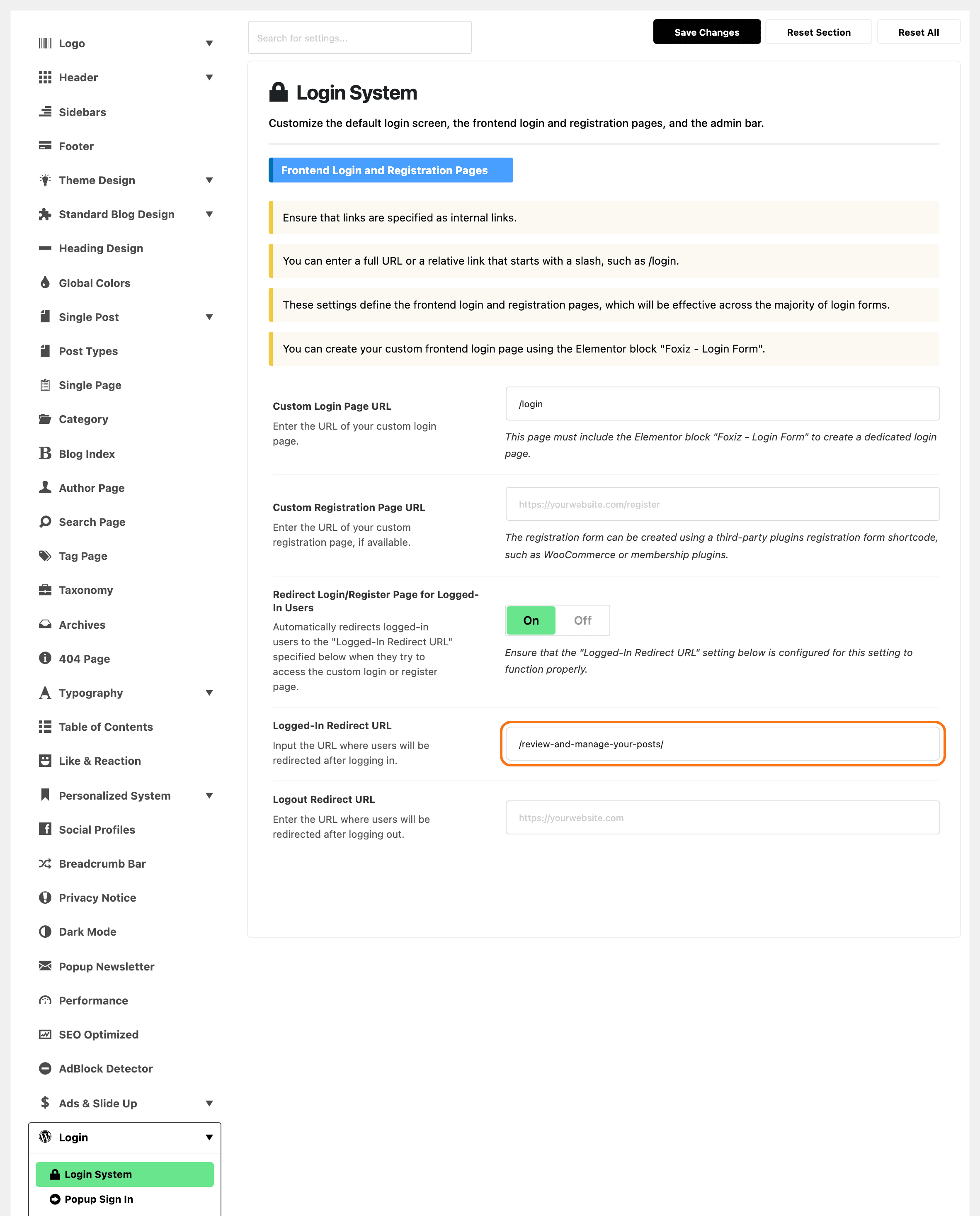
- Logged-In Redirect URL, in Theme Options > Login > Login System, when you fill it in;
- otherwise the login page itself, showing who is signed in.
For a site where most sign ins are writers, put your post list page, or the submission page, in Logged-In Redirect URL. The field applies to the whole site, not only to Easy Submission.
The header's sign in popup works differently: it keeps the reader on the page they were on. With the popup on, a writer on the submission page can sign in from the header and stay on the form. See Every Setting in the Login Panel.
Option 2: the plugin's login pages
- If the wizard did not make them, create two pages and publish them:
- a "Login" page holding
[easy_post_submission_login]; - a "Register" page holding
[easy_post_submission_register].
- a "Login" page holding
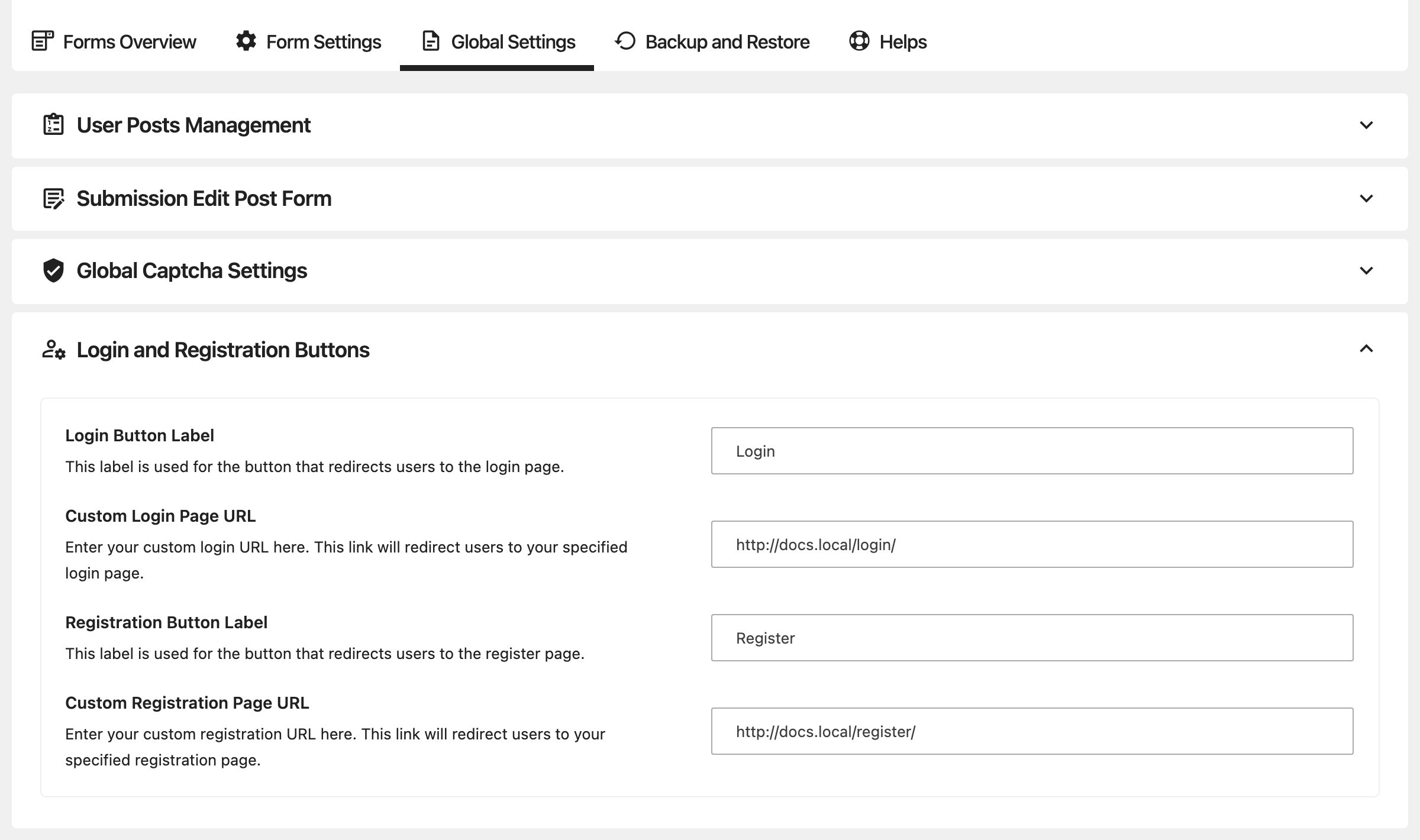
- Go to Global Settings > Login and Registration Buttons.
- Enter the two addresses in Custom Login Page URL and Custom Registration Page URL. The wizard fills them in for you when it makes the pages.
- Change Login Button Label and Registration Button Label if you want other words on the buttons.
- Click Save Settings.
Registration needs Anyone can register ticked at Settings > General. With it off, the register page says "User registration is currently not allowed."
After signing in, a writer lands on your Post Manager Page URL, or on the home page when that is empty. To send them somewhere else, give the shortcode a redirect address:
[easy_post_submission_login redirect="https://example.com/submit-a-post/"]
The register shortcode takes the same attribute.
To add a captcha to these two pages, turn on Enable for Login and Enable for Registration under Global Captcha Settings. See Keep spam out.
Did this answer your question?