How to Add Header Template Builder to Elementor Page
You can create an Elementor template and then assign it to one page as its header. It works on any page, built with Elementor or not.
A header set on the page wins over the site header. Leave the page's fields empty and the page follows Theme Options > Header > Header Layout.

To get started, follow the steps below:
-
Create your template and copy its shortcode: navigate to Ruby Templates. The template list has a Template Shortcode column holding the shortcode ready to copy, and the same box sits in the sidebar while you edit a template. The shortcode looks like
[Ruby_E_Template id="1"]. To create a template, you can refer to this documentation: Ruby Templates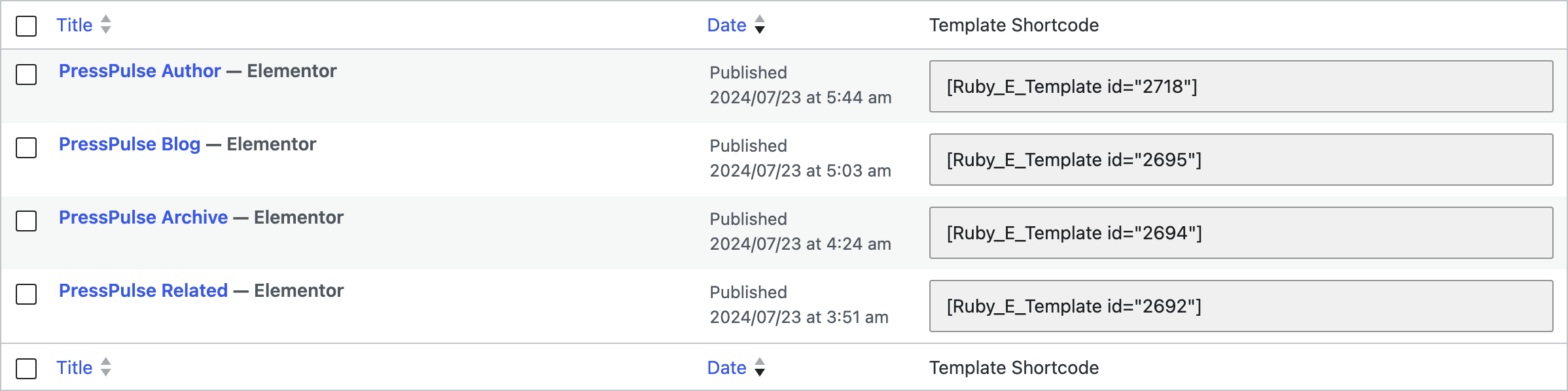
-
Navigate to Pages > All Pages
-
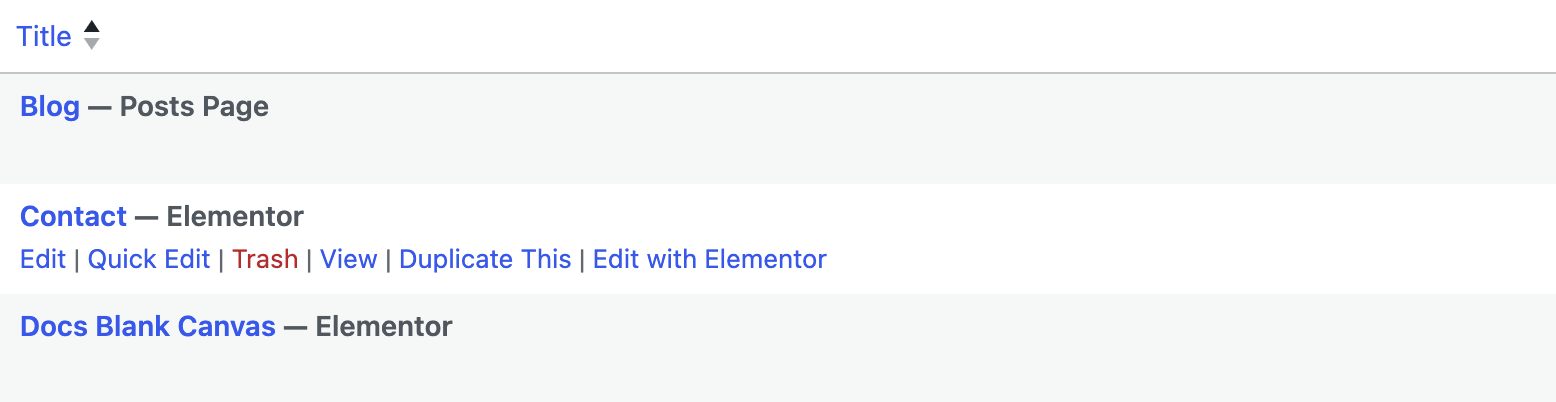
Then select the page you want to edit and click on the edit link
-
At the bottom of the editor, click the Meta Boxes bar to open it, and find Single Page Settings.
-
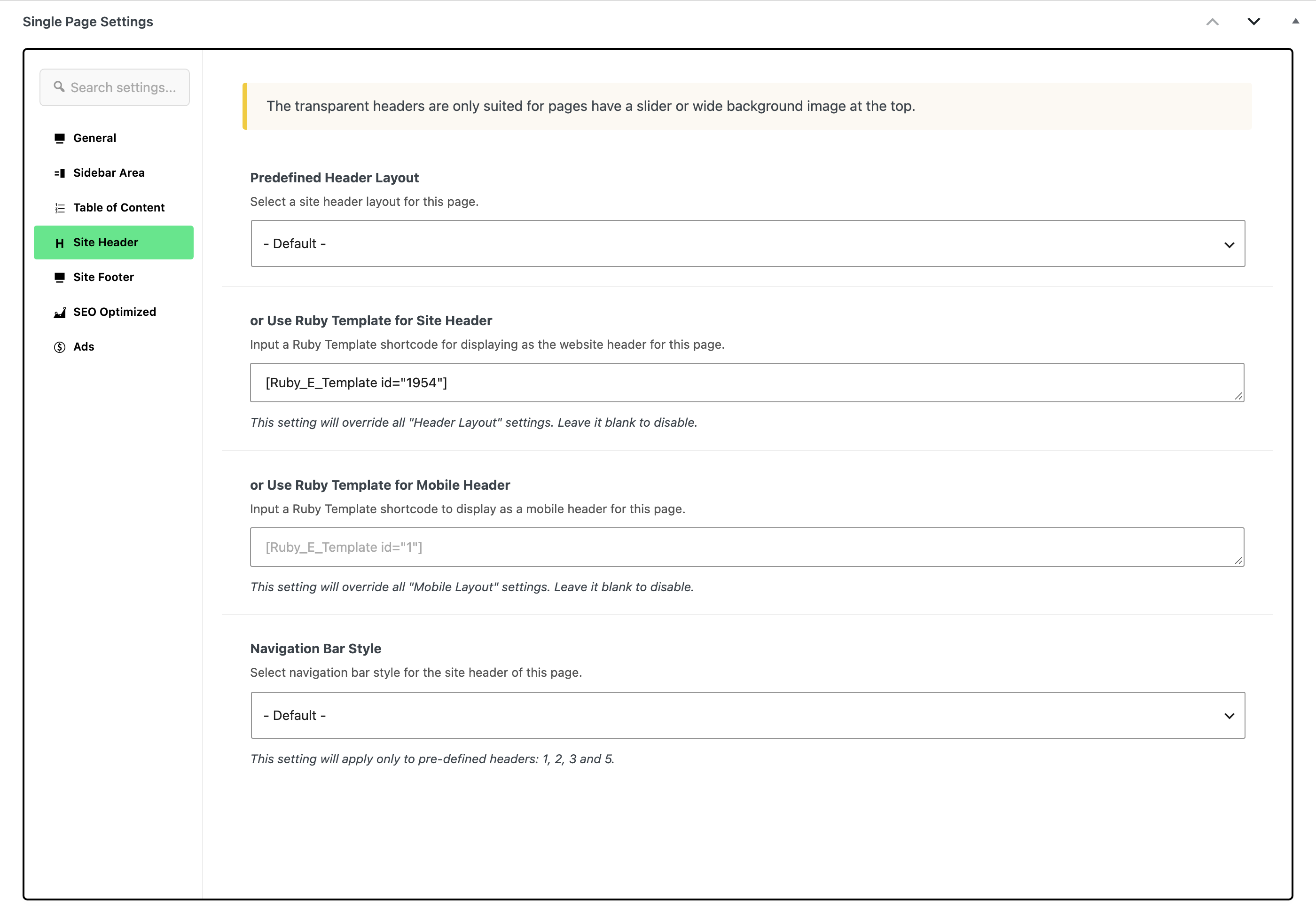
Select Site Header tab
-
Paste the shortcode into or Use Ruby Template for Site Header. That is the field, not the Predefined Header Layout dropdown above it: filling this box overrides whatever that dropdown says for this page.
-
Click Save (or Publish on a page that is not published yet).
Only the desktop header changes. Phones and tablets keep whatever the site's mobile header is, because the mobile bar is rendered by a separate function. The same tab has its own box for that, or Use Ruby Template for Mobile Header, and it exists on pages only, not on posts or terms. Leave it empty to keep the site wide mobile header.
If you want one template for the whole site rather than for one page, the same shortcode goes at Theme Options > Header > Header Layout: set Header Layout to Use Ruby Template and paste it into the Template Shortcode box that then appears.
Foxiz uses the first of these that is set:
- or Use Ruby Template for Site Header in the page's own Single Page Settings box, the field step 6 fills.
- Predefined Header Layout in the same box, when it is not on - Default -.
- Theme Options > Header > Header Layout, for every page on the site.
Did this answer your question?