Light Views Counter
Light Views Counter counts how many times a post, page or custom post type has been viewed.
Foxiz shows that count in a post's meta row, the line with the author and date, once you add the views tag to it.

First of all, install and activate the Light Views Counter plugin.
Light Views Counter is ThemeRuby's own counter and one of the Essential Plugins on the Foxiz dashboard (Foxiz > Dashboard), so you can install and activate it in a click without leaving the admin.
Once it is active it has its own screen at Foxiz > Light Views Counter, where you decide what counts as a view and which post types are counted. By default it counts posts only, so add pages or a custom post type there if you want their views too. Every Setting in the Light Views Counter Panel walks through it.
Without Light Views Counter active the view meta renders nothing at all. It does not show a zero and it does not warn you: the function returns before it draws anything.
Show views in post listings
-
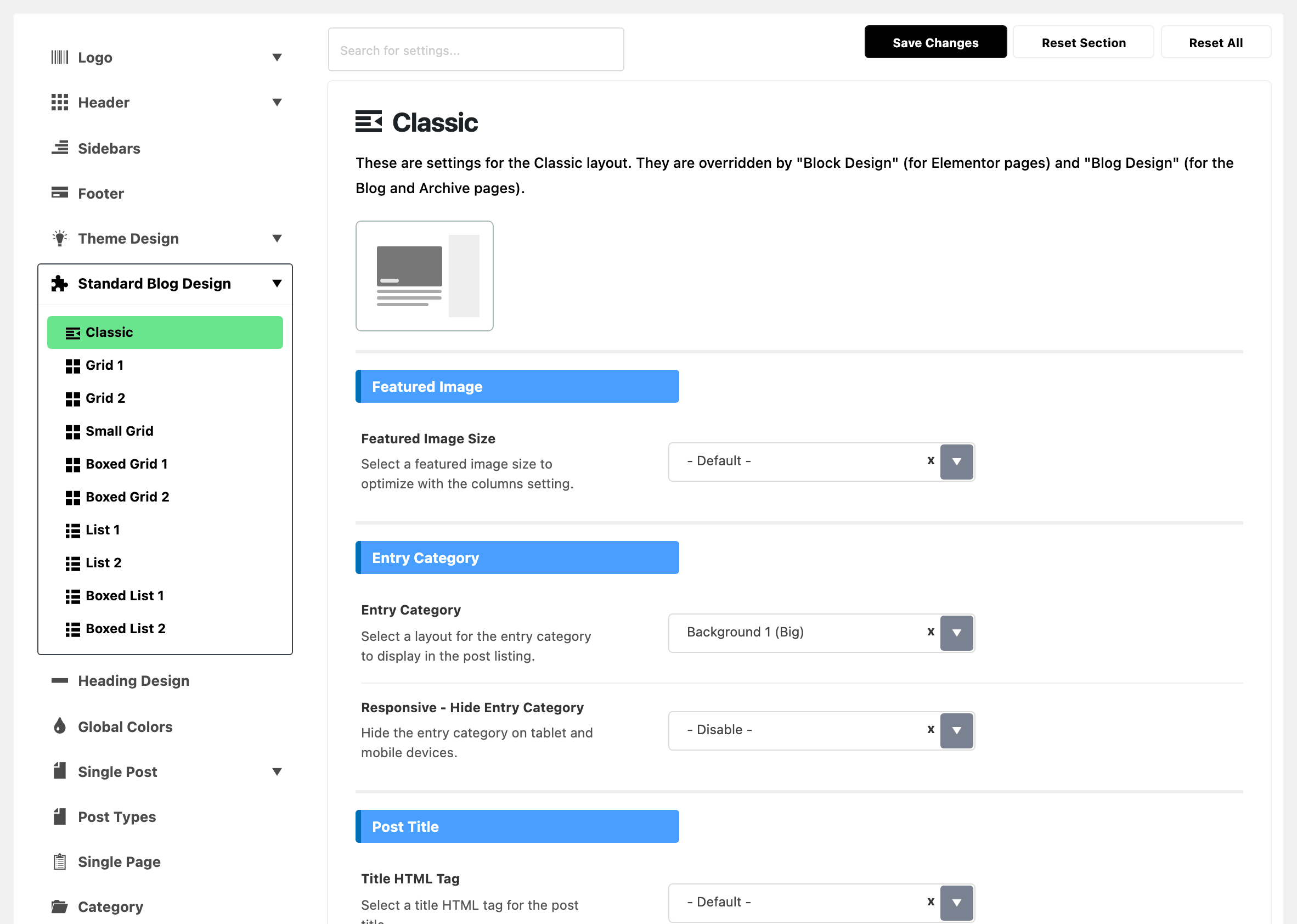
Navigate to Theme Options > Standard Blog Design and select a module: one of the listing styles, such as Grid 1 or List 1, that blocks and archive pages use.
-
Find the Entry Meta Tags setting, then click on this field option and select view (Post Views). The option is spelled with a lowercase key first, which is how every entry meta option in the list reads.
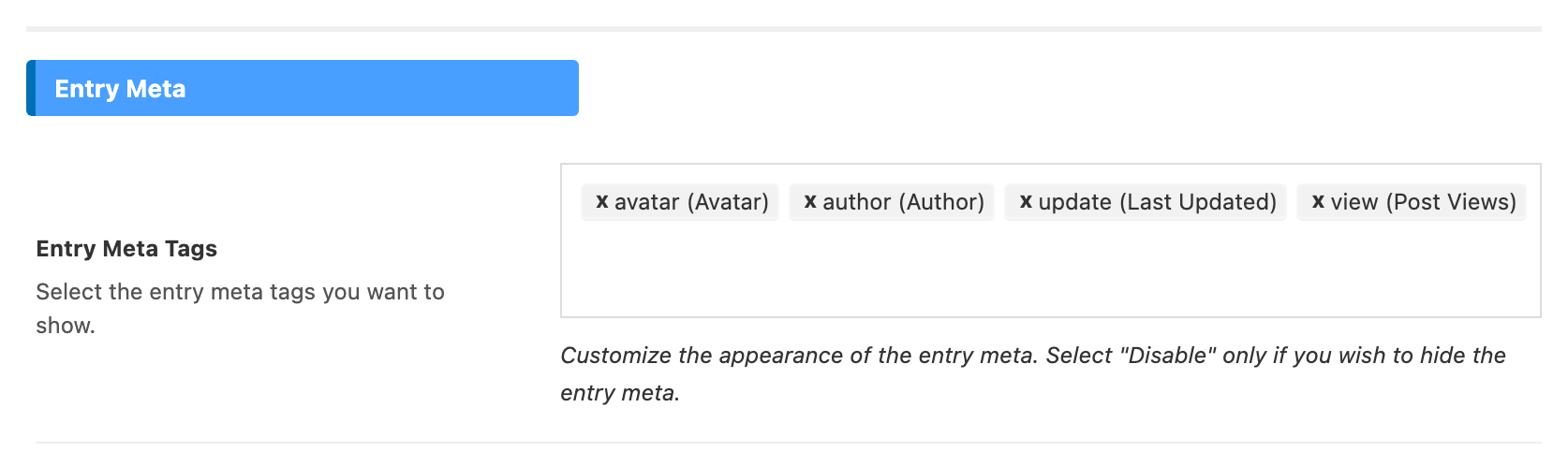
Do that for each module you use. The ten modules are configured separately, so turning views on for Grid 1 leaves List 1 unchanged.
Show views on single posts
-
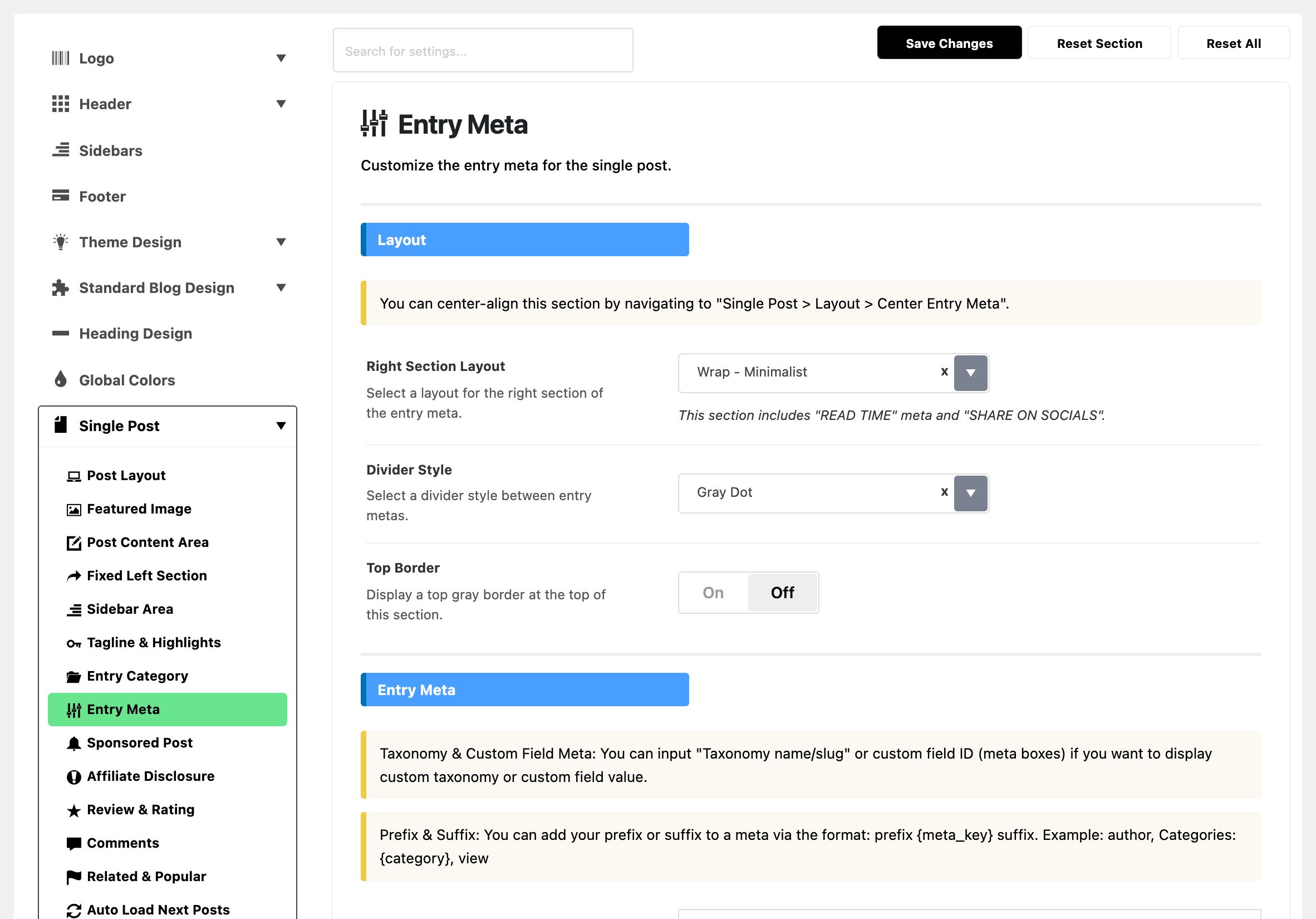
Navigate Theme Options > Single Post > Entry Meta.
-
Find the Entry Meta Tags setting, then click on this field option and select view (Post Views)
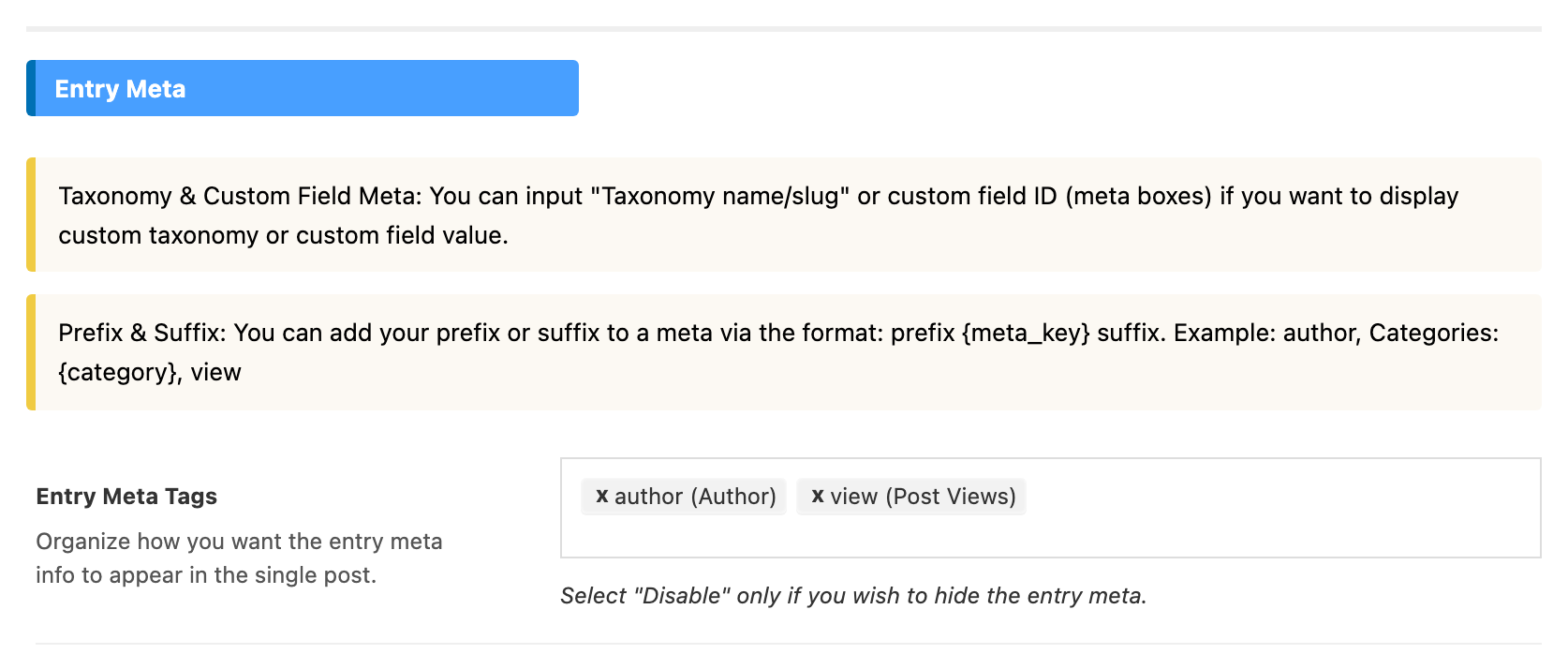
The single post starts with only the author showing, so views is an addition rather than a change here.
An Elementor block can show its own set of meta tags, set in the block's Style tab.
The block's Entry Meta Tags box is only read once Entry Meta, the select directly above it, is set to Custom Below. Leave that on Default from Theme Option and the block keeps using the module's tags however you fill the box in.
Three more things decide whether a number appears once the meta tag is on:
- A post with no views shows nothing rather than "0 Views".
- You can give a post a head start. Single Post Settings > Fake Post Views holds Fake View Value, which is added to the real count for that post. Leave it blank for the real number.
- Large numbers are shortened, with "k" for thousand and "M" for million, by Post Views in Readable Format at Theme Options > Theme Design > Entry Meta, which is on by default. Turn it off if you want the full figure.
Post Views in the Header
A block whose Order By is one of the Popular (by Post Views) values needs Light Views Counter, wherever the block sits, a header template included. Without the plugin active, Foxiz orders those blocks by comment count instead, so they still fill with posts.
The Top News column of a category mega menu always ranks by comment count, so the plugin makes no difference to it.
Did this answer your question?