GTM & GA4
Adds Google Tag Manager or Google Analytics 4 tracking to every page of your site. You paste one ID and Foxiz prints the tag. No plugin needed.
Where: Foxiz > GTM & GA4. On the Foxiz dashboard the same page is called Analytics 4, under Extra Features in the tab bar. The page itself is titled Google Tag Manager & Analytics 4.
The page needs an active license. If it is missing, see When a page is missing.
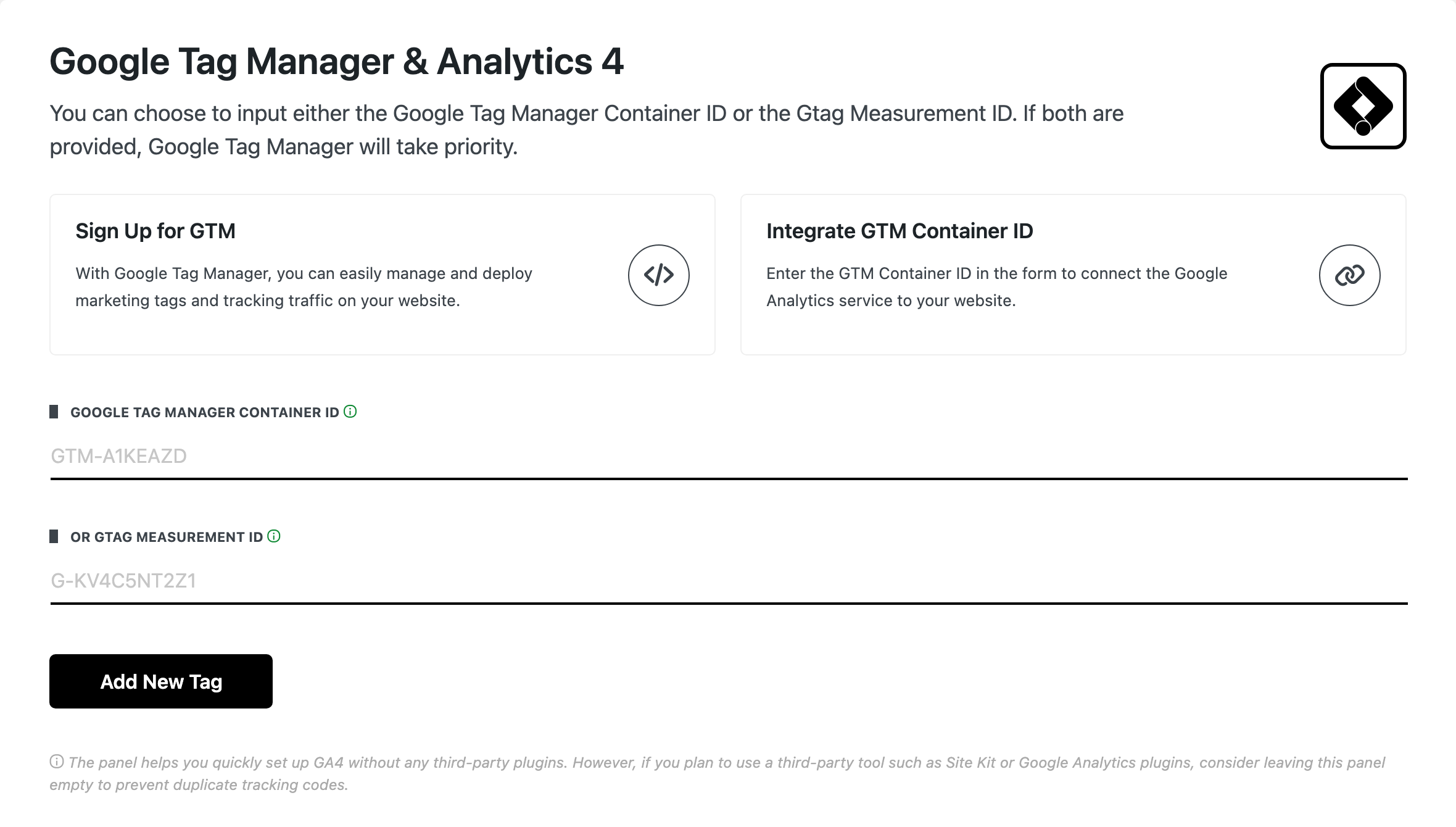
Before you add a tag
If a plugin already adds Google tracking (Site Kit, or a Google Analytics plugin), leave this page empty. Two tags count every visit twice.
No Tag Manager container yet? The Sign Up for GTM card at the top opens tagmanager.google.com, where you create one.
With no tag saved
Fill one of the two fields.
- Google Tag Manager Container ID: your container ID, formatted
GTM-XXXXXX. Use it when you manage your tags in Tag Manager, GA4 included. Default: empty. - or Gtag Measurement ID: the measurement ID of a Google Analytics 4 web data stream, formatted
G-and then letters and numbers. Use it when all you want is Analytics. Default: empty. - Add New Tag: saves what you typed.
If you fill both, Google Tag Manager wins. Only the container is printed on the site; the measurement ID is kept but not used.
With a tag saved
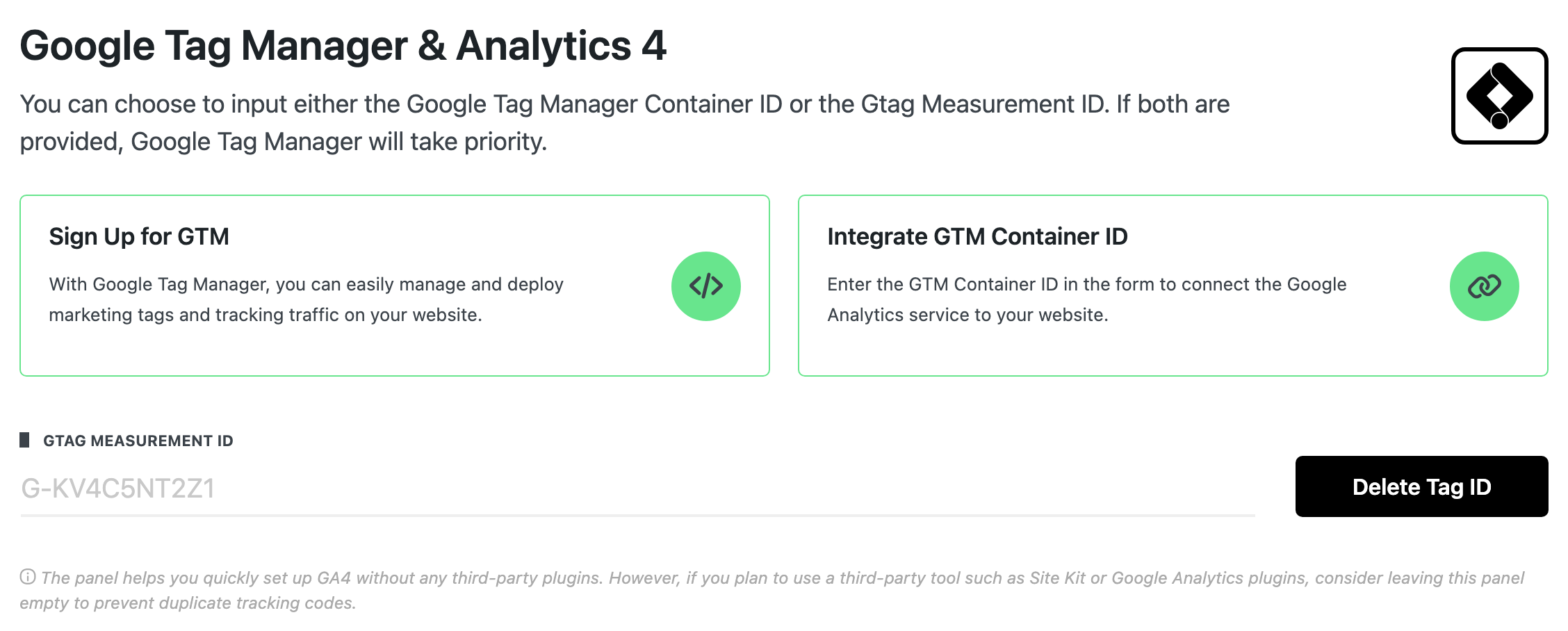
The saved ID is greyed out and cannot be edited. If both IDs are saved, only Google Tag Manager Container ID is shown.
- Delete Tag ID: removes both IDs after a confirmation, and the tracking code leaves the site.
To change an ID, click Delete Tag ID, then add the new one.
What the site prints
- Google Tag Manager Container ID saved: both parts of the Tag Manager code, the one for the page head and the one for just after the body opens. You do not paste any code yourself.
- Only Gtag Measurement ID saved: the Google tag (
gtag.js) in the page head. - AMP pages get the AMP version of the same tag.
The tag is printed for every visitor, logged in administrators included. So your own visits can show up in your reports.
Related
- How to Add Google Analytics: the steps, from getting the ID to checking it works.
- AMP: setting up and testing AMP for WordPress
Did this answer your question?