What is the Foxiz Dashboard
The Foxiz Dashboard is the Foxiz menu in the WordPress admin sidebar. Everything Foxiz adds to your admin starts here: your license, Theme Options, the demo importer, translation, fonts, analytics, login protection, the AI tools and the settings of the Foxiz plugins.
Don't see the menu? You need to be logged in as an administrator, with the Foxiz theme and the Foxiz Core plugin both active.
Where to find it
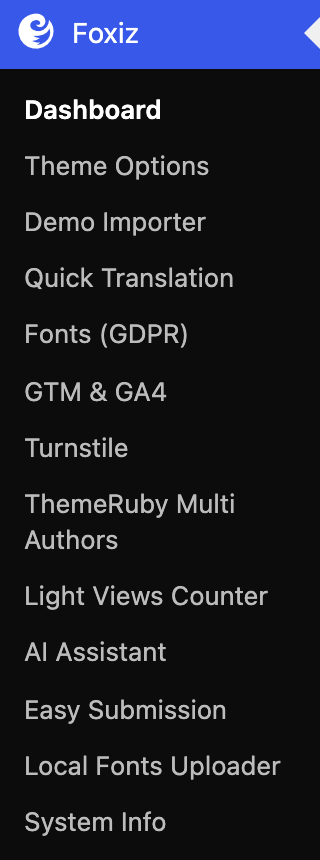
Click Foxiz in the WordPress admin sidebar. It sits near the top, just below the WordPress dashboard link.
The pages, in sidebar order
With the license active and the Foxiz plugins installed, the menu lists these pages:
- Dashboard: your license, the plugin installer and the server check. Dashboard.
- Theme Options: every design and feature setting of the theme. What is Theme Options.
- Demo Importer: import one of the prebuilt websites. Demo Importer.
- Quick Translation: translate the theme's front end text without a translation plugin. Quick Translation.
- Fonts (GDPR): host Google Fonts on your own server, and add Adobe Fonts. Fonts (GDPR).
- GTM & GA4: add Google Tag Manager and Google Analytics 4. GTM & GA4.
- Turnstile: protect the login and registration forms with Cloudflare Turnstile. Turnstile.
- ThemeRuby Multi Authors: settings of the ThemeRuby Multi Authors plugin. Every setting in the ThemeRuby Multi Authors panel.
- Light Views Counter: settings of the Light Views Counter plugin. Every setting in the Light Views Counter panel.
- AI Assistant: the AI writing tools in the post editor. AI Assistant.
- Easy Submission: settings of the Easy Post Submission plugin. Every setting in the Easy Submission panel.
- Local Fonts Uploader: upload your own font files. Local Fonts Uploader.
- System Info: your server's PHP values and your WordPress setup, checked against what Foxiz needs. System Info.
When the bbPress plugin is active, a bbPress Forums page joins the menu. How to set up bbPress forums.
The tab bar at the top of each page
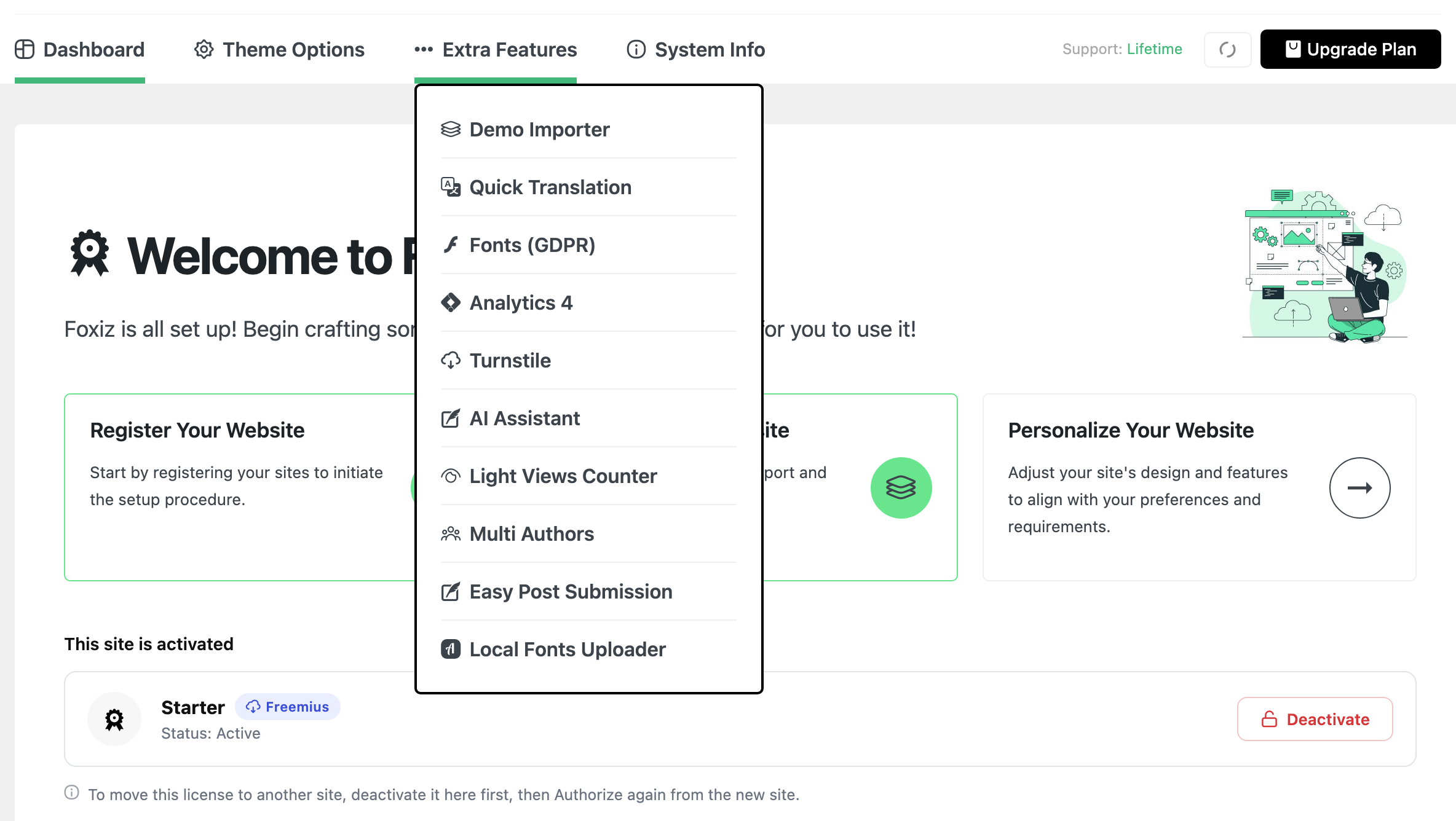
Every Foxiz page opens with the same header. Its tabs take you from one Foxiz page to another without going back to the sidebar.

The tabs are:
- Dashboard.
- Demo Importer, as its own tab until you have imported a demo. After the first import it moves into Extra Features.
- Theme Options.
- Extra Features: a dropdown with the other pages.
- System Info.
Point at Extra Features to open it. It holds every Foxiz page that has no tab of its own, including the pages of the Foxiz plugins you have active.
Three pages carry a different name there than in the sidebar:
| Sidebar | Extra Features |
|---|---|
| GTM & GA4 | Analytics 4 |
| ThemeRuby Multi Authors | Multi Authors |
| Easy Submission | Easy Post Submission |
The header's links and the support status on the right are covered in Dashboard.
When a page is missing
The license is not active
Most pages need an active license on this site. Until the site is activated, the sidebar keeps only the first page and System Info.
- The first page is labelled Registration when the site was never activated.
- It is labelled License when a license is stored but cannot be used here, for example after the site moved to a new address, or when the license itself is no longer active.
- Once the license is active, it is labelled Dashboard.
Without an active license, these pages are gone:
- Theme Options.
- Demo Importer.
- Quick Translation.
- Fonts (GDPR).
- GTM & GA4.
- AI Assistant.
Opening one of them from a bookmark sends you back to the first Foxiz page.
To activate, follow How to Activate the Theme.
Turnstile before activation
Turnstile stays in the menu without an active license only once it is set up. It keeps protecting the login form either way, so its switch stays within reach. If you never set it up, it waits for activation like the other pages.
Without the Foxiz theme active, the whole Foxiz menu is gone. A configured Turnstile then moves to Settings > Turnstile.
A plugin is not active
These pages belong to separate plugins and appear only while the plugin is active:
- ThemeRuby Multi Authors: the ThemeRuby Multi Authors plugin.
- Light Views Counter: the Light Views Counter plugin.
- Easy Submission: the Easy Post Submission plugin.
- Local Fonts Uploader: the Local Fonts Uploader plugin.
- bbPress Forums: the bbPress plugin.
Install and activate them from Foxiz > Dashboard. The first four are in the Essential Plugins list, bbPress is in Recommended Plugins. See Dashboard.
If Foxiz Core is not active, four of these plugin pages move out of the Foxiz menu:
- Settings > ThemeRuby Multi Authors.
- Settings > Light Views Counter.
- Easy Submission and Local Fonts Uploader get their own entries in the admin sidebar.
AI Assistant
AI Assistant needs the Foxiz theme and an active license. Without either, the page is not in the menu.
Related
Did this answer your question?