How to Add Google Analytics
You can add Google Analytics without installing another plugin. Foxiz Core has a panel in the Foxiz dashboard that takes a GA4 Measurement ID or a Google Tag Manager container ID and prints the tracking code for you, so on most sites you do not need to install anything else. Its own text says as much: it "helps you quickly set up GA4 without any third-party plugins".
To use it:
-
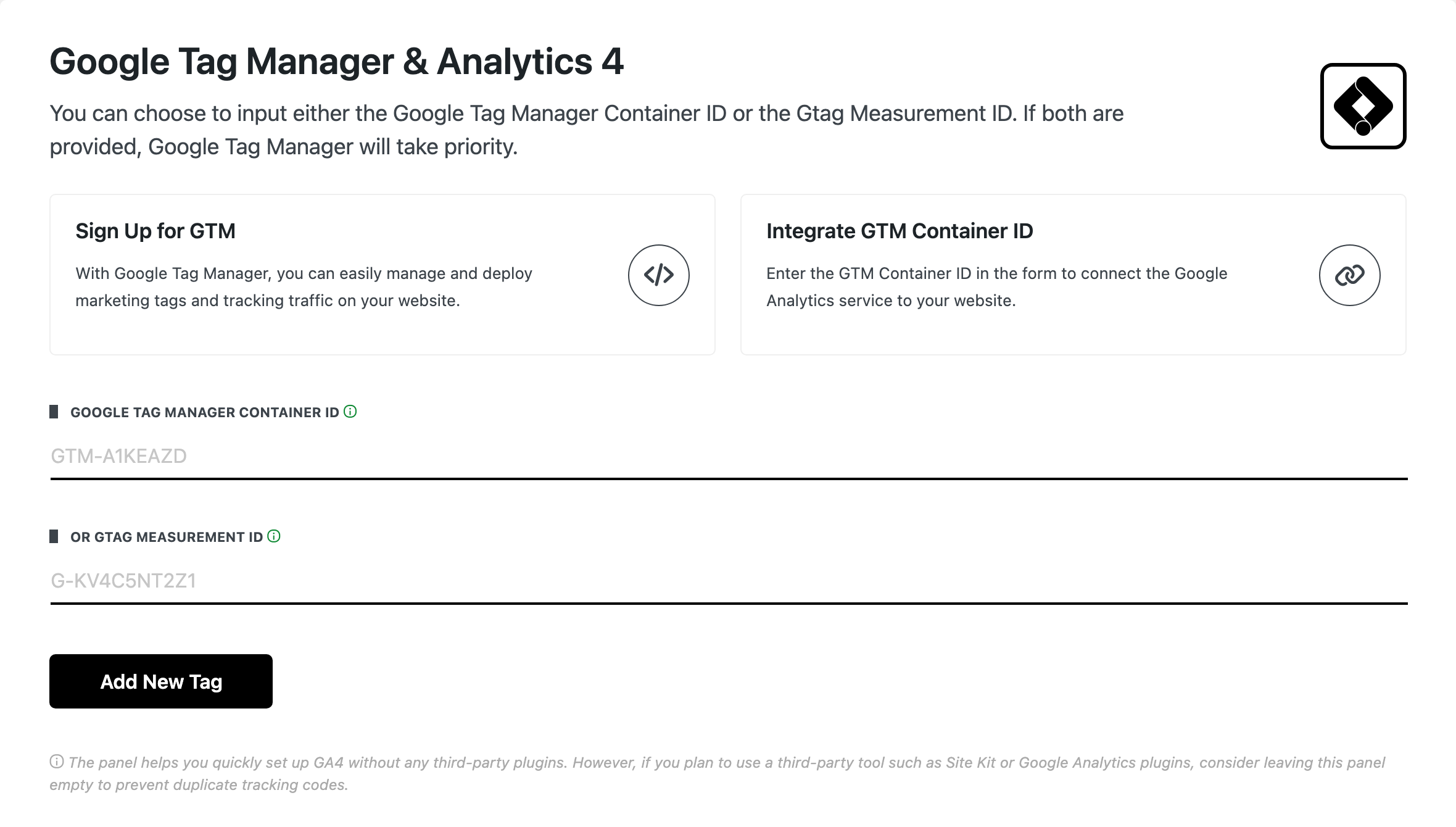
Go to Foxiz > GTM & GA4 in the WordPress menu. The same screen is the Extra Features > Analytics 4 tab inside the Foxiz dashboard, and it is titled Google Tag Manager & Analytics 4.
The panel is part of the licensed dashboard, so GTM & GA4 only appears in the Foxiz menu once the site is activated. If you cannot find it, the site is not activated yet: follow How to Activate the Theme and the entry appears.
-
Fill in one of the two fields: Google Tag Manager Container ID, which looks like
GTM-A1KEAZD, or or Gtag Measurement ID, which looks likeG-KV4C5NT2Z1.Most sites only need the Measurement ID. You copy it from your Google Analytics account; it starts with
G-. -
Click Add New Tag. The form is replaced by the saved ID and a Delete Tag ID button, which is how you change it later.
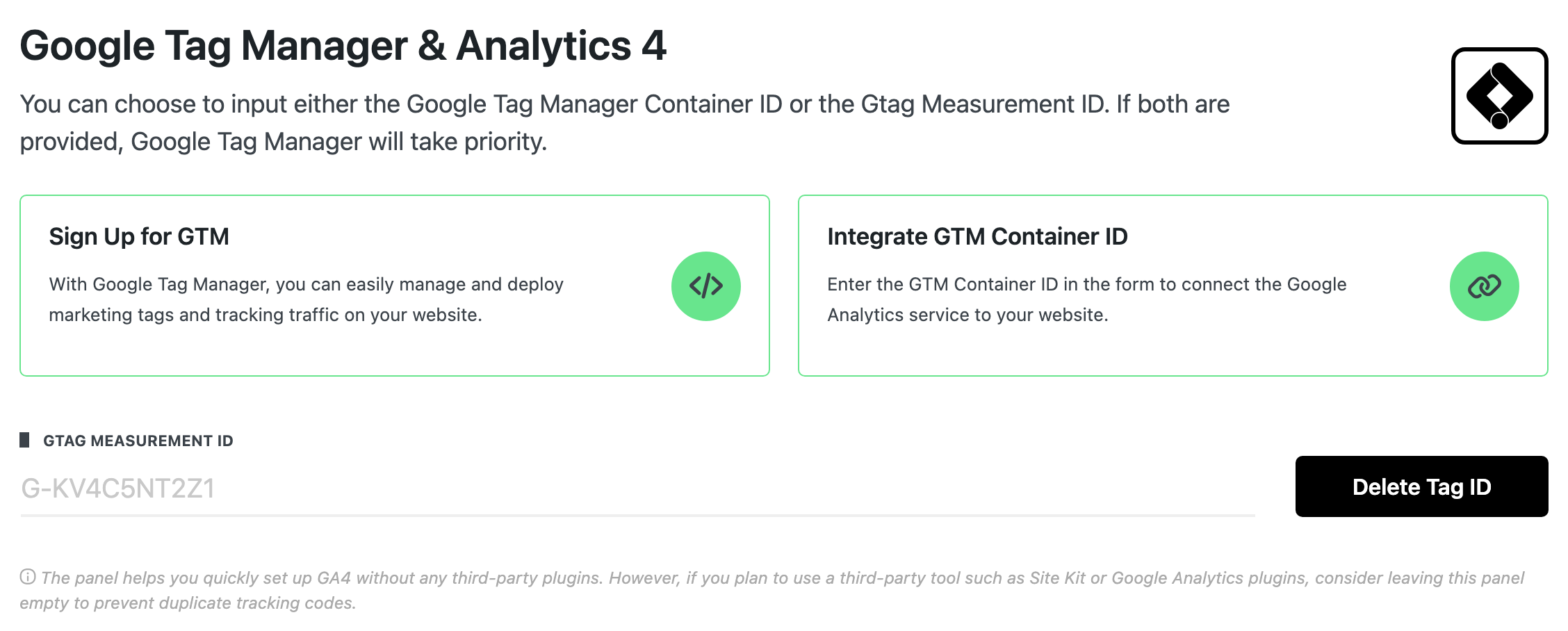
Fill in both and Tag Manager wins; the panel says so and the code agrees, printing the container snippet and skipping gtag entirely. The tag goes into wp_head, with the Tag Manager noscript frame after the body opens, and an amp-analytics tag instead on AMP pages.
Use this panel or an analytics plugin, not both. The panel warns that if you plan to use Site Kit or a Google Analytics plugin you should leave it empty, because two copies of the tag mean every visit is counted twice.
To get started, follow the steps below
- Download and install Google Analytics Plugins: https://wordpress.org/plugins/google-analytics-for-wordpress/
- Then follow the plugin's own setup to connect your Google Analytics account.
Take this route if you would rather manage analytics from a plugin. If you do, leave Foxiz > GTM & GA4 empty, so the tag is not printed twice.
Adding GA script code via a 3rd party plugin
You can also add your GA script code and any other script code via the plugin below:
https://wordpress.org/plugins/header-and-footer-scripts/
That plugin is still the answer for arbitrary head and footer scripts, since the Foxiz panel takes an ID rather than a block of code. For the analytics tag by itself, the panel is enough.
Did this answer your question?