AI Assistant
The Foxiz AI Assistant writes titles, taglines, excerpts, outlines, articles, meta descriptions and tags for you, from the post editor. This page is where you set it up once: how it writes, what the editor offers, and who may use it.
You do not need an AI provider to start. With one connected in WordPress, answers come straight into the editor. Without one, Prompt mode builds the prompt for you to run in any web AI chat.
To write, open a post and click Write with AI in the Foxiz AI box. The assistant opens in a floating window you can move, resize and collapse.
Where to find it
Go to Foxiz > AI Assistant.
- In the tab bar at the top of the Foxiz dashboard, it is under Extra Features > AI Assistant.
- Only administrators can open it.
When the page is missing
The AI Assistant item is left out of the Foxiz menu in three cases:
- The Foxiz license is not activated. Opening the page's address directly sends you back to the Foxiz dashboard. Activate first: see How to Activate the Theme.
- The Foxiz theme is not active. Foxiz Core alone does not show the page.
- WordPress is older than 6.2. The whole AI Assistant then stays off: no page and no box in the editor.
Two WordPress versions matter: 6.2 to have the AI Assistant at all, in Prompt mode, and 7.0 to get answers straight in the editor from a connected provider.
Enable Foxiz AI Assistant
The switch at the top of the settings form turns the whole tool on or off: the Foxiz AI box in the editor, the block toolbar Rewrite and every request from the editor. On by default.
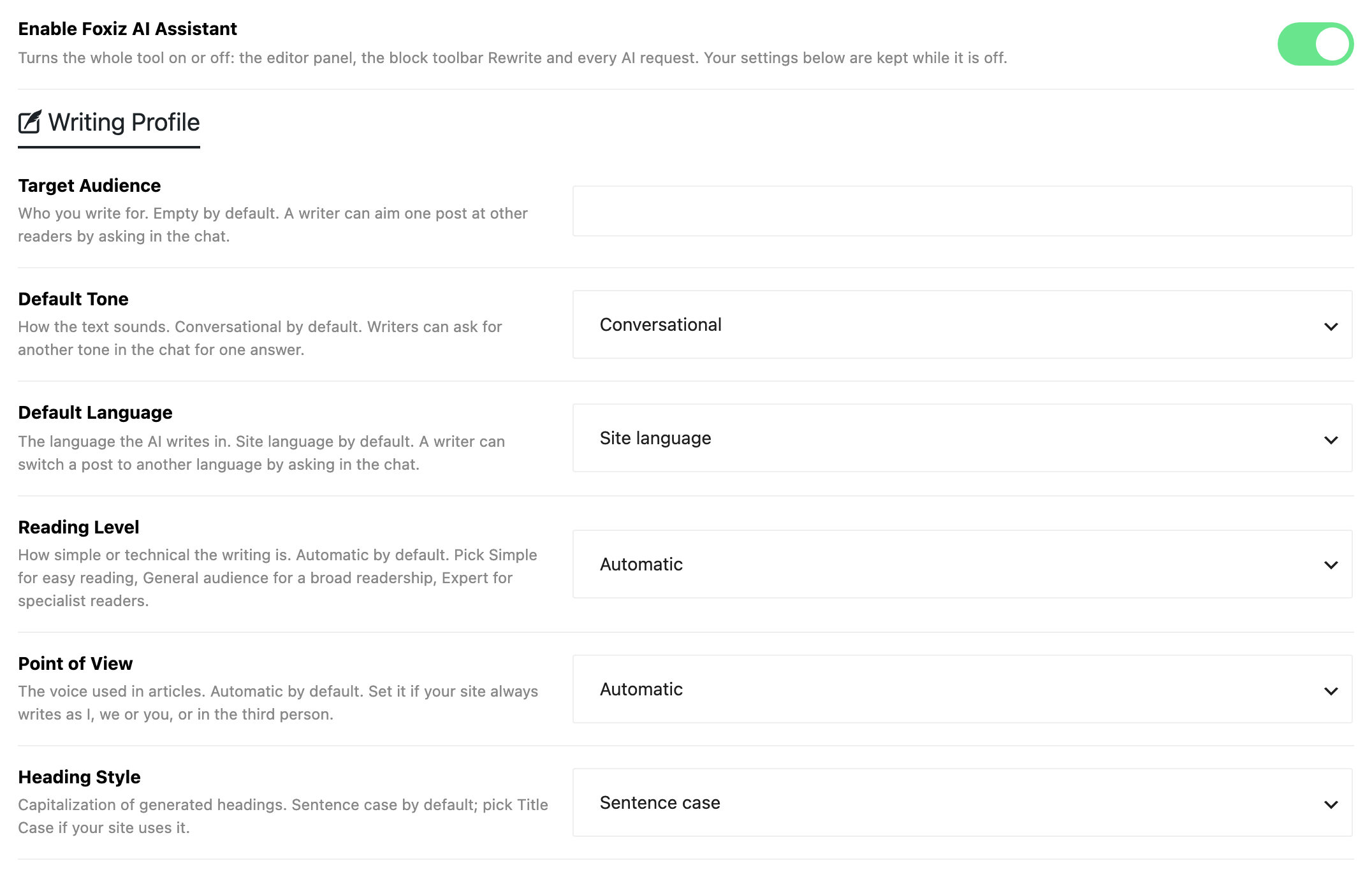
- Turning it off keeps every setting below, so you can turn it back on later without starting over. Connection & usage then reads Switched off.
- It does not stop the reader summaries of Summarize with AI in Connector API Mode. Those have their own switch in Theme Options.
The sections, in page order
- Connection & usage: whether a provider is connected, and how much AI the site has used, by task, by model and by user.
- Writing Profile: audience, tone, language, reading level, point of view and heading capitalisation.
- Writing Style: the goal, the site description and the short rules the AI follows on every task.
- Editor Features: the AI model, the post types that show the assistant, the quick tasks and the SEO check.
- Access & Limits: who may use the assistant, how many requests and tokens, and the prompt inspector.
Saving
Every setting from Enable Foxiz AI Assistant down to Prompt Inspector is kept only when you click Save Changes. The button stays at the bottom of the window while you scroll, and "Settings saved." confirms the save.
If you try to leave with unsaved changes, the browser asks you to confirm.
Related
- How to Use OpenAI Assistant: connect a provider, use Prompt mode, and write, rewrite and SEO check posts in the editor.
- Every Setting in the Summarize with AI Panel: the reader summary on posts, which shares the connection, the AI Model and the Monthly Token Limit set here.
Did this answer your question?