Install Default Plugins
Install Default Plugins
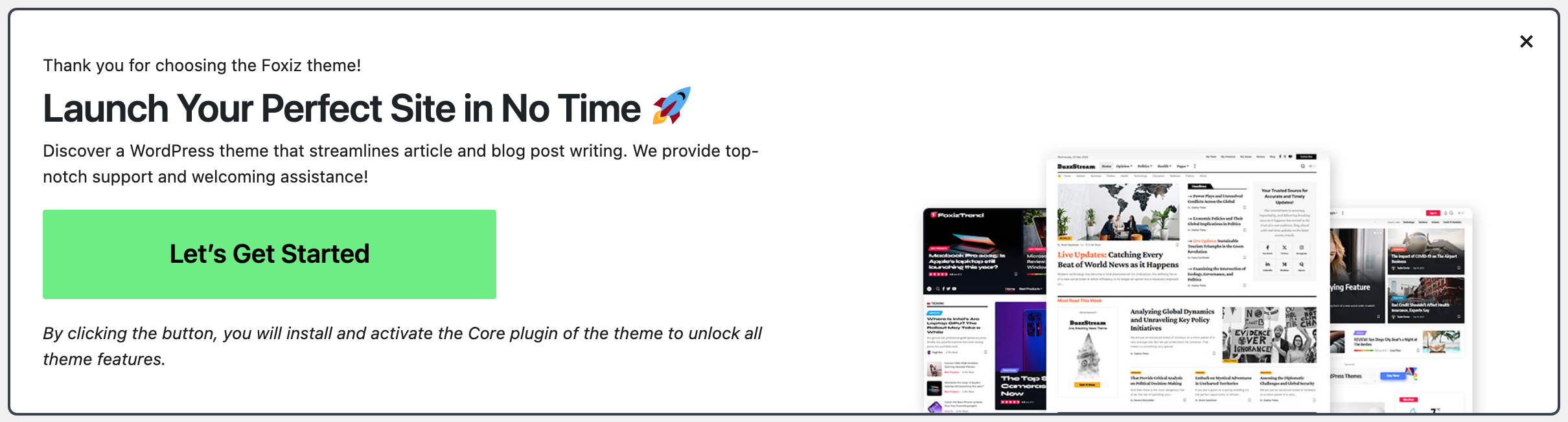
Foxiz Core is the one plugin the theme cannot run without, and it comes inside the theme: after you activate Foxiz, the welcome notice headed Launch Your Perfect Site in No Time installs and activates it for you when you click Let's Get Started.
Everything else is listed on the Foxiz dashboard, at Foxiz → Dashboard, in two groups:
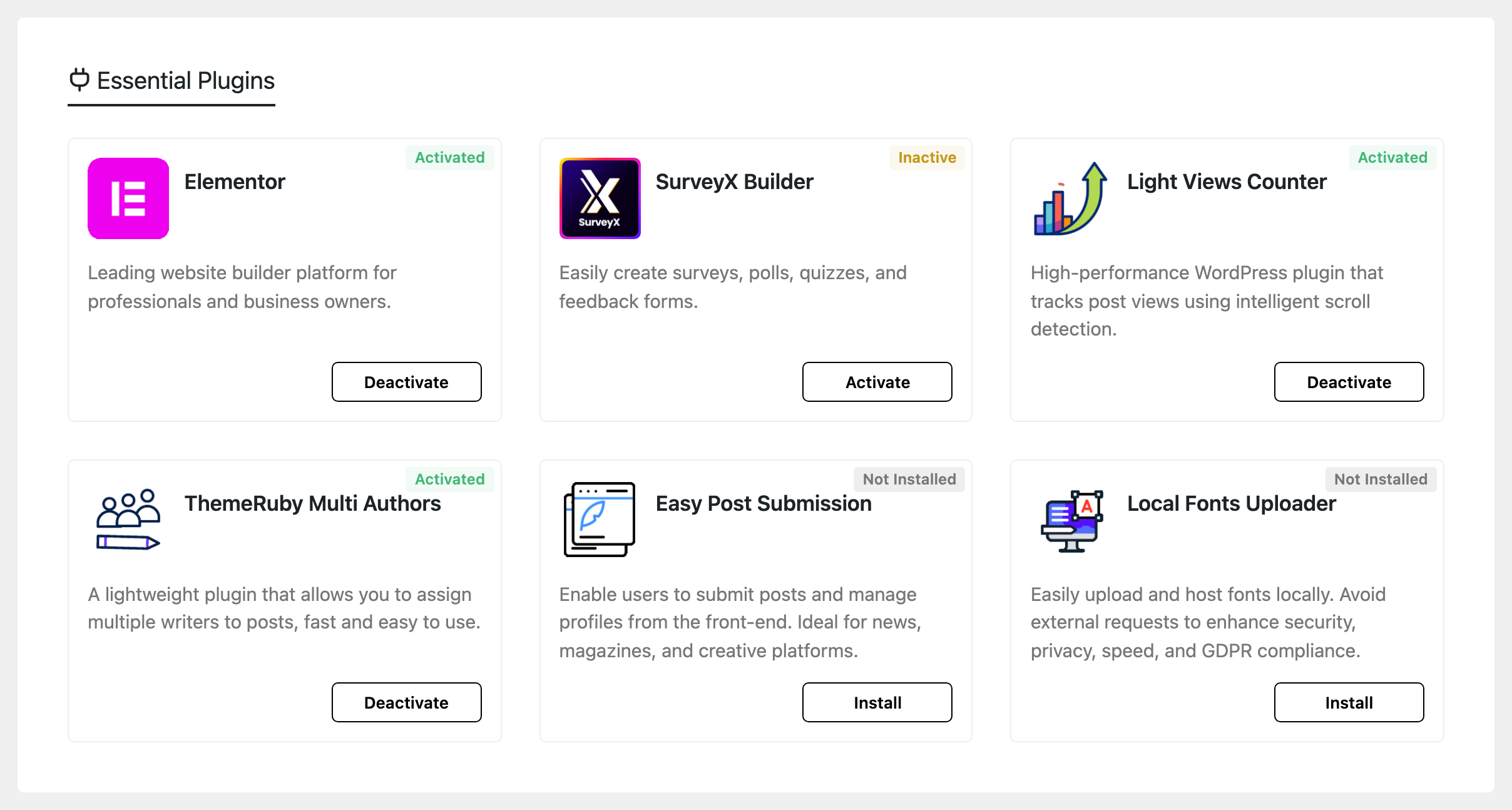
- Essential Plugins, six of them, the ones Foxiz's own features are built against.
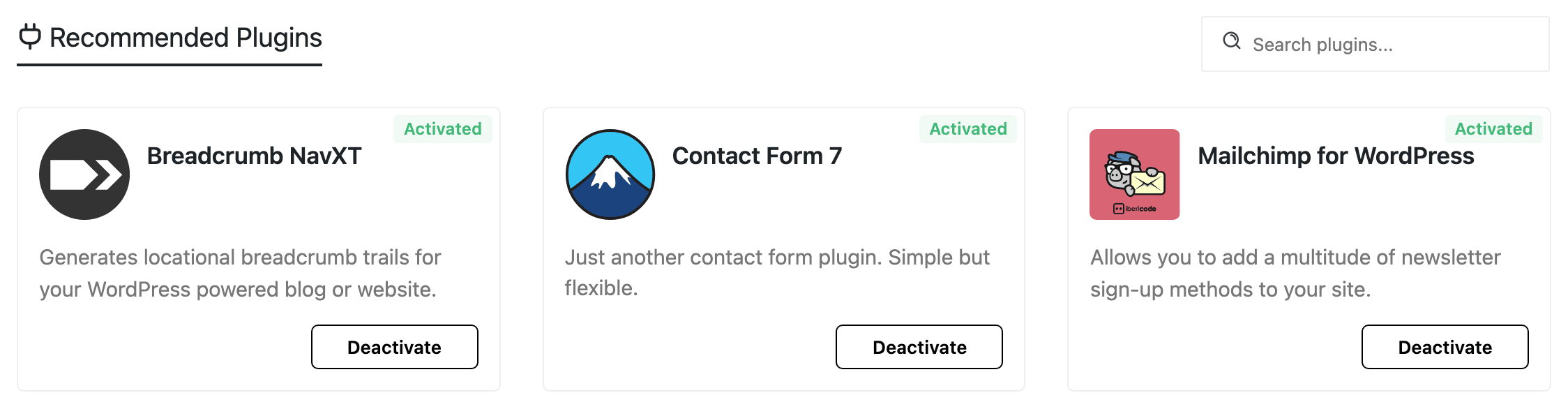
- Recommended Plugins, thirteen third-party plugins the theme includes styling or integration for. Install these only if you need what they do.
Older versions of this article, and older forum posts, send you to Appearance > Install Plugins. That screen no longer exists. The plugin list moved onto the Foxiz dashboard, and every card installs from the WordPress.org repository rather than from a copy bundled in the theme.
- After you activate your licence, go to Foxiz → Dashboard. Before activation that page shows only the registration screen, so the plugin cards are not there yet.
- Find the plugin you want under Essential Plugins or Recommended Plugins. Each card shows its state: Not Installed, Inactive or Activated.
- Click the button on the card. It reads Install on a plugin you do not have, Activate on one that is installed but off, and Deactivate on one that is running.
- The card installs and activates in place. There is no bulk action and no second page to come back to.
The search box above Recommended Plugins filters that list, which is quicker than scrolling when you know the name.
If any Essential plugin is missing, Foxiz also raises a dismissible notice headed Foxiz - Essential Plugins on every admin screen, with an Install & Activate All button that does the whole group in one pass. It stops appearing once they are all active, and dismissing it hides it for the current Foxiz Core version.
We suggest installing all six Essential Plugins first, so every theme feature works.
The six Essential plugins are Elementor (the page builder Foxiz blocks and demo pages are built with), SurveyX Builder, Light Views Counter, ThemeRuby Multi Authors, Easy Post Submission and Local Fonts Uploader.
Easy Post Submission lets visitors send you posts from a form on your site; How to Let Visitors Submit Posts with Easy Submission sets it up.
Foxiz Core
This plugin will enable all functions and features. It's the core plugin (required) for this theme. It must be activated when the theme is activated.
It also carries the parts of Foxiz that are not the theme itself: the Foxiz admin menu, the Demo Importer, the Elementor widgets and Ruby Templates, and the licence check that fetches theme and plugin updates from the store. A Ruby Template is a layout you build in Elementor once and assign to a header, a footer or another part of the site (Ruby Templates).
A Foxiz child theme counts as Foxiz here, so everything in the plugin keeps working when you activate one.
Elementor Website Builder
Foxiz supports all layouts for this plugin. This is a required plugin so it must be activated after theme installation. It is the first card under Essential Plugins, described there as the "Leading website builder platform for professionals and business owners."
Ruby Templates, the Foxiz block widgets and every demo page layout are built with it, so a demo import will pull it in as a required plugin whether or not you installed it first.
Breadcrumb NavXT (optional)
This plugin allows you to add breadcrumbs to your site. The theme has built-in styling for it, so the breadcrumbs match your design.
It is the first card under Recommended Plugins on the Foxiz dashboard, so you can install it there rather than searching the WordPress plugin directory. Its own settings live at Settings > Breadcrumb NavXT once active.
Plugin link: https://wordpress.org/plugins/breadcrumb-navxt/
Light Views Counter
This plugin allows you to display how many times an article has been viewed. The theme has built-in styling for it.
It is one of the six Essential plugins, so install it from the Foxiz dashboard with the others. Without it the view count meta shows nothing. Light Views Counter shows where to turn the count on.
Plugin link: https://wordpress.org/plugins/light-views-counter/
Update Notifications Without an Extra Plugin
Update notifications for the theme and for Foxiz Core come from Foxiz Core itself, against your activated licence, and arrive on the normal Dashboard > Updates and Appearance > Themes screens. There is nothing extra to install and no OAuth token to generate.
You do not need a separate updater plugin, which is why neither Essential Plugins nor Recommended Plugins offers one.
If your subscription expires, the dashboard warns that updates are paused until you renew; the site itself keeps working.
Next Step
Install or Import Demo Content
Did this answer your question?