How to Choose Between Structured Data Types: Opting for Article or NewsArticle
Which to pick:
- A blog, a magazine, a review site: Article.
- A news site: News Article, the default, so there is nothing to change.
- Yoast SEO, Rank Math, All in One SEO or Slim SEO active: nothing to do. Foxiz leaves the article markup to the plugin.
Article and NewsArticle are two structured data formats: they tell search engines what kind of content a page holds.
- Article schema is a general-purpose markup used to describe any type of content that is considered an article. It includes news articles, blog posts, opinion pieces, and other similar textual content.
- NewsArticle schema is a specialized markup for content specifically identified as news articles. It is a subtype of the general Article schema and includes additional properties relevant to news content.
Foxiz writes this markup on single posts only, and only for the post type. Pages, podcast episodes and custom post types are not given article markup by these settings.
You choose the type in two places:
- Article Markup in Theme Options sets it for every post.
- Article Schema Markup in a post's Single Post Settings box changes it for that post only.
Pick the type once for the whole site. The post's select stays on - Default -, which uses that choice, until you change it for a post that is not like the rest, such as an opinion piece on a news site.
Global Options
To get started, follow the steps below:
-
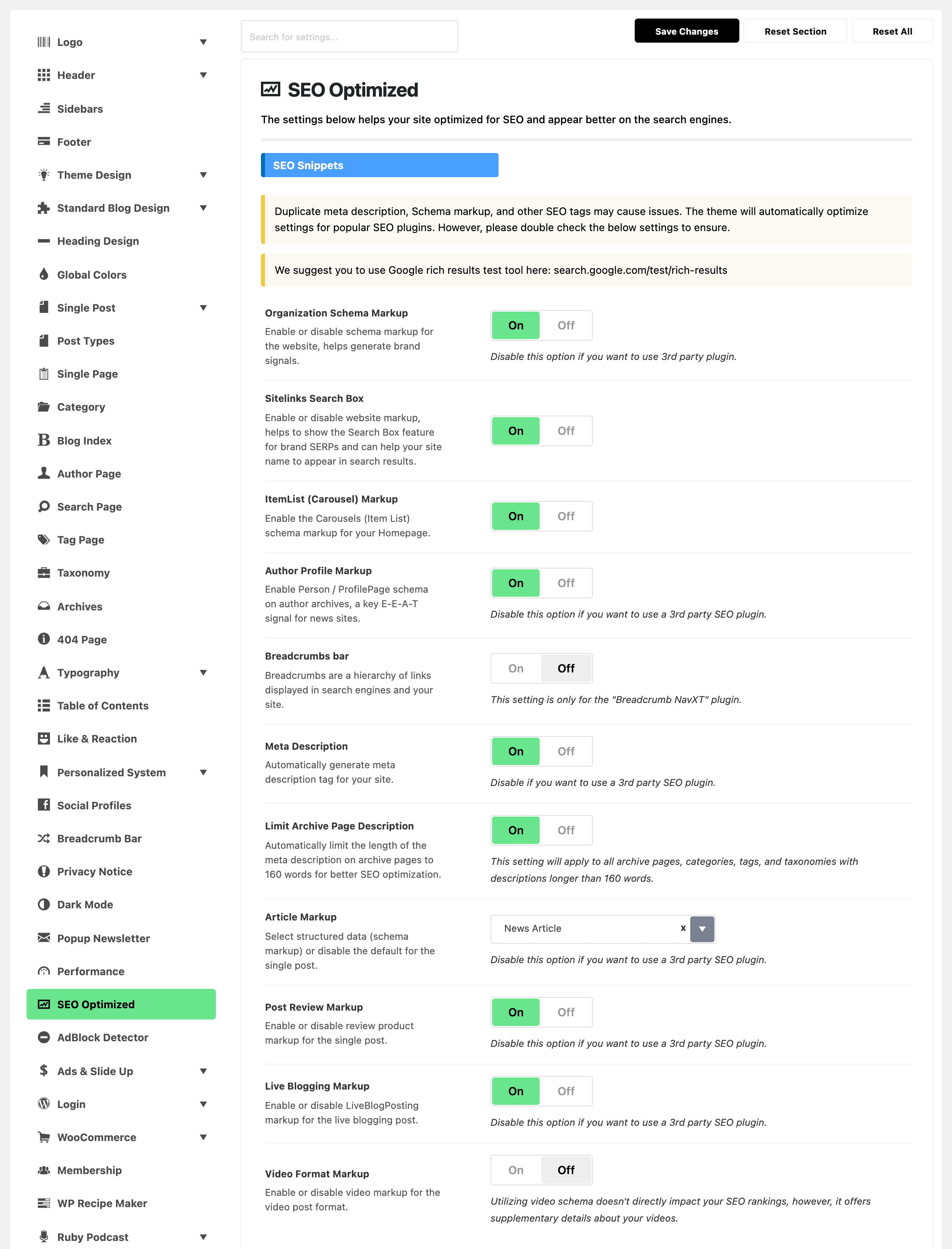
Navigate to Foxiz > Theme Options > SEO Optimized > Article Markup. Article Markup is a field in the first section of the SEO Optimized panel, headed SEO Snippets.
-
Article Markup: Select structured data (schema markup) or disable the default for the single post. The three values are Disable, Article and News Article, and its default is News Article, which is the
NewsArticletype described above.noteDisable this option if you want to use a 3rd party SEO plugin.
For four of them you do not have to. Foxiz checks on every request whether an active plugin already emits article schema and stays out of the way when one does, so with Yoast SEO (
wordpress-seo), Rank Math (seo-by-rank-math), All in One SEO (all-in-one-seo-pack) or Slim SEO (slim-seo) installed the markup below is never printed whatever this select says.Other SEO plugins are not on that list for article schema, SEOPress (
wp-seopress) and The SEO Framework (autodescription) among them. If you use one of those and it writes its own article schema, set this select to Disable yourself, or the page carries two.
Individual Single Post Options
These options apply only to the post you are editing. At the bottom of the post editor, open the Meta Boxes bar, find Single Post Settings and open its SEO Optimized tab: the field is Article Schema Markup.
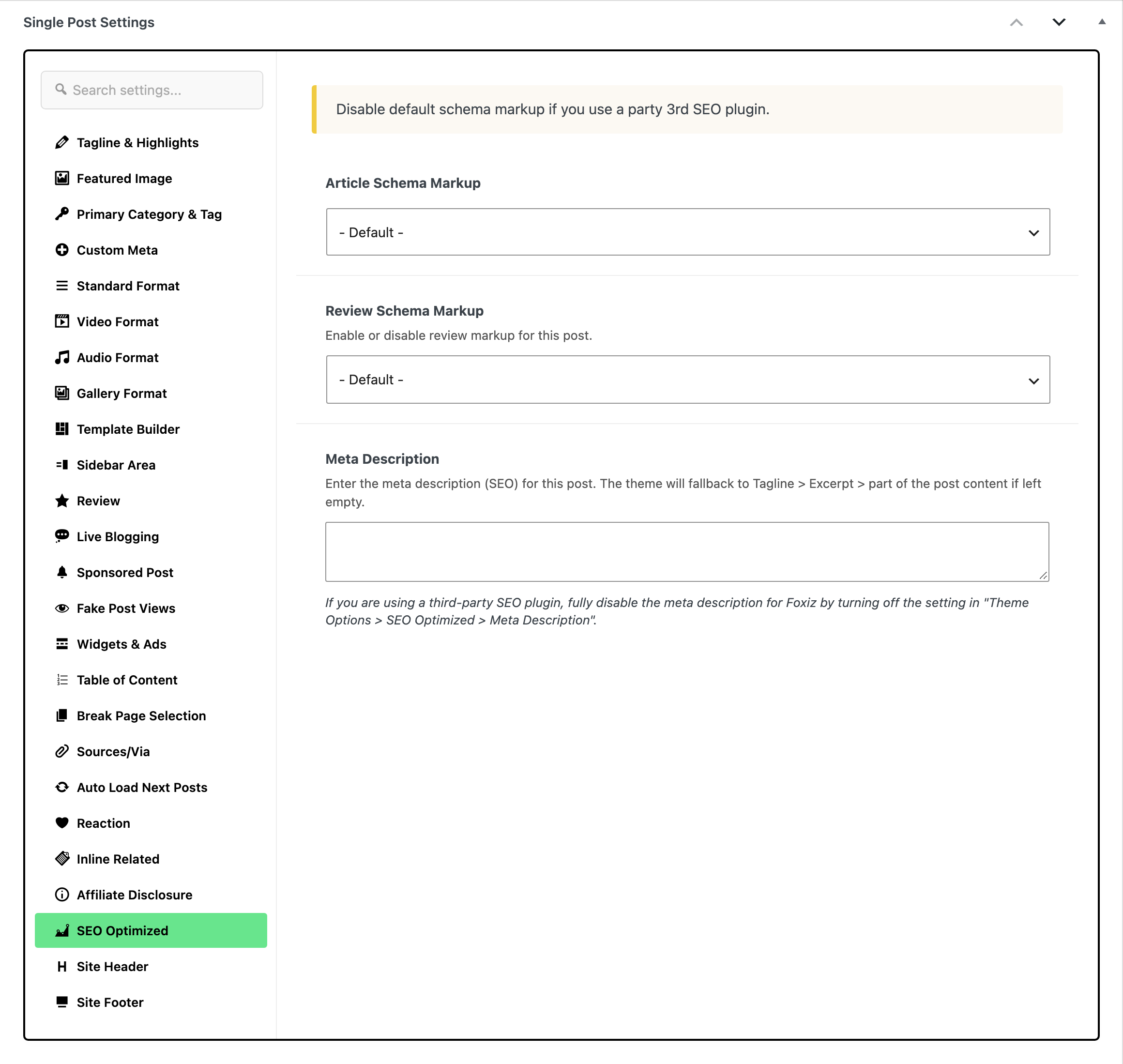
Article Schema Markup offers one value the global select does not: - Default -, which is every post's default and which means "use whatever Article Markup is set to". The other three are Article, News Article and Disable. Choose Disable here to keep one post out of the markup without changing the site.
Two more fields share that tab: Review Schema Markup, which turns the review markup on or off for this post, and Meta Description, which falls back to the post's tagline, then its excerpt, then part of its content when you leave it empty.
To see which type a post now carries, test it as shown in How to Check Structured Data with the Rich Results Test.
Did this answer your question?