Optimizing Elementor Settings
Stop Elementor loading fonts and colours the theme already sets, so your pages load less and match the theme.
Turn off Elementor's default fonts and colours
Please follow the steps below:
-
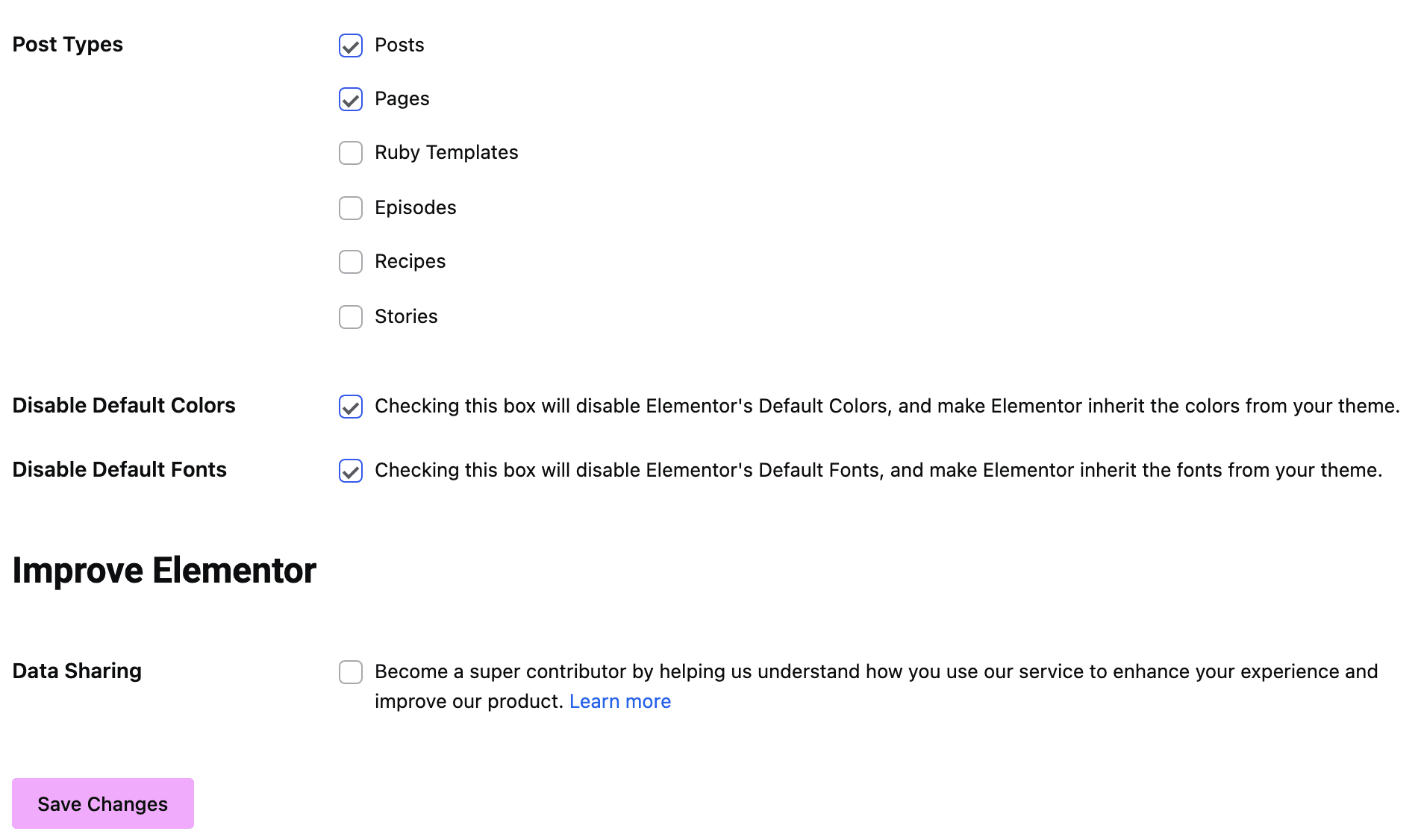
Navigate to Dashboard > Elementor > Settings. Both checkboxes are on the General tab, which is the one the screen opens on.
-
Check on the option "Disable Default Fonts" and "Disable Default Colors". Elementor's own text for them says what they do: checking each box disables Elementor's defaults and makes Elementor inherit the fonts, and the colours, from your theme.
-
Save your changes.
What these two boxes do not change
These two are about Elementor's own default styles. They do not touch the four global fonts in the site kit, which are set to Roboto and Roboto Slab by default and keep a request going to Google on every page. Clearing those is a separate job: Disable Google Fonts in Elementor.
Neither box carries a stored default in Elementor's settings, so on a new install both are unchecked. This is something to do, not something to verify.
Did this answer your question?