How to Enable and Disable Breadcrumb
Breadcrumb navigation is a tool that shows every section you enter. For example, it could look like: yoursite.com > Category > Post

The theme supports Breadcrumb NavXT, and two more besides: Yoast SEO and Rank Math SEO breadcrumbs both work. Any one of the three is enough and you only need one. If more than one is active the theme takes NavXT first, then Yoast, then Rank Math.
Foxiz does not build the trail itself. With none of those plugins active the breadcrumb bar prints nothing, whatever the theme settings say. So set one up first. For most sites: if you already run Yoast SEO or Rank Math SEO, use its breadcrumbs and add nothing; otherwise install Breadcrumb NavXT.
- Breadcrumb NavXT: a small plugin that only makes breadcrumbs.
- Yoast SEO: its breadcrumbs are on as soon as it is active.
- Rank Math SEO: its breadcrumbs start off; you switch them on once.
The switches that turn the bar on and off are in the theme, at Theme Options > Breadcrumb Bar, in two groups:
- Global holds Breadcrumb Bar, which turns the bar on or off on every page.
- Page Breadcrumbs turns it off for one kind of page.
Breadcrumb Bar wins: with it off, no page shows the bar, whatever its own dropdown says. A page type left on Use Global Setting follows it.
These steps only hide or show the bar. If your bar is empty, make sure one breadcrumb plugin is active first (Breadcrumb NavXT, Yoast SEO or Rank Math SEO, sections below), then come back here.
- Navigate to Theme Options > Breadcrumb Bar.
- Pick the case that matches what you want:
- Hide the bar everywhere: turn Breadcrumb Bar off.
- Hide it on one kind of page only: leave Breadcrumb Bar on and set that page type to Disable under Page Breadcrumbs.
- Show it on pages too: set Single Page Breadcrumb to Use Global Setting. It starts on Disable.
- Click Save Changes.
Each group is described below.
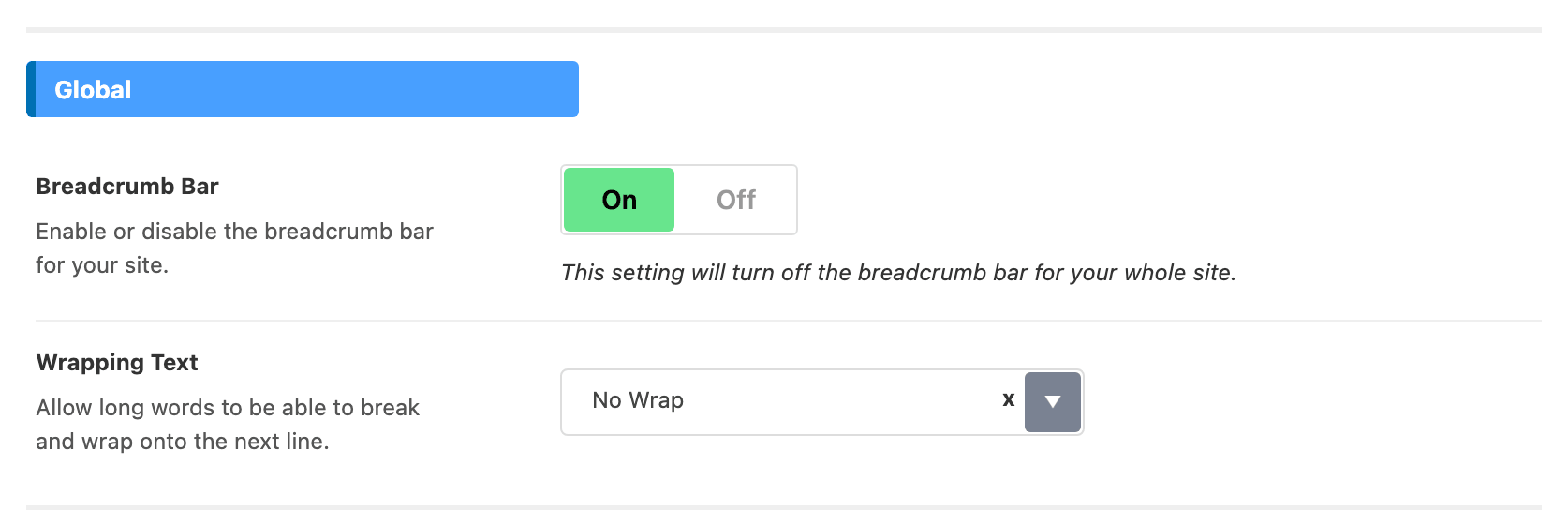
The Global group holds the master switch, Breadcrumb Bar, which is on by default. Turn it off and the bar disappears everywhere, and the rest of the panel disappears with it. Beside it, Wrapping Text decides what a long trail does when it runs out of room: No Wrap, the default, keeps it on one line and lets it scroll, and Line Wrap lets it break onto a second line.
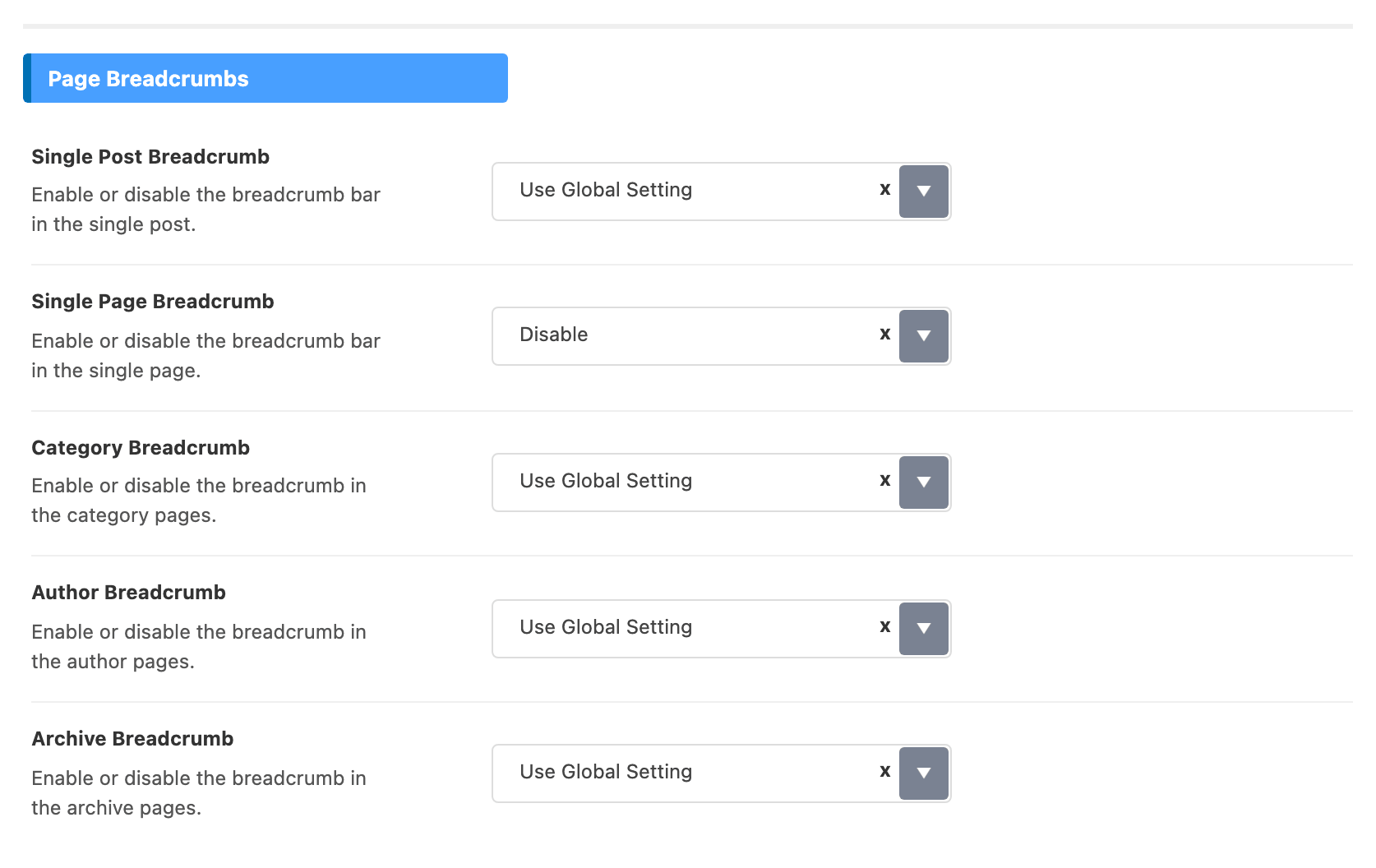
The Page Breadcrumbs group below it turns the bar off for one kind of page at a time. Each of the five is a dropdown offering Use Global Setting and Disable:
- Single Post Breadcrumb, on by default.
- Single Page Breadcrumb, and this one is set to Disable by default. A page showing no breadcrumb while posts show one is this setting, not a broken plugin.
- Category Breadcrumb, on by default.
- Author Breadcrumb, on by default.
- Archive Breadcrumb, on by default.
Breadcrumb NavXT
If you already run Yoast SEO or Rank Math SEO, skip this section and go to Yoast SEO or Rank Math SEO. Their breadcrumbs feed the theme the same way.
For NavXT, follow these steps:
- Navigate to Plugins > Installed Plugins
- Find the Breadcrumb NavXT and then activate it.
If you cannot see the plugin in the list, it is not installed yet. Follow these steps:
-
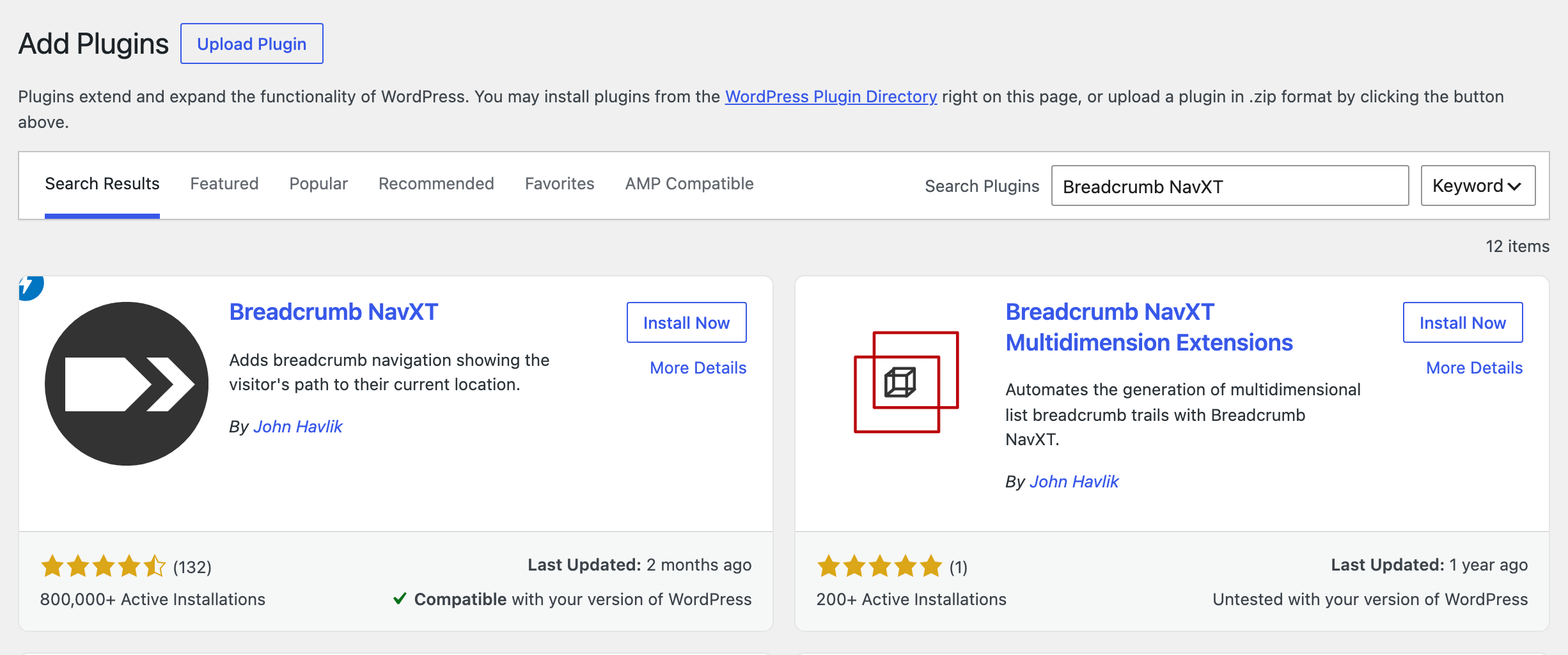
Navigate to Plugins > Add Plugin
-
Input Breadcrumb NavXT into the search form and then install it.
-
Activate the plugin.
Once it is active, what the trail says is the plugin's business: its own settings live at Settings > Breadcrumb NavXT. Foxiz only wraps that output and styles it.
Yoast SEO
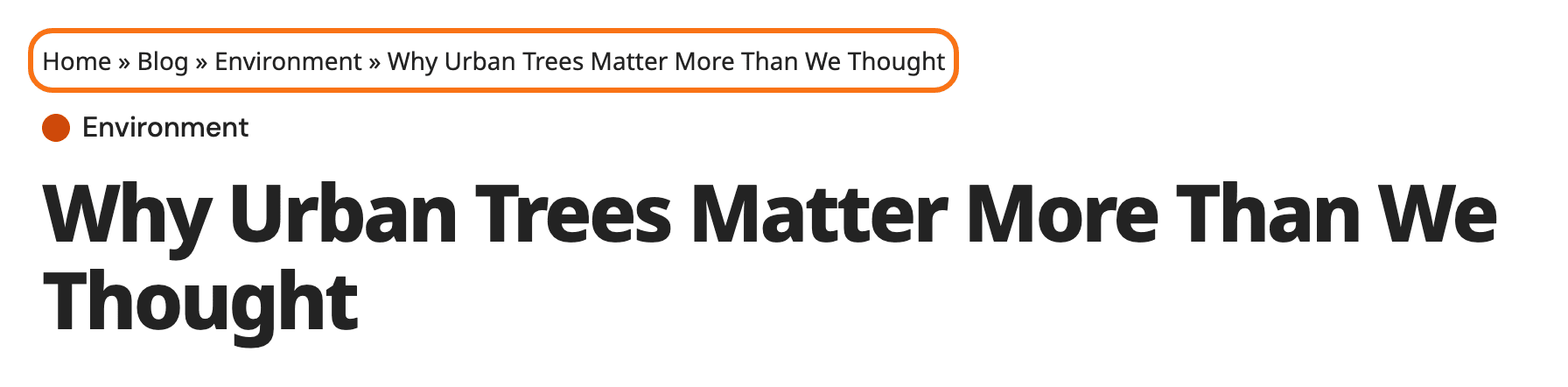
With Yoast SEO active, the Foxiz breadcrumb bar shows Yoast's trail. Its breadcrumbs are on by default, so the bar fills in straight away.
The theme takes Breadcrumb NavXT before Yoast SEO. While NavXT is active, nothing you set in Yoast changes the bar. Moving to Yoast's breadcrumbs? Deactivate NavXT first.
-
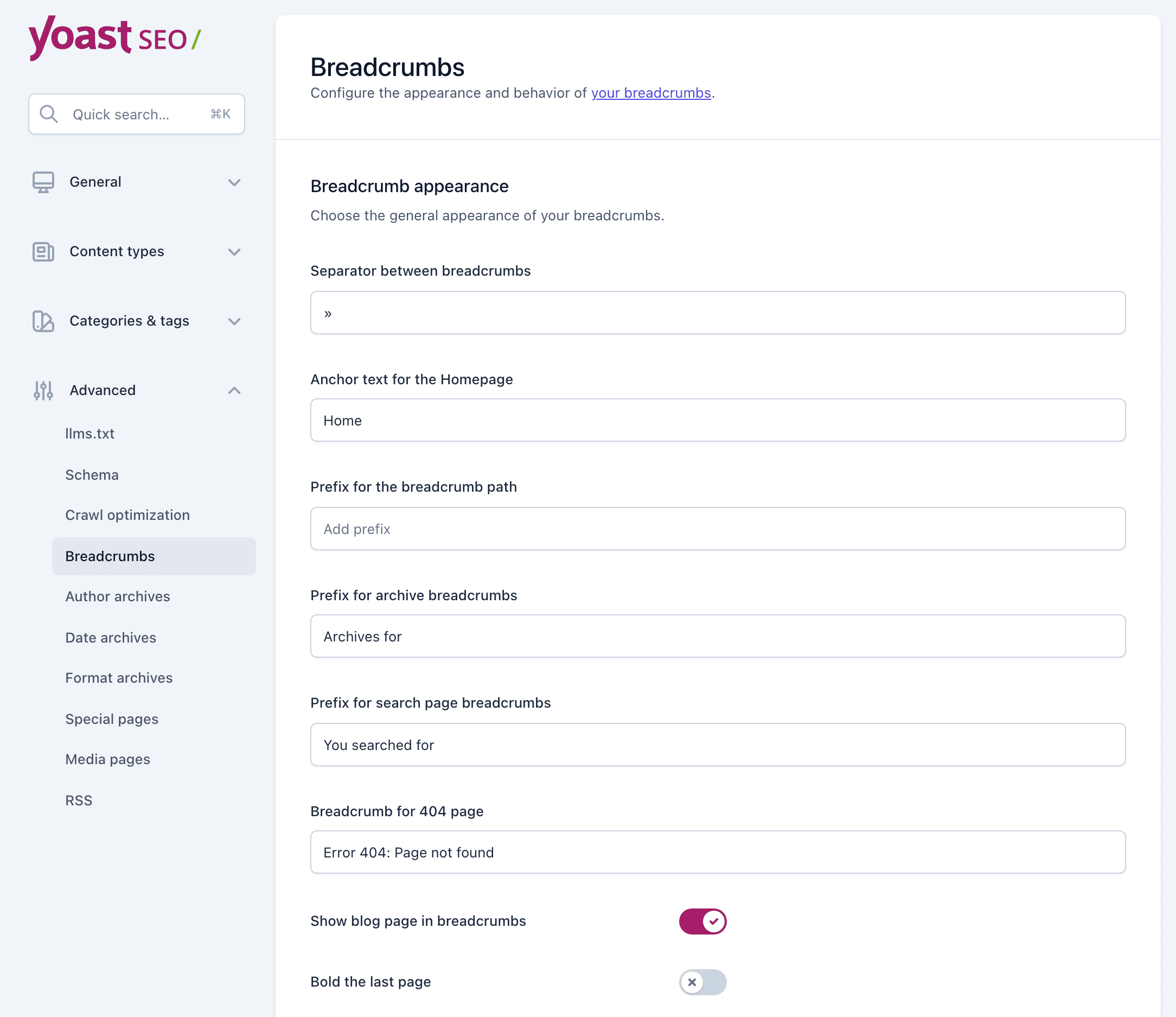
Navigate to Yoast SEO > Settings. In the list on the left, open Advanced and click Breadcrumbs.
-
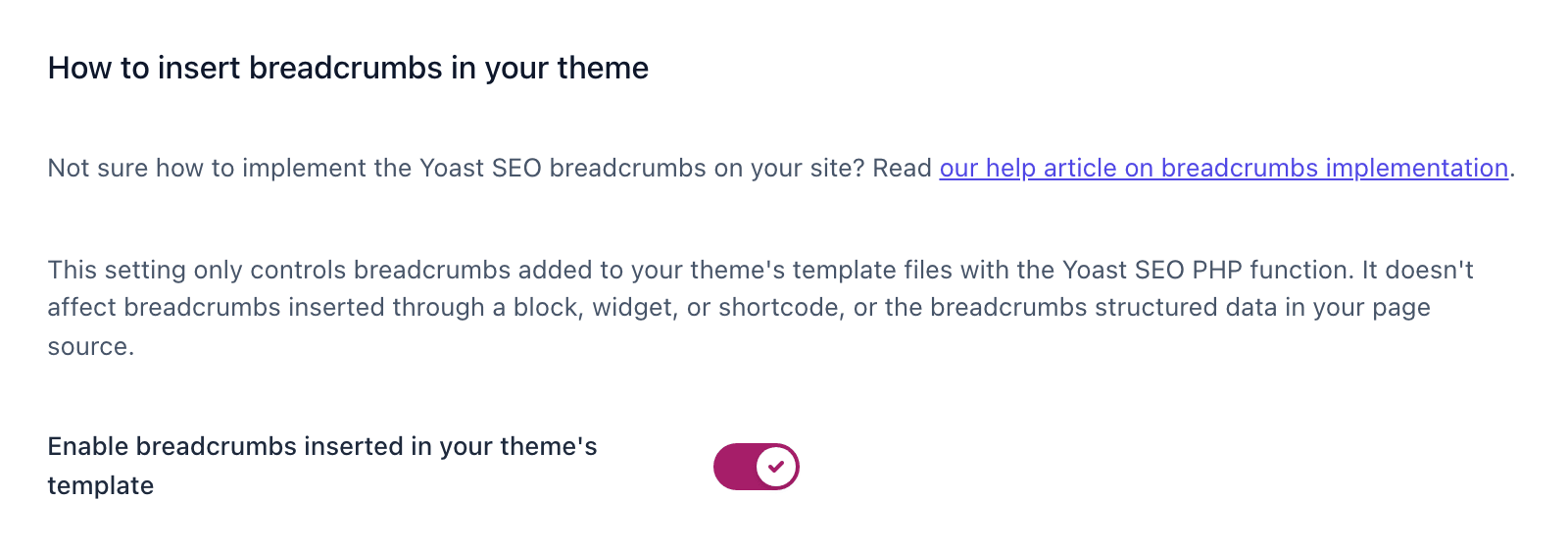
Scroll to the bottom, to How to insert breadcrumbs in your theme. Make sure Enable breadcrumbs inserted in your theme's template is on. It is on by default; with it off, the Foxiz bar stays empty.
-
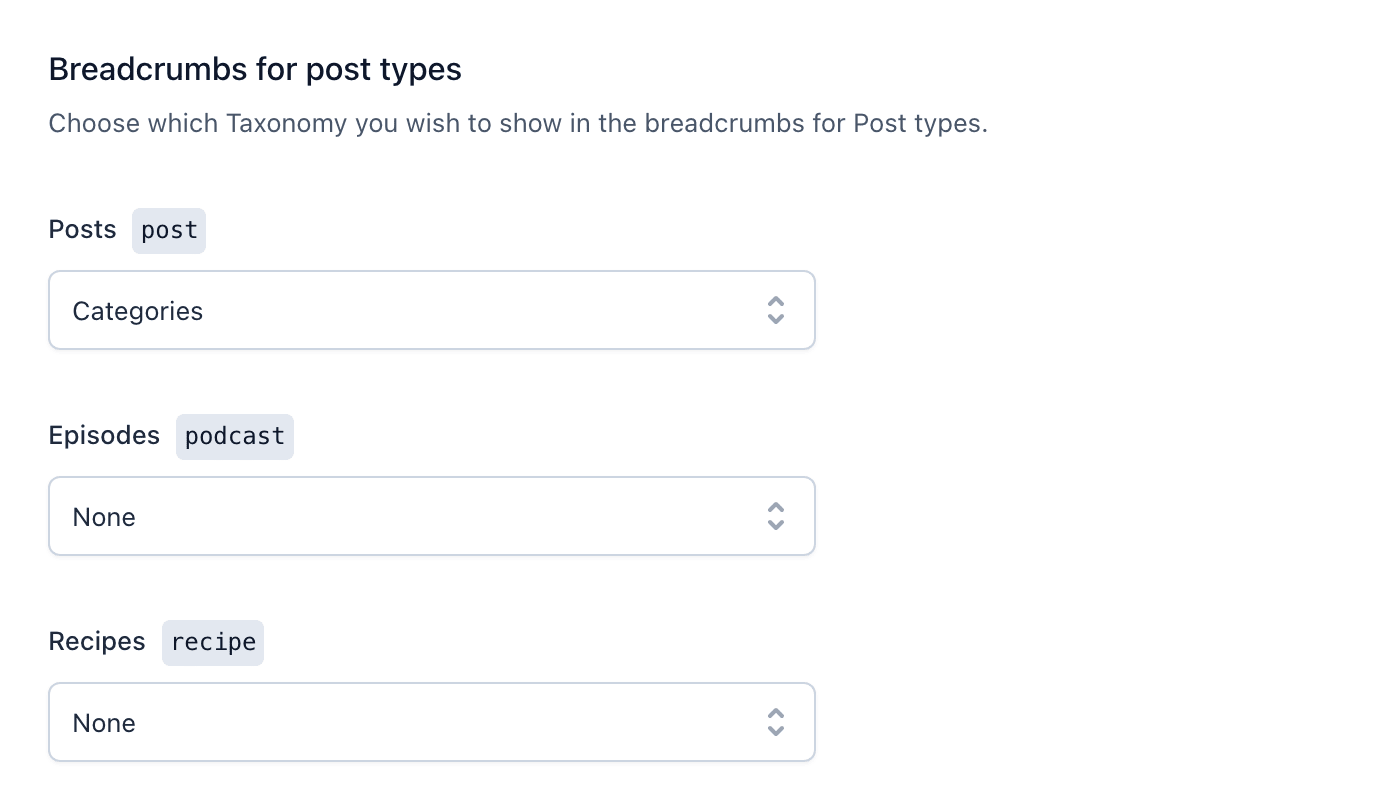
Under Breadcrumbs for post types, set Posts to Categories. Out of the box it is None, and a post's trail then skips its category. For most sites, pick Categories, so readers can click back to the category.
-
Change the look under Breadcrumb appearance if you like. The defaults are fine for most sites.
-
Click Save changes.
The fields under Breadcrumb appearance, with their defaults:
- Separator between breadcrumbs: the character between items, » by default.
- Anchor text for the Homepage: the first item, Home by default.
- Prefix for the breadcrumb path: text before the whole trail, empty by default.
- Prefix for archive breadcrumbs: Archives for by default.
- Prefix for search page breadcrumbs: You searched for by default.
- Breadcrumb for 404 page: Error 404: Page not found by default.
- Show blog page in breadcrumbs: on by default. It adds your posts page (here Blog) to a post's trail, but only when Settings > Reading shows a static page on the front and sets a posts page.
- Bold the last page: off by default.
Rank Math SEO
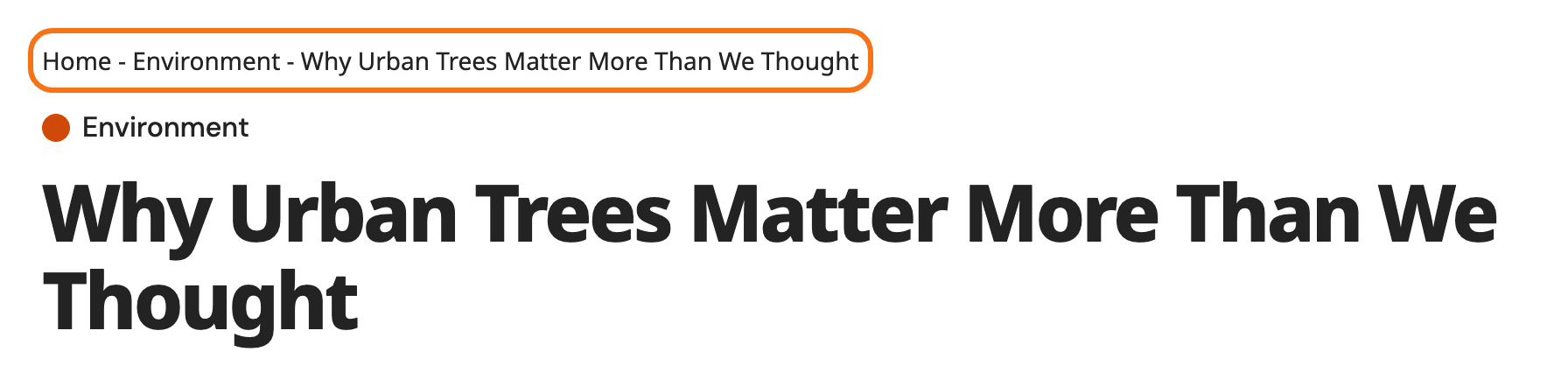
With Rank Math SEO active, the Foxiz breadcrumb bar shows Rank Math's trail. Its breadcrumbs start off, so the bar stays empty until you switch them on.
The theme takes Breadcrumb NavXT and Yoast SEO before Rank Math. While either is active, nothing you set in Rank Math changes the bar. Moving to Rank Math's breadcrumbs? Deactivate the other one first.
-
Navigate to Rank Math SEO > General Settings and click the Breadcrumbs tab.
No Breadcrumbs tab? Rank Math is in Easy Mode, which hides it. Go to Rank Math SEO > Dashboard, click Advanced Mode at the top, and come back.

-
Turn on Enable breadcrumbs function. The other breadcrumb fields appear below it.
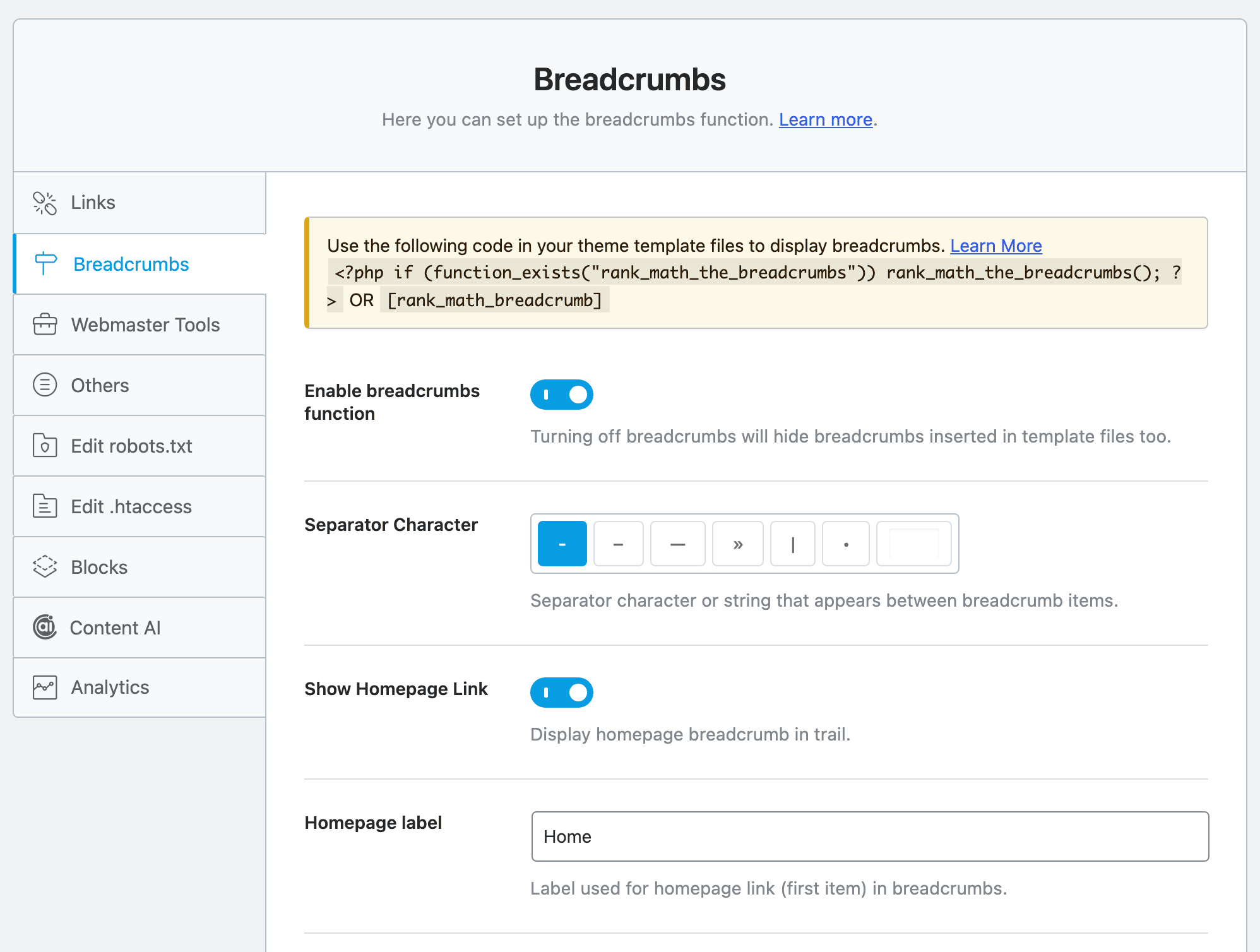
The yellow box above it asks you to add a line of code to your theme. Skip it: Foxiz already calls Rank Math's breadcrumbs for you.
-
Change the other fields if you like. The defaults are fine for most sites.
-
Click Save Changes.
Unlike Yoast, Rank Math puts the post's category in the trail without any extra setting.
The other fields, with their defaults:
- Separator Character: the character between items, - by default. Pick another one or type your own.
- Show Homepage Link: on by default.
- Homepage label: the first item, Home by default.
- Homepage Link: where that first item goes, your home page by default.
- Prefix Breadcrumb: text before the whole trail, empty by default.
- Archive Format: Archives for %s by default, where %s is the archive's name.
- Search Results Format: Results for %s by default, where %s is the search term.
- 404 label: 404 Error: page not found by default.
- Hide Post Title: off by default; on drops the post's own title from the end of the trail.
- Show Category(s): off by default; on shows every parent of a child category, not just the category itself.
- Hide Taxonomy Name: off by default; on drops the taxonomy name from the trail.
- Show Blog Page: off by default; on adds your posts page to the trail. Listed only when Settings > Reading shows a static page on the front and sets a posts page.
If you would like to remove the breadcrumb, turn Breadcrumb Bar off in Theme Options > Breadcrumb Bar, or set just the page type you want rid of to Disable.
Disabling the plugin also removes it, and that is what this article used to say. It is still fine for Breadcrumb NavXT, whose only job is breadcrumbs. Do not do it to Yoast SEO or Rank Math SEO: you would take the rest of your SEO setup down with the trail.
Did this answer your question?