How to Set a Primary Category for a Post?
Choose the primary category
A post in several categories shows all of them on its card in listings. Pick a primary category to show only that one. To get started, follow the steps below:
-
Navigate to Posts > All Posts and click Edit under the post's title.
-
At the bottom of the editor, click the Meta Boxes bar to open it, then find the Single Post Settings box.
-
Open the Primary Category & Tag tab.
-
Click into Primary Category, type in its Search categories... box and pick the category. Pick a category the post is already in, because whatever you choose here is what listings print.
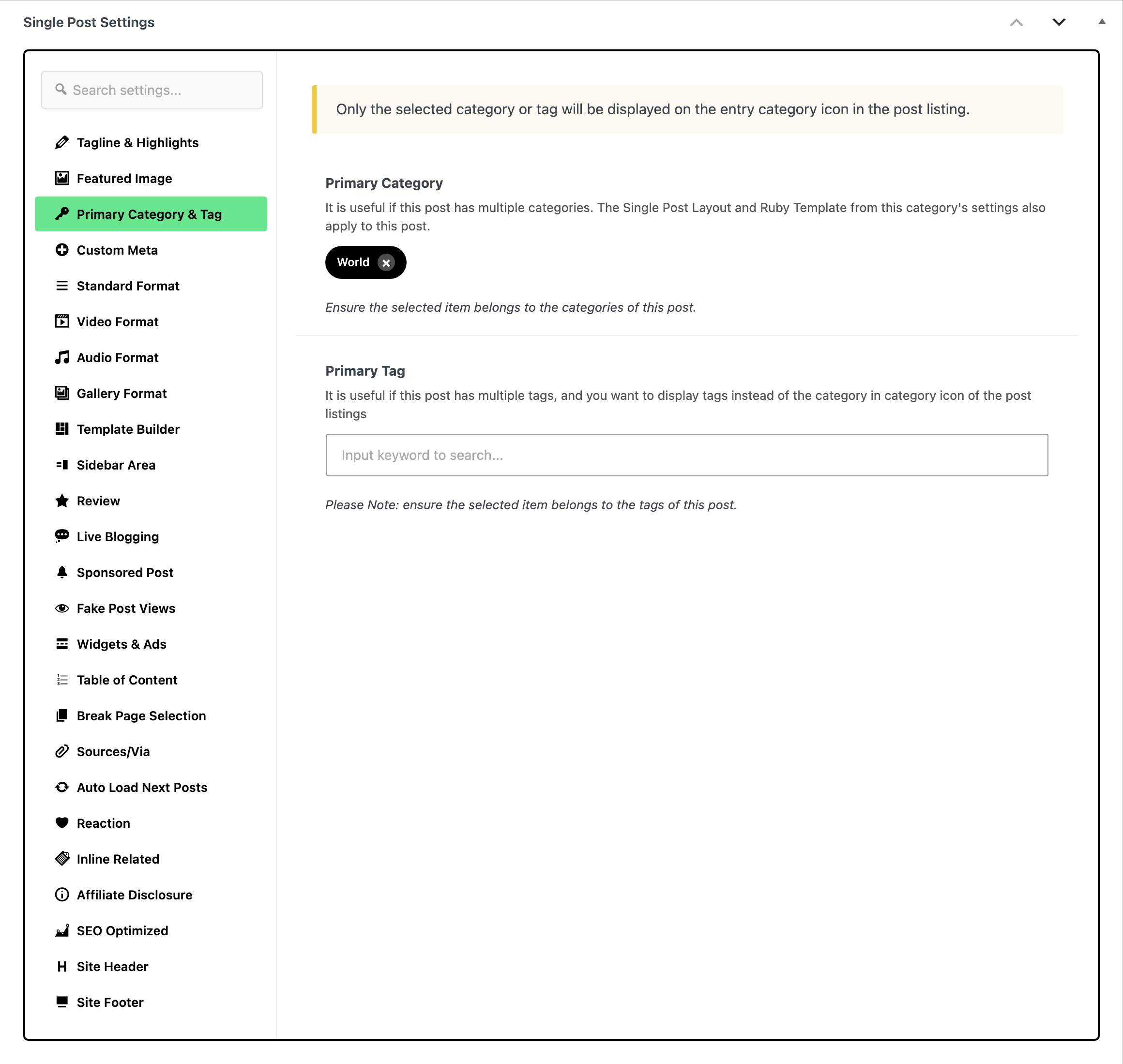
-
Click Save at the top of the editor to save your changes. Older versions of WordPress label it Update.
The same tab holds Primary Tag, which does the same job for posts whose listings show tags in place of categories.
If you leave it empty
Leave Primary Category empty and a listing prints every category the post is in, trimmed to the number in Theme Options > Theme Design > Entry Category > Max Category Icons if choose Category.
What else the primary category decides
The setting reaches further than the listing icon.
-
The category in the entry meta bar. Where a listing shows the category as text beside the author and the date, the primary category is what it shows.
-
The label at the top of the single post, but only on request. By default a single post lists all its categories and ignores this setting. Theme Options > Single Post > Entry Category > Primary Category is the switch that changes that, and it is off by default.
-
Which category's layout the post uses. A category can carry a Single Post Layout or a Use Ruby Template for Single Post Layout under Foxiz Category Settings. Foxiz applies the one belonging to this post's primary category. That holds only while the post's own layout is left on - Default -. A layout picked on the post itself wins. With no primary category set, the post takes whichever category WordPress returns first, so set one when you want a particular category's layout.
-
The breadcrumb trail. With Breadcrumb NavXT active (the breadcrumb plugin Foxiz supports first, see How to Enable and Disable Breadcrumb), Foxiz feeds it the primary category, so the trail follows the category you chose rather than one it picked.

Did this answer your question?