How to Use Prompt Mode with ChatGPT, Claude or Gemini
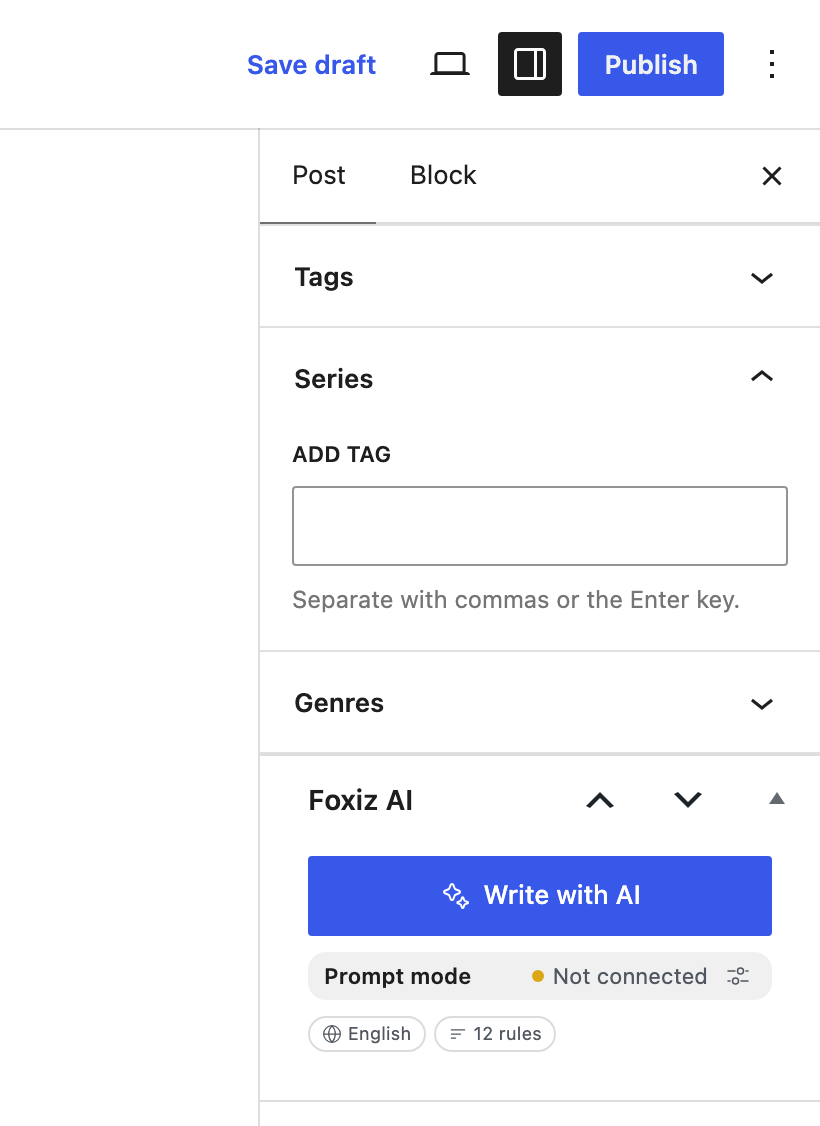
With no AI provider connected, Write with AI is in Prompt mode. Each request builds a prompt instead of an answer: the full instructions, your Writing Profile and style rules, and the post itself. You paste it into the web AI chat you already use, such as ChatGPT, Claude or Gemini, and bring the answer back.
It costs the site nothing: no API key, no tokens (the pieces of text a provider bills by), and Monthly Token Limit never stops it. It also works on WordPress older than 7.0, which has no Connectors.
The Foxiz AI box says Prompt mode, and a note at the top of the assistant window says why: no provider connected, a refused key, WordPress older than 7.0, or AI switched off for the site.
Run a request in your AI chat
-
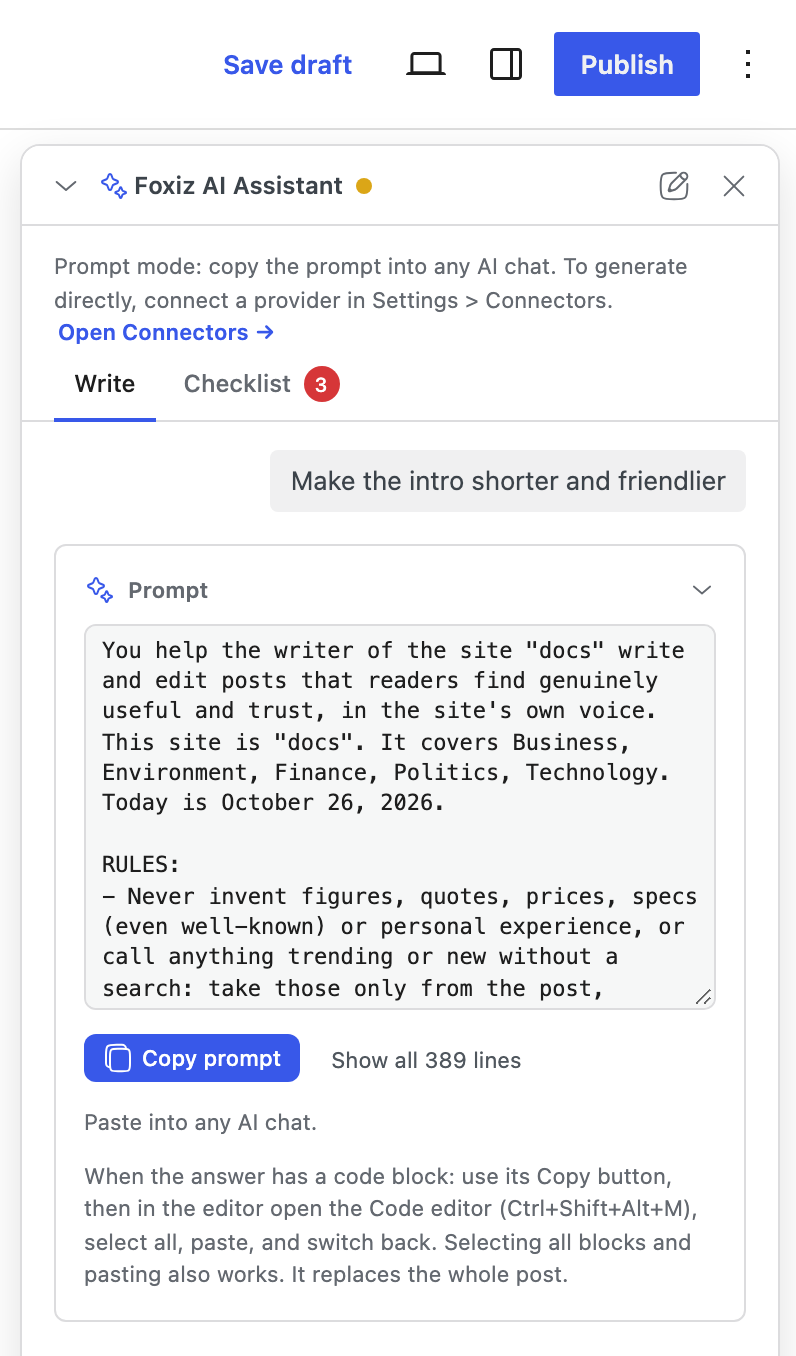
Ask in the panel exactly as you would with a provider: Get ideas, Describe my post, a request in the box, a Generate button on the Checklist tab, an Improve button or an SEO Fix.
-
The answer card holds the prompt. Click Copy prompt. A long prompt is folded after 12 lines; Show all … lines opens it, but you do not need to read it to copy it.
-
Open a new chat in ChatGPT, Claude or Gemini, paste the prompt and send it.
-
Bring the answer back into the post, as the next section shows. Nothing comes back into the panel by itself.
Bring the answer back
How you paste depends on what you asked for. The note under Copy prompt tells you which case you are in.
A title, excerpt, tagline, meta description, tags or categories
The chat answers in readable text, with a label for each part. Copy each one into its field:
-
The title at the top of the editor.
-
The excerpt in the Excerpt panel, and the tags and categories in their panels.
-
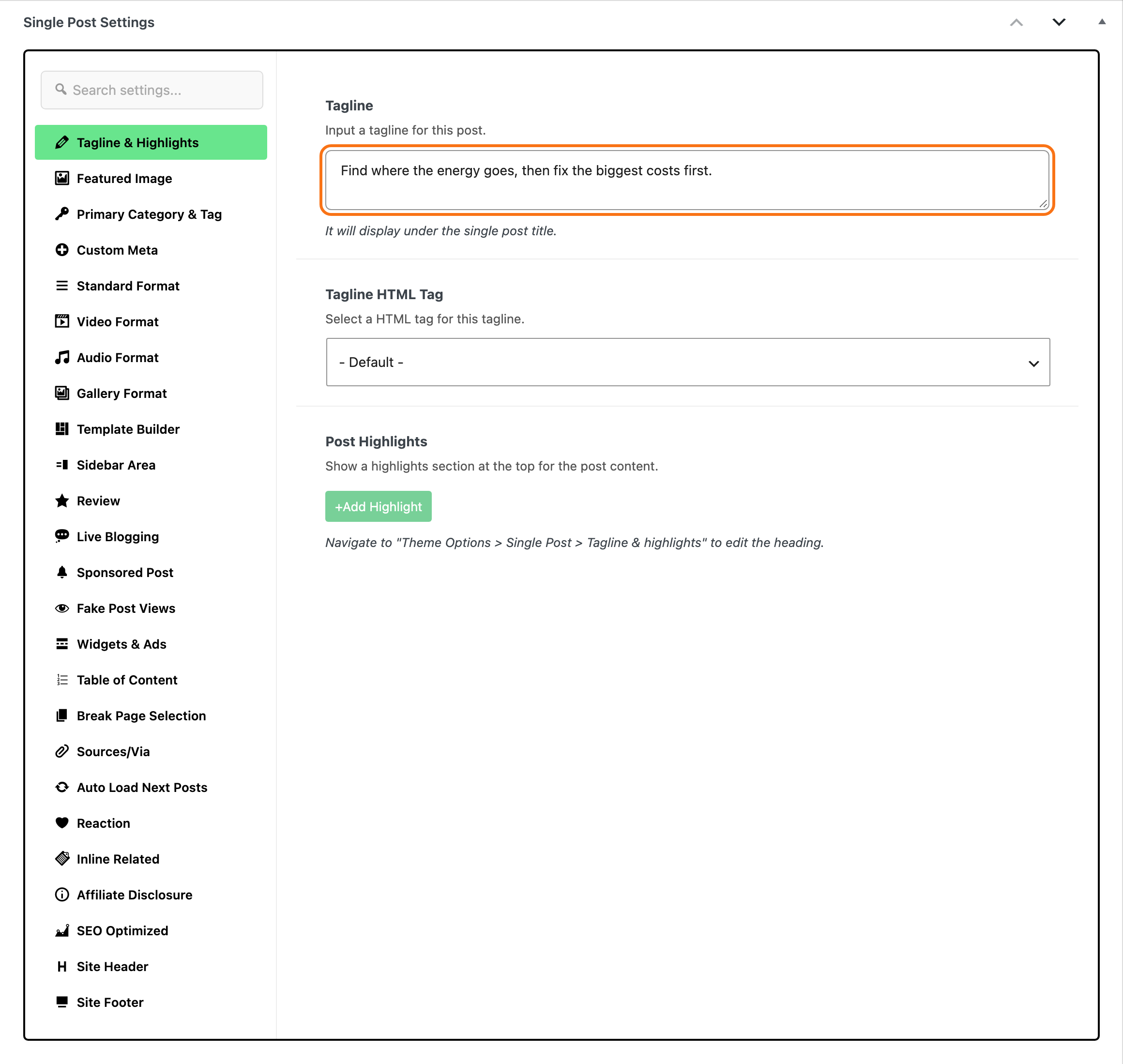
The tagline, the subtitle shown under the post title: at the bottom of the editor, click the Meta Boxes bar, find Single Post Settings and open its Tagline & Highlights tab. Paste it into Tagline.
-
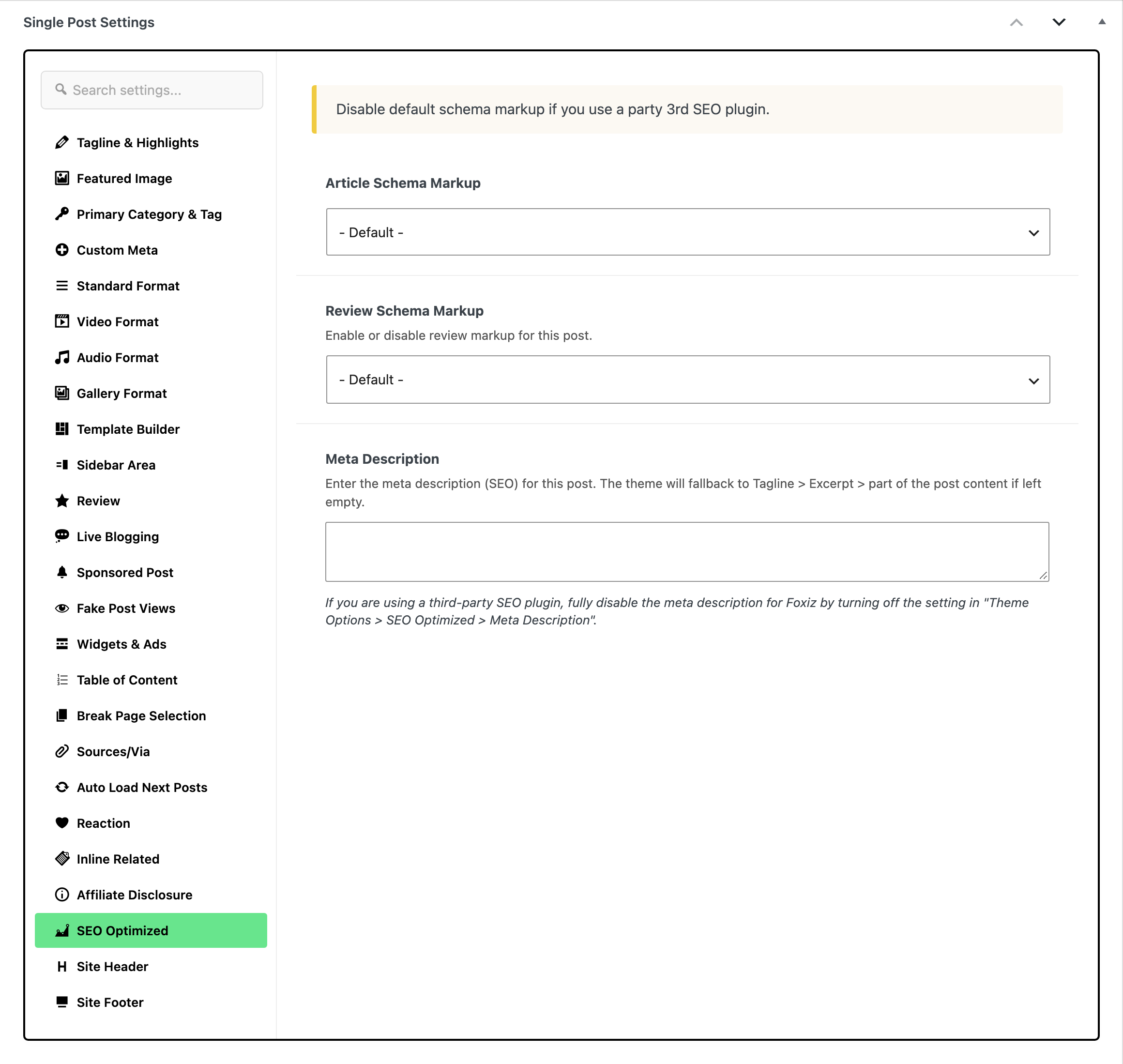
The meta description in the same Single Post Settings box: open its SEO Optimized tab and paste it into Meta Description. With Yoast SEO, Rank Math, All in One SEO or SEOPress active, paste it into that plugin's meta description field instead.
The post content
Anything that changes the post itself (a new post, an Improve button, a chat edit) asks the chat for the whole post back, in one code block, in your post's own markup. You paste it over the whole post:
-
In the chat, click the Copy button on the code block. Do not select the text with the mouse: that can copy escaped HTML instead of the markup.
-
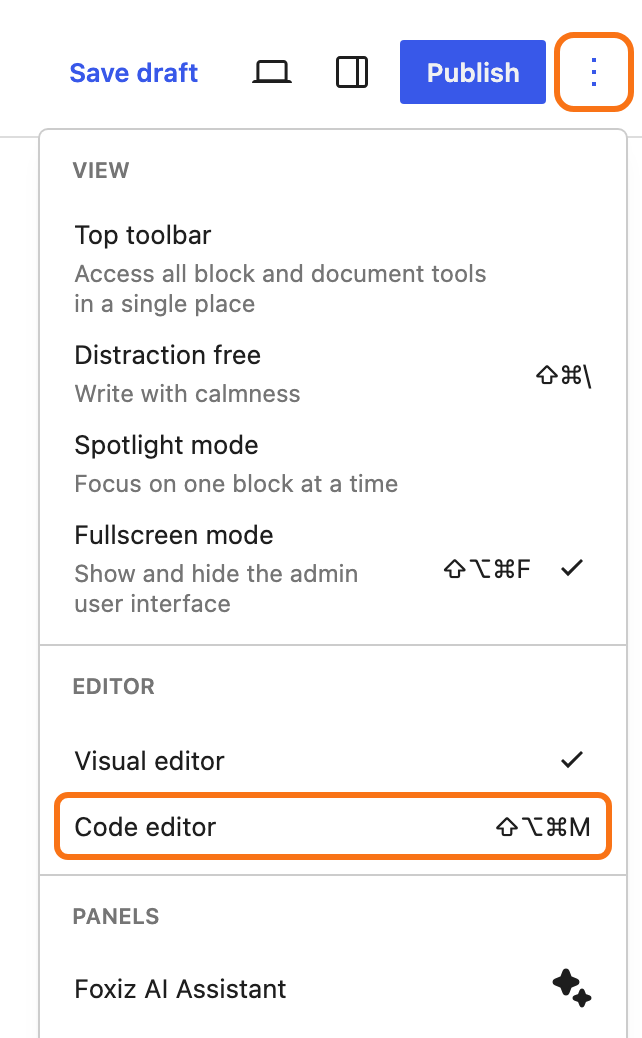
In the block editor, open the Code editor: Ctrl+Shift+Alt+M (Cmd+Shift+Option+M on a Mac), or Code editor in the Options menu.
-
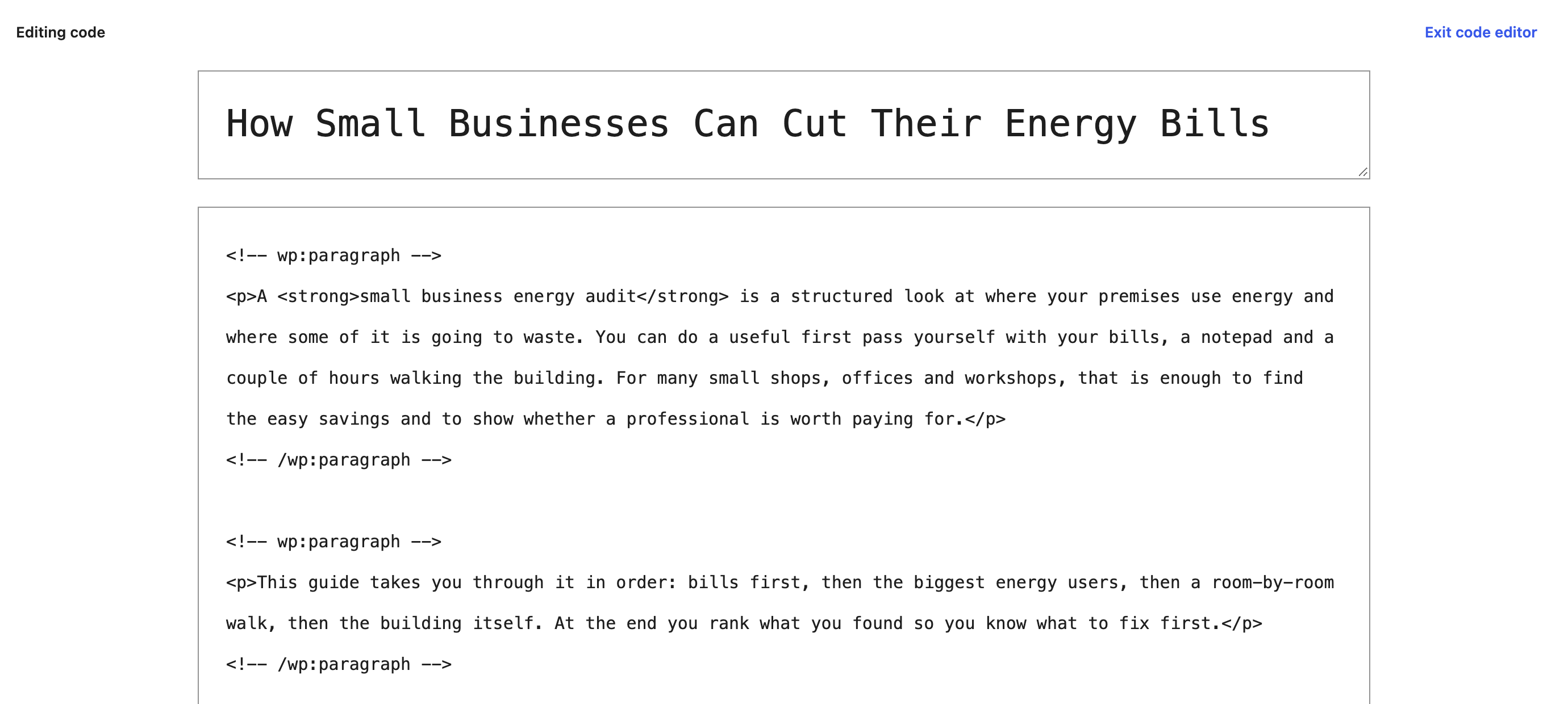
Click in the content, select all (Ctrl+A or Cmd+A) and paste.
-
Click Exit code editor. Your post shows the new version as blocks.
Selecting all blocks in the visual editor and pasting works too. In the Classic editor, select everything in the Code tab (Text in older WordPress) and paste over it.
The prompt tells the chat to copy every shortcode, image and block it does not change exactly as written, so they survive the paste. Still, glance at your images and embeds before saving, and use the editor's Undo (Ctrl+Z or Cmd+Z) if something went missing.
What Prompt mode cannot do
Two features need a connected provider:
- The guided steps for a new post (ideas, then a title, then an outline, then the content). In Prompt mode, Get ideas builds one prompt that asks your chat for ideas, and you carry on from there in the chat.
- Rewrite with AI on the block toolbar.
Even with a provider, a request that fails or is cut off offers Get the prompt instead, so you can finish it in a web chat.
Tips for Prompt mode
- One prompt, one fresh chat. Each prompt already carries the post, your profile and your rules. A long chat thread in ChatGPT or Claude mixes in earlier answers; a new chat gives exactly what the prompt asks.
- Use a strong model for content. A whole post comes back best from the best model your chat plan offers. For titles and tags, any model will do. Prompt mode uses whichever model your chat runs.
- Keep the panel open while you paste. The card stays in the chat history of the panel, so you can copy the prompt again if the chat answer was off.
- Ask follow ups in the panel, not in the chat, when you want the next answer to follow your profile and rules again. Each new request builds a new prompt with the post as it is now.
- Writing Style's Analyze My Posts works in Prompt mode too: see How to Teach the AI Your Writing Style.
Want answers straight in the editor instead? Connect a provider.
Did this answer your question?