Writing Profile
Set these once and every AI task writes the way your site does, so writers do not have to ask for the same tone and language on every post. They cover who you write for, the tone, the language, how simple the writing is, the voice, and how headings are capitalised.
Where: Foxiz > AI Assistant > Writing Profile, right under Enable Foxiz AI Assistant.
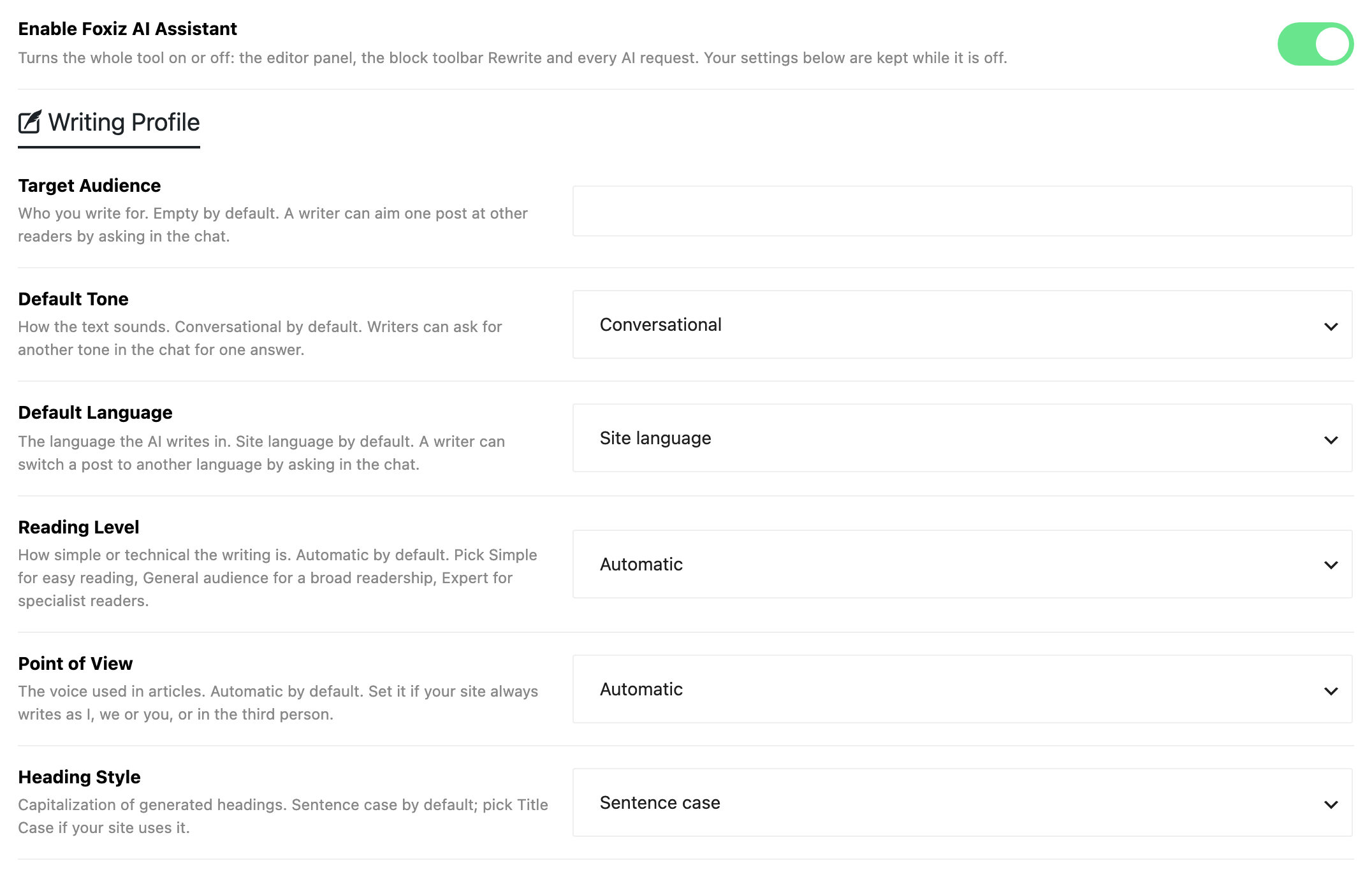
These are only defaults. A writer can ask for another audience, tone or language in the editor chat, for one post or one answer.
The fields
- Target Audience: who you write for, in a few words, such as "home cooks who want quick weeknight meals". Default: empty, so the AI writes for no audience in particular. Up to 300 characters.
- Default Tone: how the text sounds. Default: Conversational.
- Choices:
- Informative
- Conversational
- Professional
- Creative
- Journalistic
- Academic
- Technical
- Evaluative
- Biographical
- Argumentative
- Change tone on the block toolbar Rewrite uses the tone the writer picks there instead.
- Choices:
- Default Language: the language the AI writes in. Default: Site language, the language set in Settings > General. An English site writes in English.
- Pick another language when your posts are in a different language from the admin. The Foxiz AI box in the editor shows the language in use.
- The list holds every language WordPress can be translated into.
- Reading Level: how simple or technical the writing is. Default: Automatic, which sets no level.
- Simple (easy to read): plain words.
- General audience: clear for a broad readership.
- Expert: precise, for readers who know the subject well.
- Point of View: the voice used in articles. Set it if your site always writes as I, we or you, or in the third person.
- Choices: First person (I), First person (we), Second person (you) and Third person. Default: Automatic, which sets no voice.
- Heading Style: how generated titles and headings are capitalised. Default: Sentence case, where only the first word, names and acronyms get a capital. Pick Title Case, where Every Main Word Gets a Capital, if your site uses it.
Click Save Changes to keep your changes.
Related
- Writing Style: the goal, the site description and the rules, which work on top of this profile.
- How to Teach the AI Your Writing Style: the profile as part of setting the assistant up.
Did this answer your question?