Access & Limits
Decide who may use the AI Assistant and cap how much it can spend: answers per user, and tokens for the whole site each month. A debugging view of the prompts sits here too.
Where: Foxiz > AI Assistant > Access & Limits, the last section before Save Changes.
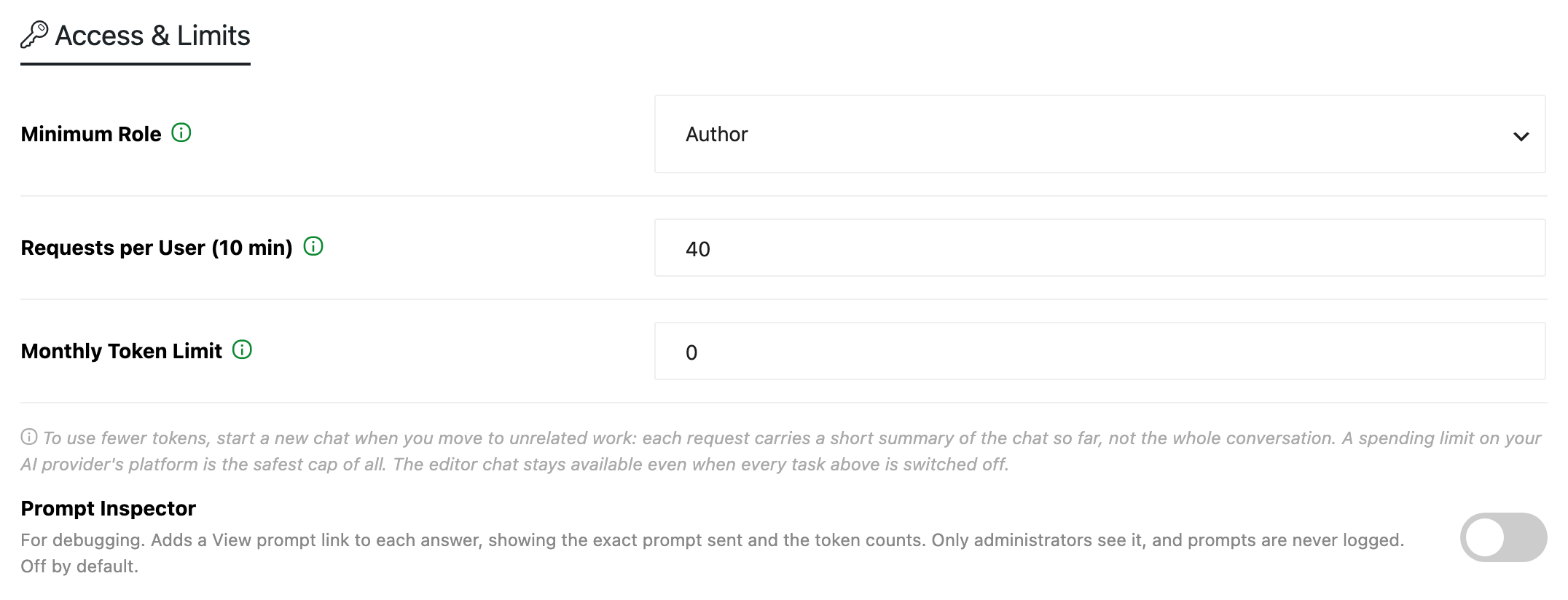
Minimum Role
Users below this role never see the assistant.
- Choices: Contributor, Author, Editor and Administrator. Default: Author.
- A custom role counts as the built in role whose permissions it has:
- Contributor: anyone who can edit posts.
- Author: anyone who can publish posts.
- Editor: anyone who can edit other people's posts.
- Administrator: anyone who can manage the site's options.
- A user also needs permission to edit the post they are on.
Requests per User (10 min)
How many AI answers each user can ask for in 10 minutes. Default: 40.
- From 1 to 1000. An empty field keeps the default.
- Administrators are not limited.
- Prompts made for a web AI chat have their own limit, three times higher: 120 by default.
- A writer who reaches it sees "Request limit reached. Try again in" and the minutes left.
Monthly Token Limit
Stops AI answers in the editor once the site has used this many tokens this month. Default: 0, which means no limit.
- Up to 1,000,000,000.
- It counts the whole site, administrators included, and the reader summaries of Summarize with AI in Connector API Mode.
- It resets on the 1st of each month. Reset usage data in Connection & usage restarts the count at once.
- Prompt mode keeps working after the limit, because it uses no tokens from the site.
What writers see as the site gets close:
- From 80% of the limit, the Foxiz AI box in the editor says how much of this month's limit is used.
- At the limit, a request answers "This month's AI token limit is used up." The writer can still copy the prompt into a web AI chat.
Tokens this month in Connection & usage shows how much of the limit is used.
Using fewer tokens
- Start a new chat for unrelated work. Each request carries a short summary of the chat so far. Click New chat in the assistant window when you move on to something else.
- Set a spending limit with your AI provider. Monthly Token Limit only counts what this site uses. A limit on your provider's own platform is the safest cap of all.
Prompt Inspector
For debugging. Adds a View prompt link to each answer in the editor, showing the exact prompt sent and its token counts. Off by default.
- Only administrators see the link, even with the switch on.
- Prompts are never logged.
Click Save Changes to keep your changes.
Related
- Connection & usage: this month's tokens and requests, by task, by model and by user.
- Tips for Better Results with AI: what to do when a writer hits a limit.
- Every Setting in the Summarize with AI Panel: the reader summary's own Hourly Limit, on top of this one.
Did this answer your question?