How to Create a Sticky Sidebar in Elementor Page
Follow these steps to turn a column into a sidebar and make it sticky on an Elementor page.
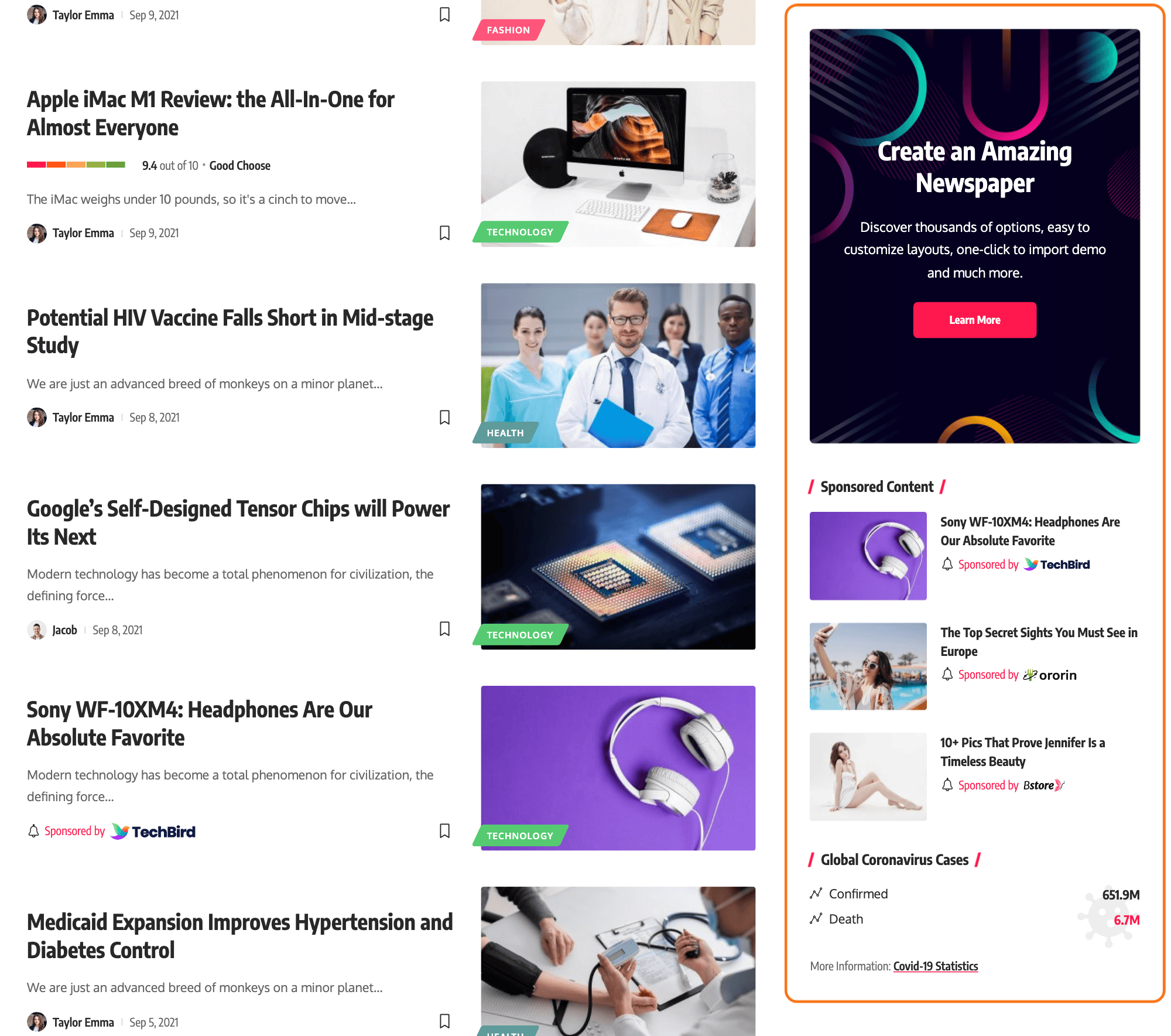
Add the sidebar classes
Please follow the steps below:
-
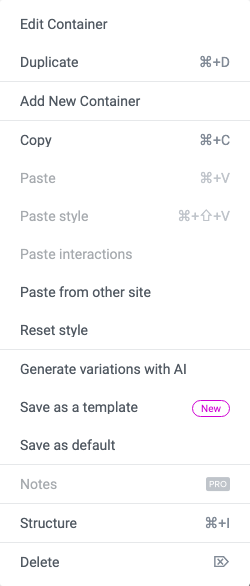
Select a column for your sidebar. On a site built with Elementor containers, which is every new site, that is the container holding your sidebar blocks: right click its handle and choose Edit Container.
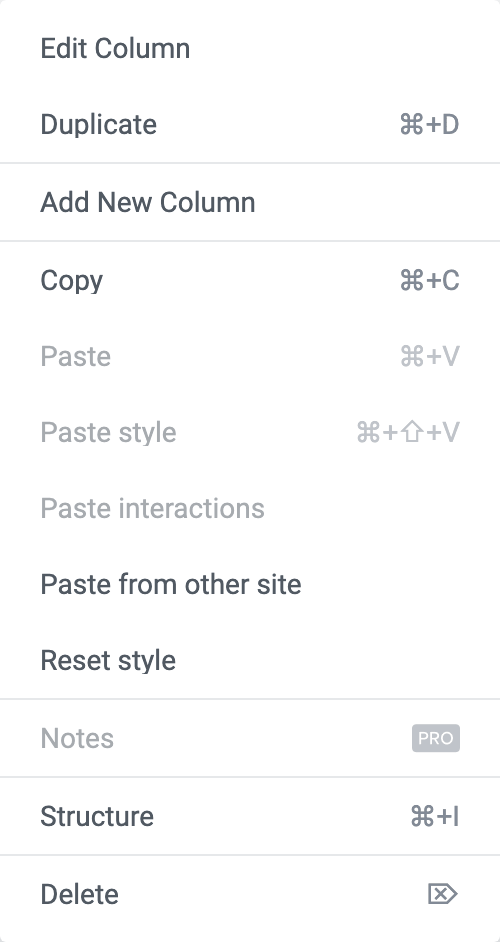
On an older site built with sections and columns, right click the column and choose Edit Column. The theme carries rules for both, so nothing else in these steps changes.
-
In the settings panel, navigate to Advanced > CSS Classes
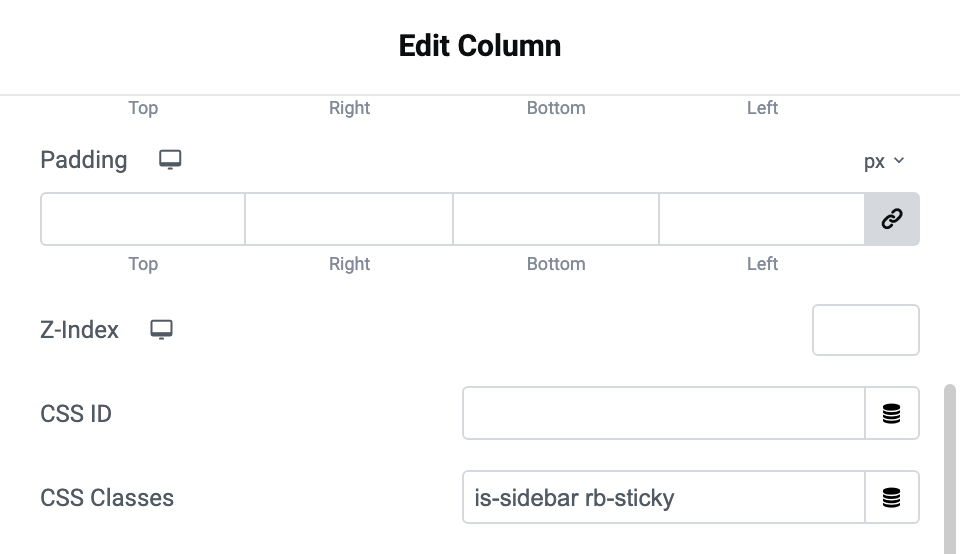
The field is in the Layout section at the top of that tab, under CSS ID.
-
Input the text as below:
is-sidebar rb-sticky -
Click Publish to save your changes.
What each class does
is-sidebar - this CSS classname will limit the width of the sidebar on the tablet devices
Exactly: between 768px and 1024px wide it caps the column at 420px and centres it, so the sidebar sits under the content rather than stretching. It does nothing at any other width.
rb-sticky - this classname will make the sidebar sticky on the screen when you scroll through its parent section.
This one is the opposite way round: it only applies at 1025px and wider, so a sidebar that does not stick on a laptop window narrowed past that point is behaving correctly.
It is plain CSS position: sticky rather than a script, and it rests 12px below the top of the window. Two things move that down automatically: the WordPress admin bar takes it to 44px, and a sticky site header pushes it below the header instead of underneath it.
On a column the class makes the column's contents stick; on a container the container itself sticks. Either way the theme also sets the parent to align its children to the top, because a stretched column has nothing to scroll past.
Sticky sidebars on the rest of the site
To set sticky sidebar for the rest of your site, navigate to Theme Options > Sidebars > Sticky Sidebar
It is a dropdown, not a switch. The choices are - None -, Sticky Sidebar and Sticky Last Widget. Its default is - None -, so sidebars elsewhere on the site do not stick until you change it. Sticky Last Widget is the one for a long sidebar, where sticking the whole thing would leave most of it off screen.
Did this answer your question?