Jetpack Top Posts
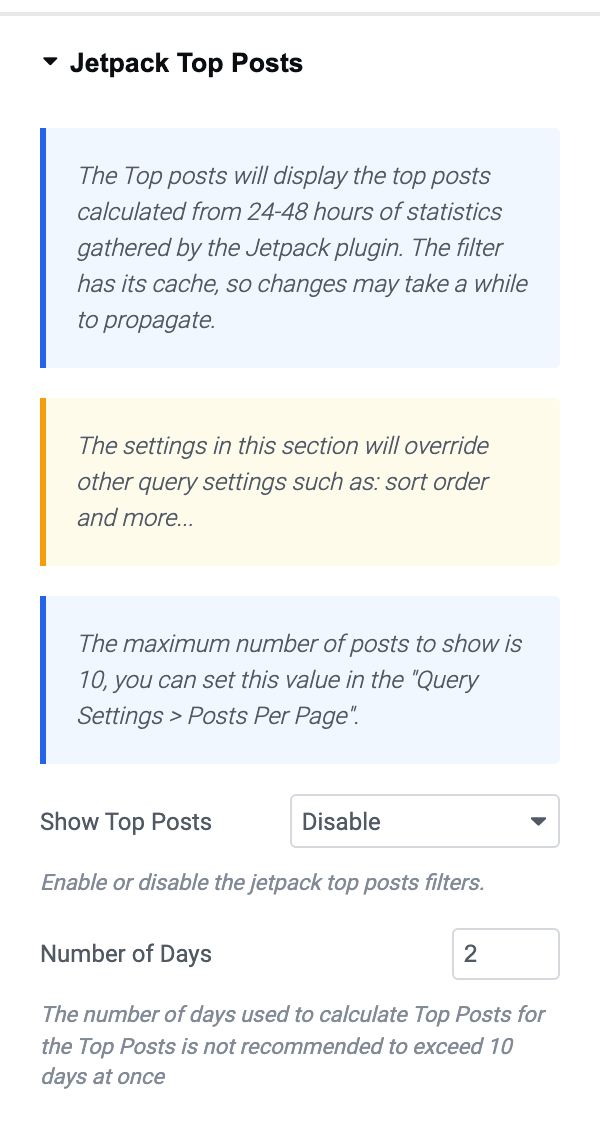
The Jetpack Top Posts feature displays the top-performing articles based on statistics collected by the Jetpack plugin over the past 24-48 hours. It uses a cached filter, so changes may take some time to propagate.
This feature is supported by 26 blocks, not only the flex ones:
- Classic: Foxiz - Classic
- Grids: Foxiz - Grid 1, Foxiz - Grid 2 and Foxiz - Small Grid
- Boxed grids: Foxiz - Boxed Grid 1 and Foxiz - Boxed Grid 2
- Flex grids: Foxiz - Flex Grid 1 and Foxiz - Flex Grid 2
- Lists: Foxiz - List 1, Foxiz - List 2 and Foxiz - Flex List
- Small lists: Foxiz - Small List 1, Foxiz - Small List 2 and Foxiz - Small List 3
- Boxed lists: Foxiz - Boxed List 1 and Foxiz - Boxed List 2
- Overlays: Foxiz - Overlay, Foxiz - Flex Overlay and Foxiz - Highlight Overlay
- Hierarchical: Foxiz - Hierarchical 1, Foxiz - Hierarchical 2 and Foxiz - Hierarchical 3
- Breaking news: Foxiz - Breaking News
- Podcast: Foxiz - Podcast Flex Grid, Foxiz - Podcast Flex List and Foxiz - Podcast Flex Overlay

For this option to appear on blocks within Elementor, you need to install and activate the Jetpack plugin first.
The section is not hidden when Jetpack is missing, it is never built: the whole Jetpack Top Posts panel is inside a check for Jetpack's version constant. Activate Jetpack, then reload the editor.
To use Jetpack Top Posts, follow the steps below:
-
Navigate to Pages > All Pages.
-
Select a page you would like to edit or add a new page, and click on the "Edit with Elementor" link.
-
The website will redirect to another URL and the panel will appear on the page. Then click the block you would like to edit.
-
In the "Content" tab, you will find the option "Jetpack Top Posts"
 note
noteThe settings in this section will override other query settings such as: sort order and more...
The maximum number of posts to show is 10, you can set this value in the "Query Settings > Posts Per Page". That sentence is the panel's own; the field it names is called Number of Posts in the Query Settings section.
What the override means in practice: the block's posts become the list of ids Jetpack returned, in the order Jetpack returned them, so whatever you had set for sort order stops mattering. Category and tag filters are still applied on top of that list.
-
In the "Jetpack Top Posts" section, you will find the option for "Show Top Posts". Then select "Enable"

It has two values, Enable and Disable, and it arrives on Disable, so nothing changes until you switch it.
-
Number of Days: The number of days used to calculate Top Posts for the Top Posts is not recommended to exceed 10 days at once
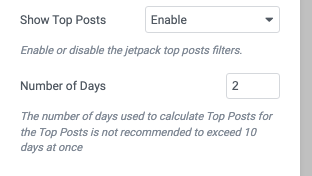
Left alone it is 2, which matches the 24 to 48 hours in the description at the top of this article.
On a WordPress.com hosted site one more control appears below it, Order Top Posts By, offering Views and Likes and starting on Views. It is not built anywhere else.
-
Click "Publish"
If the block then looks exactly as it did before, Jetpack has returned no statistics yet. The theme asks Jetpack for the list, gets an empty one, and the block falls back to its ordinary query rather than showing an error. Give the stats a day and check again, and check that Jetpack's Stats module is connected, because the theme also gives up when Jetpack's stats class is not loaded.
Did this answer your question?