Structuring Layouts for Flex Blocks in Elementor
Choose which parts of each post a flex block shows, and in what order: the image, the category, the title, the meta line, the excerpt and more.

To get started, follow the steps below:
-
Navigate to Pages > All Pages.
-
Select a page you would like to edit or add a new page, and click on the "Edit with Elementor" link.
-
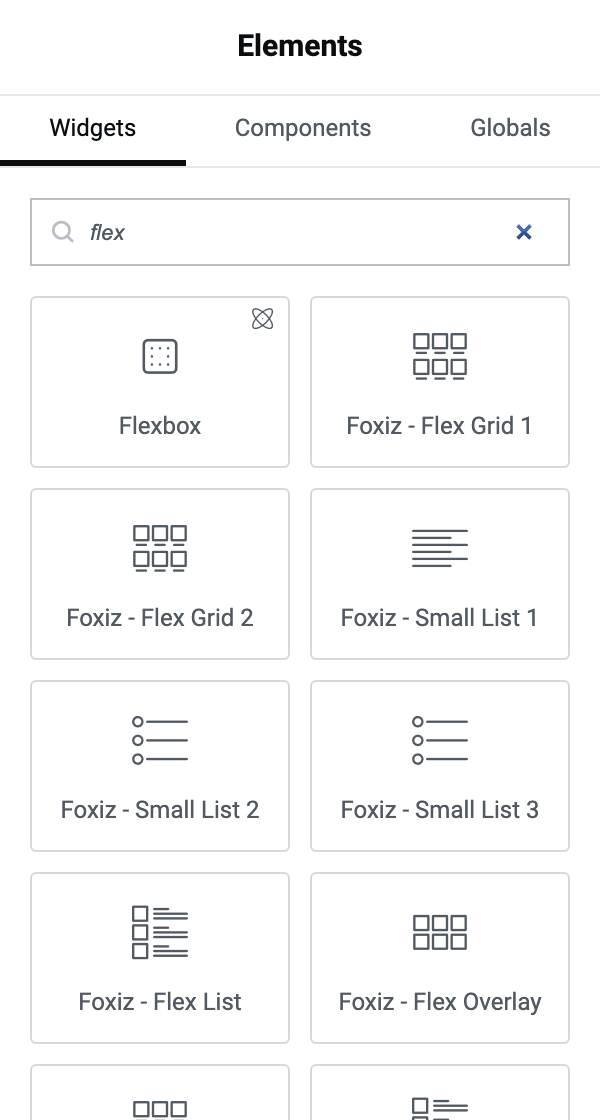
The website will redirect to another URL and the panel will appear on the page. Then you can search "flex" blocks in the Elementor.
-
After you search "flex", you can drag and drop blocks inside.
-
Click on the "Style" tab, and you will find the "Block Structure Order" option within the "Block Structure" section.
-
Here, you can input keywords, separated by commas.
Seven keys work in the flex blocks:
category,title,meta,excerpt,review,readmore,dividerThe last three are not obvious from their names:
review: the post's review score, on posts that have a review.readmore: a Read More link to the post.divider: a thin line between two parts.
Grid blocks accept two more, because they are the only ones that draw the image inside the structure:
thumbnailandimages.thumbnail: the featured image.images: a small row of the pictures inside the post's content, three across by default.
In Foxiz - Flex Grid 1 and Foxiz - Personalized Grid 1,
thumbnaildraws the image with the category label on it, andcategoryon its own draws nothing. Foxiz - Flex Grid 2 and Foxiz - Personalized Grid 2 draw the two separately.noteOlder instructions list
thumbnailas though it worked everywhere and leavecategoryout altogether. In a list or overlay flex block the thumbnail sits outside the structure and the key does nothing, whilecategoryworks in all of them but the two Grid 1 blocks above.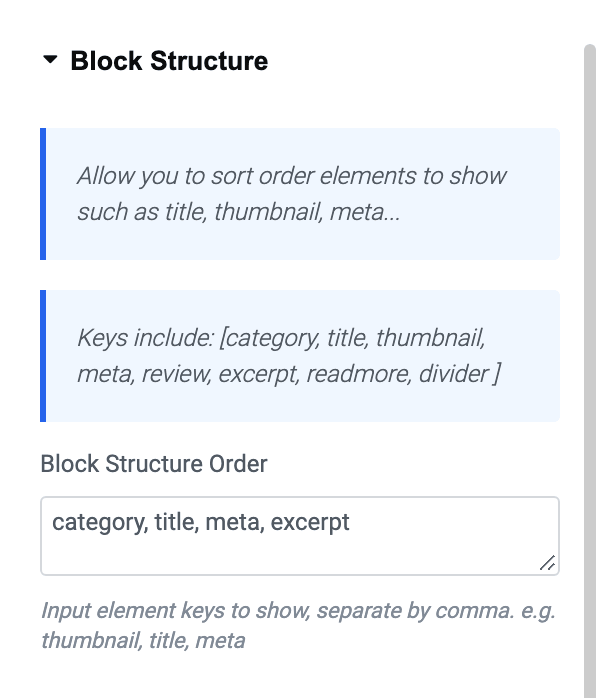
-
Click "Publish"
Leaving the field empty does not give you the order shown in the greyed out placeholder. Each block falls back to a short structure of its own: a list flex block draws title, excerpt, meta, and an overlay flex block draws category, title, meta.
Anything you leave out of the list is not drawn at all, so the field controls what appears as much as it controls the order.
Did this answer your question?