Unique Post, Remove Duplicate posts
This query filter stops your homepage and other Elementor pages from showing the same post twice.
Each block with it switched on excludes every post already shown by a block above it on the same page. The theme starts keeping that list the moment the header finishes rendering, which is why position on the page is what decides the outcome.
Unique Post is set on each Elementor block rather than once for the whole site. That lets you control the query of featured blocks and the offset setting block by block.
To enable the Unique Post, please follow the steps below:
-
Navigate to the Live Editor and select a block you would like to edit
Twenty three blocks have the setting, and they are the post listings: every grid, every list, every overlay, the three Foxiz - Hierarchical blocks, Foxiz - Classic and Foxiz - Breaking News.
-
Select the "Content" tab, then find "Unique Post"
It is a section of its own, not a field inside Query Settings, and it holds a warning notice and a single dropdown of the same name.
-
Select “Enable”
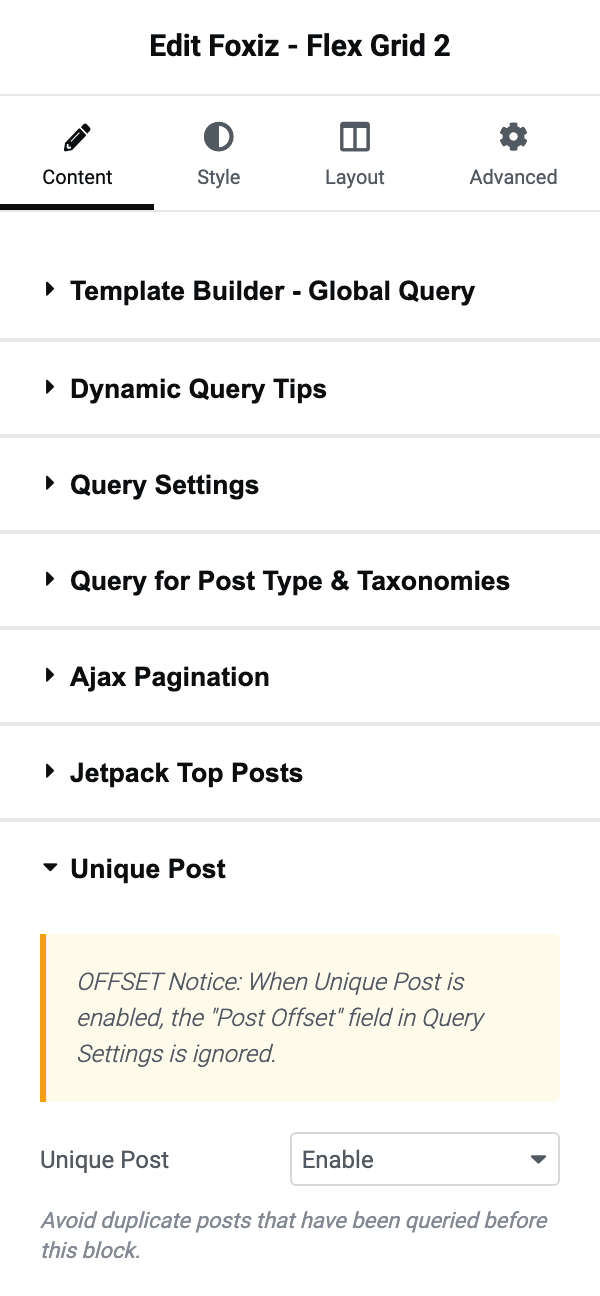
The other choice is Disable and that is a block's default, so this is off everywhere until you turn it on block by block.
-
Click on the "Publish" button.
Do not judge the unique filter from the Elementor live editor. Whenever you change a block, the editor redraws that block on its own, without the posts the other blocks show, so in the editor it can repeat them. The published page applies the filter in page order, so check the result there.
Please note:
-
We recommend enabling unique posts on the blocks lower down the page. For the top blocks, you can use tag or offset filters to avoid the duplication.
This is the whole trick and it follows from how the list is built. A block only knows about the blocks the page has already rendered, so the first block on a page has nothing to exclude and the last one has everything.
-
Leave the offset setting blank on all unique blocks. Your page may miss posts if you add offset value to unique blocks.
The theme now settles that argument for you. When Unique Post is on, Post Offset is dropped rather than applied, so the two cannot fight and no posts go missing. The advice still holds, because an offset you set on a unique block does nothing and will puzzle you later. The notice above the Unique Post switch and the help under Post Offset both say the offset is ignored.
Did this answer your question?