How to Create the Easy Submission Pages
Easy Post Submission works from three pages. Each one holds a shortcode:
| Page | Shortcode | Who it is for |
|---|---|---|
| Submission form | [easy_post_submission_form id=1] | anyone allowed to submit |
| Post list | [easy_post_submission_manager] | a signed in writer, to see their own posts |
| Edit page | [easy_post_submission_edit] | a signed in writer, to edit one of them |
This is step 3 of How to Let Visitors Submit Posts with Easy Submission. If you ran the setup wizard with every item switched on, the three pages exist already as "Submit a Post", "Review and Manage Your Posts" and "Edit Your Submission". Open them to check, then go to Link the form from your site.
Login and registration pages are a separate choice: How to Set Up Login for Easy Submission.
The submission form page
The form is a shortcode, not a block or an Elementor widget.
-
Go to Foxiz > Easy Submission > Forms Overview. Each form is a card with its shortcode printed under the name. Copy it.
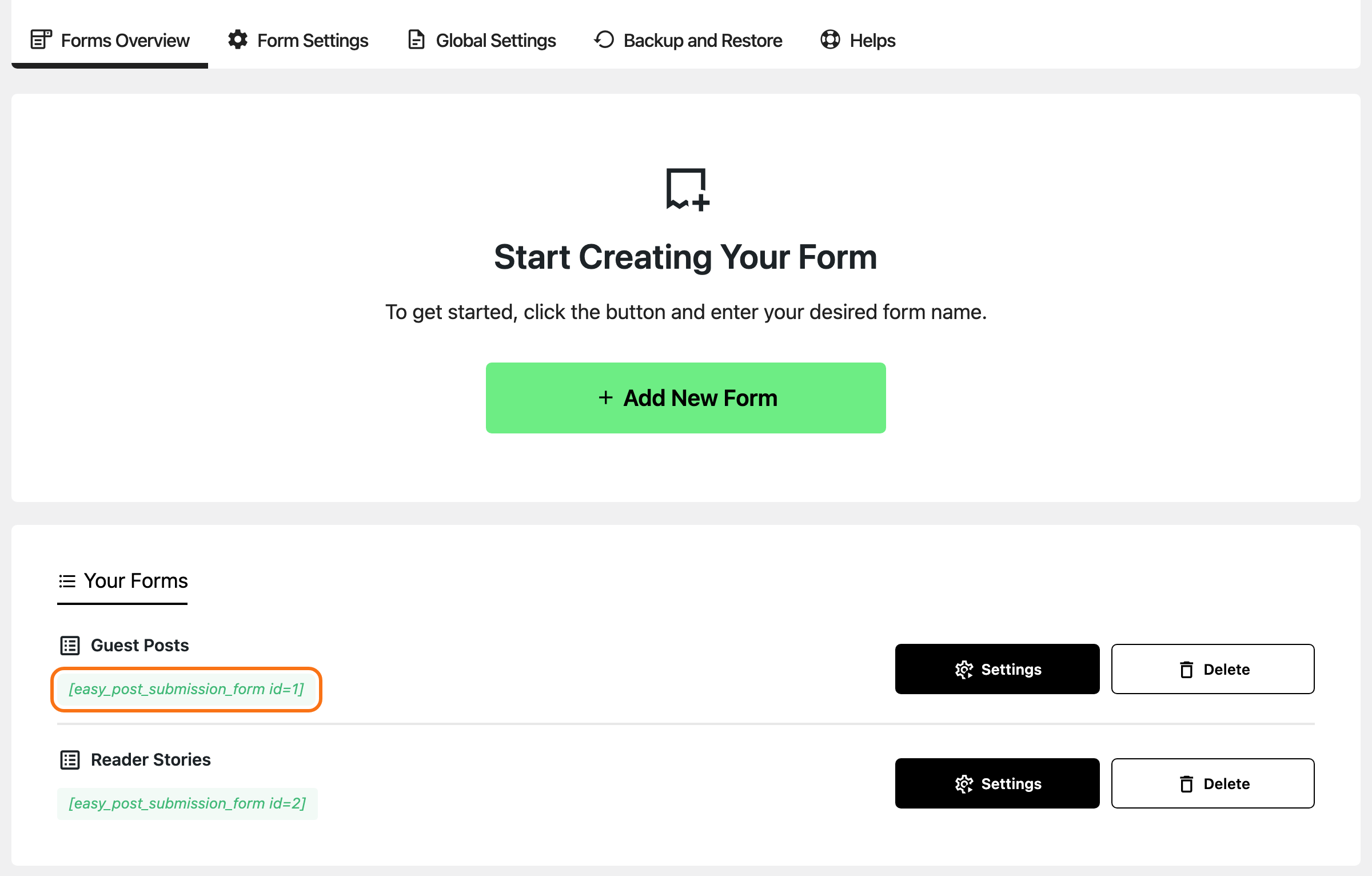
-
Create a page and paste the shortcode into a Shortcode block. In Elementor, use the Shortcode widget; a text widget works too.
![A new page in the block editor with a Shortcode block holding [easy_post_submission_form id=1]](/docs/assets/images/how-to-create-the-easy-submission-pages-shortcode-block@2x-b464f2ffac4efb7b94b5e5fa36dfc9fc.png)
-
Publish the page.
The id is the form's number. To make another form, click Add New Form, type a name and click Save New Form. Two forms on two pages can have different settings.
The editor does not draw the form. In the block editor the Shortcode block shows only the shortcode, as in the picture above, and in Elementor's editor the widget can show a grey "Easy Post Submission Form Placeholder" box instead. The real form draws on the published page: view the page to check it.
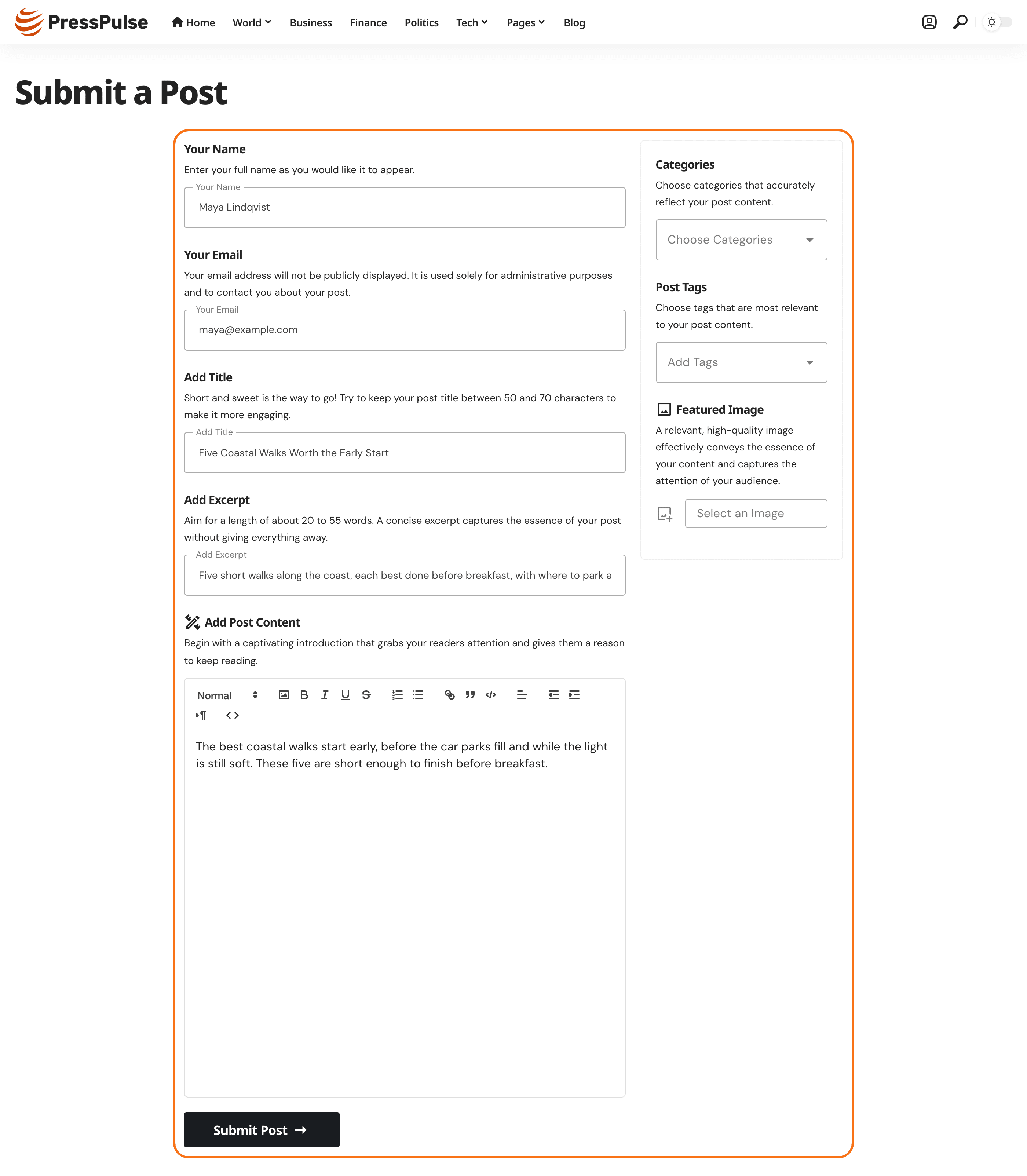
If the page says "This submission form has been removed by the webmaster. Please check back later.", the id matches no form. The form was deleted, or the number is wrong.
The post list page
-
Create a page holding
[easy_post_submission_manager]and publish it. -
Go to Foxiz > Easy Submission > Global Settings > User Posts Management.
-
Put the page's address in Post Manager Page URL.
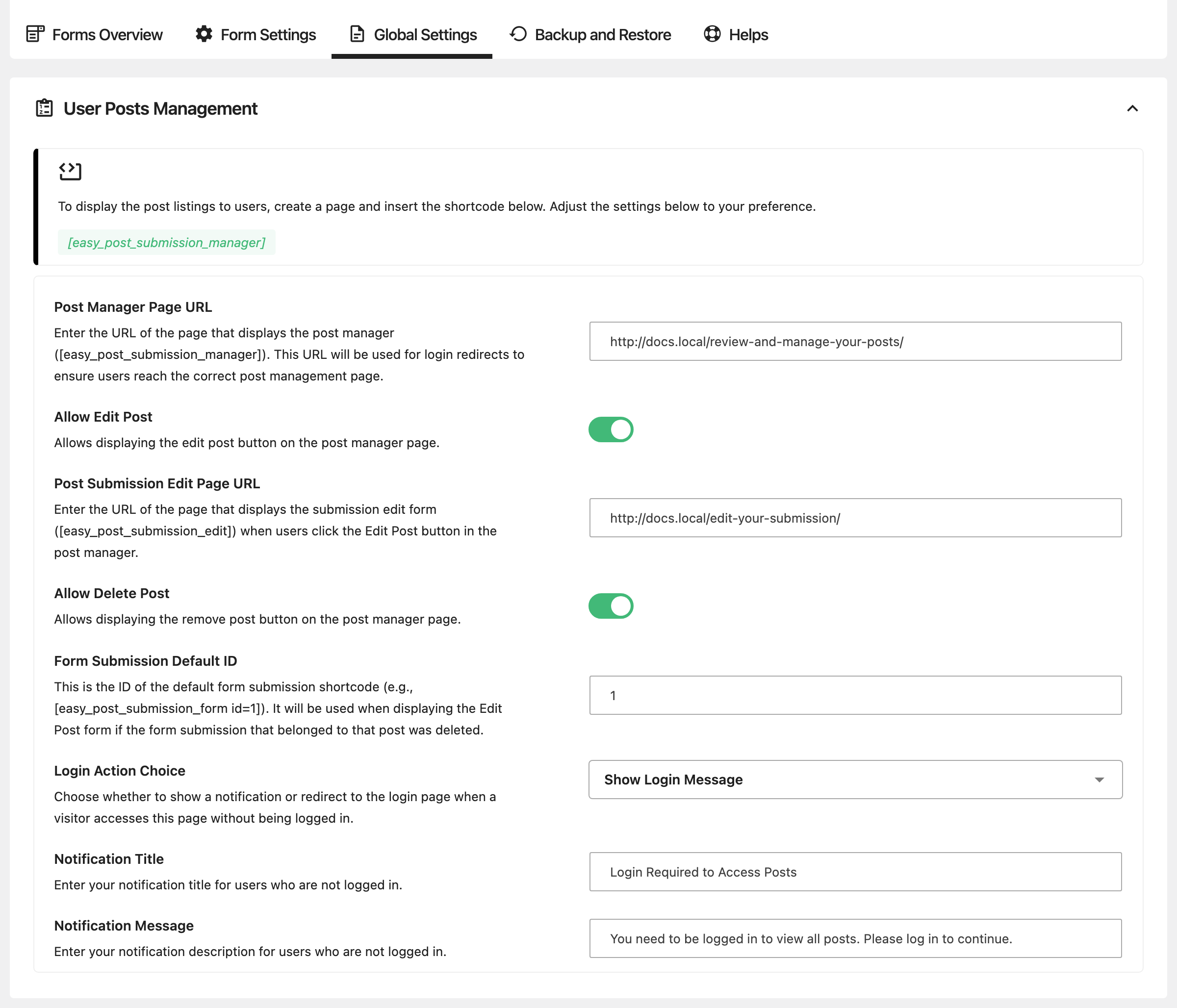
-
Click Save Settings.
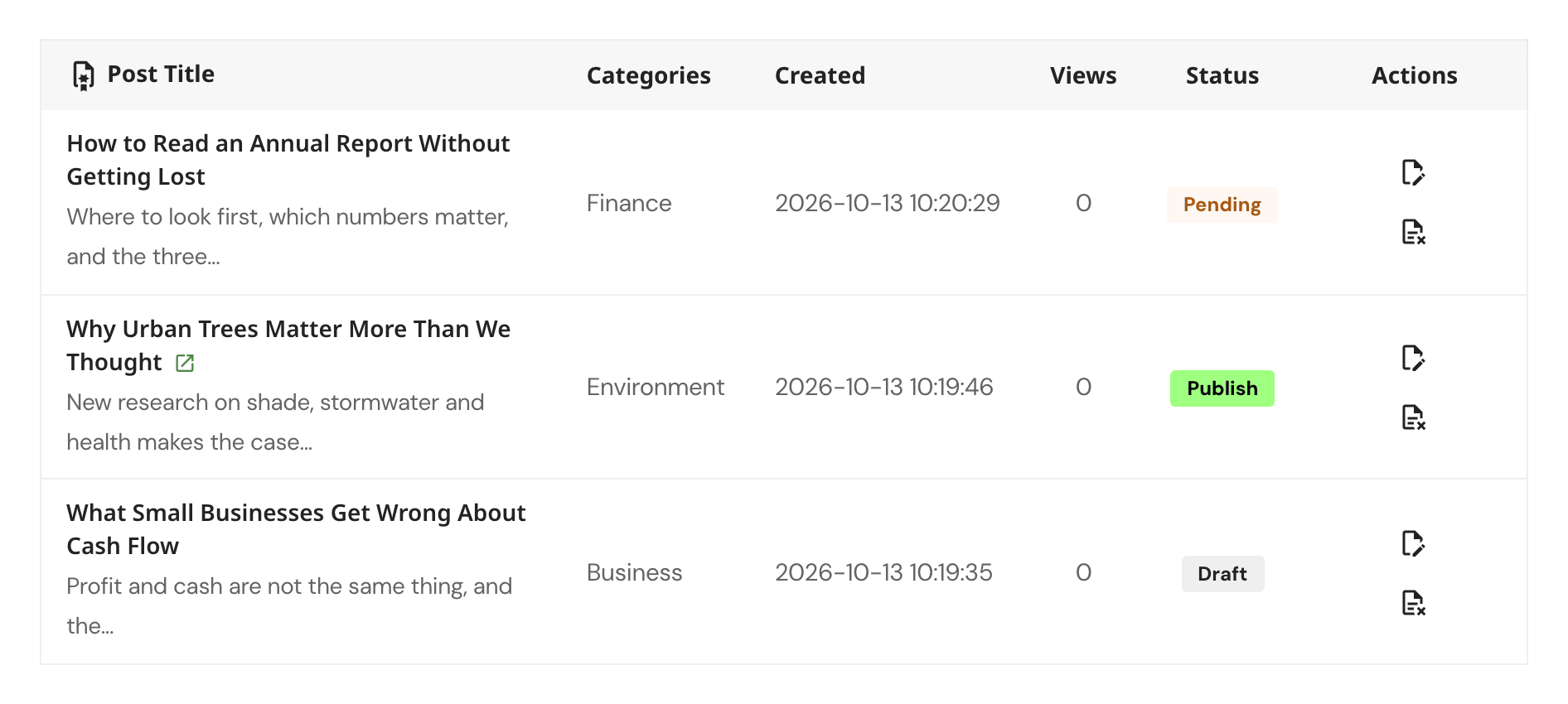
A signed in writer sees their own drafts, pending and published submissions there, ten at a time with Load More Posts. Each row shows the title, categories, date and status. A Views count appears when Light Views Counter, the Foxiz Essential plugin, is active.
The edit page
- Create a page holding
[easy_post_submission_edit]and publish it. - In the same User Posts Management group, put its address in Post Submission Edit Page URL.
- Click Save Settings.
The edit and delete buttons on the post list stay hidden until you turn them on. That is a setting: Let writers edit and delete their posts.
Link the form from your site
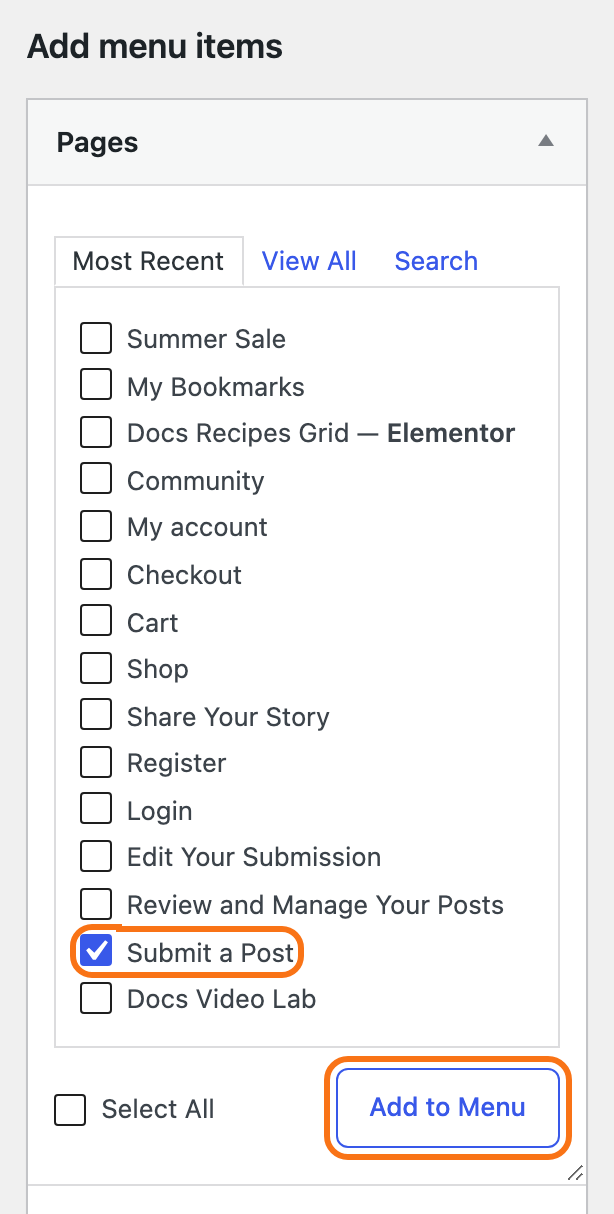
Foxiz adds no submit button of its own. Link the submission page where your readers will find it:
-
add it to a menu at Appearance > Menus (see How to Create & Setup Header Menus?);
-
link to it from a post, a page or a widget, like any other page.
Link the post list page too, for writers who come back to check their submissions.
Next
How to Configure Easy Submission Forms: who may submit, where a submission lands, emails and spam checks.
Did this answer your question?