How to Control Main Review Box Position Manually
Normally, the main Review block will be displayed at the end of the post content. With this feature, you can manually control the display of the Review Box anywhere within the content using a shortcode.
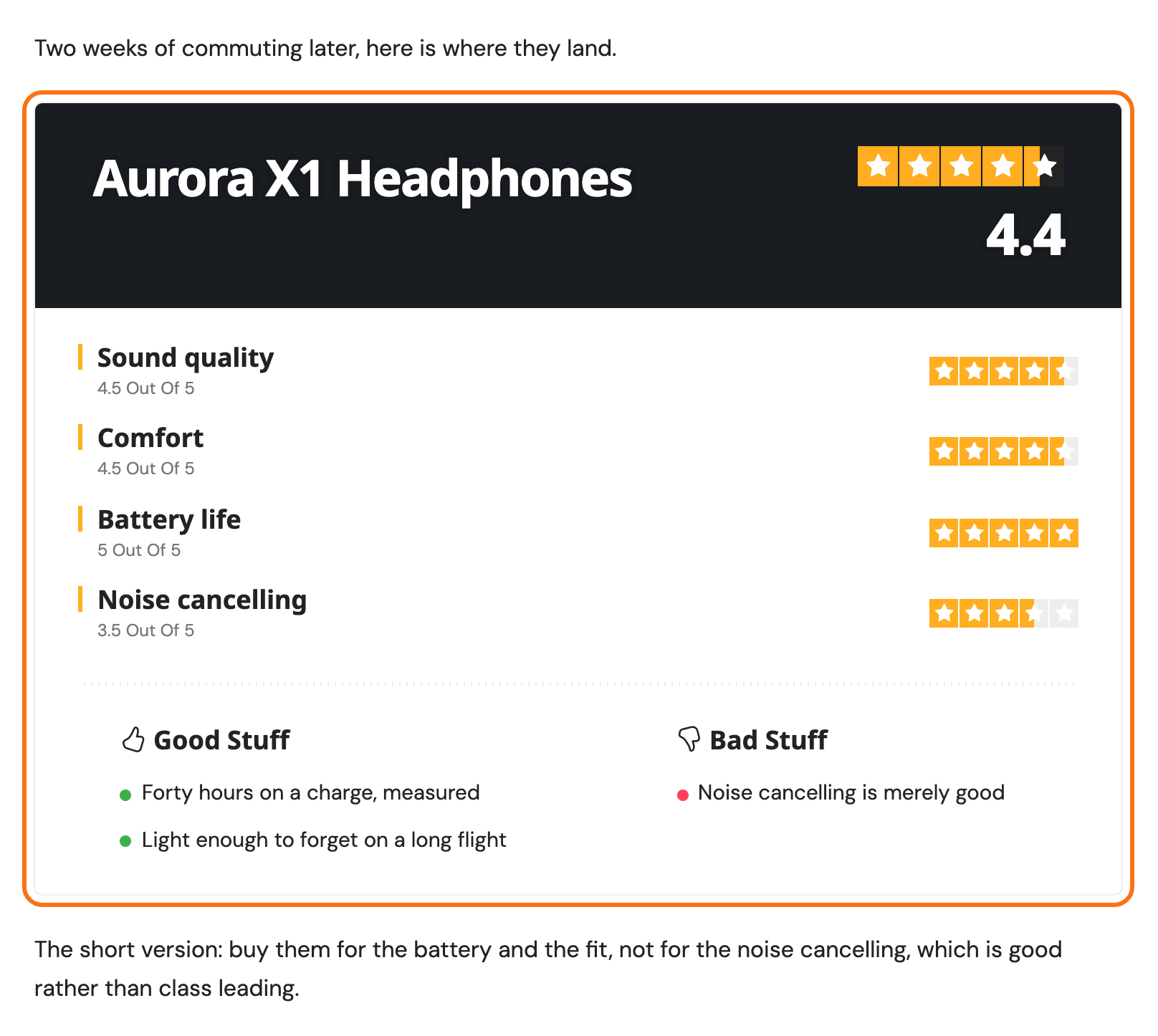
To control Review Box position manually, you can put the shortcode below into your post content where you want the Review Box section to appear. The post needs its review turned on first: if it is not a review post yet, follow the steps further down, then come back here.
[ruby_review_box]
- Open the post in the editor and click the paragraph after which the box should appear.
- Click the + inserter, search for Shortcode and add the Shortcode block.
- Paste
[ruby_review_box]into the block. - Click Save, or Publish on a new post, and view the post.
![The block editor on a review post, with a Shortcode block holding [ruby_review_box] between two paragraphs of the post](/docs/assets/images/editor-review-box-shortcode@2x-bb9f1f9f034258ef91ca2655b1a667e1.png)
You will not end up with two boxes. Foxiz looks for the shortcode in the post content, and when it finds it the automatic box at the end of the post is not drawn.
To create a review post, follow the steps below:
-
Navigate to Posts > Add Post, or open the post you are reviewing in.
-
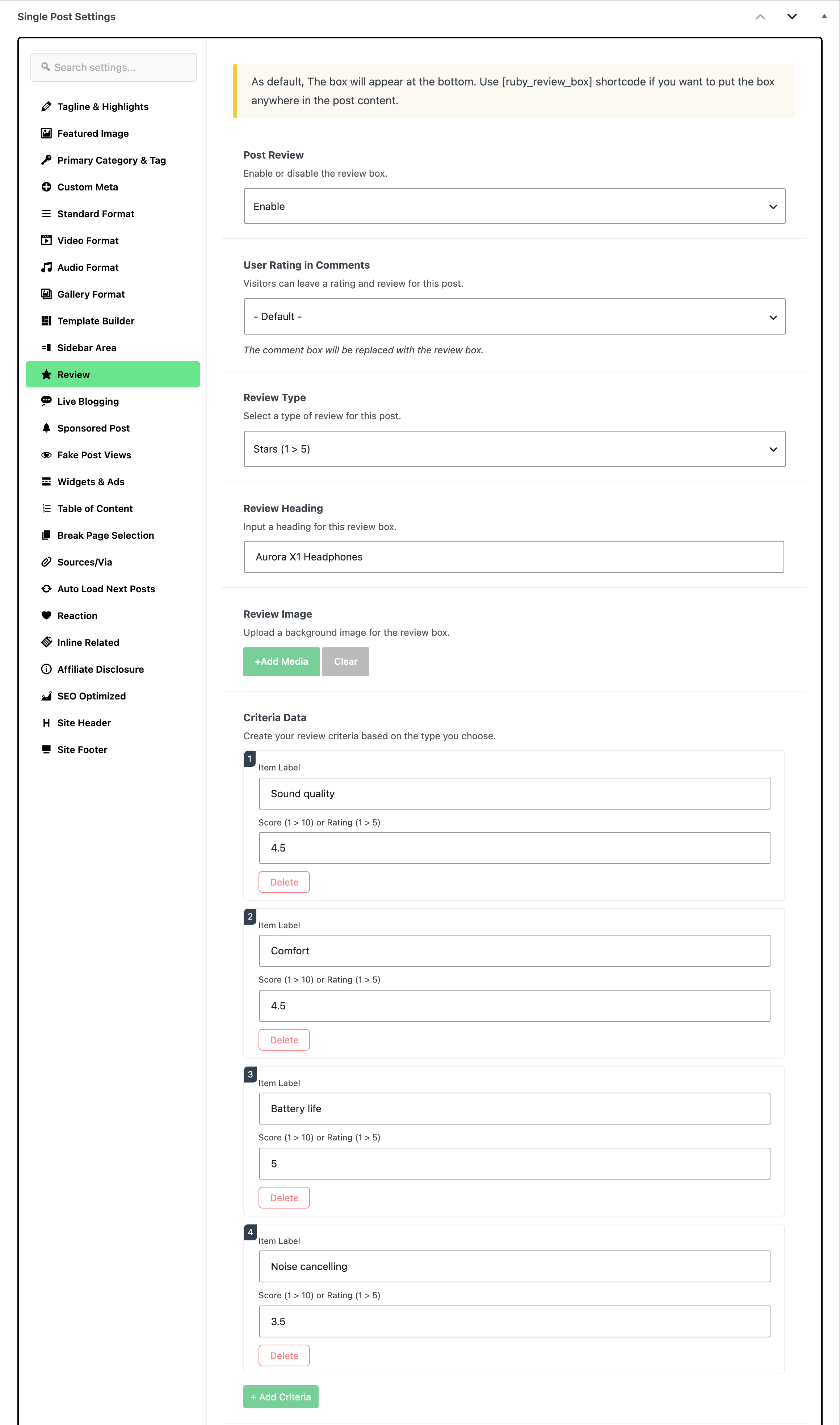
At the bottom of the editor, open the Meta Boxes bar, find the Single Post Settings box and select its Review tab.
-
Select the “Enable” option in the “Post Review”. It is a dropdown that is set to - Disable - by default. The tab is Review and it sits in the Single Post Settings box on the post itself, not in Theme Options.
-
Under Criteria Data, click + Add Criteria for each thing you rate, and fill in its Item Label and its number in Score (1 > 10) or Rating (1 > 5). Then click Save, or Publish on a new post. For the other fields of the tab, see How to Create a Review Post?.
The shortcode only moves the box. Everything else about the review, the criteria, the labels and the scores, still comes from the Review tab, and a post with no review enabled renders nothing wherever the shortcode is placed.
Did this answer your question?