Setup Video Playlist
YouTube playlists: By utilizing this feature, users can create unlimited playlists to showcase YouTube videos within the playlist
YouTube and nothing else. The block drives the player through YouTube's own API so it can offer a play and pause button beside the list, and the panel says as much in a notice above the first field. A Vimeo or self hosted URL will not work here.
What the playlist does on the page, such as playing the next video when one ends, is in How to Create a Youtube Videos block.
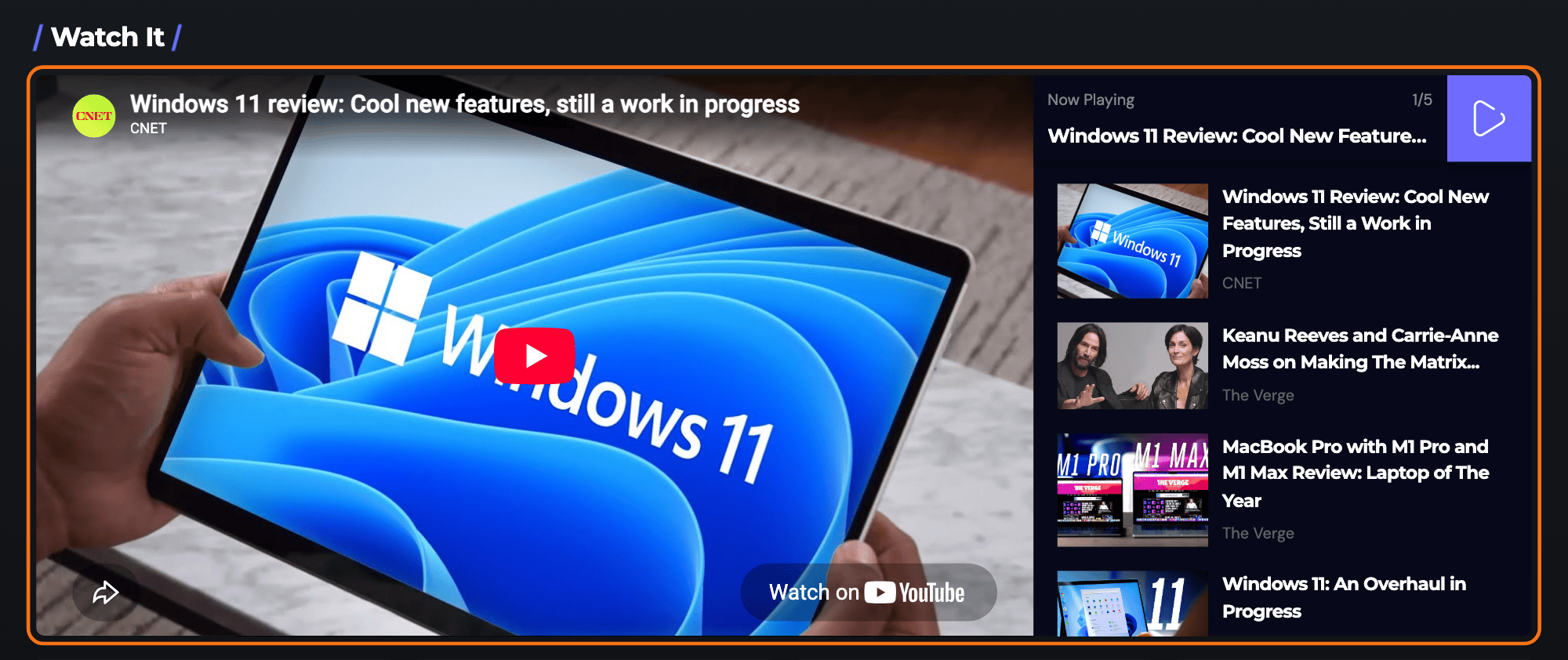
To get started, follow the steps below:
-
Navigate to Pages > All Pages.
-
Select a page you would like to edit or add a new page, and click on the "Edit with Elementor" link.
-
The website will redirect to another URL and the panel will appear on the page. Then, you can search for the "Foxiz - Youtube Videos" block in Elementor.
It lives in the Foxiz - Element category, and
youtube,playlistorclipswill find it if you would rather browse than type the full name.
-
After you search "Foxiz - Youtube Videos", you can drag and drop blocks inside.
-
In the block settings, enter a Youtube Video URL for each video. Click Add Item to add as many videos as you like.
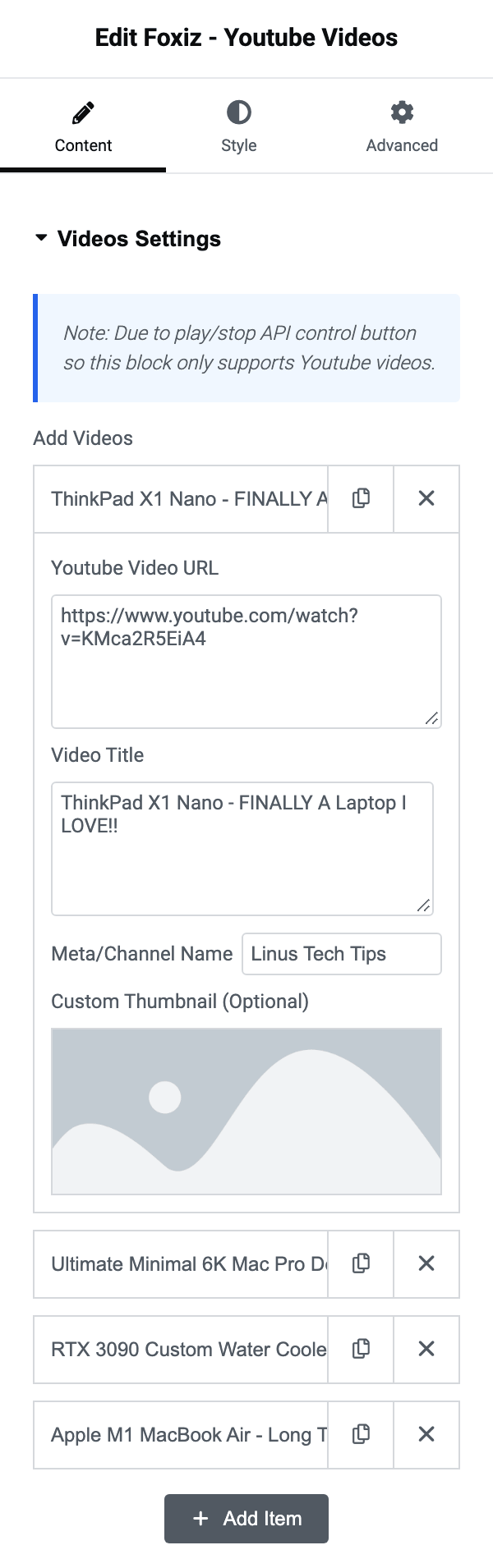
The list is called Add Videos and it is in the Videos Settings section of the Content tab. A new block already has one row in it, named Video Title #1, and Add Item at the bottom adds the next.
Each row has four fields. Youtube Video URL is the only one that matters: a row with it empty is dropped from the playlist rather than shown blank. Video Title is what the row shows in the list and what names the row in the panel, so filling it in makes a long playlist workable. Meta/Channel Name is the small grey line under the title. Custom Thumbnail (Optional) is the picture.
Leave the thumbnail alone and Foxiz fetches YouTube's own, downloads it into your media library and remembers it, so it is served from your site rather than hotlinked. There is a catch worth knowing: that fetch only runs for a logged in administrator. Load the finished page once while signed in as an admin, before anyone else sees it, or the first visitors get placeholder images.
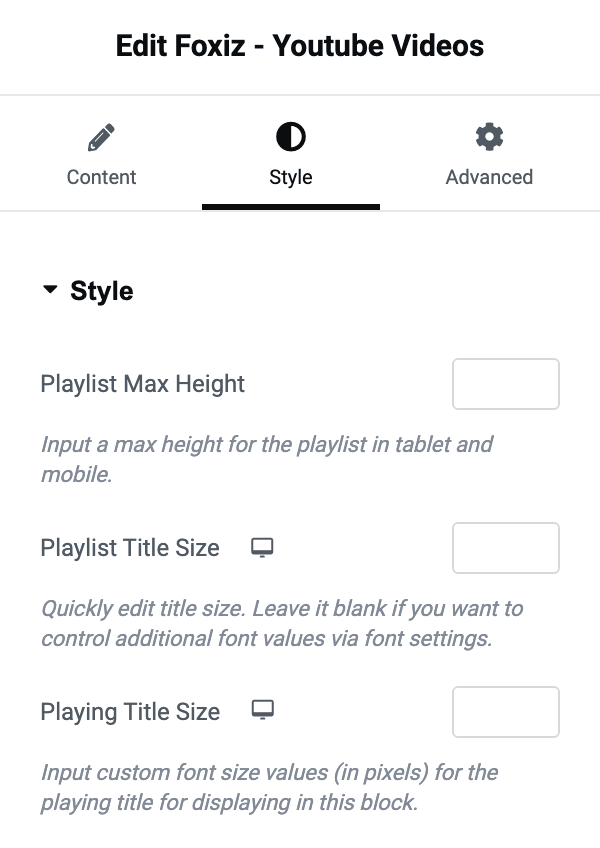
The Style tab has three numbers for it. Playlist Max Height caps the scrolling list on tablet and mobile, which is what stops a twenty video playlist filling a phone screen. Playlist Title Size and Playing Title Size set the font size of a row and of the title above the player, both in pixels and both responsive.
Did this answer your question?