The Foxiz Social Follower Block in Elementor
Foxiz - Social Follower draws a grid of social tiles, each one an icon, a follower number and a small call to action, linking out to your profile on that service. It sits in the Foxiz - Element category and searching the panel for follow, fan or counter finds it.
The numbers are ones you type. Nothing here asks any network for a live count, so treat them as a rounded figure you update now and then rather than a live readout.
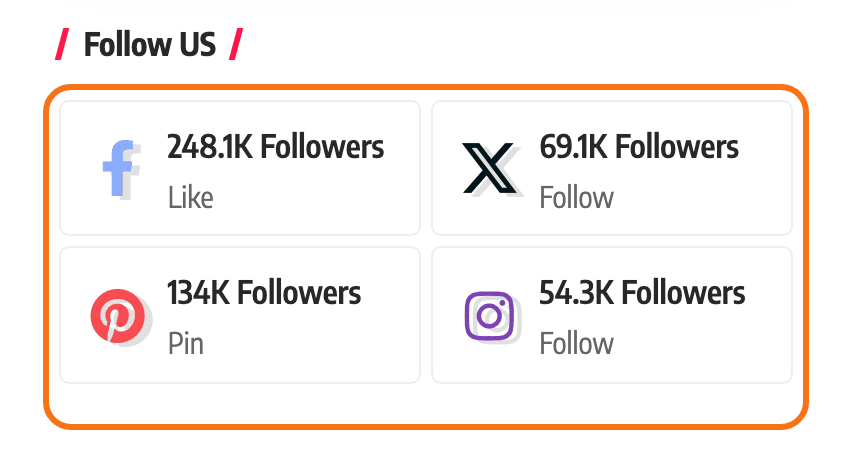
For the same grid in a sidebar or a footer widget area rather than on a page, the classic widget Foxiz - Widget Social Counter covers the same networks and is documented with the other widgets in editing sidebars and widgets.
Putting a follower grid on a page
- Open the page with Edit with Elementor.
- Search the panel for follow, or scroll to the Foxiz - Element category, and drag Foxiz - Social Follower onto the canvas.
- The Content tab is one section per network, 29 of them, all empty. Open the one you want and fill in the field that identifies your account.
- Fill in the number field beside it if you have a figure worth showing.
- Pick a Style on the Style tab, then publish the page.
A network appears in the grid only when its identifying field has something in it. Filling in a number and leaving the name or address empty draws no tile, which is the single most common reason a tile is missing.
The tiles are drawn in the order the sections appear in the panel, not the order you filled them in, so the way to reorder them is to choose which ones you use.
Content tab: the 29 networks
Seven of the fields want a bare handle and the block builds the address around it. The other twenty two want the whole address pasted in. Getting that the wrong way round gives you a link to a page nobody can open, and the tile still looks correct.
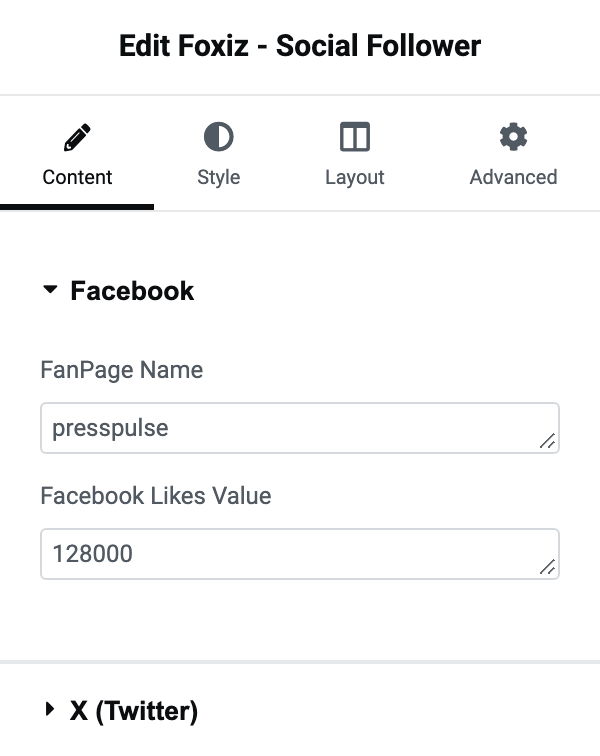
| Section | The field that switches it on | What to put in it | The number field |
|---|---|---|---|
| FanPage Name | the handle on its own, no address | Facebook Likes Value | |
| X (Twitter) | X User Name | the handle on its own, no address | Followers Value |
| Pinterest Name | the handle on its own, no address | Followers Value | |
| Instagram Name | the handle on its own, no address | Followers Value | |
| Youtube | Youtube Channel or User URL | the full address | Youtube Subscribers Value |
| Tiktok | Tiktok URL | the full address | Tiktok Members Value |
| Vkontakte | Vkontakte URL | the full address | Vkontakte Followers Value |
| Telegram | Channel or Invite URL | the full address | Telegram Members Value |
| Channel or Invite URL | the full address | Followers Value | |
| Google News | Google News URL | the full address | Followers Value |
| LinkedIn URL | the full address | Followers Value | |
| Medium | Medium URL | the full address | Followers Value |
| Flipboard URL | the full address | Followers Value | |
| Twitch | Twitch URL | the full address | Followers Value |
| Steam | Steam URL | the full address | Followers Value |
| Tumblr | Tumblr URL | the full address | Followers Value |
| Discord | Discord Server URL | the full address | Members Value |
| PayPal | PayPal URL | the full address | Followers Value |
| Patreon | Patreon URL | the full address | Followers Value |
| Soundcloud | User Name | the handle on its own, no address | Followers Value |
| Vimeo | Vimeo User Name | the handle on its own, no address | Followers Value |
| Dribbble | Dribbble User Name | the handle on its own, no address | Followers Value |
| Snapchat | Snapchat URL | the full address | Followers Value |
| Quora | Quora Social URL | the full address | Followers Value |
| Spotify | Spotify URL | the full address | Listeners Value |
| Truth Social | Truth Social URL | the full address | Followers Value |
| Threads | Threads URL | the full address | Followers Value |
| Bluesky | Bluesky URL | the full address | Followers Value |
| RSS | RSS Feed URL | the full address | Readers Value |
The seven handle fields are the ones under:
- X (Twitter)
- Soundcloud
- Vimeo
- Dribbble
Every tile links out in a new tab and carries a nofollow mark, so none of them passes ranking weight off your site.
What a tile says
-
With a number in the field, the tile shows the number, then a small word:
- Like on Facebook
- Pin on Pinterest
- Subscribe on Youtube and Snapchat
- Join on Discord
- Send on PayPal
- Follow on all the rest
-
With the number left empty, the network's own name appears where the number would be, and the small word stays. So an empty number field is a perfectly good way to show a plain row of social links.
-
On Style 10 through Style 15, a plural word appears under the number as well:
- Followers for most networks
- Subscribers for Youtube and Snapchat
- Members for Telegram, Steam, Discord and Patreon
- Listeners for Spotify
- Readers for RSS
Tiktok prints Followers even though its field is called Tiktok Members Value.
Type the numbers in full and they are shortened for you: 1200 prints as 1.2K, 3400000 as 3.4M, and anything past a billion as B. Below a thousand the number prints as typed. So there is no point typing "12K" yourself; type 12000.
Style tab
Widget Style
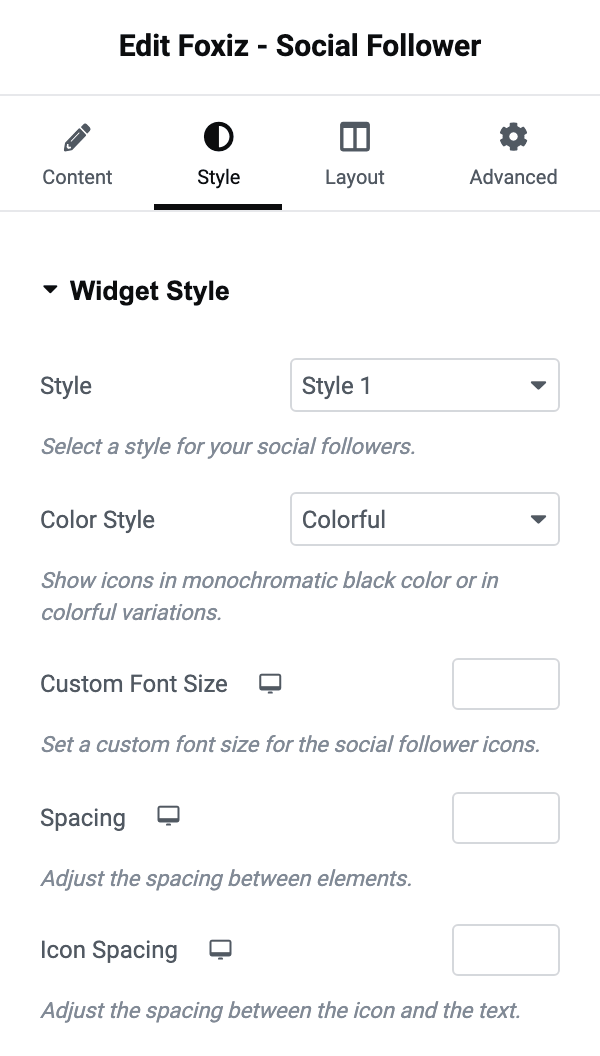
- Style offers Style 1 through Style 15. Its default is Style 1. They differ in how the icon, the number and the word are arranged and in how colour is applied, so pick by eye rather than by number. The last six put the plural word under the number.
- Color Style offers Colorful and Monochromatic. Its default is Colorful, which gives every icon its own brand colour. Monochromatic draws them all in one colour.
- Monochromatic Color, Secondary Color, Dark Mode - Monochromatic Color and Dark Mode - Secondary Color all appear only on Monochromatic, and all four are empty by default. The first of each pair is the icon colour; the secondary one applies in the styles that draw a second tone.
- Custom Font Size sets the size of the icons, in pixels, per device.
- Spacing is the gap between tiles and Icon Spacing the gap between an icon and its text, both in pixels, both per device.
Typography
Two font groups, and a notice saying they override both your Theme Options fonts and the size you set above. Total Fans Text Font covers the number and the plural word under it; Description Font covers the small call to action.
Text Color Scheme
One field of the same name, offering Default (Dark Text) and Light Text. Its default is Default (Dark Text). Switch it to Light Text when the grid sits on a dark section.
Layout tab
Columns holds three controls, and the first one gates the other two.
- Custom Columns is a switch, off on arrival. With it off, the chosen Style decides the columns: some of the fifteen are built four across, some one across.
- Turn it on and Columns appears, a plain number per device. This is the control for a grid that has to be two across on a phone and five across on a desktop.
- Column Gap appears with it, in pixels, per device.
When the block draws nothing
- Every identifying field is empty. The block still puts its wrapper on the page, so what you get is an empty space rather than a missing block, and the Style tab looks like it is doing nothing. Fill in at least one network.
- One tile is missing while the others are fine. That network has a number but no name or address.
- A tile shows the network's name instead of a number. Its number field is empty; fill it in.
- The plural word under the number never appears. That word belongs to Style 10 through Style 15 only.
Did this answer your question?