Problems with SSL?
If your site has moved to https and images stop showing or the browser warns about mixed content, work through these in order:
- Go to Settings > General and check that WordPress Address (URL) and Site Address (URL) both start with
https://. Fix them and click Save Changes. - Install an SSL plugin such as Really Simple SSL (see Install the SSL Plugin below) to rewrite the
httplinks left in your content. - Open Theme Options and click Save Changes once, even with nothing changed, so the theme rewrites its cached CSS.
- Open your ad widgets and re-enter any image address that still starts with
http://.
The rest of this page explains why steps 2 to 4 are needed.
Nothing the theme builds itself is at fault. Every link and every resource URL Foxiz constructs is resolved through is_ssl(), so it follows whatever scheme the page was requested on.
What does break is a URL somebody typed or picked before the certificate was installed. Those are stored as they were saved, and they stay http until they are saved again. On a Foxiz site there are two of them worth checking:
-
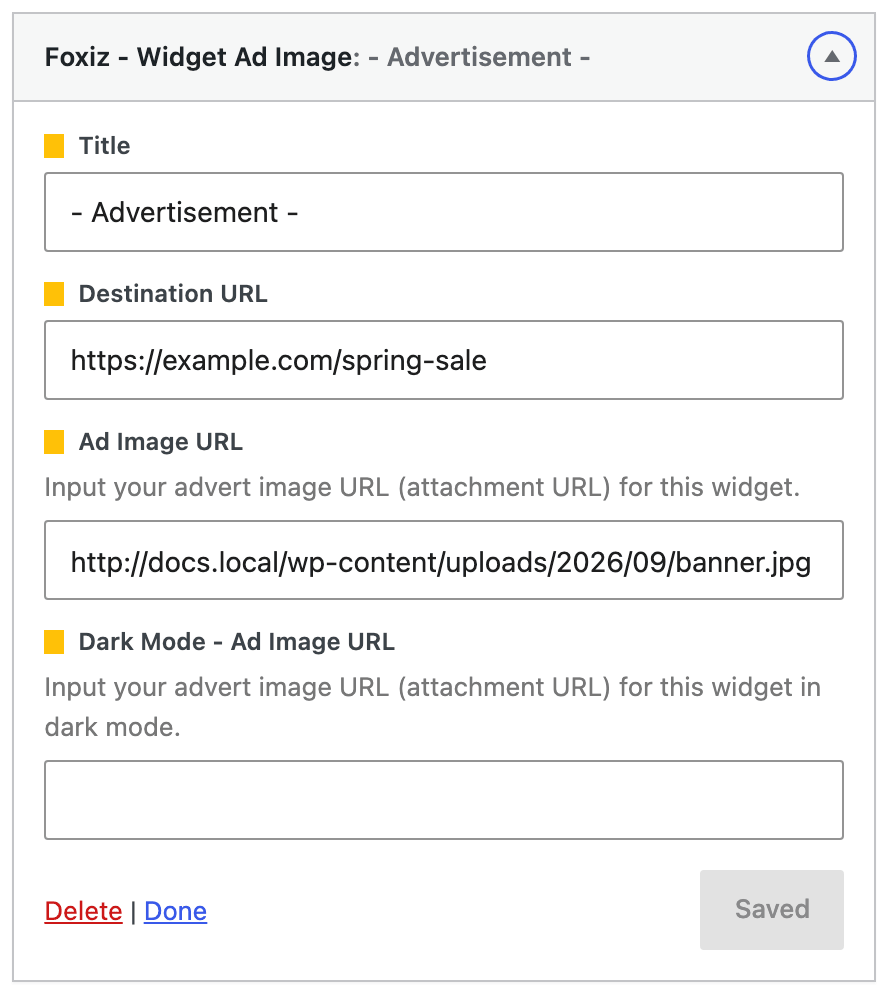
URLs saved in Theme Options and in widgets. The ad widgets ask for an image address as text, in Ad Image URL and Dark Mode - Ad Image URL, and those are used exactly as entered.
-
The theme's cached CSS. Foxiz builds its dynamic CSS once and stores it in the
foxiz_style_cacheoption, and that CSS carries absolute URLs for things like section background images and custom header icons. It is rewritten when you save Theme Options, save a term or edit a menu, and at no other time. So after you move the site to https, open Theme Options and save it once, even with no changes, or the oldhttpimage URLs stay in the stylesheet.
Install the SSL Plugin
You can try to use the plugin below to fix it: https://wordpress.org/plugins/really-simple-ssl/
A plugin like this one rewrites http references in the page as it is sent, which covers the URLs sitting in your post content and in most settings. Do the Theme Options re-save as well: the cached stylesheet is written before the page is built, so whether a plugin catches it depends on how that plugin filters output, and a re-save removes the question.
Did this answer your question?