No Content or Blank Home Page After Executing Demo Import
Most readers no longer need the fix below. The Elementor option this article was written about is now called Container, not Flexbox Container, and it is already on for any site where Elementor was installed recently. If yours is one, step 2 will show you a setting that is already on, and the blank page has another cause. Steps 4 and 5 are for that.
Check in this order, most likely cause first:
- Is the site activated? Demo import needs an active licence, and without one nothing is imported (step 4).
- Is your homepage set? Open Settings > Reading and check Your homepage displays (step 5).
- Is Elementor's Container on? Only an Elementor that has been on the site for years may still have it off (steps 1 and 2).
Why the new demos need containers
Elementor's Flexbox Container lets you design device-responsive web pages using containers similar to the CSS Flexbox. It replaces the columns Elementor used before.
With the new demos (Music & Blog Magazine, Photography & Studio, Kids Learning & Development), utilizing the Flexbox Container feature, to ensure accurate import of these new demo layouts, please update Elementor to the latest version and make sure to enable the Flexbox Container option in the Elementor settings. After that, you can proceed with importing the demo data.
Still worth checking on a site that has been running Elementor for a long time. The option's own default is Inactive, and only new installations get it switched on, so a site that has been upgraded over the years can still have it off.
Get the demo content to show
-
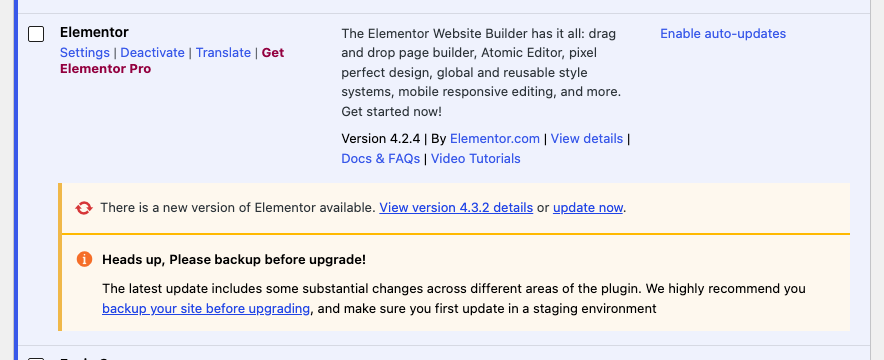
To check the version and update Elementor, navigate to Plugins > Installed Plugins and find the Elementor row. Check for any notifications regarding an update, and if there is one, click its update now link.
-
Once Elementor is updated to the latest version, go to Elementor > Settings > Features and scroll to the option labeled "Container" select "Active" and click "Save Changes"
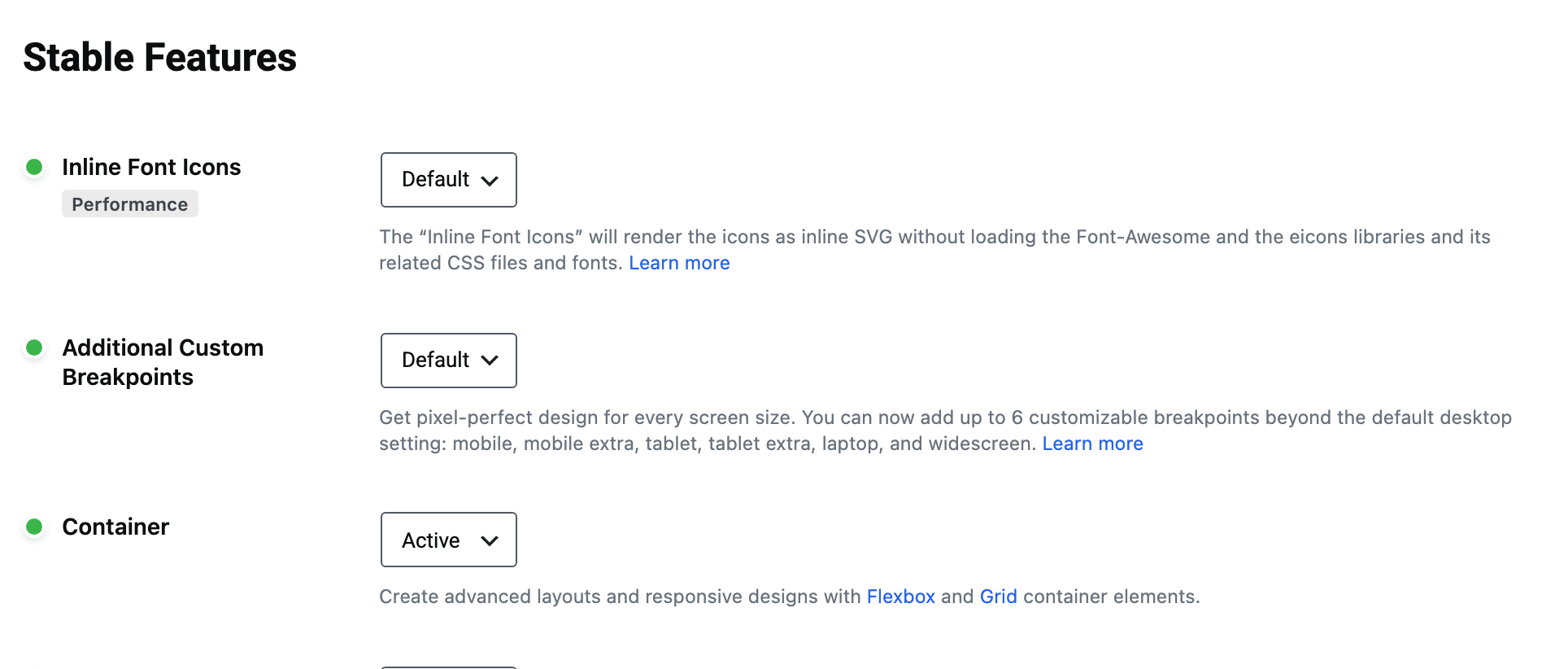
It is in the Stable Features half of that tab, and the three values are Default, Active and Inactive. Leaving it on Default is enough on a newer installation, where Default already means active.
Never set it to Inactive to test something. Elementor's own warning on that switch is that container based content will be hidden from your site and may not be recoverable in all cases, and a demo built on containers is exactly that content.
-
Refer to this documentation for guidance on importing the demo: (Install Demo Content)
-
If the import never ran, the licence is the usual reason. Demo import requires a store licence whose status is exactly active, with no exemption for a local or staging site, and it refuses with "An active Foxiz license is required to import demo content" for a site that is not activated, a revoked licence or an expired subscription. An active licence passes, lifetime or subscription; if the site is not activated yet, start at How to Activate the Theme.
-
If the import ran and posts are there but the front page is wrong, look at Settings > Reading before you look at anything else. The import sets the front page itself, from the demo's own declaration:
- A demo that names a homepage has the import find the page with that exact title and set it as a static front page, with a page called Blog as the posts page.
- A demo that names none has the import switch the site back to "Your latest posts". If your site had a static front page before the import, that setting is gone.
Either way the repair is the same: set Your homepage displays back to the page you want at Settings > Reading.
One more thing the import does that is worth knowing before you run it again: it replaces the whole Theme Options record with the demo's, rather than merging into it. Anything you had configured there before the import is not there afterwards.
Did this answer your question?